
All Activity
- Past hour
-
The "append" keyword has to be used where modules are used. It's tracked here. Note: Modules are enabled in the GUI doesn't mean that in the whole GUI modules are used (IIRC in R28 only in pregame and splashscreen). I wouldn't make .append the default. It serves as distinction between appendixes and plain files. @GrapjasYes that's the (my) desired way of doing it. And it's weird that it doesn't work. (I tested appending multiple files. I think it's something about the content of the files. The next line is appended without a newline. Maybe the implicit semicolon doesn't work at the end of a file.) When the file would get to big you could also import some variables: import { menuEntry } from "gui/pregame/grapjasAdditions.js"; mainMenuItems.unshift(menuEntry);
- Today
-
I was following: https://gitlab.archlinux.org/archlinux/packaging/packages/0ad/-/issues?show=eyJpaWQiOiI2IiwiZnVsbF9wYXRoIjoiYXJjaGxpbnV4L3BhY2thZ2luZy9wYWNrYWdlcy8wYWQiLCJpZCI6MjI0OTY4fQ%3D%3D but they didn't let me create a account due to heavy traffic or so. Toolybird said: "Can you reproduce the problem? Where is the log file? If it's crashing, where is the backtrace?" Can another arch user reproduce it? Or can another arch user say that they could play for a bit longer? I just started a single player game, let some gaia fight and waited 2 minutes and 10 seconds for the next crash. Here are some log files from .local/state/0ad/log If you tell me how I can run tools tracing it, but wouldn't it be easier if the person that investigates it just lets the game run themself for just max. 5 minutes? log.zip
-
Mauryan rams are the cutest imo. they look so harmless, when their wheels move it feels like a wloden cute toy, it has literally 0 "warlike" assets on it it just looks so harmless like, awwwwww
-
I was dabbling into this too. In my case i simply needed an extra main menu button, doing let grapejuice = { "caption": translate("Grapejuice Info"), "tooltip": translate("View the changes that this mod brings to the game."), "onPress": () => { Engine.OpenChildPage("page_grapejuice.xml"); } }; mainMenuItems.unshift(grapejuice) into `MainMenuItems~grapejuice.append` Seems to be clean and works well if i do the same in another mod. However if the variable name is the same in some other mod it will hardcrash on startup. Even if you let the variable out of it and just do mainMenuItems.unshift ( { "caption": translate("Grapejuice Info"), "tooltip": translate("View the changes that this mod brings to the game."), "onPress": () => { Engine.OpenChildPage("page_grapejuice.xml"); } } ) in 2 different mods it will hardcrash aswell. Not sure why and if this the recommended way of doing it anyway.
-
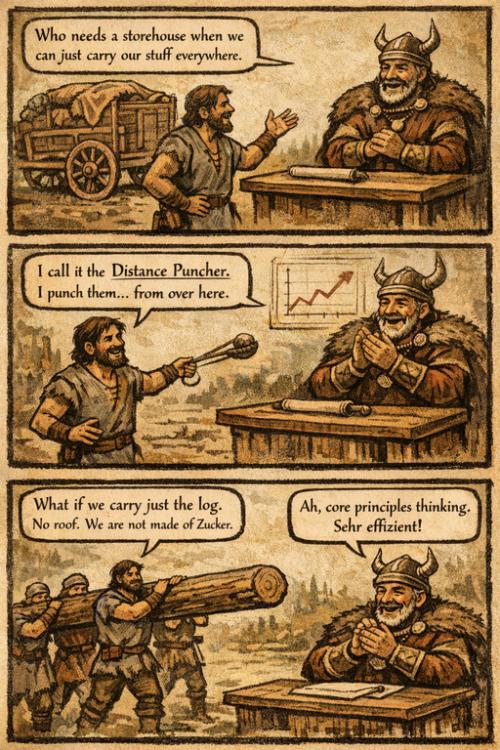
Thanks for your work! Also, the new log ram is cute (and efficient).
-
for inspiration
-
@phosit right, I was too quick. So, what works and what does not: ✔ gui/pregame/mainmenu~MyMod.append.js ✖ gui/pregame/mainmenu~MyMod.js The second approach has worked in all versions prior 28 - and this was "the" established practice, as far as I could see. It looks like the "append" keyword has a special meaning for evaluation of files (I tried with other keywords). Then I have two questions: Should modders be advised to rename all files of the form "module~MyMod.js" with "module~MyMod.append.js"? If so, could this be explicited somewhere? Probably not so relevant here https://gitea.wildfiregames.com/0ad/0ad/wiki/PortA27ToR28, but it would have helped.
-
With "any content" do you mean "no content"? Then that's expected. An empty file shouldn't change the behaviour. eg: appending nothing to the mainmenu.js doesn't change anything. When adding a `warn` call at global scope of the "append" file, it works for me.
-
@phosit try creating a file gui/pregame/mainmenu~MyMod.append.js with any content; this file is not loaded. Or do you get a different outcome?
-
Congrats on the release folk
-
There is an example in "binaries/data/mods/test.scriptinterface/module/modified/". In your example you would write a file "mainmenu~local_rating.append.js". In that file you can override the init-fuction or anything else. init = function() { // new init code. }
-
That's the point. If the directory gui/pregame was loaded by the xml - like it was before: <script directory="gui/pregame/"/> then one could create a file named mainmenu~MyMod.js and do all sort of scripting therein (for example making proxies of existing functions). But this is not the case anymore for the pregame page. At first glance, this is the only page which changed behaviour. To make a comparison, session.xml is still loading the entire directory gui/session: <script directory="gui/session/"/> I wish I was! New release, new work for porting mods. I played my last game in 2023, but 0 A.D. is always in my heart.
-
Hey @Mentula Nice to see you're still active! Can't you add a file like autociv like so ~mainmenu.js to extend it ? Else maybe you can wrap the module into something else and use that elsewhere. sounds inconvenient though @phosit
-
Update: I ended up deciding for "haimaz". I explained my thoughts about it here: https://gitea.wildfiregames.com/0ad/0ad/pulls/8722#issuecomment-135305 I want thank you both for the research and debate, I think the debate itself is also valuable, not just the result. And let's stay on the ground and don't exaggerate the importance of this, after all it is just single term among hundreds in the game. And for the future, let's act in such a way that we'll never have to remove the "No historians were harmed" disclaimer...
-
Hi devs and modders, In 0 A.D. 27 and before it was possible to mod the pregame page by adding scripts to the gui/pregame folder. Example of applications are: adding items to the main menu; running startup scripts. Since commit 0fcc4f5fc5 the gui/pregame directory is not loaded anymore, in favour of loading the mainmenu.js file only. It is not clear how mod scripts can run in this page after this change. ✖ It is not an option to override mainmenu.js, mainmenu.xml, page_pregame.xml or other files. This will of course break the compatibility with other mods, as only the last loaded mod will execute the code. Maybe @phosit, do you have an idea? I am pinging you as the author of the change. Thanks.
-
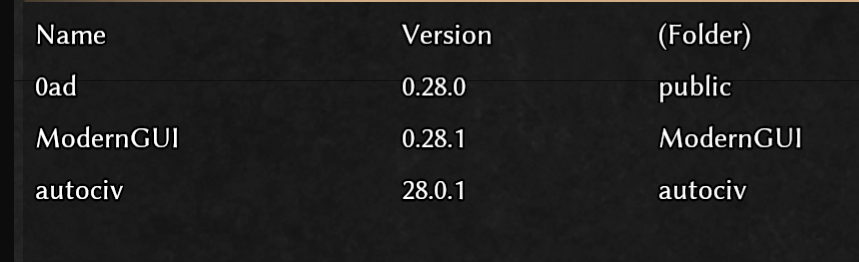
For now, if you use autociv with ModernGUI, please stack your mods in this order: Otherwise it will crash during gamesetup. The game is playable like this and you have most of the past features restored to get you back into action! I will gradually work on fixing the other autociv bugs ...
-
Hello, many thanks to @Atrik, I fixed the buttons issue. Also I believe that his ModernGUI has overlay so you can use his mod for the stats for now. Most of the other features of autociv are here. I have tested that these are working, at least for me: Automatically changing civ names Limit corpses Hotkeys Disable eyecandy autociv.zip
- 495 replies
-
- 1
-

-
- hotkeys
- autoassign civ
- (and 9 more)
-
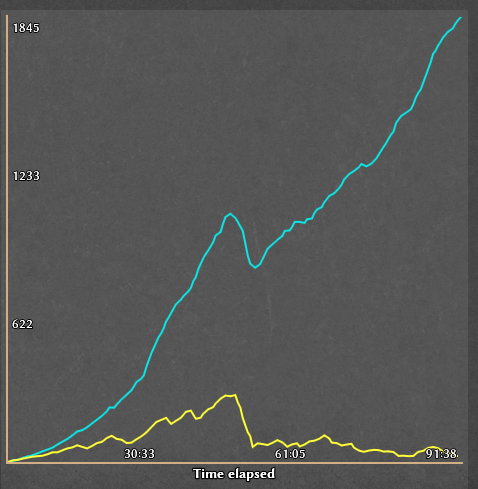
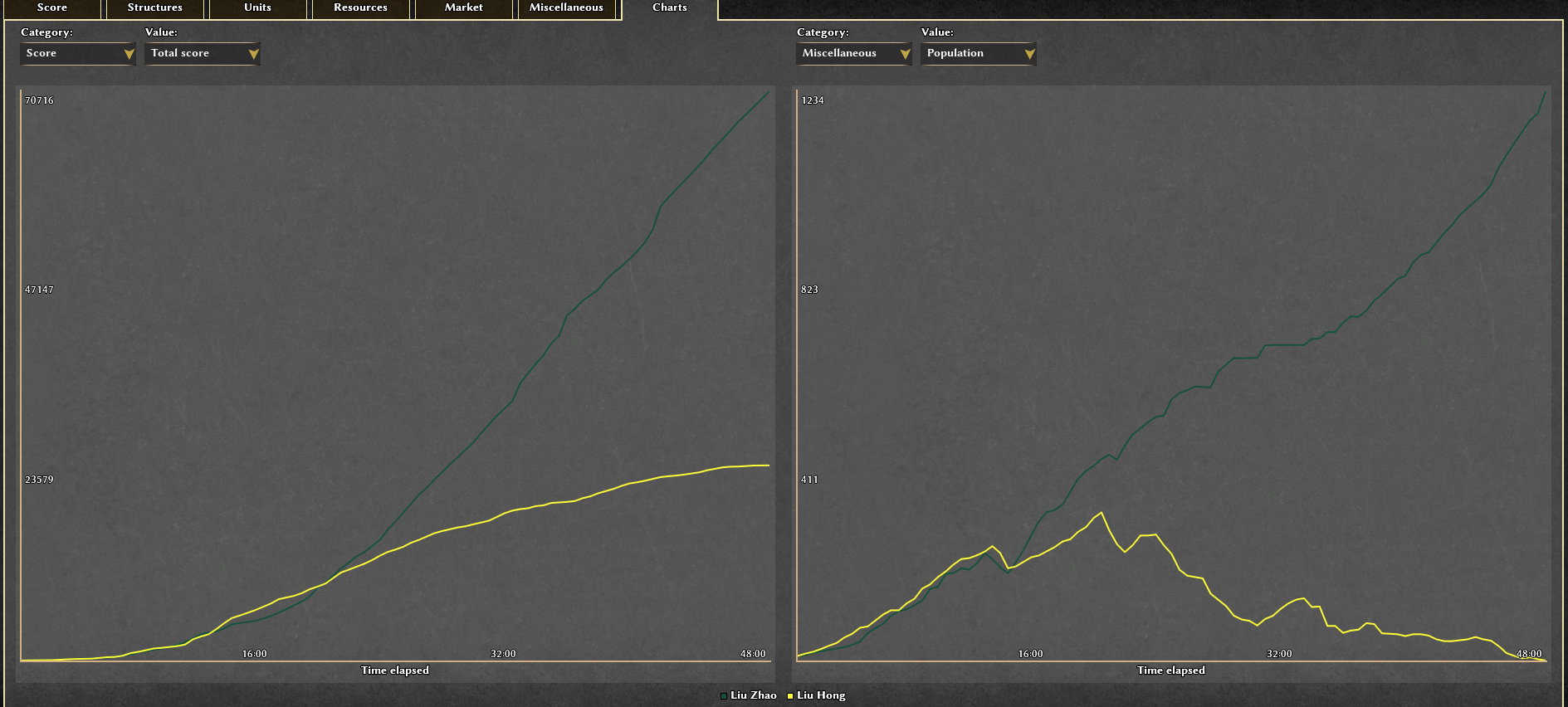
The population has surpassed 1800 by the Iron Tortoise bot, the highest I've ever seen. The match isn't over yet, and the population continues to grow.
-
https://gitea.wildfiregames.com/0ad/0ad/issues/8571, do they use a patched spidermonkey?
-
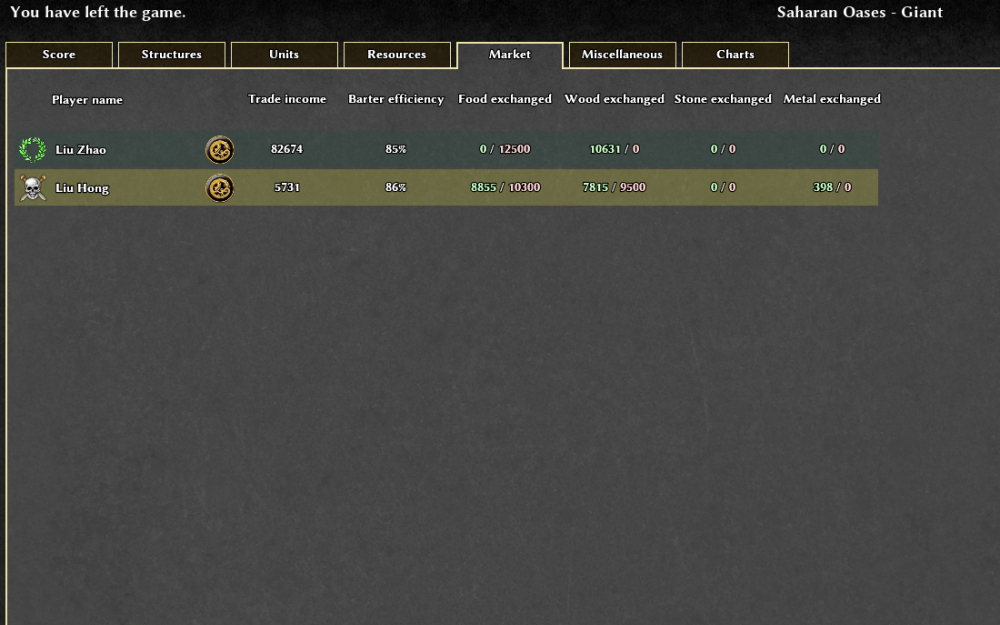
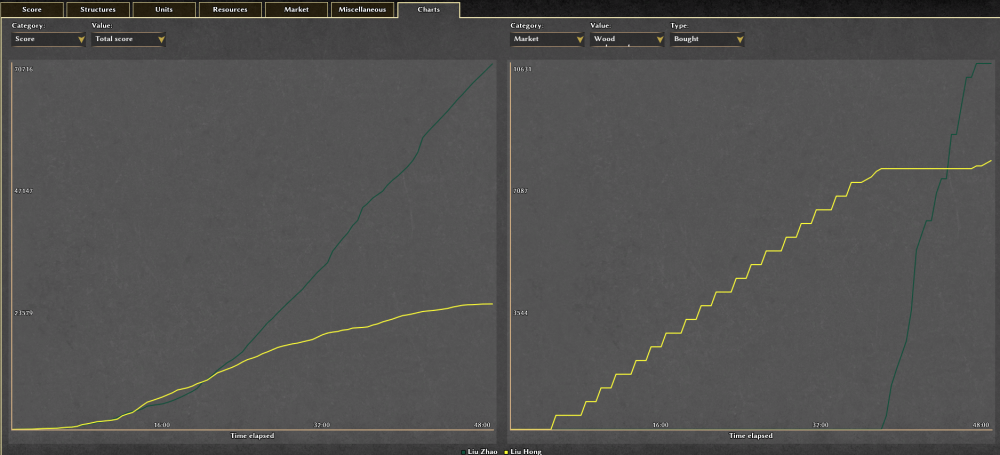
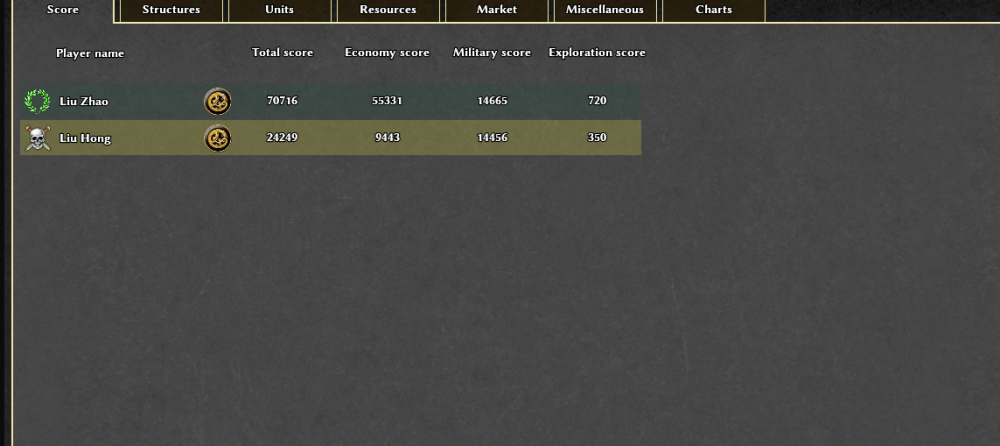
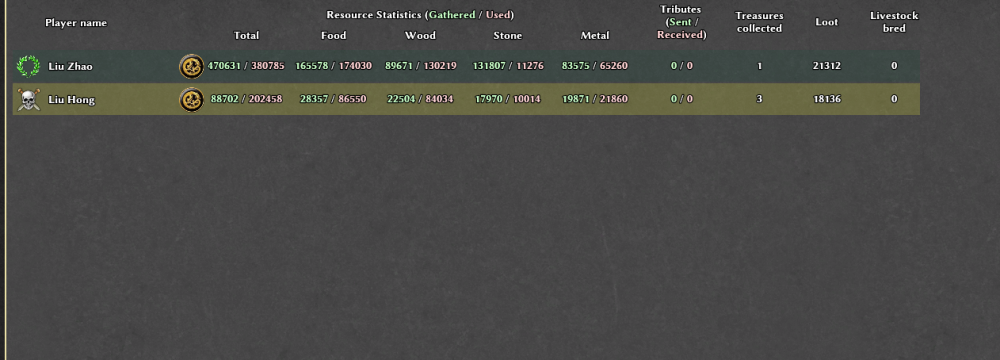
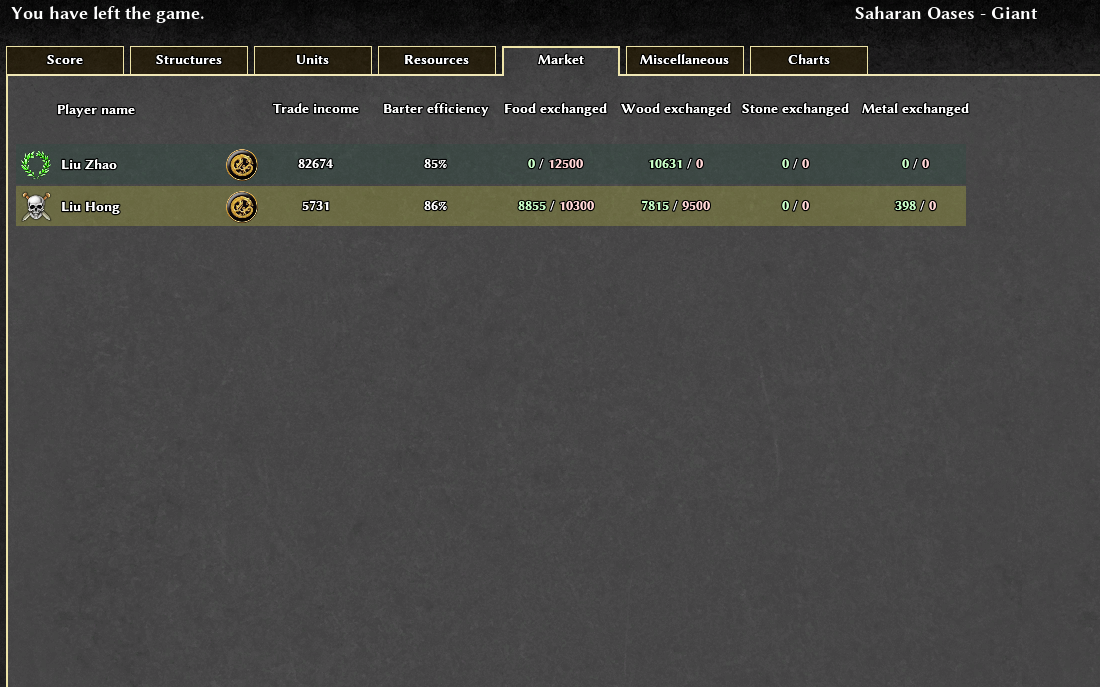
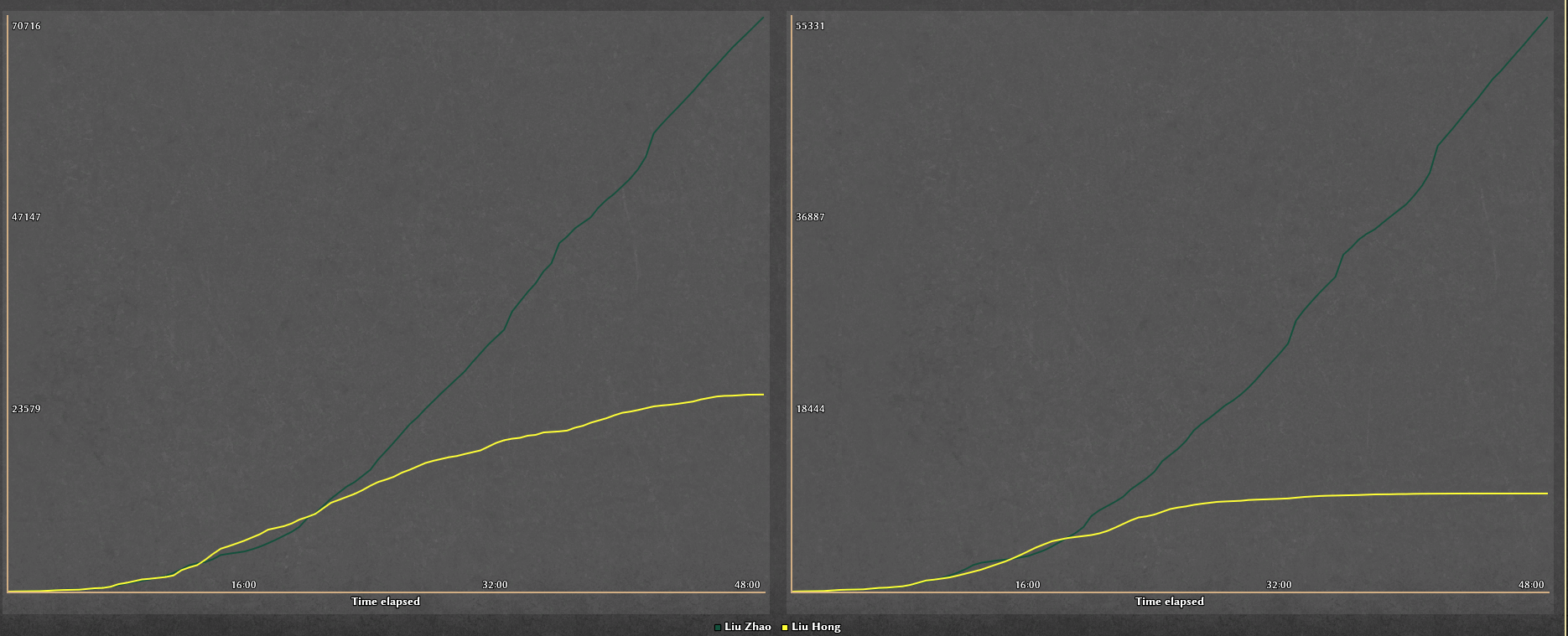
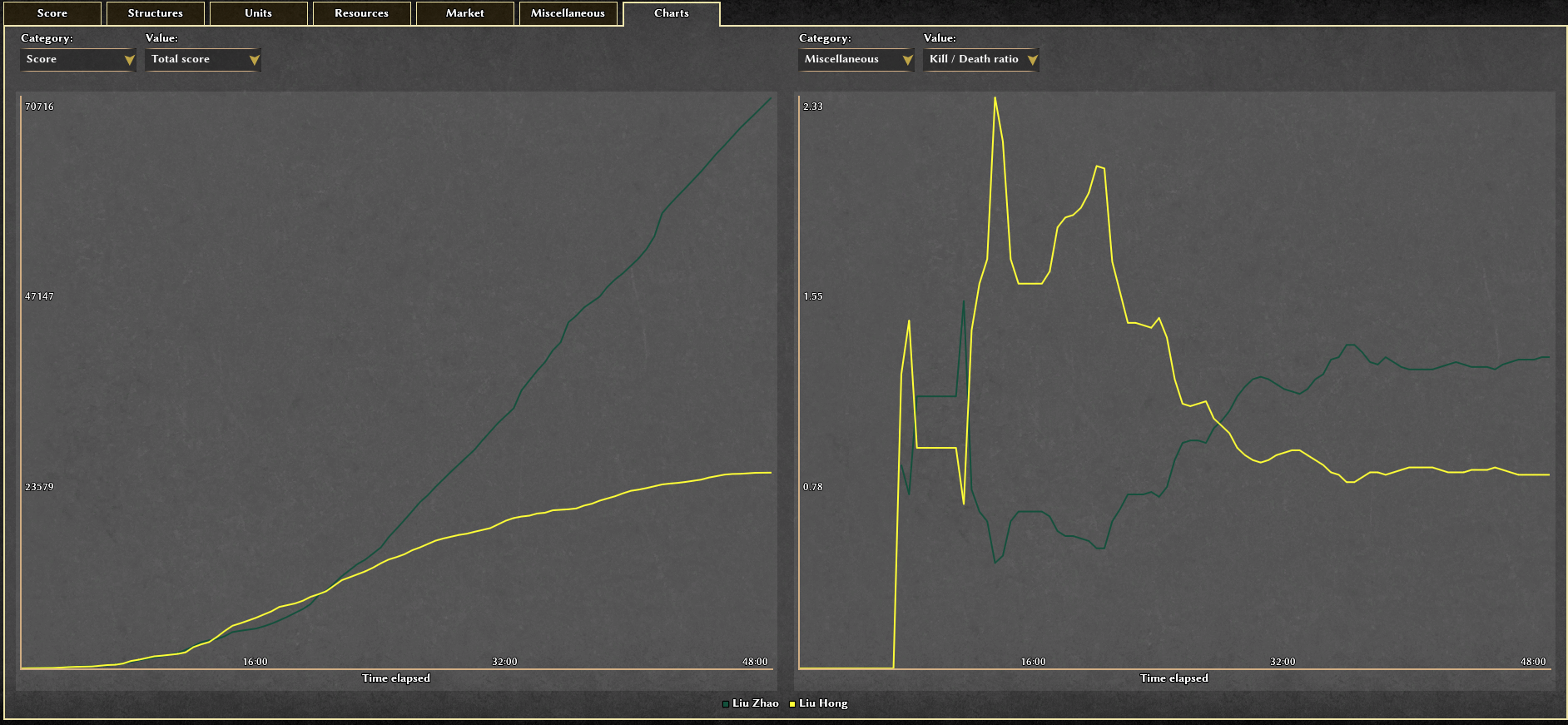
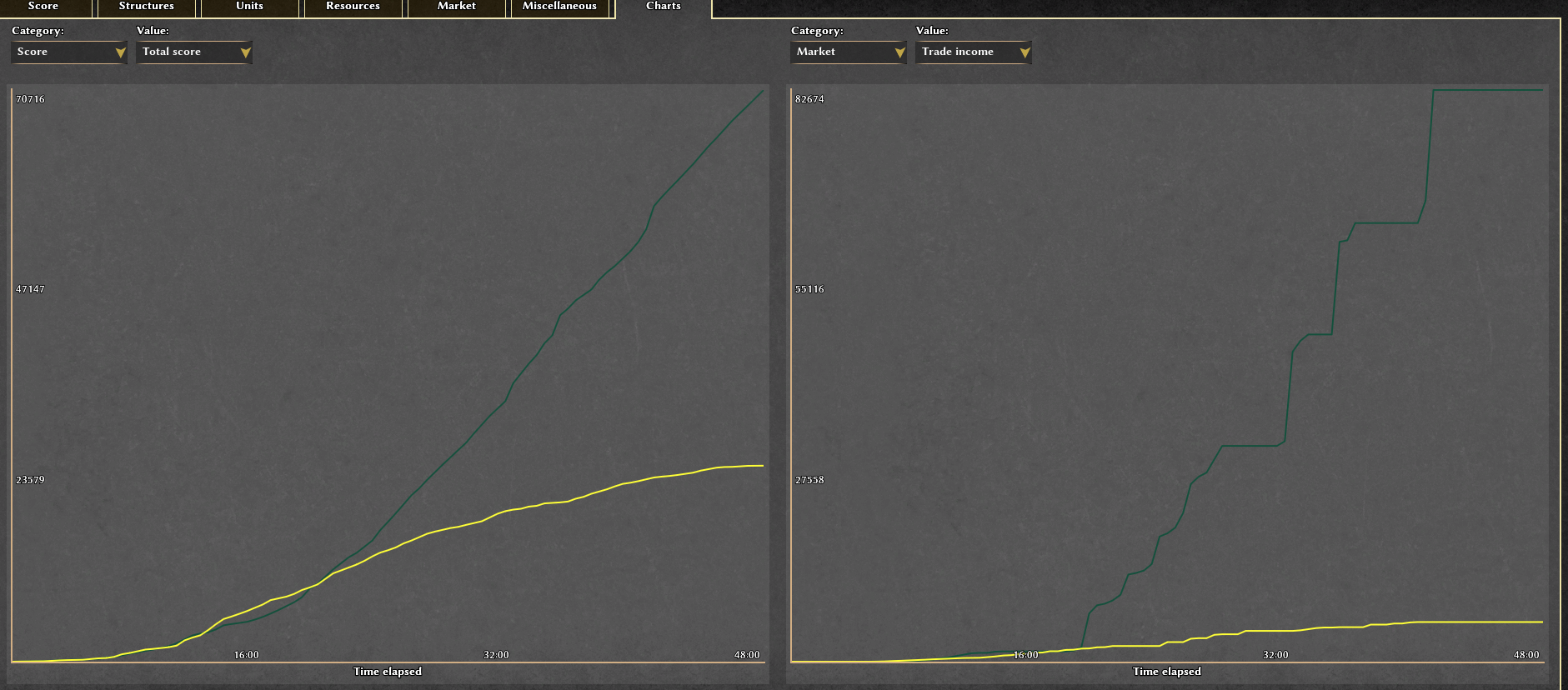
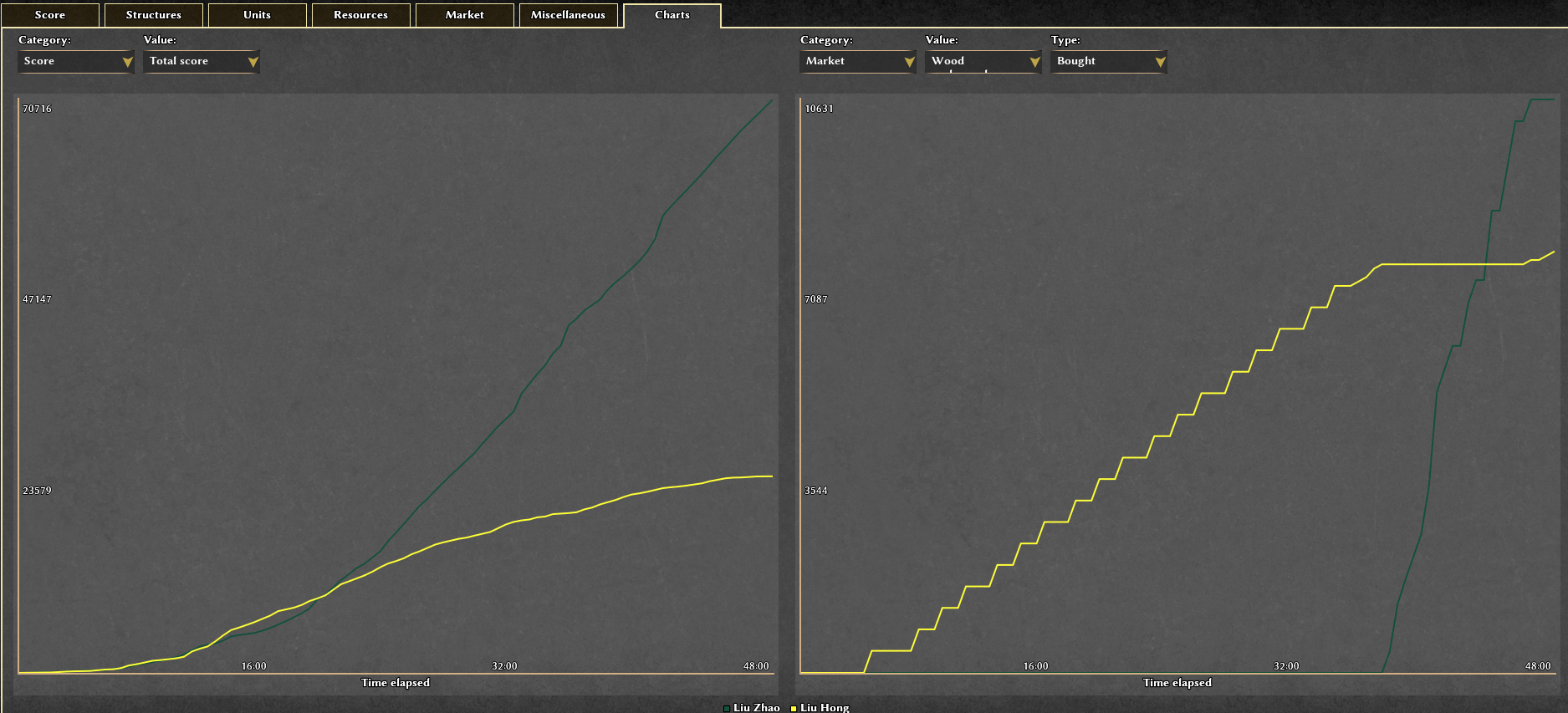
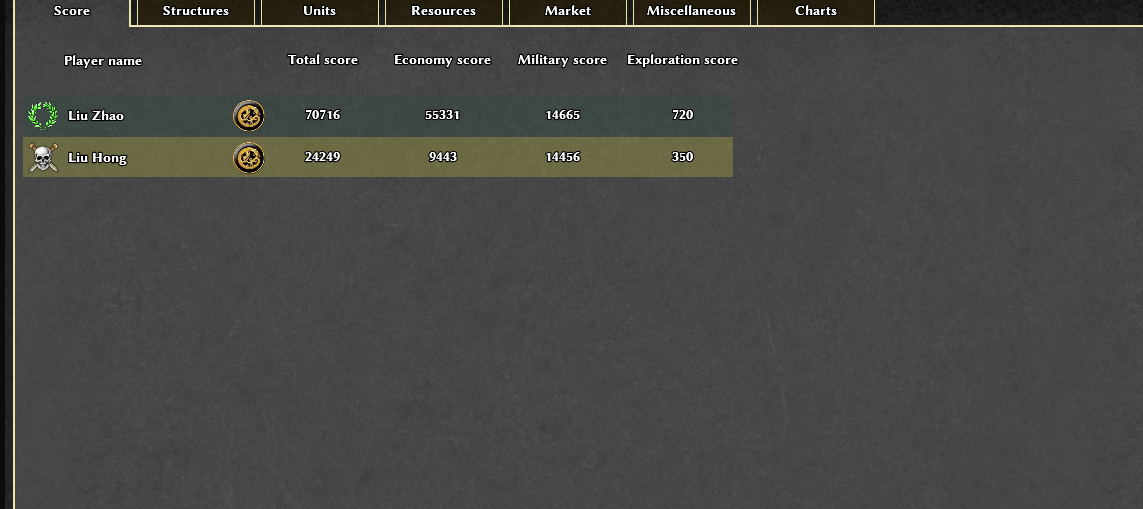
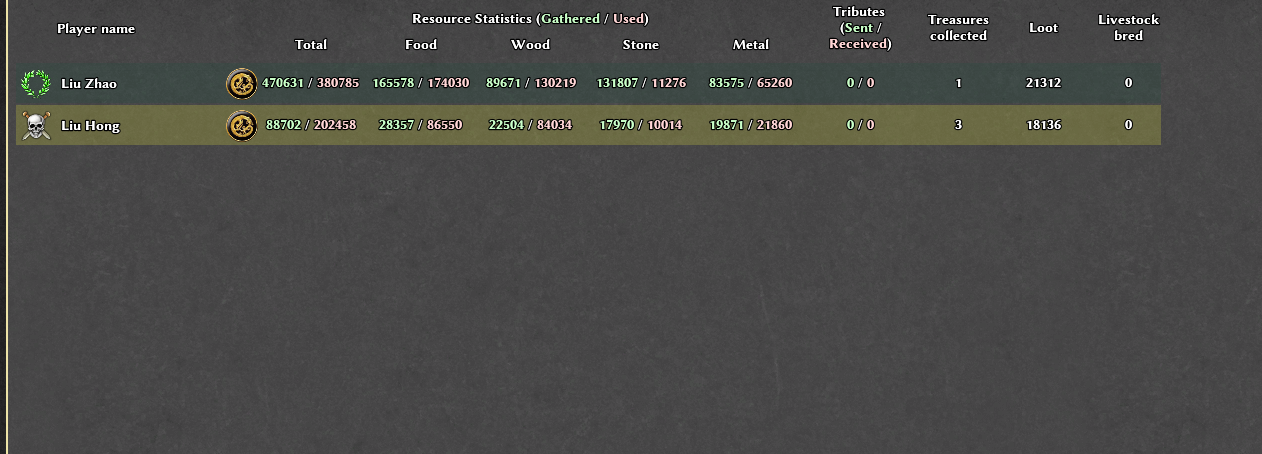
Here are some of Eco Master's stats when battling Petra.
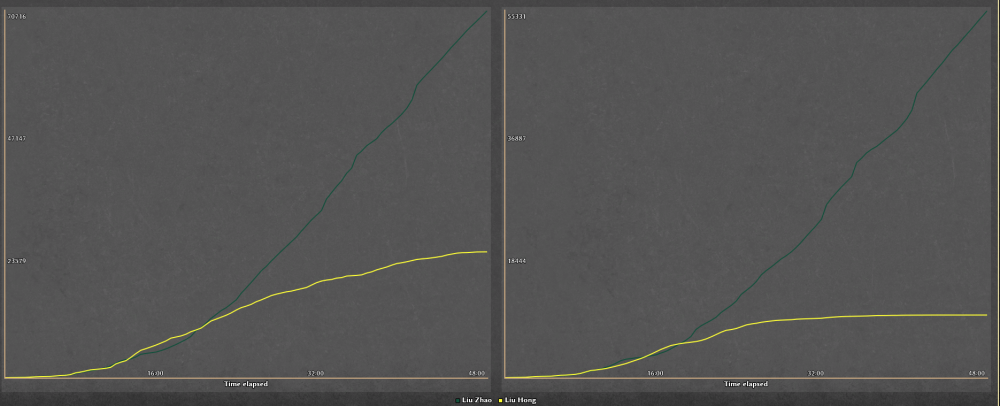
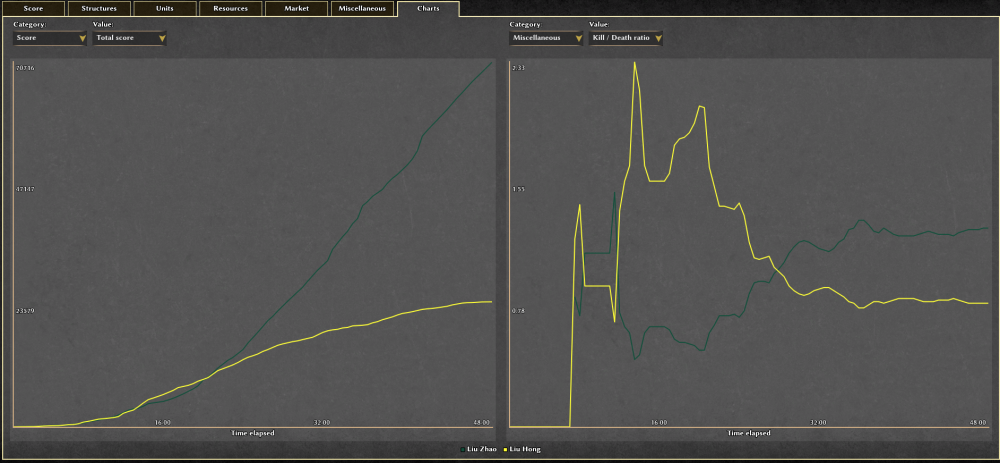
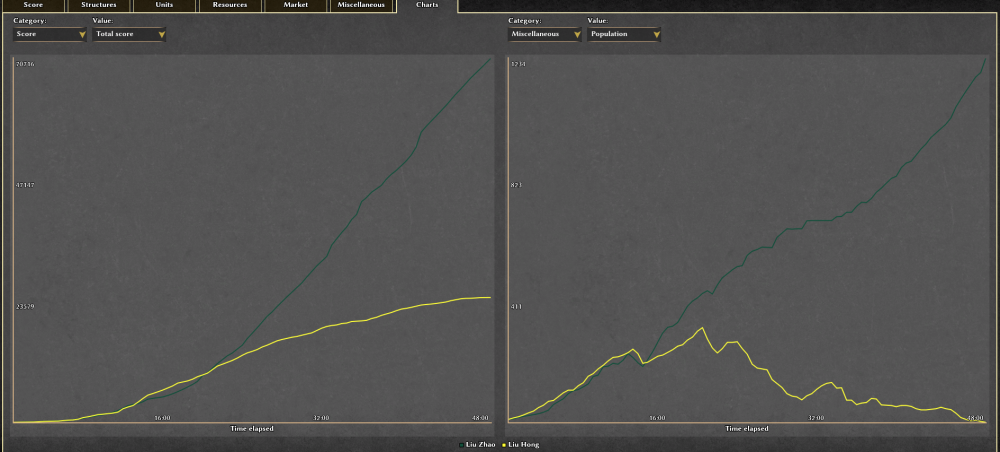
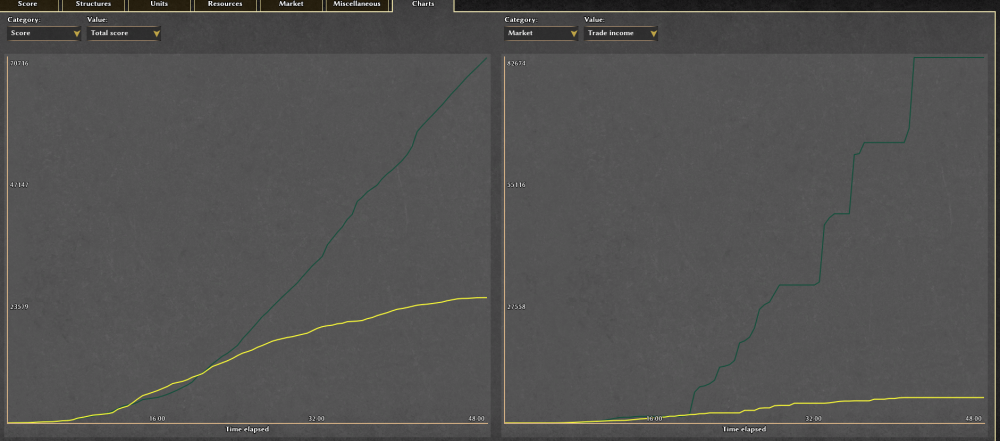
-
Try it and let me know what you think bot_EconomyMaster_v2.zip
-
Reported at 0ad Arch user reports crash on multiple computers and New version: v0.28.0 (alpha noted). cc @ffm2
-
I've published v0.28.0 and it should be available to download from 0ad as soon as it's signed Some changes: Reduced Armor multiplier of Heroes from 3 to 2 Added Extremeness (3.0 multiplier) to Siege units
-
Post Eco Master and I’ll include it in my Bot Pack.
-
That's also what I want, bots with different styles will make the game more interesting.



.thumb.png.f3f47d08fd1bf1063ea4b371390681b4.png)


.thumb.jpg.b21ca1d0c15fb56b42c39b25a0a40815.jpg)









-
Latest Topics
-

