


vladislavbelov
-
Posts
1.443 -
Joined
-
Last visited
-
Days Won
24
Everything posted by vladislavbelov
-

Vulkan - new graphics API
vladislavbelov replied to vladislavbelov's topic in Game Development & Technical Discussion
Seems the same reason. The problem is that D24_S8 isn't enough and we need to use D32_SFLOAT_S8_UINT following rP27379. -
Vulkan - new graphics API
vladislavbelov replied to vladislavbelov's topic in Game Development & Technical Discussion
I got the reason, will make a patch tonight. Thank you! -
Vulkan - new graphics API
vladislavbelov replied to vladislavbelov's topic in Game Development & Technical Discussion
Thanks for testing! Could you disable postproc in your user.cfg and upload userreport_hwdetect.txt here? -
I was doing different refactorings of our engine for last 1.5 years. It's allowed me to add a new backend (graphics API) - Vulkan. It's relatively new API (as D3D12) which allows us to have a more predictable and stable performance. And in some cases even better performance. But not always as we use it in a single thread yet. Vulkan drivers from different vendors are usually much lighter than GL ones. That's the way to have less driver bugs and crashes. But we still need testing how it works on different hardware. So everyone who has a Vulkan compatible device please try to enable it in options (along with feedback). If you're able to run SVN then you already can test it. Else wait for the next RC. Note: to run the game you'd need to download and install a separate mod with precompiled shaders (it'll be bundled in RCs and the Release): https://releases.wildfiregames.com/rc/0ad-spirv.zip. Vulkan can't run pure GLSL shaders (which we use for GL), it uses a special binary format for shaders: SPIR-V. Vulkan allows us to use different interesting features. For example it allows to select the most appropriate GPU to use. It means no more crashes because of wrong GPU, I hope Also Vulkan supports multithreading. If you still have some time you could run the game with validation enabled. It makes the game slower but validates a lot more different internal things. It should help to make Vulkan stable for the release. To enable validation you need to add the following lines to your usef.cfg: renderer.backend.debugcontext = "true" renderer.backend.debuglabels = "true" renderer.backend.debugmessages = "true" renderer.backend.debugscopedlabels = "true" Known issues: Screenshots aren't implemented yet, but going to be during Feature Freeze rP27552 Some precompiled shaders are missing, please report if the game says so macOS isn't supported yet, but we have plans to do so via MoltenVk rP27488 Missing silhouettes rP27418 Unsupported depth formats cause an assertion rP27421 Stretching on window resize after fullscreen switch rP27422
-
There is a patch by deleualex already: D4487.
-
Hi! Yes, I'm working on Vulkan support (#6636) and I plan to add upscale (nearest, bilinear and FSR) support in the future (A27 or A28).
-
Did I get you correctly: if you don't call screenSurface = SDL_GetWindowSurface(window); after each event then you reproduce the problem? BTW what's the system you're on?
-
That's interesting. Could you add cursorbackend = "system" to your user.cfg (it should switch a cursor to the system one, "sdl" will bring it back)? You might just attach your example code here as an archive. Also are you able to compile the SVN version of the game? (I can provide patches to test.)
-
Which was the last version was working for you? Does window mode work for you?
-
Hi! Which version was working for you? Could you attach logs and system info (files inside the .config/0ad/logs/)?
-
Could you attach logs when running with borderless.fullscreen = false?
-
WIP Atlas UI Changes
vladislavbelov replied to trompetin17's topic in Game Development & Technical Discussion
It doesn't matter what's the definition, it's unrelated to camera paths. I think it's true for most of interesting engine features. Just there are no (or too few to notice) experienced modders. -
WIP Atlas UI Changes
vladislavbelov replied to trompetin17's topic in Game Development & Technical Discussion
It's orthogonal to a video support. And it's used for trailers. IMO it'd be pain to support that properly. There was only video recording but not video playing. -
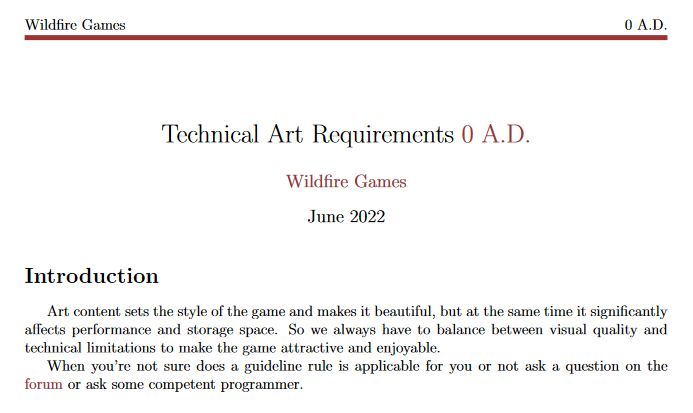
The most interesting thing is that scaling is already done on the GPU side (as we use a complete transform matrix) So we need to calculate that matrix properly on the CPU side to account a possible scale. Exactly. The problem is that we only have "that kind of active artists". There is no art reviewer who'd say how art should be done properly in terms of performance. And I don't have time to finish my "Techinical Art Guidelines". Spoiler to it:
-
No, we don't have any kind of scaling yet.
-
It's not a good approach for GPU, as it means more data to store and process in comparison with what we have now.
-
PetraAI bot doesn't recognize defeat of competitor, it's trading with
vladislavbelov replied to Obelix's topic in Bug reports
It's reasonable to translate resource names in that messages. I don't know why it's not translated. But Silier sent a link to a related file which is a good point to start, shouldn't be hard to figure out. -
I think I wasn't clear. In the first sentence I was talking about scaling a model on a way to converting from 3D model through DAE to PMD (our binary format to store a model/mesh). It's true and that's why we don't have scaling on the mentioned step. It's simpler to have a link on wiki how to do that step for different editors than implementing and supporting that step in our engine. My second sentence was about runtime scale. When you already have a single PMD of a tree and you want to place it on a random map with different sizes.
-
I think that kind of feature should be on the side of a 3D modeling software, because it might be more flexible there. That seems the most reasonable usage for that kind of scale.
-
UI problem on 1366x768, cant see full list of structure tree
vladislavbelov replied to hyuuks's topic in Help & Feedback
Hi! It's a known problem. It needs a horizontal scroll support inside our engine. We don't have it yet. If the window has a height less than 768 then it's the expected behaviour. Because currently 768 is the minimal supported height.- 1 reply
-
- 1
-

-
Did it change the behaviour? Also you could open profiler (F11) to see amount of uploaded textures memory when the bug appears.
-
Crash: Could not create GL context
vladislavbelov replied to Norse_Harold's topic in General Discussion
Do the user has system_info/userreport from A25? The user could add the following lines to the user.cfg: forceglversion = "true" forceglprofile = "compatibility" forceglmajorversion = "2" forceglminorversion = "1" If it doesn't work might try lower versions: forceglversion = "true" forceglprofile = "compatibility" forceglmajorversion = "2" forceglminorversion = "0" And: forceglversion = "true" forceglprofile = "compatibility" forceglmajorversion = "1" forceglminorversion = "5" We're still able to run OpenGL before 2.1 by using ARB shaders (if it has appropriate extensions), but it's deprecated in A26. -
Wasn't the suggestion about the runtime scaling when you can override the scale by editing an actor XML?
-
Have you tried the texture quality option to low?
-
HI! IIRC there was some work about adding aarch to A26, but don't know its status. Maybe @Stan` has more information.
