
Stan`
-
Posts
18.632 -
Joined
-
Last visited
-
Days Won
611
Everything posted by Stan`
-
I guess it might be a bit light.
- 1 reply
-
- 1
-

-

[3D Environment & Props Artist] Application [Jalalzai]
Stan` replied to Jalalzai's topic in Applications and Contributions
Nice, if you confortable with that you can join us on IRC quakenet.org channel 0ad-dev and we can discuss it further, or you can tell me what you'd like to do or improve in the game, or whether you'd like to work on mods https://webchat.quakenet.org/?channel=0ad-dev -
[3D Environment & Props Artist] Application [Jalalzai]
Stan` replied to Jalalzai's topic in Applications and Contributions
Don't worry too much about it Just wanted to make sure everything was clear before going further -
[3D Environment & Props Artist] Application [Jalalzai]
Stan` replied to Jalalzai's topic in Applications and Contributions
Hello and welcome to the forums. Make sure you read this Also see Looking forward to working with you! -
You need to add their skeleton file (XML) in art/skeletons
-
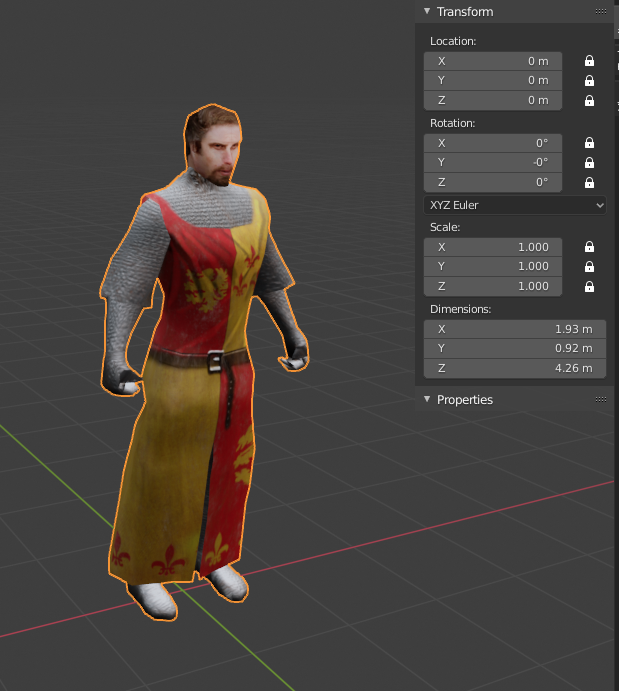
Notice the Z axis (height) So actually would be 0.853 x 0.46 x 2.13m
-
[trunk@23664] Can't open Atlas Editor on OSX Catalina (10.15.4)
Stan` replied to wik's topic in Bug reports
@wik you can also try https://code.wildfiregames.com/D2476 Don't hesitate to drop by IRC #0ad-dev on quakenet.org if you have any questions. -
chrome.zip There is still this material that was made by @wraitii maybe we could make something out of it.
-
[trunk@23664] Can't open Atlas Editor on OSX Catalina (10.15.4)
Stan` replied to wik's topic in Bug reports
For the atlas specific issue https://code.wildfiregames.com/D2019 -
Can you be more specific?
-
You might need to enable them in the main game then start atlas again.
-
Usually yes, using a wide variety of methods. Can be 2D painting, or sometimes a bit of 3D and 2D, or more recently vector images using Inkscape.
-
For the offcenter issue use the set origin feature of blender use bounds center. then move the object back to the origin of the scene and ctrl+a to apply location
-
Do you think you can convince him to join #0ad-dev on quakenet.org instead so we can ping him directly?
-
Specific Name Review: Units
Stan` replied to Doktoreus's topic in Game Development & Technical Discussion
Well it would be if it was a boolean, wouldn't it? -
I guess it will produce cannons and maybe some techs related to that, although more generic techs related to firearms will probably be in another building
-
Okay, great, Now I know how to rename the template in the 1861 mod.
-
Alright then,
-
@Trinketos do you meant it as a blacksmith building?
-
Could be her firewall If it doesn't allow 0 A.D. on private networks for instance
-
Specific Name Review: Units
Stan` replied to Doktoreus's topic in Game Development & Technical Discussion
I guess you could apply https://code.wildfiregames.com/D2126 by @Freagarach -
One could create a 3D actor with obstruction to create a small lake uphill. Currently there is only one water plane.
-
Thanks! The screenshot make the palisade fit quite long. Yeah I planned to fix it myself, as animation can be quite complicated for a beginner Can you share such errors?
-
I could commit those textures, they look indeed great. But feel free to make suggestions. I've been willing to improve ours for years. I had some in my eyecandy mod, but never managed to get the reviewed
-
Something for the engine split. It might break a lot of stuff. But yeah eventually. Will try. As for empires besieged I really want to put together the mod with the factions; Just not having the time currently. Prequel could be 0 A.D. : Empire Origins Then 0 A D. : Empires Unity 0AD : Modern warfare ;:D