Leaderboard



Popular Content
Showing content with the highest reputation on 2025-12-31 in all areas
-
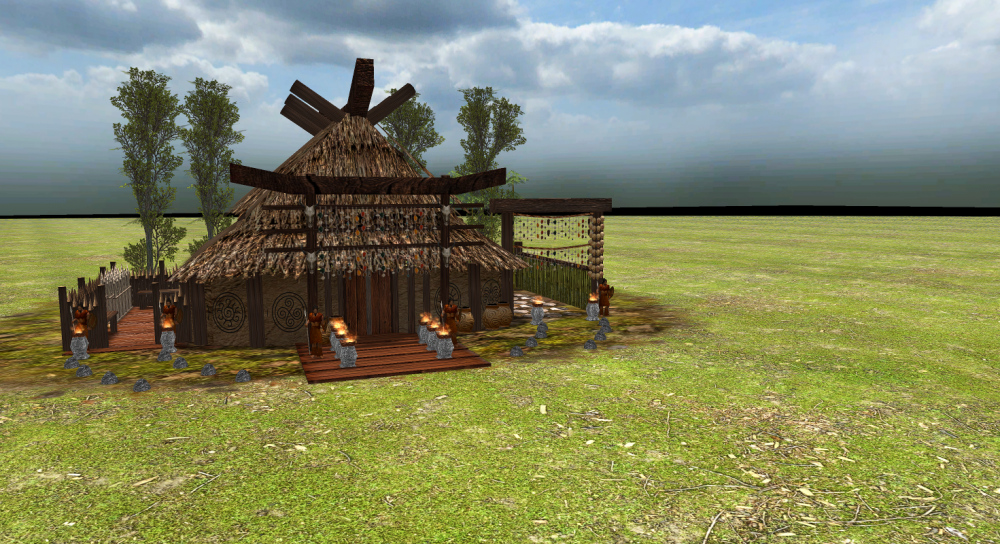
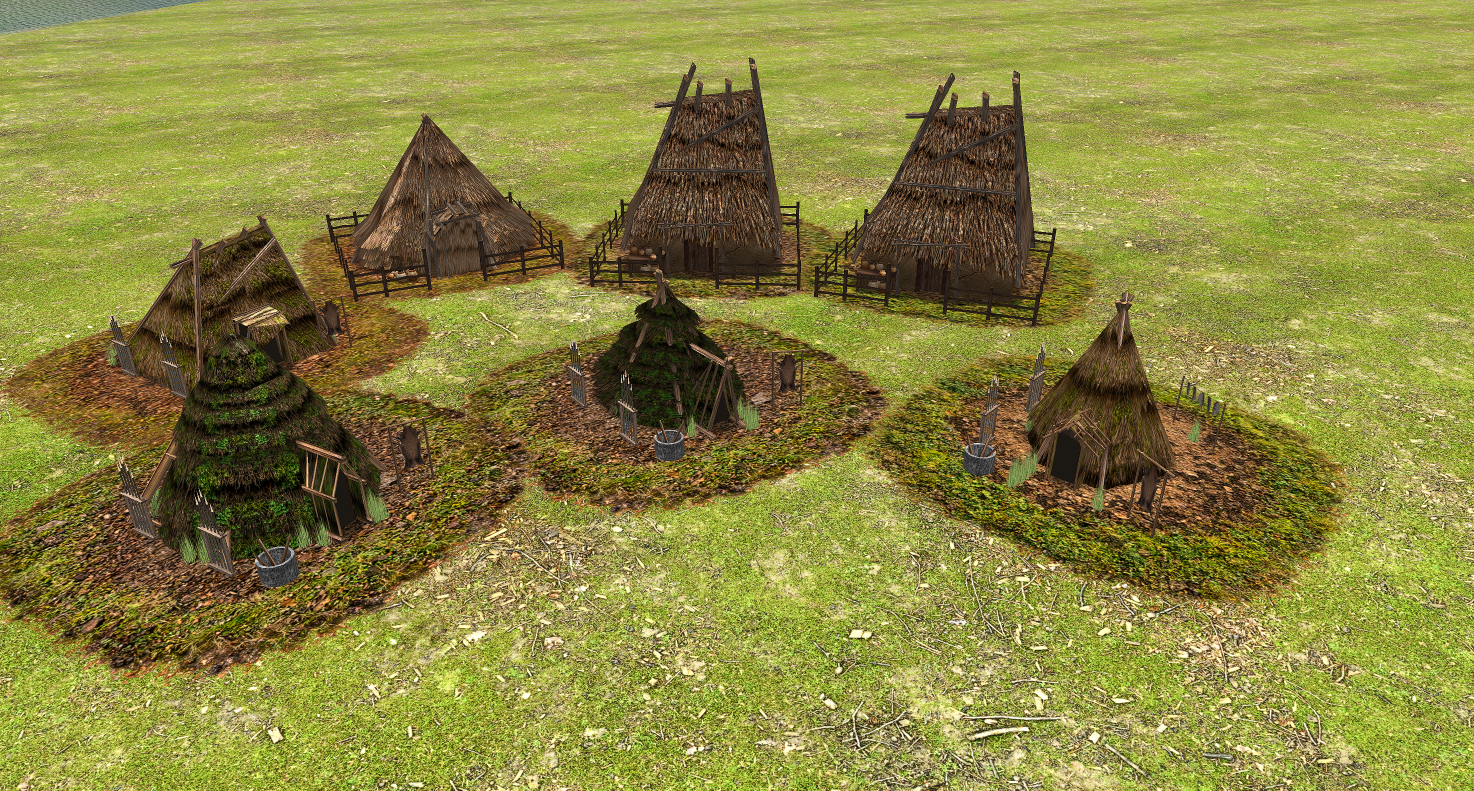
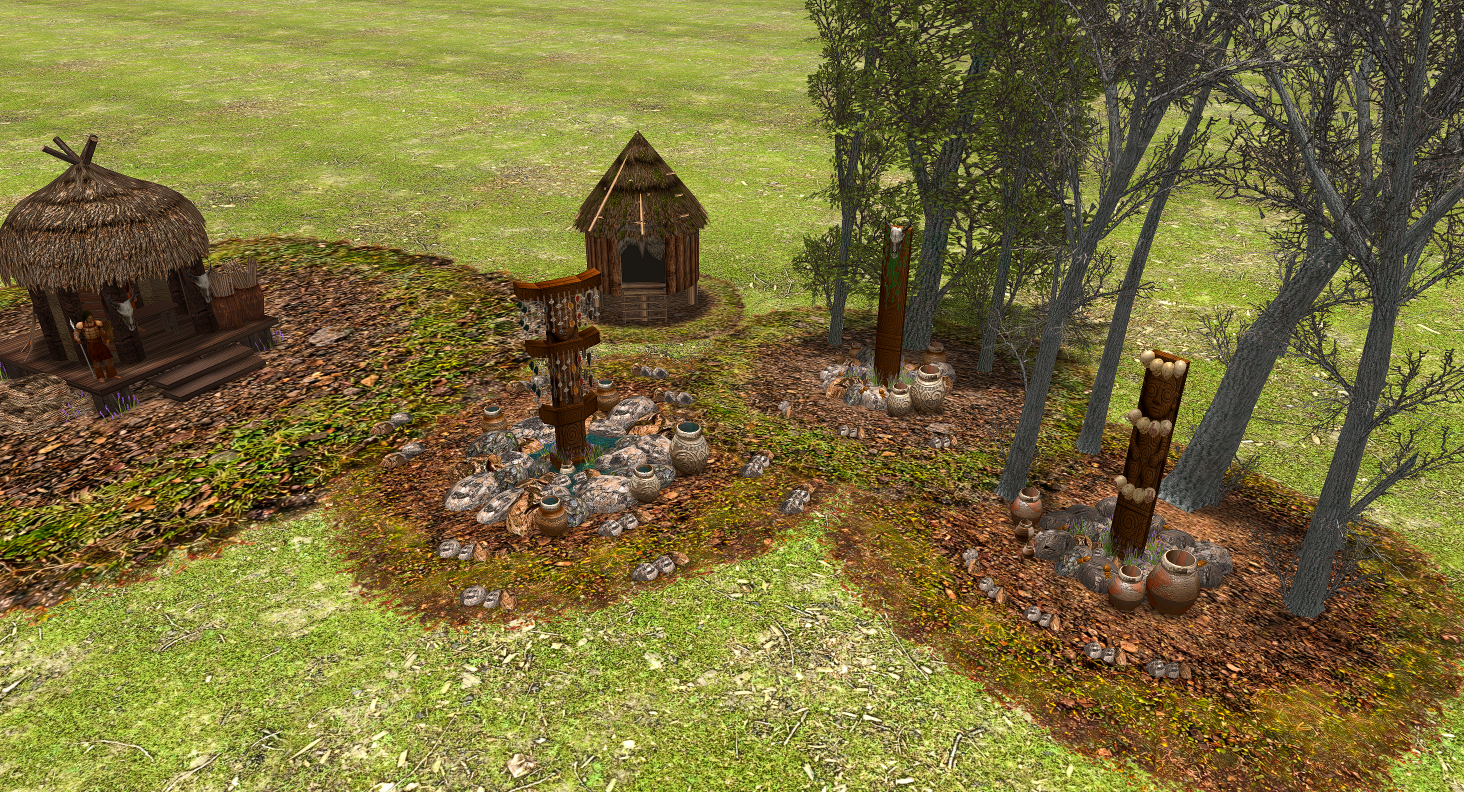
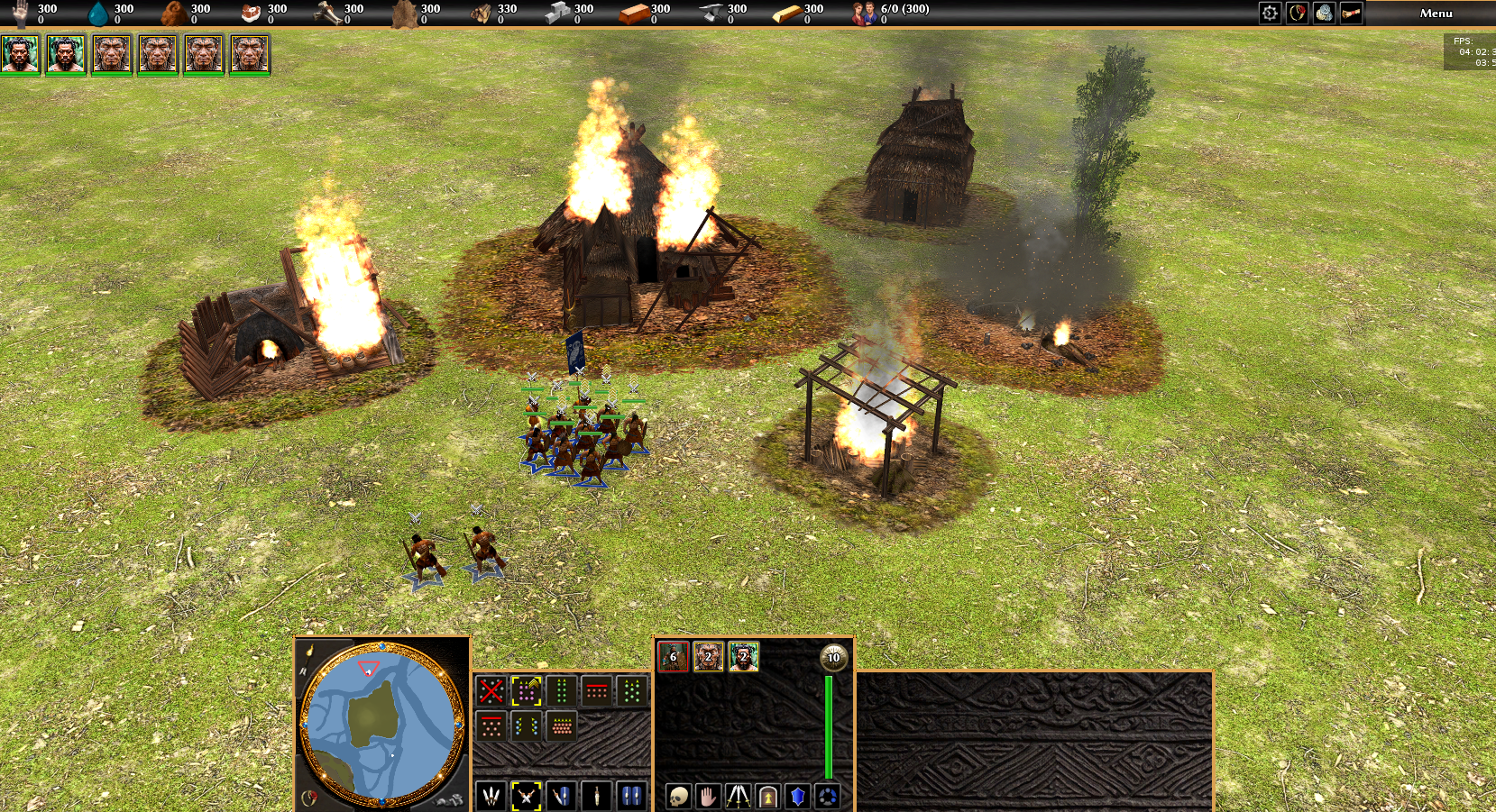
Hello everyone! I’d like to share the latest updates from the project as we wrap up the year. I’ve redone many textures and improved several in-game structures. At the moment, I’m reworking all terrain textures, developing the building damage system, and refining many core gameplay mechanics. I hope you enjoy the updates and continue following the development. Wishing everyone a Happy New Year!
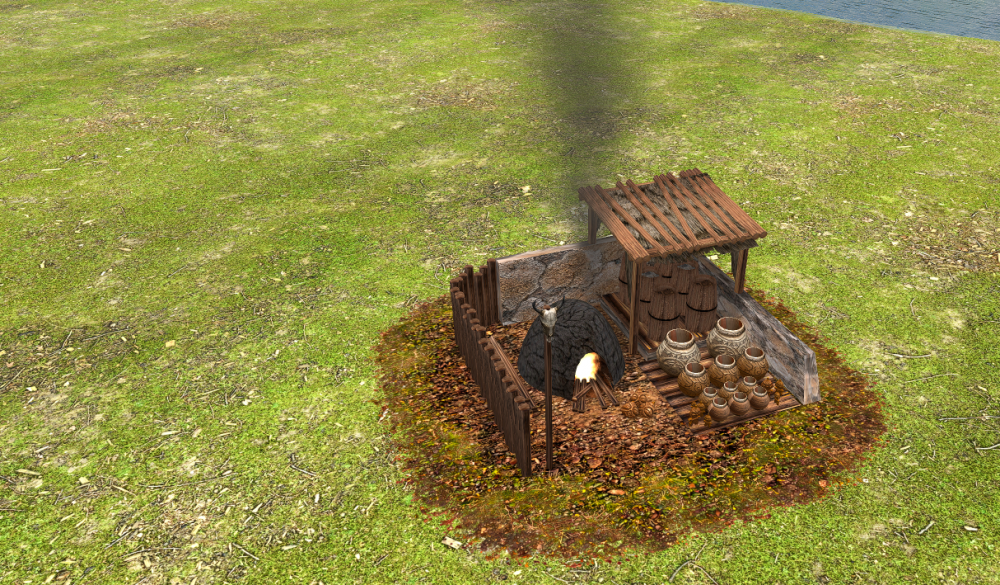
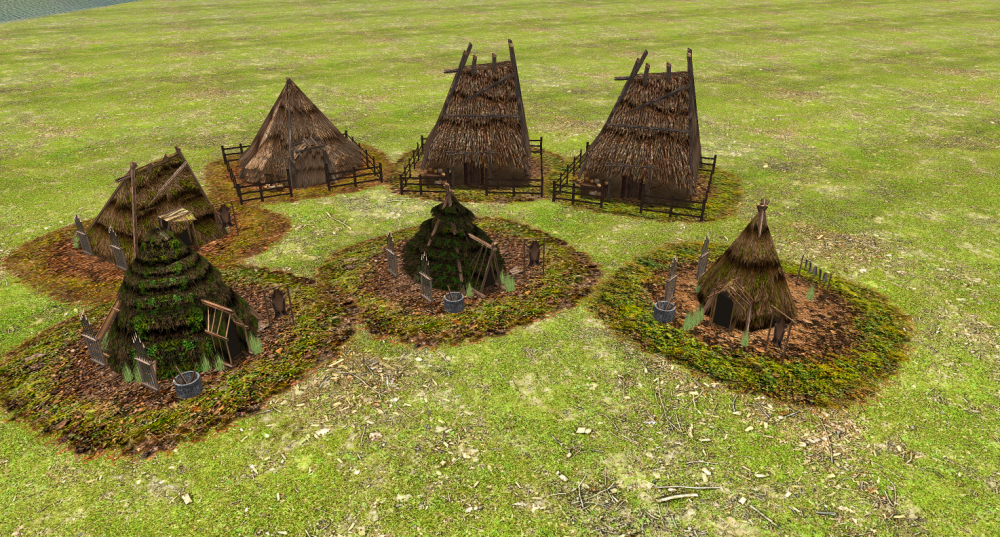
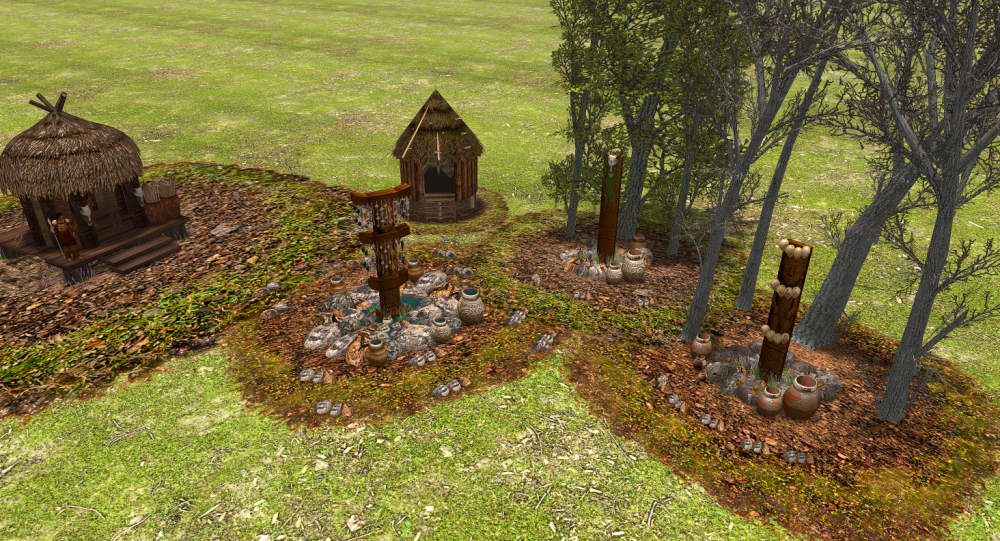
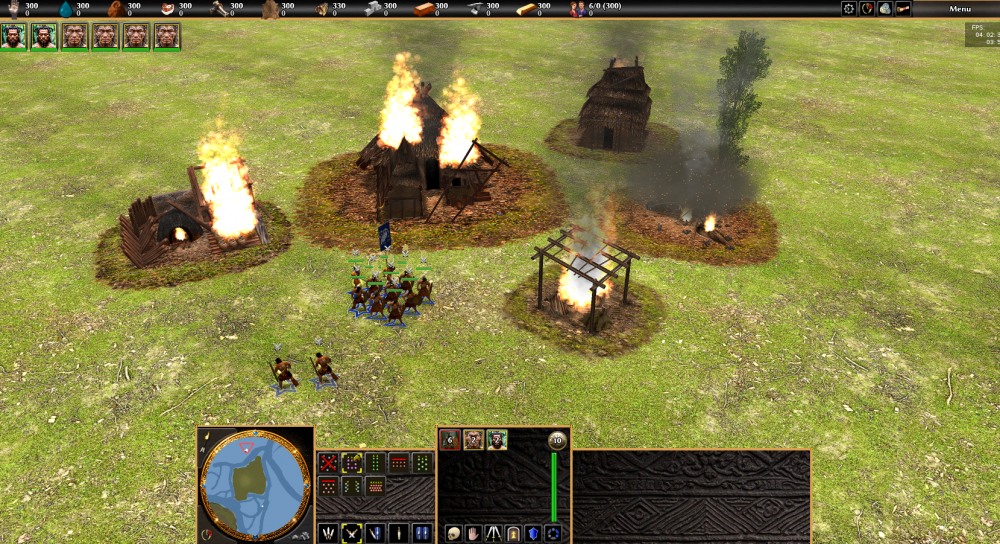 3 points
 -
It would be useful if in Ui we could see which bonuses were applied to some price/time2 points
-
What all of you seem to forget is that the instructions to compile a23 are quite different from the instructions to compile recent versions of 0ad and that the versions of some libraries a23 depends on aren't available on modern Linux distributions. In my opinion that makes compiling a23 on a modern Linux distribution quite complicated.2 points
-
Hello All, anyone here tried to print 0.AD units ? i bought a very small 3d printer and i want to try some of units and see how it goes. Would you please remind me where can i find 3d model files ? which folder is stored them ?1 point
-
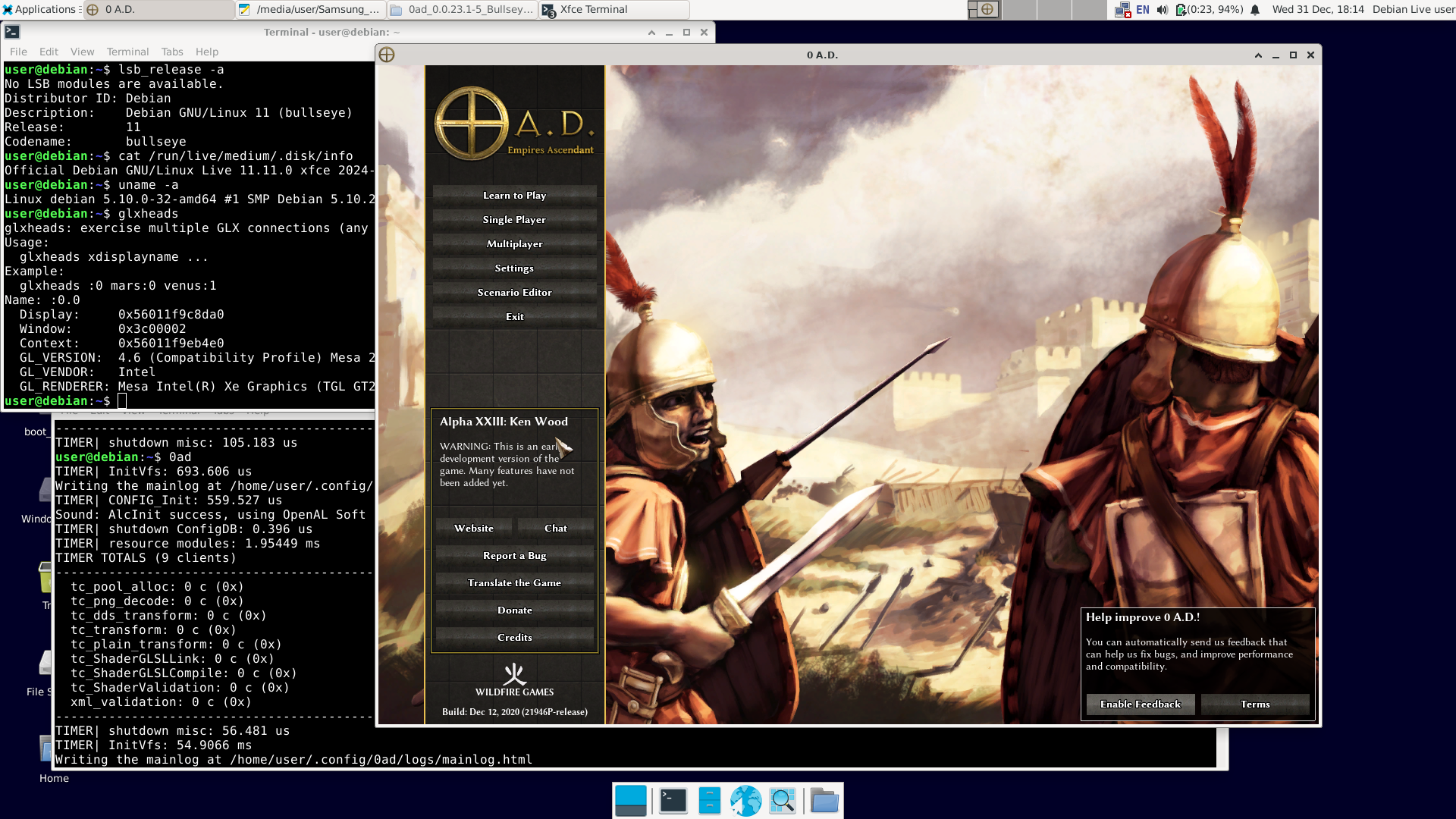
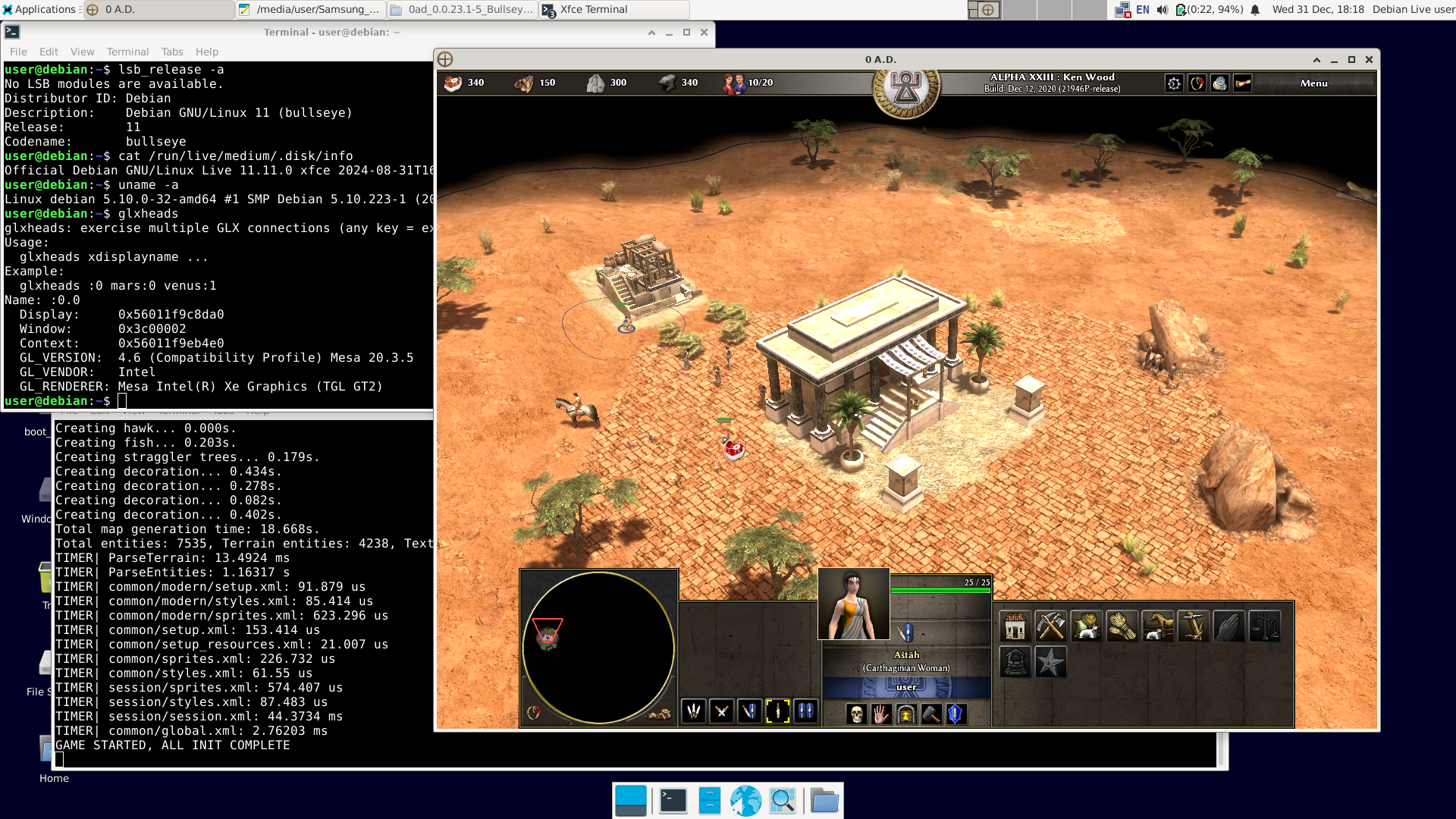
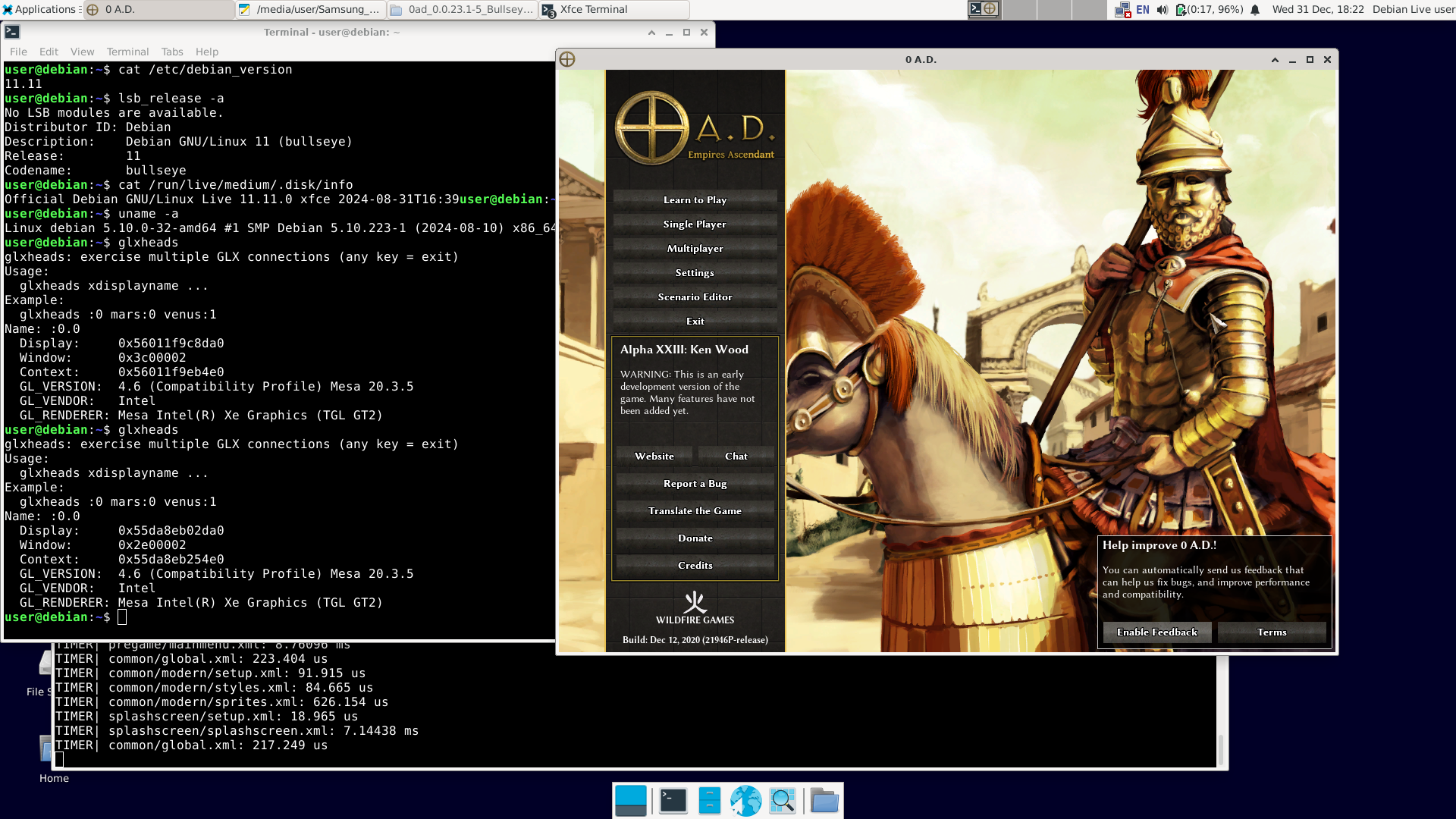
There have already been 12 posts, and "NewWorldHero" only wanted one answer: how to run the older version of 0ad – ver. 0.0.23 (Ken Wood). I figured out a way to do it: https://wildfiregames.com/forum/topic/139802-must-have-xxiii23-ken-wood-linux-only/?do=findComment&comment=616373 But I only figured it out, not tested it. It was bothering me. So I did this: 1. I downloaded Live Bullseye version 11.11 (+non-free) https://cdimage.debian.org/cdimage/unofficial/non-free/cd-including-firmware/archive/11.11.0-live+nonfree/amd64/iso-hybrid/debian-live-11.11.0-amd64-xfce+nonfree.iso 2. I copied it to a USB drive with Ventoy installed and booted it.. The laptop was even relatively new – Intel TigerLake (11th gen.) + Intel Xe. Debian booted, and Wi-Fi was available (Wi-Fi on Intel too). Good news: the Bullseye repositories are still available. You can use 'apt install'; you don't need to install anything manually. 3. After connecting to the network, I issued the command: apt-get update apt-get install 0ad I had to wait a while because one of the packages ('0ad-data_0.0.23.1-1.1_all.deb') is about 670 MiB. 4. After installation, in the terminal as a regular user, type '0ad' + Enter or click Menu – Games – 0ad. Done. I'm attaching the images. A short summary: user@debian:~$ cat /etc/debian_version 11.11 user@debian:~$ lsb_release -a No LSB modules are available. Distributor ID: Debian Description: Debian GNU/Linux 11 (bullseye) Release: 11 Codename: bullseye user@debian:~$ cat /run/live/medium/.disk/info Official Debian GNU/Linux Live 11.11.0 xfce 2024-08-31T16:39user@debian:~$ user@debian:~$ uname -a Linux debian 5.10.0-32-amd64 #1 SMP Debian 5.10.223-1 (2024-08-10) x86_64 GNU/Linux user@debian:~$ glxheads glxheads: exercise multiple GLX connections (any key = exit) Usage: glxheads xdisplayname ... Example: glxheads :0 mars:0 venus:1 Name: :0.0 Display: 0x56011f9c8da0 Window: 0x3c00002 Context: 0x56011f9eb4e0 GL_VERSION: 4.6 (Compatibility Profile) Mesa 20.3.5 GL_VENDOR: Intel GL_RENDERER: Mesa Intel(R) Xe Graphics (TGL GT2) user@debian:~$ dpkg -l | grep 0ad ii 0ad 0.0.23.1-5+b1 amd64 Real-time strategy game of ancient warfare ii 0ad-data 0.0.23.1-1.1 all Real-time strategy game of ancient warfare (data files) ii 0ad-data-common 0.0.23.1-1.1 all Real-time strategy game of ancient warfare (common data files) user@debian:~$ 0ad TIMER| InitVfs: 860.322 us Writing the mainlog at /home/user/.config/0ad/logs/mainlog.html TIMER| CONFIG_Init: 559.181 us Sound: AlcInit success, using OpenAL Soft TIMER| shutdown ConfigDB: 0.239 us TIMER| resource modules: 2.12809 ms TIMER TOTALS (9 clients) ... etc. Best regards. Happy New Year.
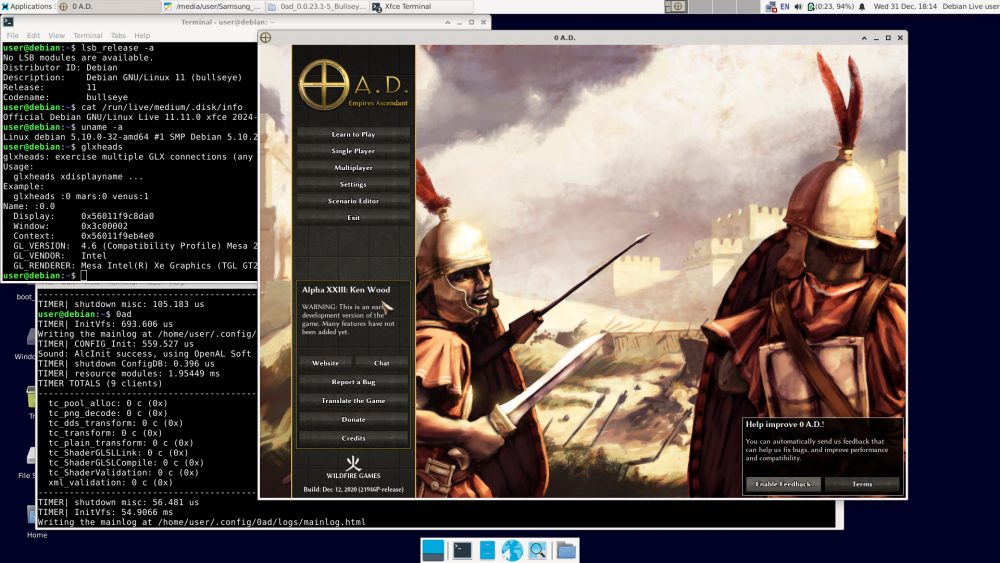
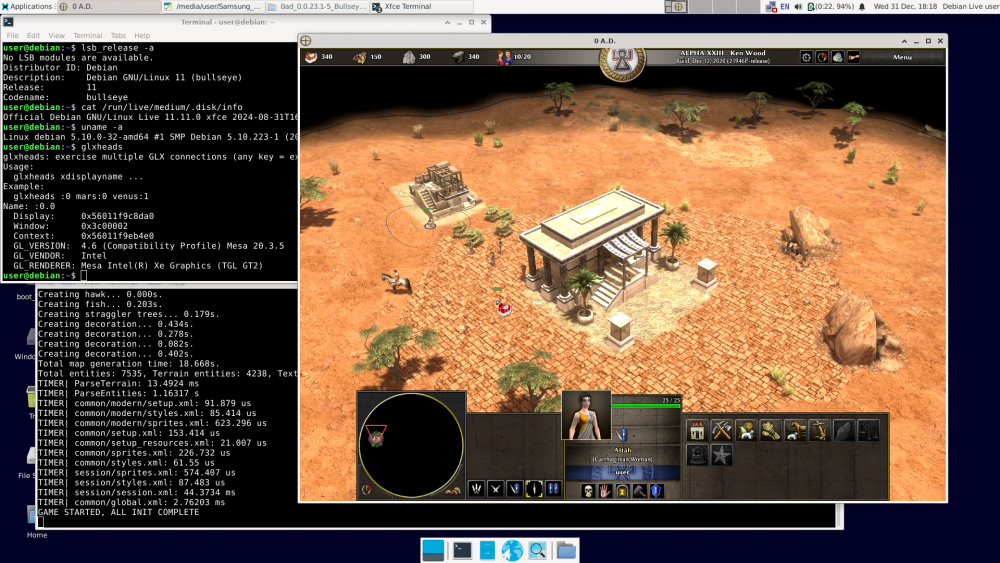
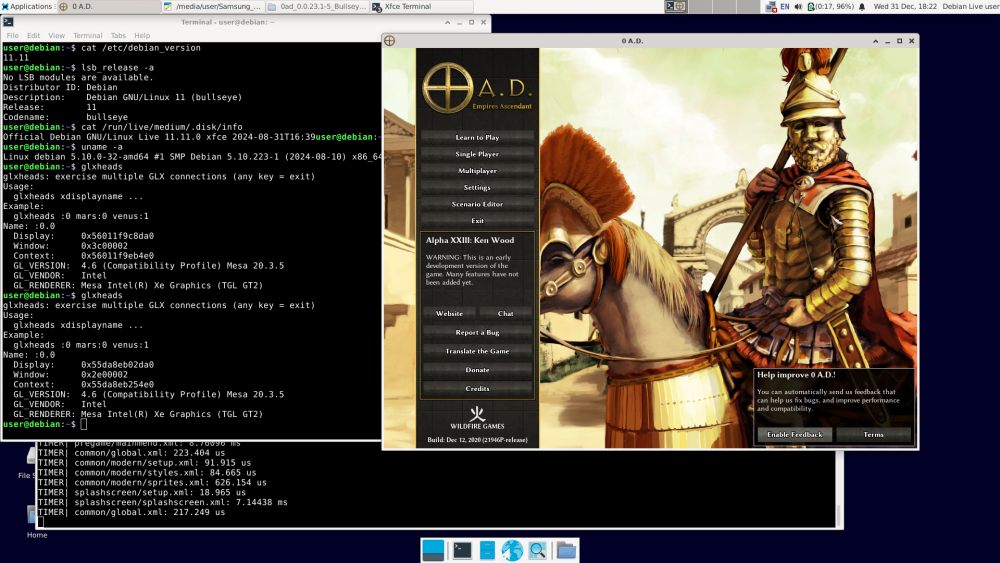 1 point
 -
@Dunedan Good. If compiling older versions of 0ad is as you describe, there's another way. Probably easier than compiling. In Debian, version 23.1 of 0ad was available in Bullseye (11.x). 1. Install Debian 11 Bullseye on a USB stick just like you would on a hard drive. https://cdimage.debian.org/cdimage/unofficial/non-free/cd-including-firmware/archive/11.11.0+nonfree/amd64/iso-dvd/ Includes firmware. 2. Run the installed Bullseye from the USB stick on your computer. Of course, unless it's a recent computer that the Bullseye kernel (5.10.x) can't handle. 3. Since the Bullseye repository is already down (I think), 0ad and its dependencies (there aren't many) must be installed manually. https://packages.debian.org/bullseye/0ad The standard command: apt install 0ad will not work. 4. Download the following: http://ftp.de.debian.org/debian/pool/main/0/0ad/0ad_0.0.23.1-5+b1_amd64.deb http://ftp.de.debian.org/debian/pool/main/0/0ad-data/0ad-data_0.0.23.1-1.1_all.deb http://ftp.de.debian.org/debian/pool/main/0/0ad-data/0ad-data-common_0.0.23.1-1.1_all.deb 5. Try to install it: dpkg -i 0ad-data_0.0.23.1-1.1_all.deb dpkg -i 0ad-data-common_0.0.23.1-1.1_all.deb dpkg -i 0ad_0.0.23.1-5+b1_amd64.deb We're taking a look at what dpkg outputted. The first two packages should install correctly, unless some fonts are missing, in which case they need to be installed. https://packages.debian.org/bullseye/0ad-data-common The last command will be the hardest, as dpkg will output something like: "error – package xxx is missing". You'll need to download this package manually, install it, and try again: dpkg -i 0ad_0.0.23.1-5+b1_amd64.deb And so on until you succeed. After a few rounds of this, we have 0ad ver. 23.1 installed for good. Now you can run 0ad and finally put the Bullseye + 0ad USB stick away. Best regards. Happy New Year1 point
-
You can look at the latest Release Candidates, else you need to clone the repo and pull the translations yourself.1 point
-
In this game Persian guy had also a Seleucid ally (me) and the build times look about right after taking into account the -30% construction time team bonus from Seleucids. I don't know about the other building bonus.1 point
-
My diagnosis is you played regicide and your opponent got Xerxes.
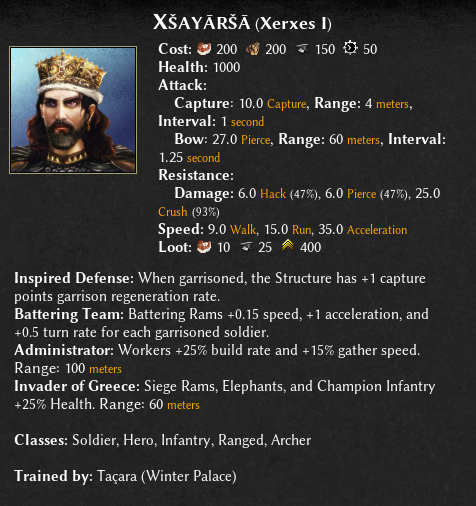 1 point
 -
This is an oversight from the git migration. I have opened #8637 so that the actor editor is available again in the upcoming release. Thanks for the reports!1 point
-
Model of the Roman fortress at Ockenburgh1 point
-
The pull request has been merged by @Vantha. Thank you very much for reviewing Vantha and @wowgetoffyourcellphone!1 point
-
I would recommend scaling them up, at least a little bigger.1 point
-
For the case that the "capture the wonder" will victory condition will be included someday, I spent some thoughts on the "game type" menu, which is somehow counterintuitive imo: For the game speed and ceasefire, there's the category on the left, with the options on the right. For the victory condition, there's no category, instead the options are on the left, with the on/off buttons on the right. The "No"s are also kind of confusing. So what I was thinking of: 1. Put the category to the left: "1. Victory Condition" 2. Add a dropdown at the right to choose from all possible victory conditions 3. Add a second "2. Victory Condition" with the option "none" 4. For every further victory condition that is selected from the dropdown, add another victory condition with "none" This way all unused victory conditions are hidden in the dropdown. Since the victory conditions only appear after the previous one is chosen, at the first look it will be less text, so less overwhelming for beginners. This would allow to add more victory conditions in the future without overcrowding. Options for each victory mode could be shown directly under each one, not at the end like it is now. Also the logic between the victory conditions are clearer, as all conditions right now are alternative, not additive, ways to win. Later a button could be added to define for each condition whether it is necessary or non-mandatory to win. This could look like this: This could be the layout for the options:
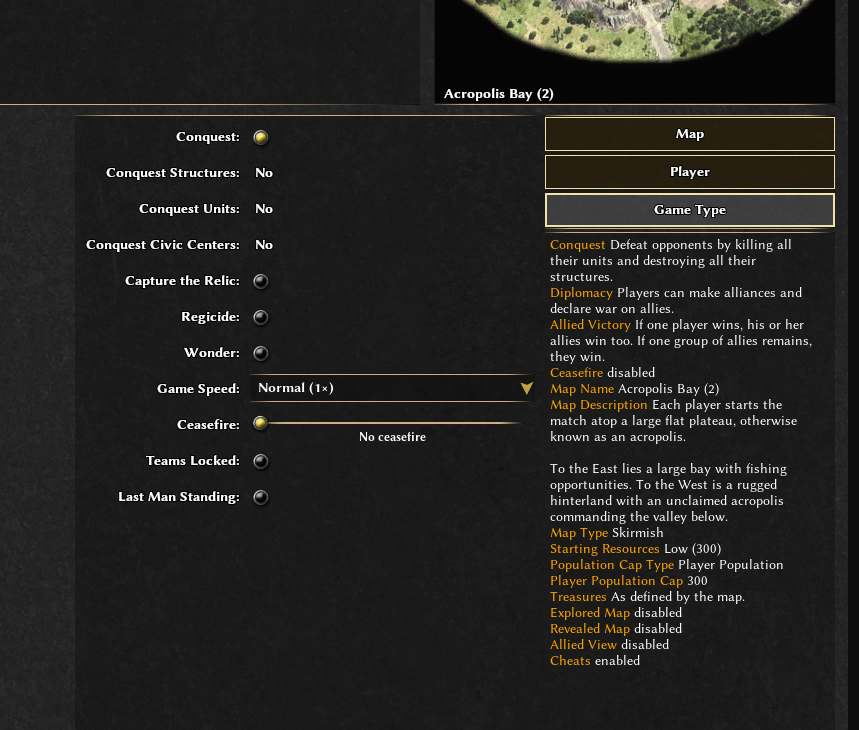
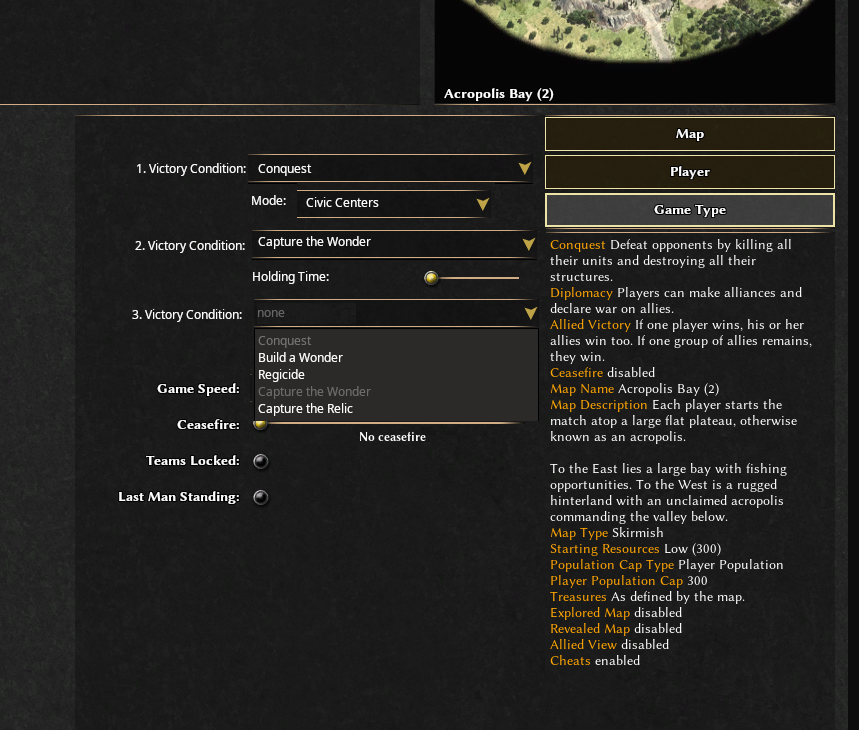 1 point
 -
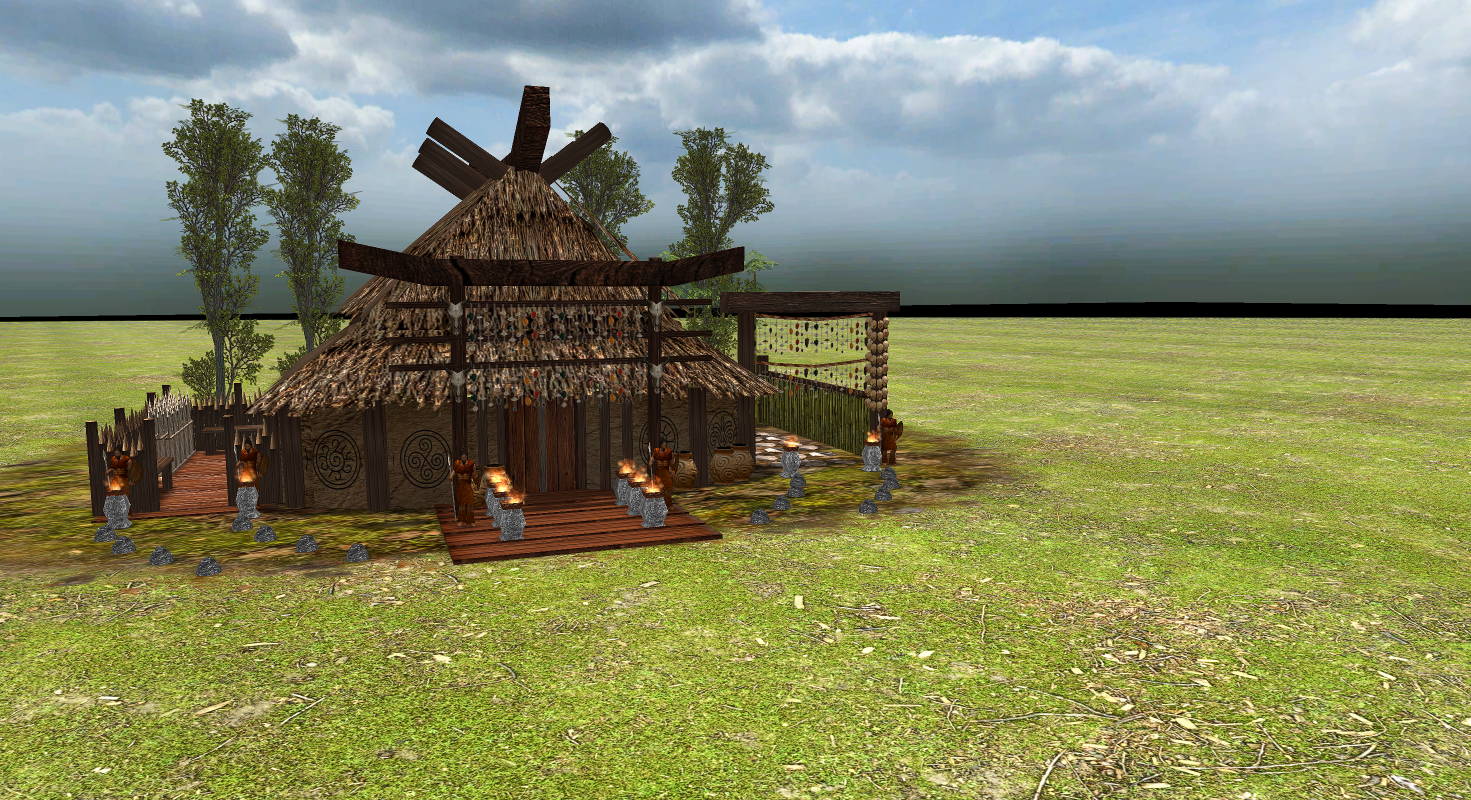
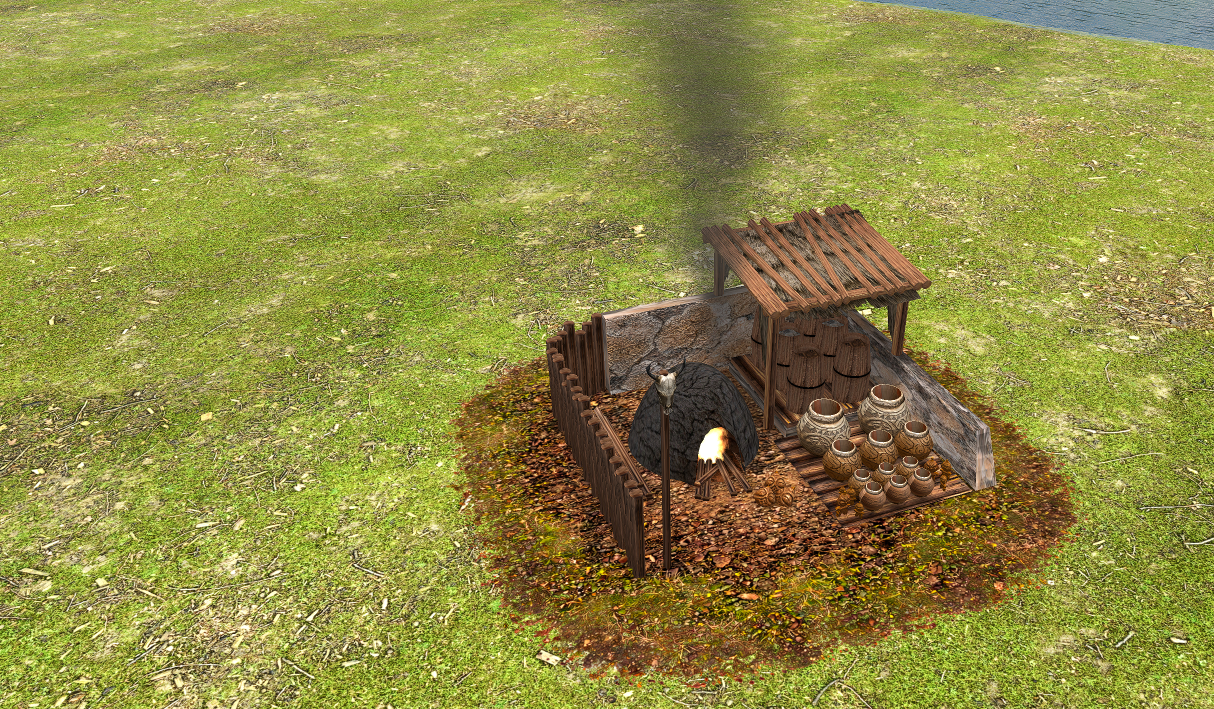
You should really bake ambient occlusion on your models. https://stan.wildfiregames.ovh/tutorials/bake-ao-pyrogenesis/ Video version1 point


.thumb.jpg.b21ca1d0c15fb56b42c39b25a0a40815.jpg)