
All Activity
- Past hour
-
Already exist to filter current selection: hotkey.autociv.selection.nowoundedonly = "K" autociv being op, you can create or modify the hotkeys and make for example : hotkey.autociv.session.entity.by.health.nowounded.by.class.select.Cavalry = "" hotkey.autociv.session.entity.by.health.wounded.by.class.select.Cavalry = "" This hotkeys system is in/shared with ModernGUI now.
- Today
-
.thumb.png.f3f47d08fd1bf1063ea4b371390681b4.png)
Elephants - Do they take bonus damage from Spearman and Pikeman?
Grapjas replied to DesertRose's topic in Gameplay Discussion

-
I would also go the status effect route to achieve this, they ignore armor indeed. And you can easily make your own status effect by looking into how the existing ones work.
- Yesterday
-
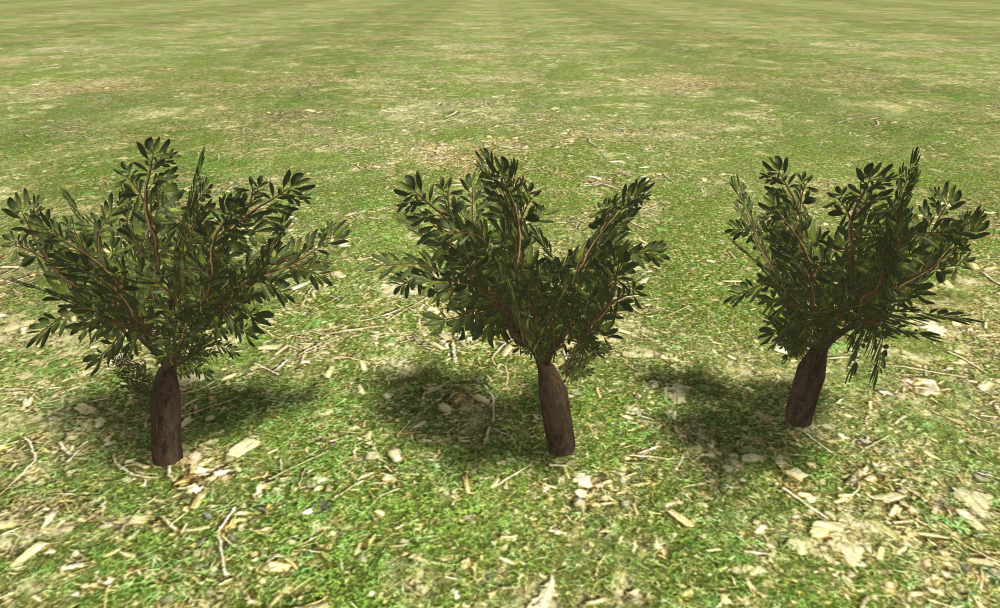
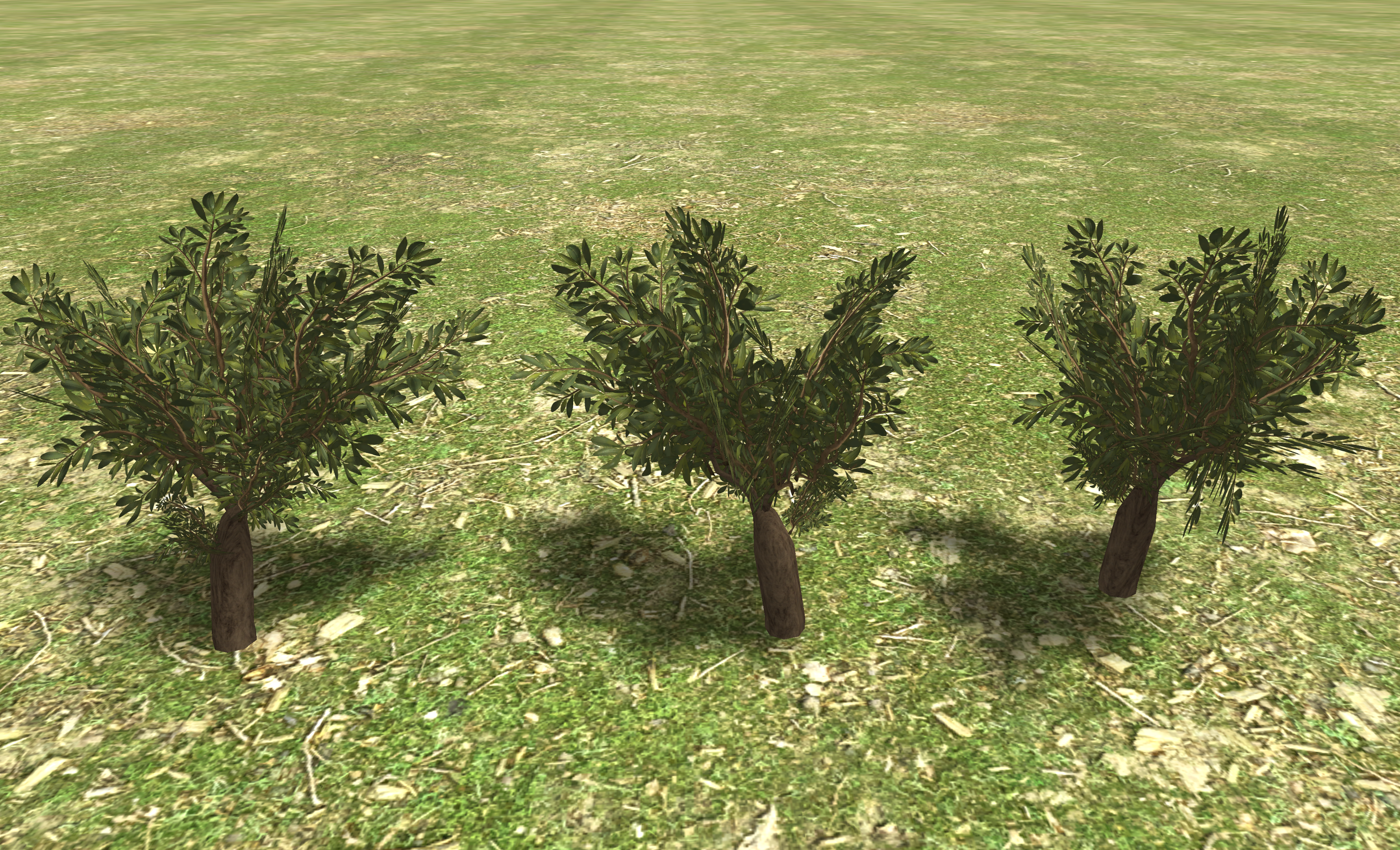
Looks nice I could open it with blender 4.5 LTS and export the .dae. Tells me there might be data loss, but so far it worked fine. I put together the files for a mod and attached it. Can be found in the scenario editor -> actors -> olive_new. So far the 4 meshes are replications, but you can easily substitute them to test however you like. There is also a blank alpha decal_texture, in case you want to add a decal on the ground. The polycount might be a little high, since each of your branches has 12 tris. On the other hand, this reduces alpha texture display. It's best to compare it to the existing trees, their polycount can be seen in atlas. As long as it doesn't go much higher, it should be fine. If you want, you could gently bake ambient occlusion on the diffuse. For the bark the UV looks a little stretched. You can also use an existing image texture for it, as long as it is licence compatible (preferably CC0), something like this: https://download.blender.org/archive/textures/bark/ Have fun! olive_tree.zip
-
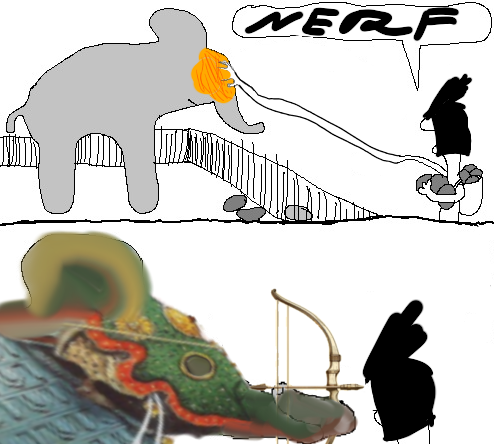
 Could you check fire damage from Cartha Fire Inf Jav and Iberian Champions Jav Cavalry? Some time ago I read somewhere they actually ignore armor. Edit: also you can check Han crossbows poison damage
 -
 Old habits die hard.
 -
AOM calls it 'Divine Damage', but it's the same thing. I'm not sure it's worth adding another kink to balancing, at least for the base game. It might be nice to add the functionality to the engine for mods. I wouldn't use it in DE though.
-
I think the key is to remember that for most (99%) of the game the player will see the tree from a 45 degree angle. So, to give a nice self-shadowing overlapping look, angle the foliage planes flatter (more horizontal or at least at a 45 degree angle) than you normally would. I admit not all trees currently in-game follow this rule precisely, but a the current trees have had a dozen artists over the course of 20 years.
-
 Dagreatone joined the community
 -
similar to how O is for wounded units,can you get a hotkey for units who are NOT wounded?
-
hi, @DesertRose. It is highly recommended to use one branch for each change/feature you want to make. On windows I mostly use Git Bash (it's console) but for some stuff I use GitExtensions https://gitextensions.github.io/ I hope this can help you, last comment.:
-
Tried this... Stats now visible, Close Button in Settings Dialoque works also. But Minimap stays open, and does not close when pressing Shift+Tab.
-

Help with migrating maps to 0.28.0
andy5995 replied to andy5995's topic in Scenario Design/Map making
I made some progress, I'll check back when I have more questions. @Stan` I could still use a link to the porting guide though. -
 What git software do you guys use? I have found that using the console can be very cumbersome.
 -
Help with migrating maps to 0.28.0
andy5995 replied to andy5995's topic in Scenario Design/Map making
Oh, I think I see. I'll start with a change like this: https://gitea.wildfiregames.com/0ad/0ad/commit/2d43ca6462940e9c3aad82309e41febb53892654?files=binaries%2fdata%2fmods%2fpublic%2fmaps%2frandom%2ffrontier.js -
Help with migrating maps to 0.28.0
andy5995 replied to andy5995's topic in Scenario Design/Map making
@phositWhen I uncomment the line `Engine.LoadLibrary("rmgen2");` I get the error: ERROR: JavaScript error: maps/random/rmgen2/gaia.js line 1 import declarations may only appear at top level of a module @maps/random/cliffs_of_carnage.js:7:8 ERROR: CMapGenerationCallbacks::LoadScripts: Failed to load script 'maps/random/rmgen2/gaia.js' ERROR: An unhandled promise got rejected: ReferenceError: e_p is not defined @maps/random/cliffs_of_carnage.js:386:1 @Stan`What's the link to the porting guide? -
I think my issue is that I have yet to understand how to fully use the git push command to only commit the one branch I am currently working on. Like, I want to commit a branch that's called "bugfix-0-28-rome-fertility"
-
 The simplest workflow is to create a branch per PR. So that when you start working on a new fix or feature; just create a new branch.
 -
I have added the GUI fix for Germans Maceman and the fix for Roman Fertility here: https://gitea.wildfiregames.com/DesertRose/0ad-DR_fork I want to create a Pull Request of only the Roman Fertility fix for Issue #8735 but I can't remove the Maceman fix. How do I only include the two files needed for the Roman Fertility fix in the Pull Request?
-
@Stan` @ShadowOfHassen
-
 Average Concept Enjoyer changed their profile photo
 -
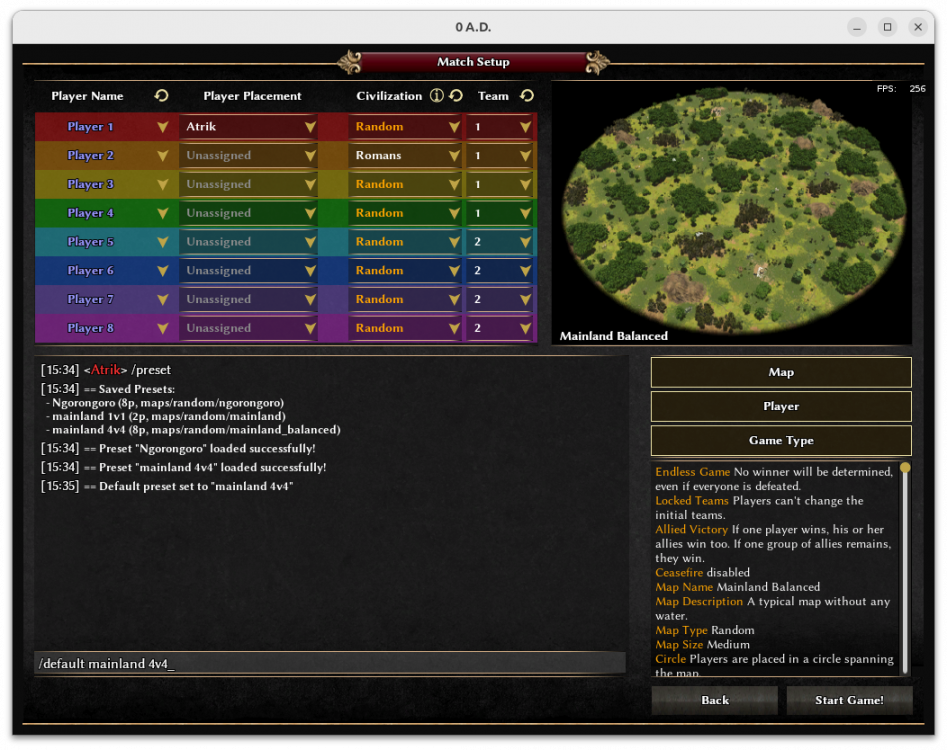
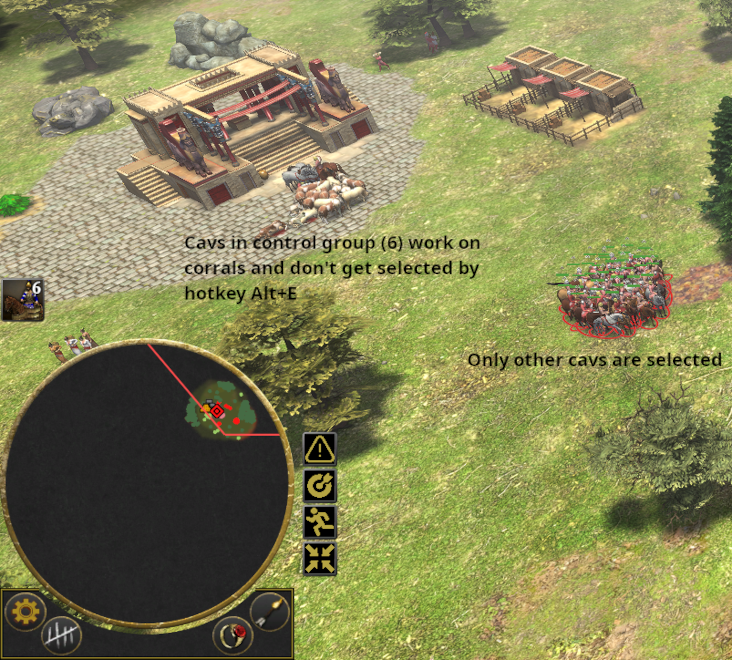
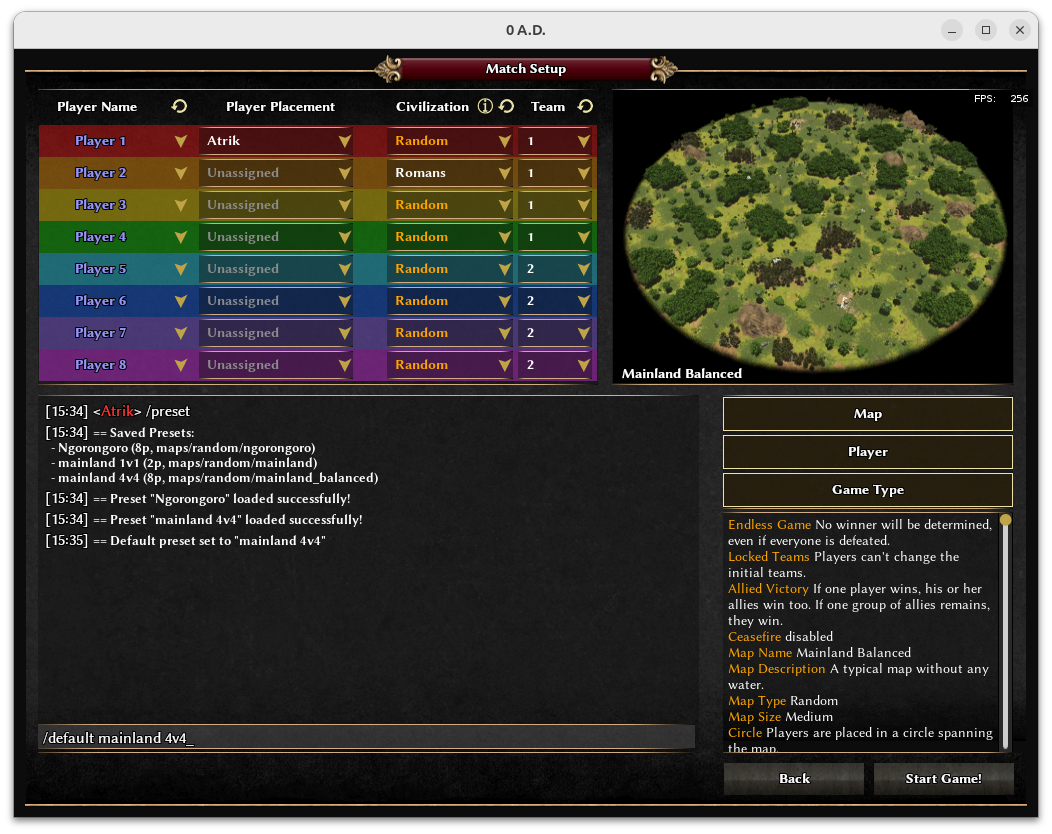
ModernGUI now have integrated most of @nani and @Seleucids autociv's functionalities. I always wanted to add the following : A command to save and load game presets in gamesetup Now possible. For example : set all your mainland balanced TG settings; do /save mainland TG; /default mainland TG => When you open a host you always have this preset. Reminder the full list of commands (with the one of autociv) always available when you type /help When using selection hotkeys, you sometimes want to NOT select a specific group of units. For example all cavs BUT NOT the ones you are using for corrals, or infs but NOT the ones mining and defending home CC. You now have a setting to define a range of control groups that will be ignored by selection hotkeys.
-
I wasnt asking you to check zips i distribute, i was trying to see if you could figure out why getting it from git wasn't as simple as it used to be
-
So they shouldn't go to the GitHub link anymore?
-
Hi, awesome work!! I love the foliage, it looks really nice :) I also like your workflow, offers more possibilities than handpainting like some of the old models. 0 A.D. uses .dae files, which is not supported by blender since version 5 anymore. I will figure it how to exports your models and make a mod for it, so we can see how it looks ingame. Until then, some things that came to my mind on a first glance: 1. Faces are shown in 0 A.D. only from one side. By activating backface culling or face orientation in the top right corner in the viewport you can see which face would be seen from each perspective. If you want to show faces from both side, you'd have to duplicate it, move it a little and flip the normal (Alt-N). 2. Everything should use just one texture. So ideally the tree trunk should be somewhere on the foliage texture too. 3. All meshes in 0 A.D. usually expand a little below ground for uneven terrain. I couldn't reproduce the problem with the normals, looks fine on my pc. For an olive orchard would be cool to display some black olives (the fruits) on it, so the player can harvest them similar to the berry bushes. But that's a gameplay decision I'll leave to someone else :D
-
I cannot check all zips you distribute. If you clone (or download) your repo, you'll have the correct file structure. On a side note this situation is NOT an isolated instance of troubles caused by compatibility check doing things that seems outside of its scope. The folder name, or the file structure shouldn't be taken into account for compatibility check. The mod.json should contain the only data used to determine compatibility, any other additional rule is likely just going to create pain for modders.







-
Latest Topics
-

