
All Activity
- Past hour
-
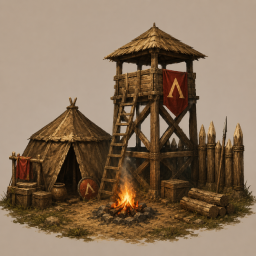
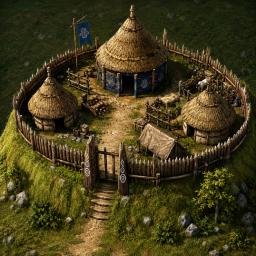
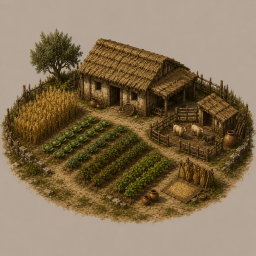
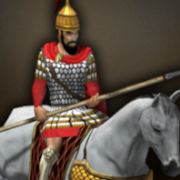
I'd like to think we making some decent progress. Here are some icons of new building ideas we are working on. If anyone has experience with a blender and can help create some of the props so we can make these into actors that would be great! Also looking to play test some of the changes. The AI still isn't "real" enough to get a good feel for the balance. Thanks and Cheers!
- Today
-
Play the best game ever which have been played over 1 million times ever in one year so far, The best Greek Gods game ever played with Blockchain ability Play Game: enc-tube-bio-link-builder-462.created.app/gods-of-greeks
-
Play the best game ever which have been played over 1 million times ever in one year so far, The best Greek Gods game ever played with Blockchain ability Play Game: https://enc-tube-bio-link-builder-462.created.app/gods-of-greeks
-
Play the best game ever which have been played over 1 million times ever in one year so far, The best Greek Gods game ever played with Blockchain ability Play Game: https://enc-tube-bio-link-builder-462.created.app/gods-of-greeks
-
Play the best game ever which have been played over 1 million times ever in one year so far, The best Greek Gods game ever played with Blockchain ability Play Game: https://enc-tube-bio-link-builder-462.created.app/gods-of-greeks
-
Play the best game ever which have been played over 1 million times ever in one year so far, The best Greek Gods game ever played with Blockchain ability Play Game: https://enc-tube-bio-link-builder-462.created.app/gods-of-greeks
-
Play the best game ever which have been played over 1 million times ever in one year so far, The best Greek Gods game ever played with Blockchain ability Play Game: https://enc-tube-bio-link-builder-462.created.app/gods-of-greeks
-
Play the best game ever which have been played over 1 million times ever in one year so far, The best Greek Gods game ever played with Blockchain ability Play Game: https://enc-tube-bio-link-builder-462.created.app/gods-of-greeks
-
Play the best game ever which have been played over 1 million times ever in one year so far, The best Greek Gods game ever played with Blockchain ability Play Game: https://enc-tube-bio-link-builder-462.created.app/gods-of-greeks
-
Play the best game ever which have been played over 1 million times ever in one year so far, The best Greek Gods game ever played with Blockchain ability Play Game: https://enc-tube-bio-link-builder-462.created.app/gods-of-greeks
-
 bukky23 joined the community
 -
These are videos from a current work in progress to implement different forces into unit motions, like inertia, knockbacks and charge attacks! The values would be very customizable in unit templates for mods too! Screencast+from+2026-06-04+23-57-24.webm Screencast+from+2026-06-18+18-01-22.webm Screencast+from+2026-06-18+17-53-13.webm
-
So we looking to really change some things up. We are creating Civ idenitities in small groups, like Tribal, City-State, Imperial etc... I'm also trying to get creative with techs and what not. What I'm wondering is if I can create identity subfolders within the technology folder (similar to civ bonuses) and keep their specific techs there so its not as "crowded" in the general technology folder. Will the game still be able to find/read those techs if I create a new folder? If not... is there an "ez" way to do it? Thanks!
-
 DerekSFair joined the community
 -
That's exactly why there aren't more players, to have more people then more options. But a handful of people convinced the community that repeating the same map over and over again is what makes someone "pro," and that it somehow creates more complex games, or "just Mainland is balanced" which is simply not true. They created the myth that "playing Mainland makes you OP, while playing other maps makes you a nub." Being Pro is to know what to do in most situations, not just 1. I understand can be the favourite map of some players, but even Mainland have more options to play too. I've seen 1800–1900 rated players unable to do nothing when taken out of their usual Mainland Circle Placement Temperate. If anything, that suggests that other maps can be just as complex, or even more complex, because they require adaptation, creativity, and cleverness/ingenuity/resourcefulness instead of repeating the same patterns every game. What many people still don't realize the loop they repeat, that they're essentially replaying the same match over and over until everyone gets tired of it. Eventually, arguments start, insults and someone ends banned/reported. Interestingly, the players who regularly play different maps and experiment with different settings don't seem to have the same reputation for public arguments, lobby insults, forum fights, or bans. At least from what I've observed, most of that drama comes from the circles that insist on playing the exact same setup over and over.
-
Really nice ideas! Player notes also, good idea, so one could mark if some players always lag when you host. Or if they don't share your kind of humor or so. In favor of always mainland: The thing is one could play each day some completely different sport, one day basketball, next day tennis. But when you stick to one you (and your team) can explore more nuanced gameplay. And it's already hard enough to find 8 players that can play mainland circle. I would be more in favor of leaving biome random + no shared vision but that's unpopular and I can play without. And with some limited time, to get a gg in mainland is good enough instead of exploring different maps. Although I started the game just playing one map after the other in single player until I joined the lobby.
-
 wersdfrgtyui joined the community
 -
 dfgerfer joined the community
 -
Nice @AlexHerbert and I agree we do seem to fall into the trap of playing the same games. When I see your games in the lobby I will join as I like that variety. I like Wild Lake and Marmara too but yes people complain as soon as you change the map. The 'rules' box is particularly useful to introduce the map in a game. I try to explain about the gaia in Wild Lake. I think some of us a skeptical of a new map because some trolls focus their efforts on learning a map and drawing us into their honey traps. So explaining the map beforehand will hopefully reduce suspicion.
-
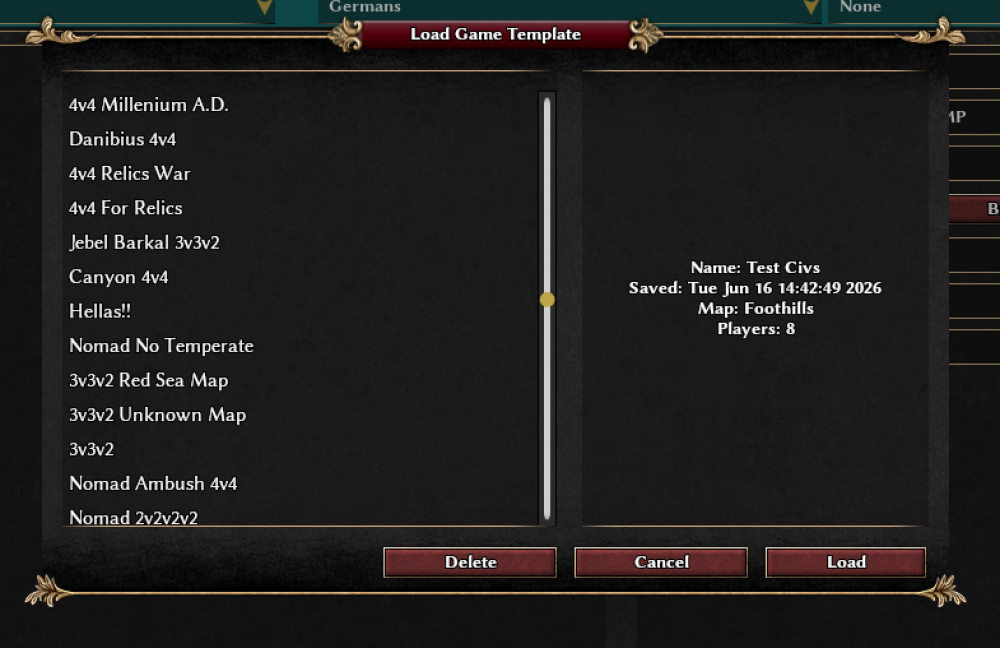
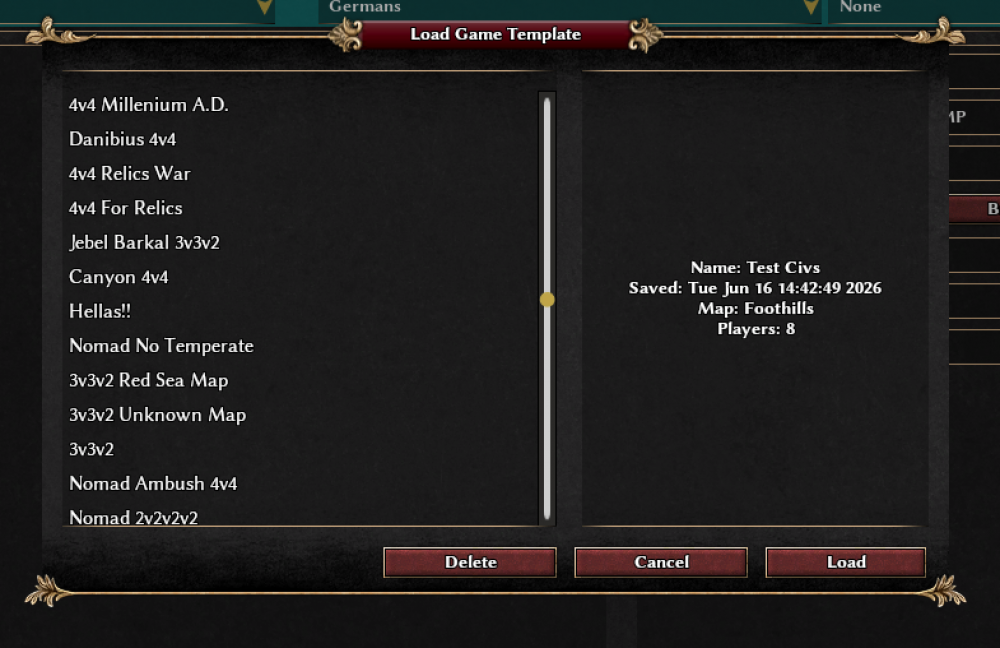
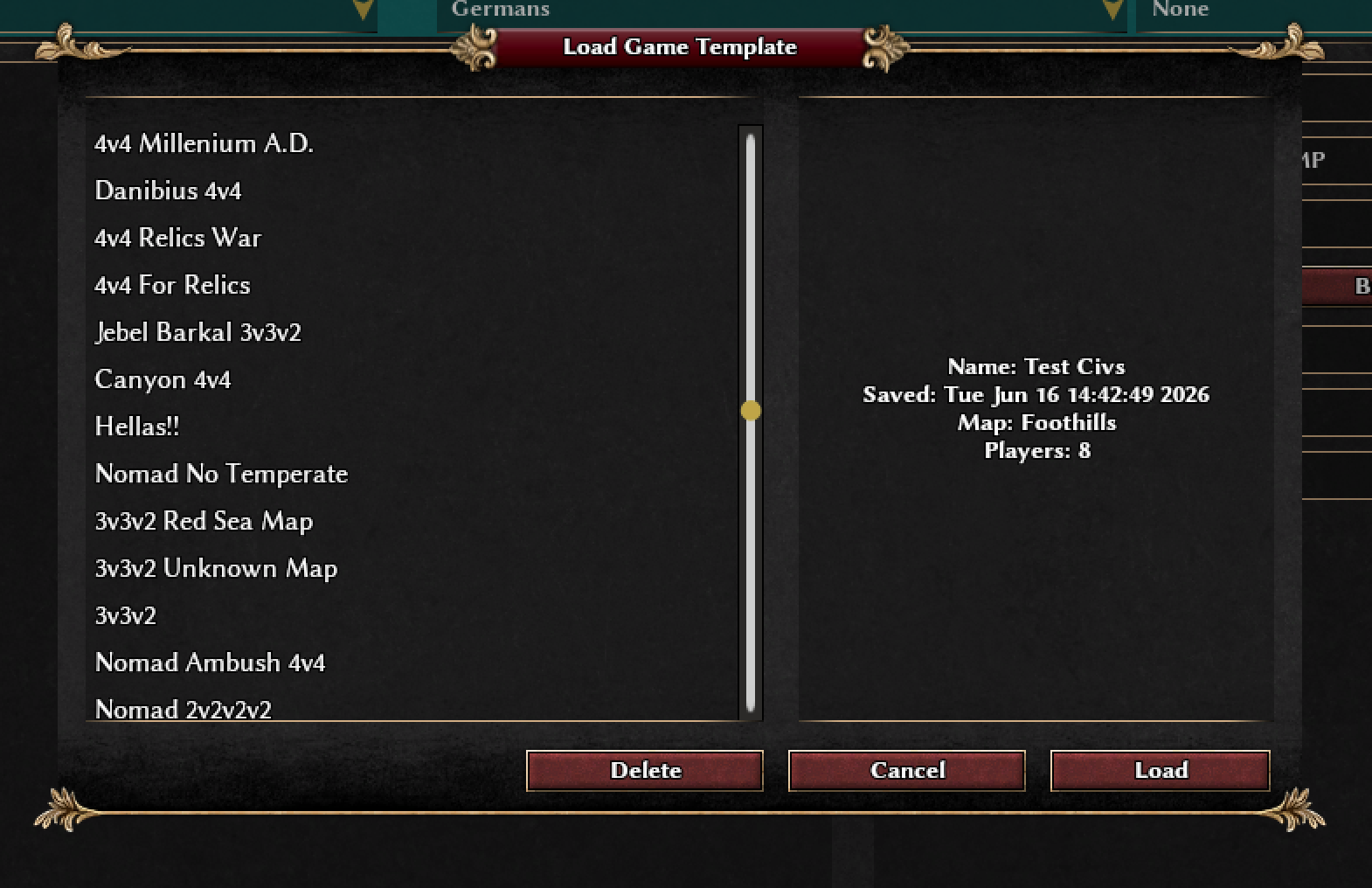
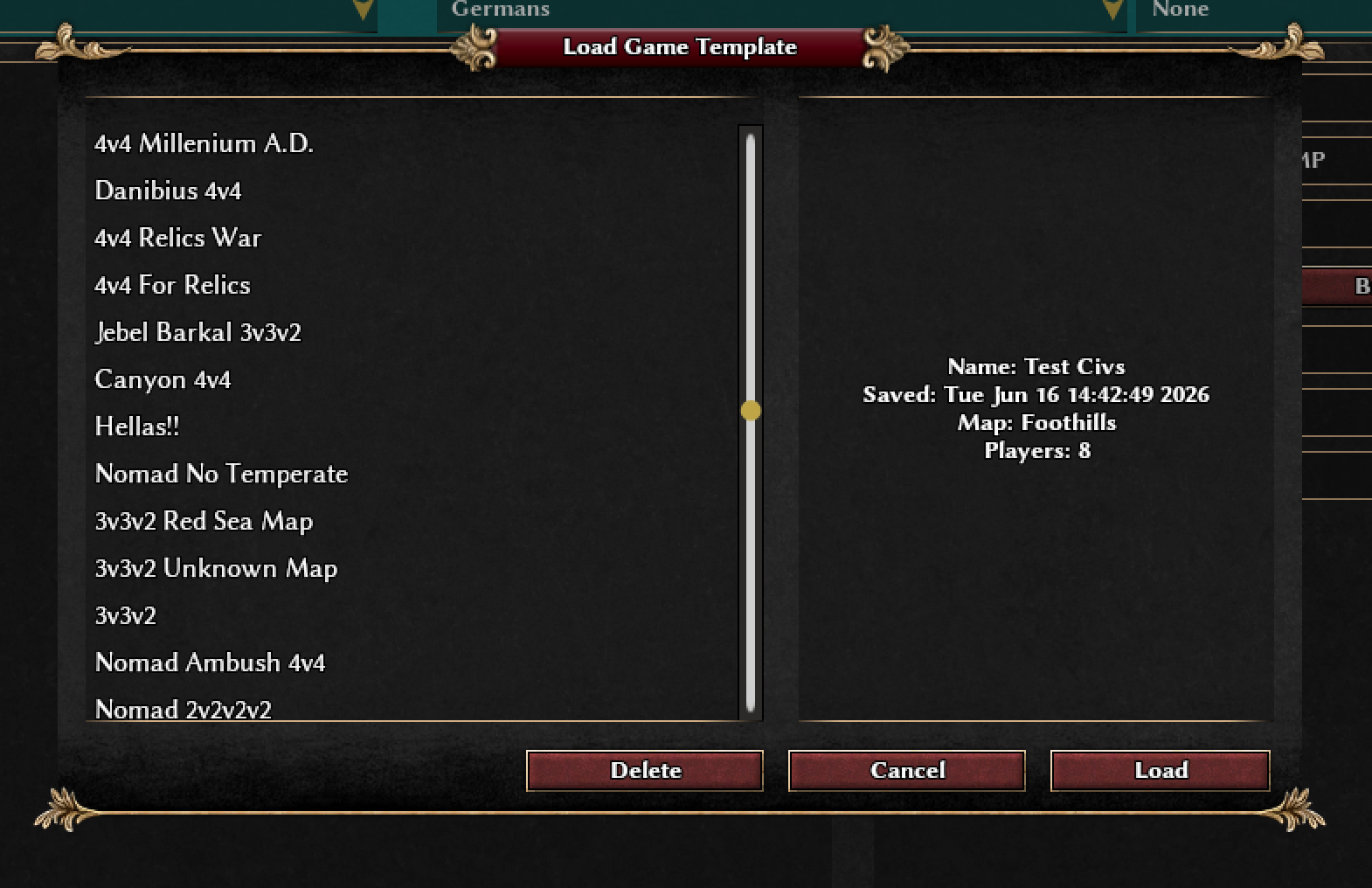
This is so genuinely useful feature. Unfortunately, I think almost nobody will use it the way it was intended. Besides me, I doubt many players will have dozens of configurations saved. Most will either never use it, or they'll end up with exactly one saved setup: Mainland, Circle Placement, Temperate, 4v4, Low Res, 200 Max Pop. What's even more telling is that Feldmap was given a special feature for a specific group of players so they can Shuffle Positions, yet it is never used. (And is not because is a bad feature, but because of user error.) I think I finally understand why some developers become defensive when some of us suggest improvements. A lot of users are like customers of certain tech brands: they just complain that things are bad, but never take the time to learn how to use the tools, features and options already available to them. 0 A.D. offers an incredible amount of variety: different maps, biomes, placements, civilizations, victory conditions, strategies, and historical settings. There is a huge amount of work and detail behind it. So I want to take this opportunity to thank the developers for creating such a great game with so many possibilities. My impression is that most players have no idea how much content and variety they actually have at their fingertips.
-
This is so genuinely useful feature. Unfortunately, I think almost nobody will use it the way it was intended. Besides me, I doubt many players will have dozens of configurations saved. Most will either never use it, or they'll end up with exactly one saved setup: Mainland, Circle Placement, Temperate, 4v4, Low Res, 200 Max Pop. What's even more telling is that Feldmap was given a special feature for a specific group of players son they can Shuffle Positions, yet it is never used. (And is not because is a bad feature, but because of user error.) I think I finally understand why some developers become defensive when some of us suggest improvements. A lot of users are like customers of certain tech brands: they just complain that things are bad, but never take the time to learn how to use the tools, features and options already available to them. 0 A.D. offers an incredible amount of variety: different maps, biomes, placements, civilizations, victory conditions, strategies, and historical settings. There is a huge amount of work and detail behind it. So I want to take this opportunity to thank the developers for creating such a great game with so many possibilities. My impression is that most players have no idea how much content and variety they actually have at their fingertips.
-
Creo que eso no era exactamente lo que quería decir, pero este mapa es muy interesante para que la gente se oriente en relación con las civilizaciones representadas. Mientras tanto, estoy buscando algo para ayudar en juego,mejor que una lista, tal como está planteada actualmente.
- Yesterday
-
I have seen pathfinder broken with cav around palisades, and chariots too
-
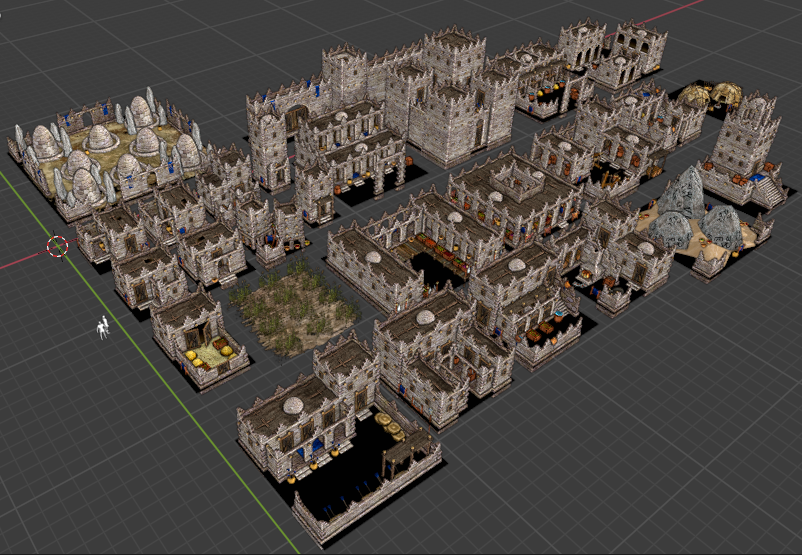
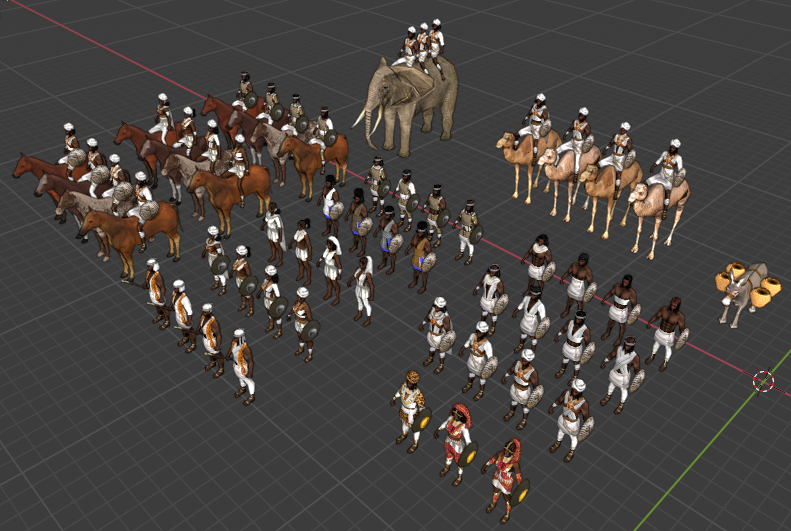
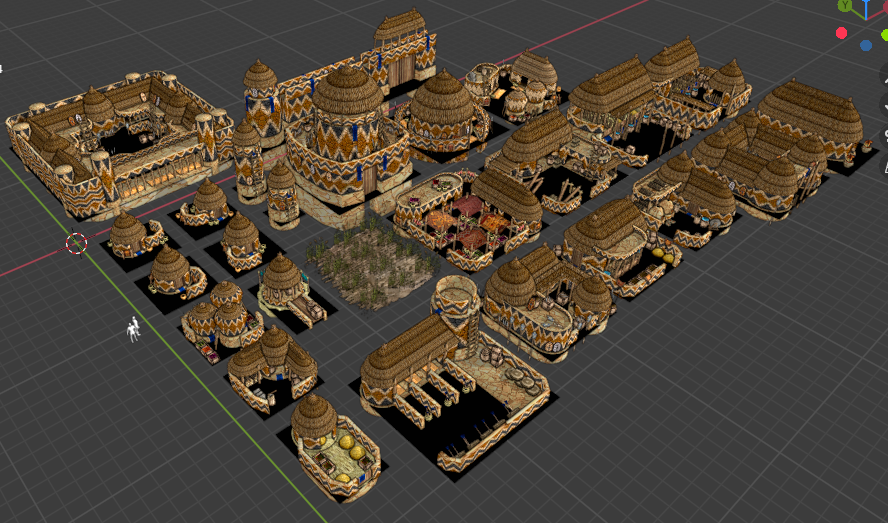
-Otras facciones africanas: Aromata City States (Antiguos "Macrobianos") (Cuerno de África) Edificios: Unidades: ¿Qué opinan? Disculpen las molestias*
-
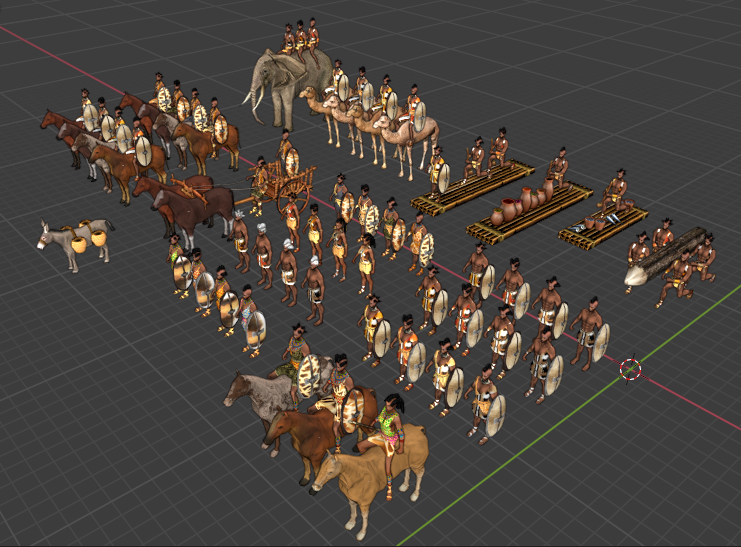
-Otras facciones africanas: Sao (África central/Lago chad) Edificios: Unidades: ¿Qué opinan? Disculpen las molestias*
-
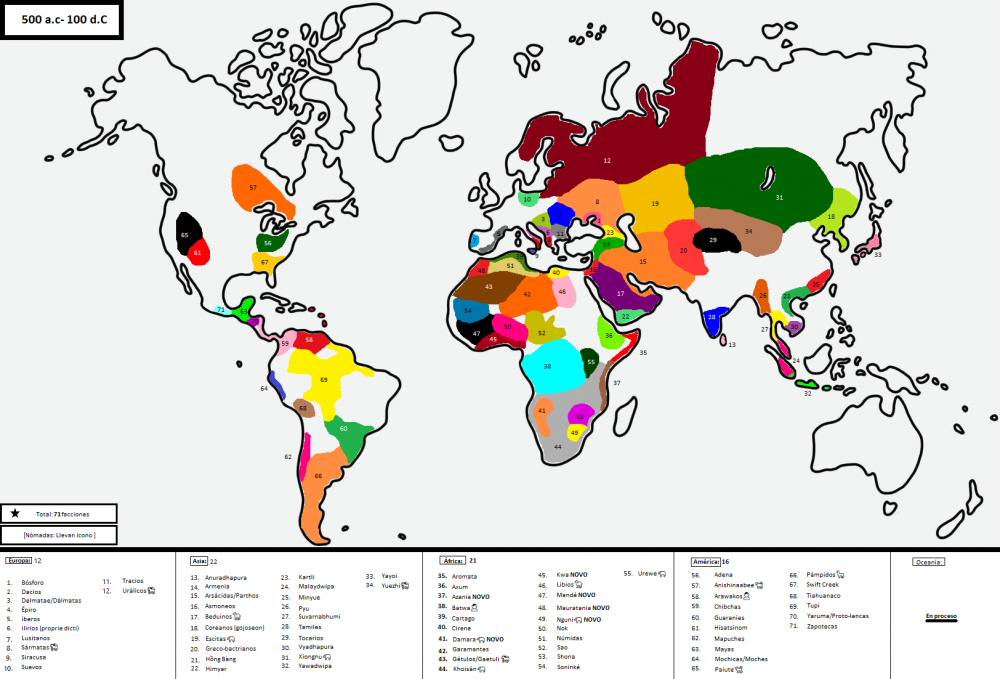
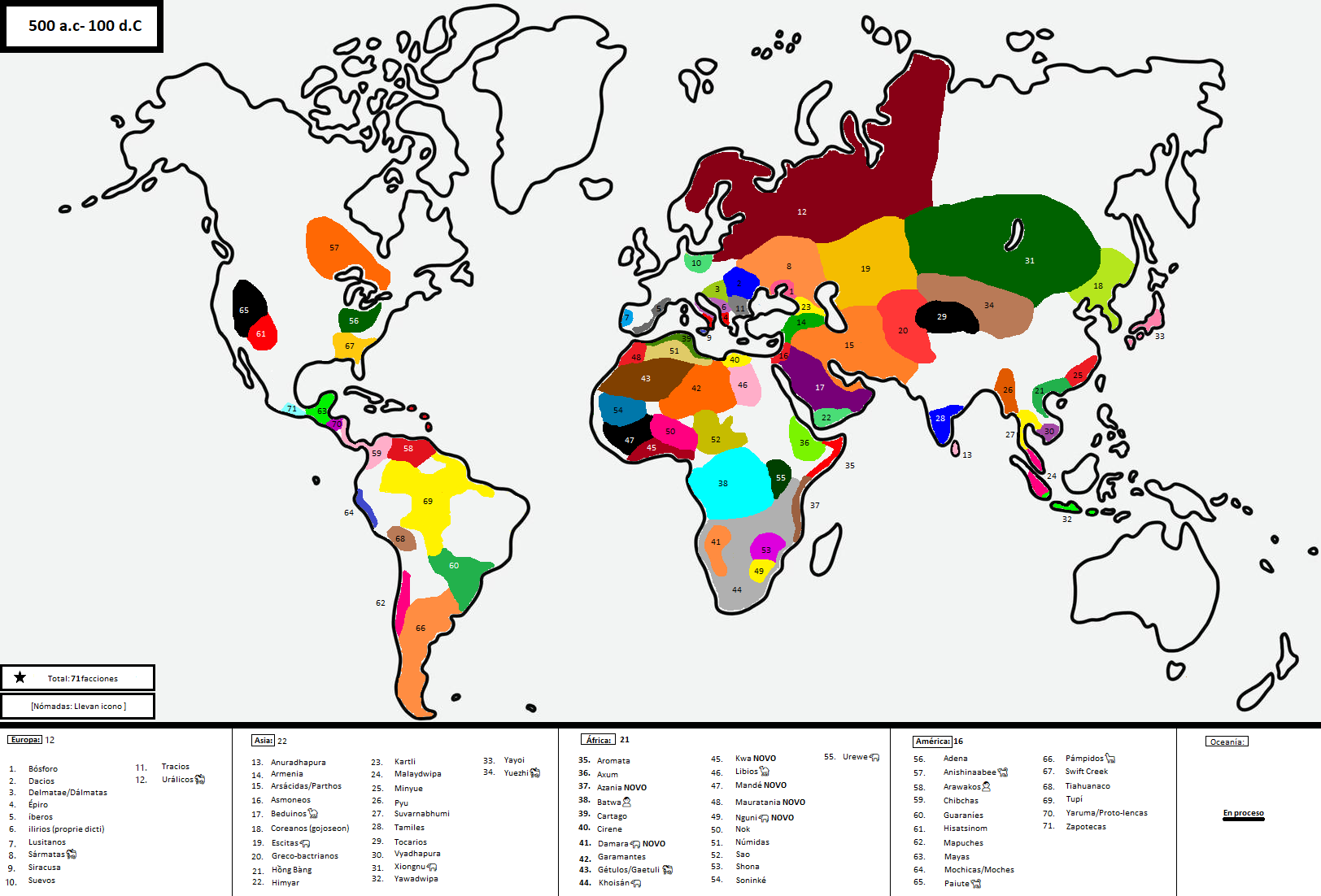
-Aquí le dejo @Eilat un mapa global con TODAS las facciones ACTUALIZADO ahorita: Total de facciones 71: (Y más en camino) -Espero haber ayudado. Disculpen las molestias*
-
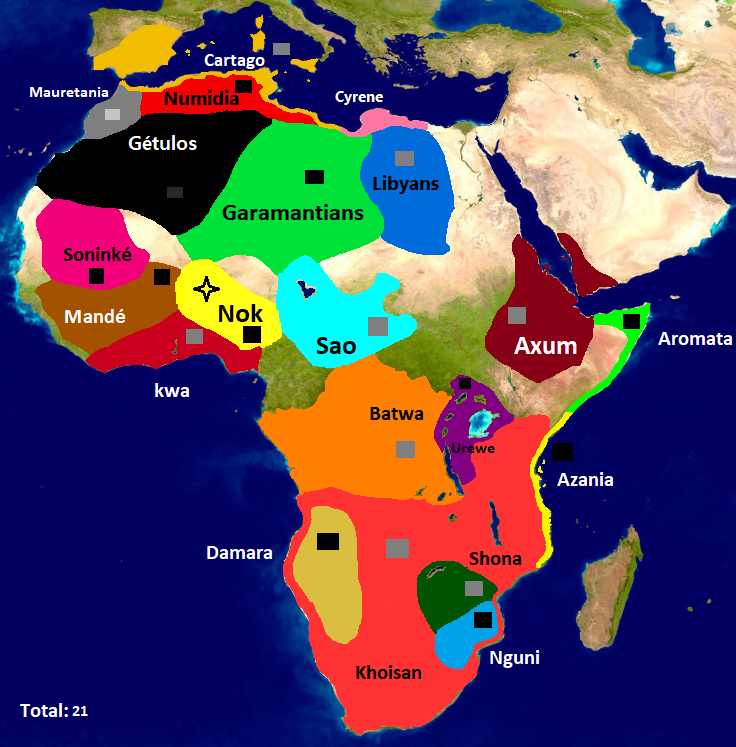
Buenos días o tardes: -Si claro, aquí le dejo un mapa actualizado de áfrica con las nuevas facciones: -Un listado de las civilizaciones: África (21) 1. Aromata 2. Axum 3. Azania NOVO 4. Batwa (Nómada) 5. Cartago 6. Cirene 7. Damara (Nómada)NOVO 8. Garamantes 9. Gétulos/Gaetuli (Nómada) 10. Khoisán (Nómada) 11. Kwa NOVO 12. Libios (Nómada) 13. Mandé NOVO 14. Mauratania NOVO 15. Nguni (Nómada) NOVO 16. Nok 17. Númidas 18. Sao 19. Shona 20. Soninké 21. Urewe (Nómada) Disculpen las molestias*
-
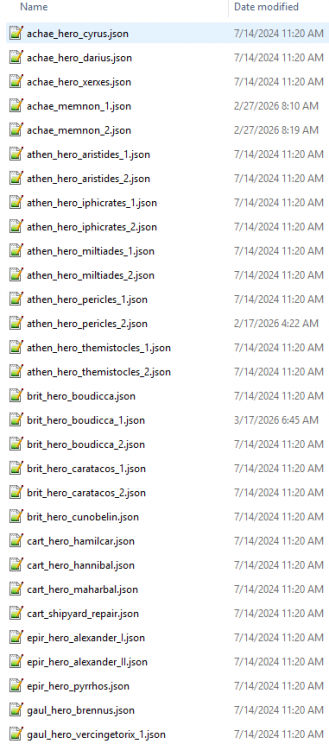
I have no central place besides in-game. Best way to do it, IMHO is either: Check the simulation/data/auras/units/heroes/ folder for all of the available auras: Or to look in the mod's structree in-game:
-

Game Balance: Battering Rams, the 0 A.D. tanks?...
Thalatta replied to krt0143's topic in Gameplay Discussion
Completely wrong about what? Are you leaving open the possibility that they would work the fields while wearing armour? In any case, in theory you could make them return to their houses/barracks/whatever to rearm themselves, but the problem is, as usual, if you are super realistic in some things, and not in others, then you’d end with even more unrealistic situations! If you were to make them rearm, then you’d need to rework things like FOV, etc, to give you ample warning about approaching troops, besides on how to deal with the actual proportion of time being taken by all that, which is not trivial. Right now the game is more realistic than only taking half of those things into account because of reduced FOV and fast pacing. At the end no approach among these two is baffling (unless you only think about half of the issues and just mess up things), they are just different ways of doing it.









-
Latest Topics
-