
blarp123
-
Posts
25 -
Joined
-
Last visited
blarp123's Achievements

Discens (2/14)
10
Reputation
-
Unusual graphics behaviour on intel arc, Linux
blarp123 replied to blarp123's topic in General Discussion
Sorry for the long reply. Issue is the same regardless of which shadow quality I start with. Adding the line you gave fixed it completely. I attached the log with it fixed. Thanks! mainlog.html -
Unusual graphics behaviour on intel arc, Linux
blarp123 replied to blarp123's topic in General Discussion
Yes it still happens when all other settings are disabled. Here's the log with the flags you gave. mainlog.html userreport_hwdetect.txt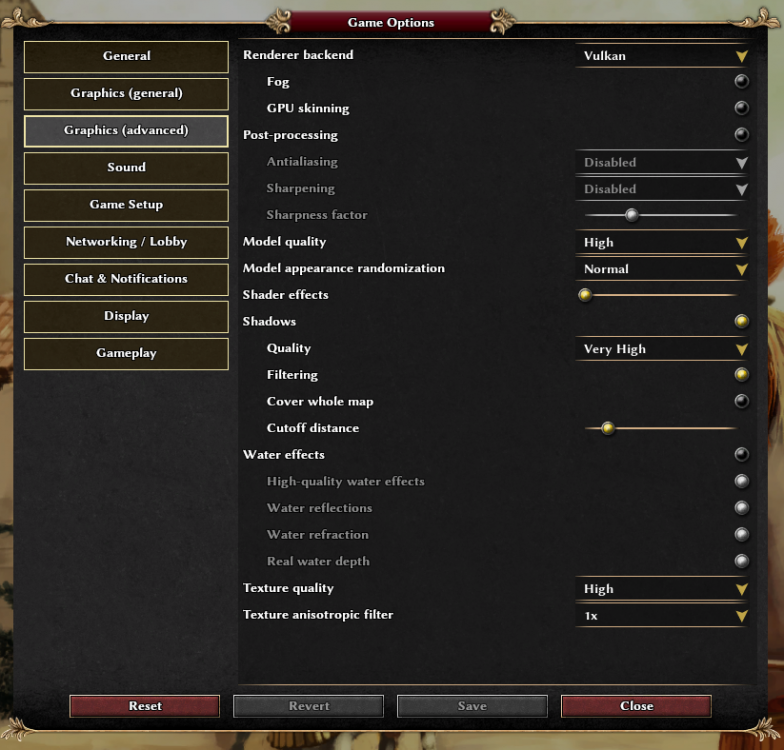
-
Unusual graphics behaviour on intel arc, Linux
blarp123 replied to blarp123's topic in General Discussion
Ok so I figured out the OpenGL thing is just some weird 1-off issue. I installed the game again with Flatpak (previously was apt ubunto repo) and the black screen was fixed. But still broken shadows on vulkan. -
Unusual graphics behaviour on intel arc, Linux
blarp123 replied to blarp123's topic in General Discussion
Kernel: 7.2 generic Mesa: 26.0.8-1ubuntu0.3 Not out of vram, nvtop shows usage at about 20% (I have 12gb). Happens every time I play the game. Shadows issue is on Vulkan. If I use OpenGL it is completely broken, black screen. This might be an issue with intel arc or it's drivers not 0ad, OpenGL is sometimes hit or miss on arc. OpenGL Arb works perfectly though. I also tried running with OpenGL through zink vulkan to see if it changed anything and it didn't, so I don't think that's arc opengl issue usually zink fixes those. The opengl log I sent is not with zink. Minecraft, SuperTuxKart, Steam games like Crossout all work perfectly so I don't think there's anything significantly wrong with my drivers. mainlog_(vulkan).html mainlog_(arb).html mainlog_(opengl).html -
Weird issue where everything appears in shadow. Fixes itself when changing the shadow quality while in game. Works after that until the app is restarted. OS: Kubuntu 26.04.1 GPU: Intel Arc B580 CPU: AMD Ryzen 5 5500 The video is av1 hope that isn't an issue. Didn't want to send a massive file. Video_2026-09-05_19-27-25.mp4
-
Archaeological potpourri
blarp123 replied to Gurken Khan's topic in Introductions & Off-Topic Discussion
Oh lol. I don't play romans that much in the game. Didn't know they already existed -
Archaeological potpourri
blarp123 replied to Gurken Khan's topic in Introductions & Off-Topic Discussion
I just heard about this from popular mechanics. https://www.popularmechanics.com/science/archaeology/a70698814/archeologists-uncovered-evidence-of-a-2000-year-old-machine-gunand-the-damage-it-did/ would be a cool thing to have in the game if it is real. -
Ray tracing XD
-
Not sure if this is known but getting a strange text in a discord embed of the game website. Why does it say "gerbilOFdoom" in the corner? Also idk how website embeds like this work but it should probably give a bit more relevant info. Like the current release version, and maybe a nice screenshot along with the game description.

-
Atlas crash on vulkan when generating random map.
blarp123 replied to blarp123's topic in General Discussion
I saw this comment earlier think it's related. Apparently someone already rewriting to use QT? -
Not sure if this is a known bug, but if I generate a random map in atlas (any size, including tiny, don't think it's an issue with computer performance) it crashes when trying to render the map in vulkan. Running kubuntu, wayland, mesa graphics on ryzen 3400g with vega 11 iGPU. Works perfectly fine on opengl. Video_2025-07-09_10-01-35.mp4
-
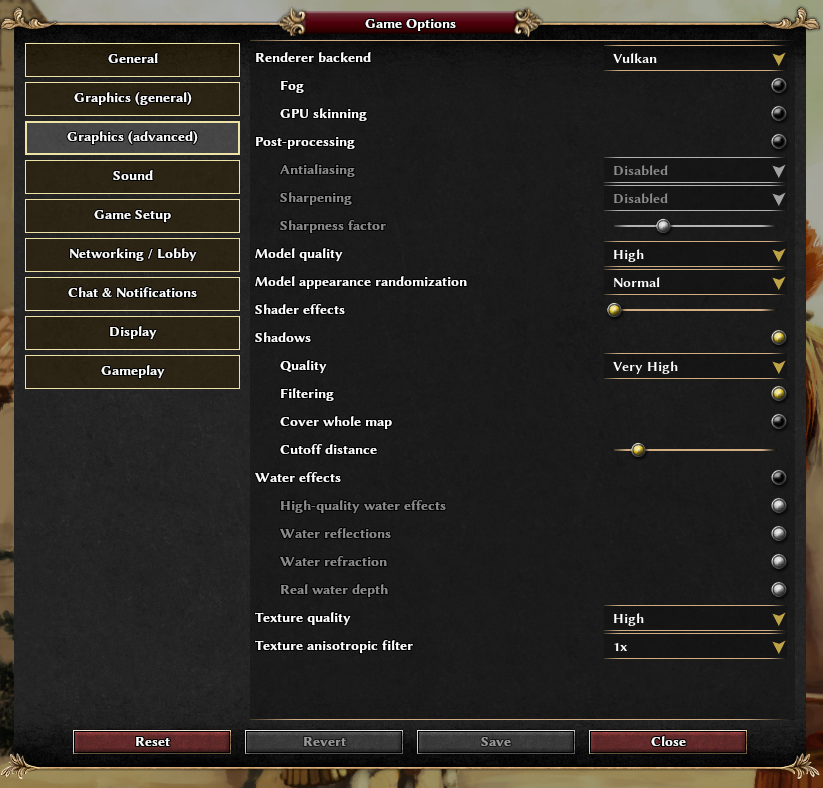
I was just wondering what this meant or what effects this controlled.
-
Enemy garrisons from boats teleport through walls
blarp123 replied to blarp123's topic in Help & Feedback
This is what I was doing if image helps: Walls did nothing. It was letting me place walls almost in the water (water line was up side of wall). Maybe some quirk of random map generator -
Unfortunately I couldn't get a replay of this (it was a saved game so replay was a bit broken). Basically what happened is I built walls around my island on the migration map thinking they would block enemy soldiers exiting their boats. I had the walls as close to the water as possible to save space. When they attacked the enemies spawned from the boats inside the wall and destroyed a load of my base. Is this a bug?
-
Where do I put files for custom map previews in a mod?