Atrik
-
Posts
840 -
Joined
-
Days Won
44
Everything posted by Atrik
-
Haven't found anywhere why capturing buildings would be easier when lowered health. Maybe we're all fooled. Pretty sure it's not about capture regeneration too. You can even read the capture regeneration stats in the capture bar tooltip with a certain mod I forgot the name and see it's unaffected, and it gets the value from the component itself.
-
Yes exactly. That's also what I was hinting to in my previous comment, and I was checking it and indeed : Melee eles champs : <Footprint replace=""> <Square width="4.5" depth="9.0"/> <Height>9.0</Height> </Footprint> Chariots : <Footprint replace=""> <Square width="11.0" depth="11.0"/> <Height>6.0</Height> </Footprint> Edit MB, actually Clearance wasn't used for what I though it was.
-
Probably just bad 'clearance' value for pathfinder, so trivial to fix. You could create an issue and attache a minimal replay on main with the bug happening that would very likely help someone to fix it.
-
I made a preset functionality based on autociv's "bot" for ModernGUI
-
Thanks but that formula is too hard to work with as it has too many parameters. The root degree I'm proposing only take 1, and produce a perfectly customizable and predictable diminishing return. We're not trying to revise capture again, just have a tool to make it less likely to instant capture certain buildings. You can already add capture resistance that seems to be subtracted from every capture attack. But that's obviously not going to help our case. Yes! No idea why it's set so low currently
-
Good catch, I'm suprised you could notice it from replay at x2 speed. I took the video while developing and there was a math flaw at the time. The formula I went for in the end is simpler using root degrees to also avoid any asymptote, which make it very safe if you input low values. Again, check https://gitea.wildfiregames.com/0ad/0ad/pulls/8892 if you want to go into details. The new capture regeneration system reward garrisoning stronger units. Would be a shame to remove it now with this. Also still don't think putting a hard cap is any good compared to diminishing return.
-
I don't like it that much either, but given that we do want to nerf specifically the faster captures, maybe this could be the lesser of evils. Somewhat, we cannot fix it with current balancing tool without impacting the normal capture, so maybe introducing a new one is necessary. I've set rather safe values for the PR, that should have noticeable impact only for the worse cases.
-
Gitea: Issues without a Milestone
Atrik replied to Obelix's topic in Game Development & Technical Discussion
Probably something to do per-case. Backlogging seems to be worse case to me. Maybe if the issue seems important we could add arbitrary milestones. Also I don't know if it's somewhat impolite but maybe assigning members that have skillset and bear interest in the area that the issue touches, could nudge some to pick up the issue. -
Thanks to everybody who voted and participated. I think the trend was already identifiable by the vote so I went ahead and made the PR. Current key changes (might be amended by balancing members). Make some techs add capture points to associated building. Sentries add +50% to towers Professional Garrison add +100% to forts Add +500 base capture points to CC and +1000 capture point to Forts. Colonies almost unchanged. Support diminishing capture rates for CC and Forts See https://gitea.wildfiregames.com/0ad/0ad/pulls/8892
-
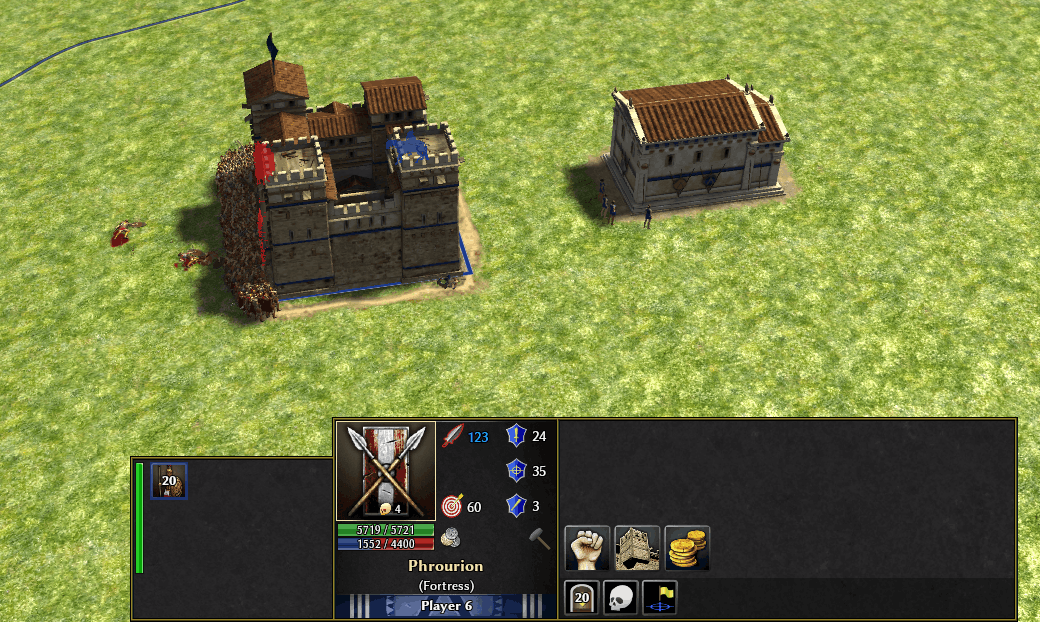
Here are the results of applying a exponential decay of 1.5 above 100 capture/turn. Before : Screencast+from+2026-04-25+15-51-09.webm After: Screencast+from+2026-04-25+15-56-10.webm Maybe the current decay is too sever or the threshold too low. But here the fort with 20 champs do resist a bit longer to theses 150 legionaries as the defender would probably expect.
-
I agree that it introduce a technicality and that's something to avoid. But it's much less so confusing then a full hard cap on capture rate. Especially given that the regeneration would be applied afterward so a hard cap on the rate would just create a artificial point where defenses are strong enough to defend whatever. The exponential decay is, in that regard, far less likely to introduce counter-intuitive behavior. Still a technicality, but one subtle enough for players to never encounter any confusion moment even if they don't know about it. I also agree that generally you want linear rates wherever you can fit them, instead of exponential one, because exponential effects are so hard for humans to comprehend. But here "exponential decay" doesn't result in a "exponential" visible effect. Instead it aims at making capture rates more intuitive by making the faster captures actually slower, therefore likely more intuitive for the defender, and barely less intuitive, for the attacker.
-
In any case, I would PR for what this poll gets us. There haven't been any reason given for the poll proposals to be rendered invalid. The result of 1. would make capturing more difficult then my own taste but whatever...
-
Every turn, a structure losing over 200 pts would resist better to the remaining capture pts it is meant to lose. This would be clearly aiming at making capturing faster less then a certain amount of time, much harder, without making any changes to normal capture difficulty. In other words, nerf fast capturing, without impacting at all normal capturing. And without introducing a complicated technicality players would need to be aware of. Already indirectly the case, since capture speed is increased by how much a structure has lowered hp.
-
Glad you're not thinking +1000 capture points isn't too much. We can go over some calculations for the CC that has a base of 2500 pts, we are increasing it to 3500. So a 40% buff. Without accounting for any regeneration, a 5 second capture would be increased by 2 second or 10 turns. In comparison the existing buff you provided of +25pts/sec would provide on the same scenario ~125 pts. So a 5% buff. On the same scenario this would provide 0.25sec so about 1 turn. So this +1000 pts addition is 10x more effective on fast capture scenarios then regeneration, and the break even point happens after 40sec. A minimum of +2 sec in worse case still gives a bit more room for the defender to react. I see a lot of ideas. But most of them increase the difficulty of capturing across all scenarios. Ideally, we would mostly impact the "worse" scenarios where capture happens just too fast. A suggestion that I'll be willing to implement is to have diminishing effectiveness of capturing over a certain rate. For example, if you are capturing a CC with a total of 500 pts per sec (~125 Romans with Marian reform), the CC lose the first 200 pts normally, but the last 300 pts strength are nerfed by exponential decay. Seems like a solution that could makes minimal changes, introduce little new technicalities and impact precisely the "worse" cases. Basically you could define in the template that capturing faster then Xsecs get exponentially harder.
-
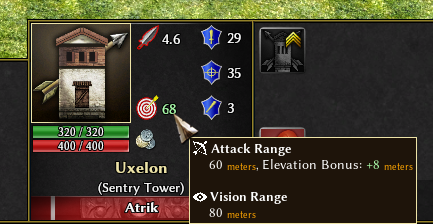
There are quite a few ways to do this but ideally first fix the limitations that this behavior tries to compensate for.. +8 is generally elevation bonus to range, aka the height of the turret itself. If you look into the selection tooltip it will show you total elevation bonus, which include how high on terrain the tower is (on a hill for example), however I found out recently that this wasn't correctly applied (see proposed fix for it). With arrow shooter tech it become 60base +8tech +9elevation total bonus (IIRC vanilla show them merged so +17). Stone towers also have higher base elevation bonus..
-
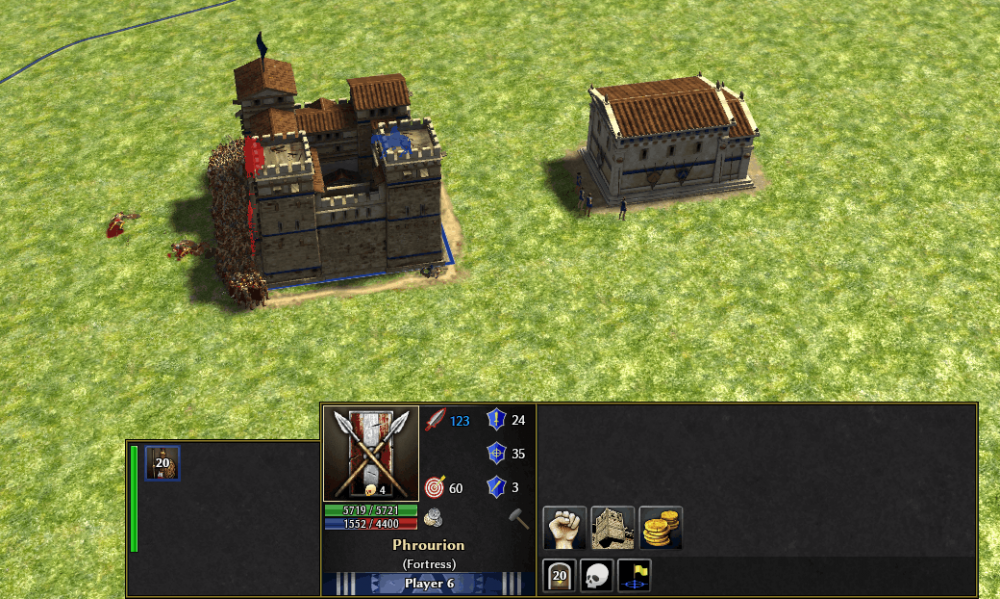
I'm making this poll without knowing how relevant/appreciated it will be or if the proposed changes will be merged, but could still be interesting. The problem : In R28, the capture has been rebalanced to make harder to capture, especially for key buildings (civic center and forts). This was done by increasing drastically the base capture point regeneration of buildings. The resulting effects vary across scenarios so let's take 2 examples. A large army with high tier units capturing will still capture the building just as fast, the capture regeneration doesn't add resistance or delay in that case. So still rarely giving the defender the opportunity to react. Smaller armies that seems to be able to capture the building have a hard time estimating how close they are to actually capturing a building, because capture point regeneration have a exponential effect on the time/difficulty to capture... Humans are not very good with exponential effects so it generally result in frustrations. A gimmicky play is for example to get Marian reform with Romans and start capturing everything in a few second even if a whole army is attacking you, you can perfectly capture a fort in less then 5 secs.... Example bellow I had 3 secs before the fort full of champs had below 50% capture points vs 150 romans. Proposed change : Increase base capture point of key buildings instead (cc, fort), making it longer to capture across all scenarios instead of only when it was already the hardest. Make towers Sentry tech, and Professional Garrison add capture points, making the tech more interesting.
-
https://gitea.wildfiregames.com/0ad/0ad/pulls/7069 Sadly, it's a currently rotting PR, like many other great ones.
-
The inevitable conclusion it isn't that AI isn't hard at all. It's actually rather too easy, but the vanilla content 0AD offers isn't optimal for casual or new players for leisure games, nor for learning. There are some work in this area already like : https://gitea.wildfiregames.com/0ad/0ad/pulls/8861 https://gitea.wildfiregames.com/0ad/0ad/pulls/7785 Also a good foundation for making campaigns more immersive: https://gitea.wildfiregames.com/0ad/0ad/pulls/8614 We can thanks @Vantha which is the main dive in these areas. I recommend trying mods, such as Delenda-Est, hyrule-conquest and a tone more already ported and coming up for R28, that are just 2 clicks away for players to get a great load of content from. If you want to not be a multiplayer try-harder, you do have many options that doesn't involve trying to beat the hardest level of AI possible actually.
-
"Follow Player" New Unit Focus Issue
Atrik replied to ittihat_ve_terakki's topic in Game Development & Technical Discussion
I don't know about the leaks and roofer comparison.. About autotrain, the feature wouldn't probably be considered for vanilla integration for good reasons. It introduces technicalities and over 20 buttons each supporting 3 different interactions (scroll, left click, right click..), even if it wasn't that hard to use, it was done too empirically resulting in something that complexify the UI by quite a bit... Which makes it ok as mod, but probably not for vanilla. Now I've recently proposed a system that offers the similar gameplay improvements, or even more in some areas, by having a very general way to queue production orders. This system currently introduce : 0 New UI elements 0 New hotkey Should-be perfect play-flow No automation feeling, since actions are initiated by user, and no overlay look like pupeting another like with autotrain. This, in my view, this makes it much more likely to be merged into vanilla. But currently I haven't got much feedback, so if you want to contribute on this feel free to do so here. -
"Follow Player" New Unit Focus Issue
Atrik replied to ittihat_ve_terakki's topic in Game Development & Technical Discussion
Fixed in ModernGUI https://gitlab.com/4trik/ModernGUI/-/commit/7286640d11c85197e1c345dd720dd0e730b76cd0 Proposed fix for vanilla https://gitea.wildfiregames.com/0ad/0ad/pulls/8880 -
It's a vanilla bug, happens very very rarely though. Probably 1 out of 1000 games or even less. Happened 2 times to me but I think was in a26. It's something that has to do with selecting a very large group of units, you can mitigate this by selecting smaller group for a while. @Arup if you have the replay where it happens would be op.
-
The order flow will be very similar to what you have for foundations when you already have the resources : You select a bunch of units : the builders. Select the building from construction panel and place it. Once you'll have enough resources, the preview will become normal foundation and builders will be called in to build it. Since they're called with pushorderfront, they will actually also go back to previous task (e.g. farming) once done building. So it's almost the same to how it's done with vanilla construction Still need to refine some details, but I make this kind of features trying to introduce neither technicalities nor arbitrary behaviors that's not user-defined... Although it's sometimes unavoidable to make some design choices.
-
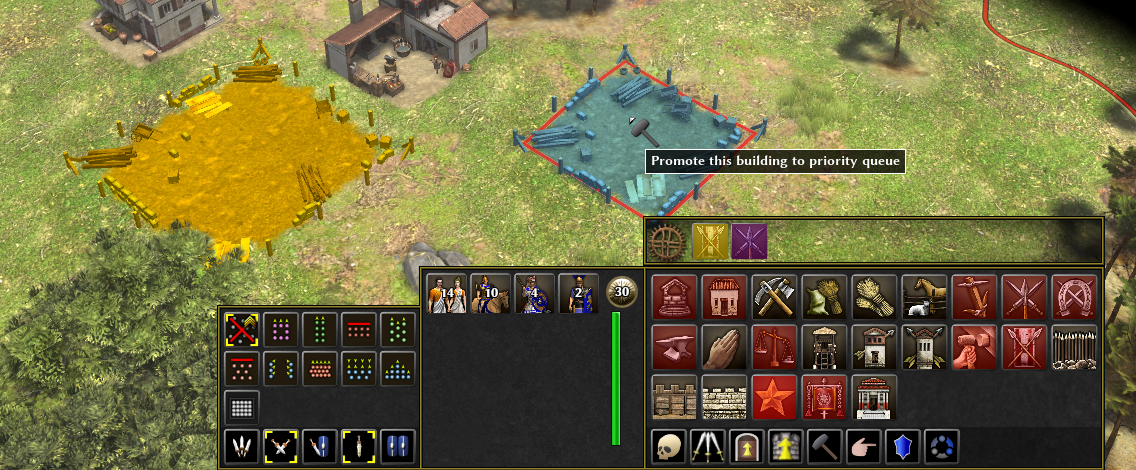
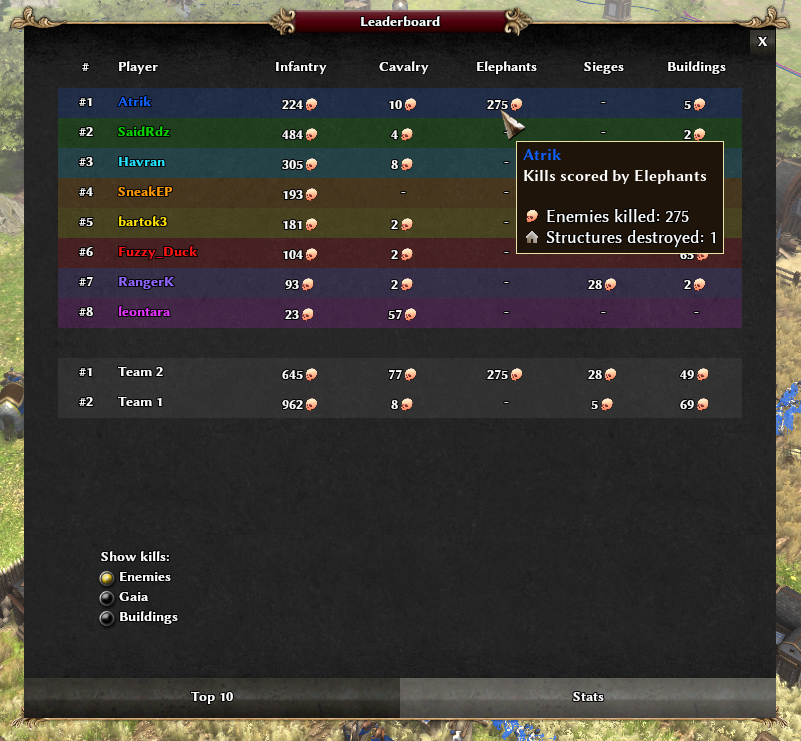
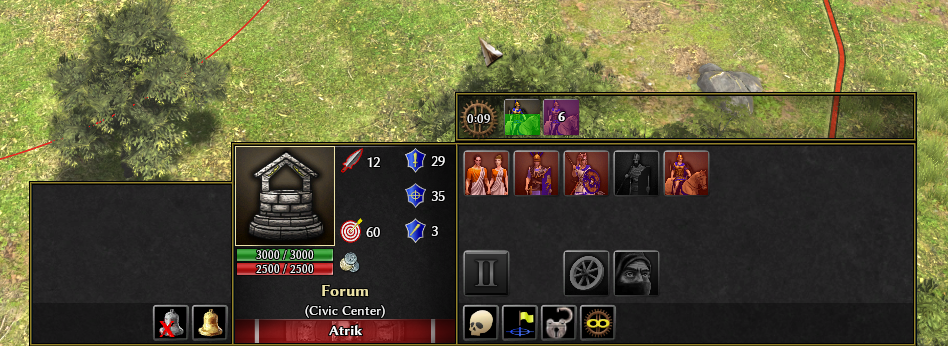
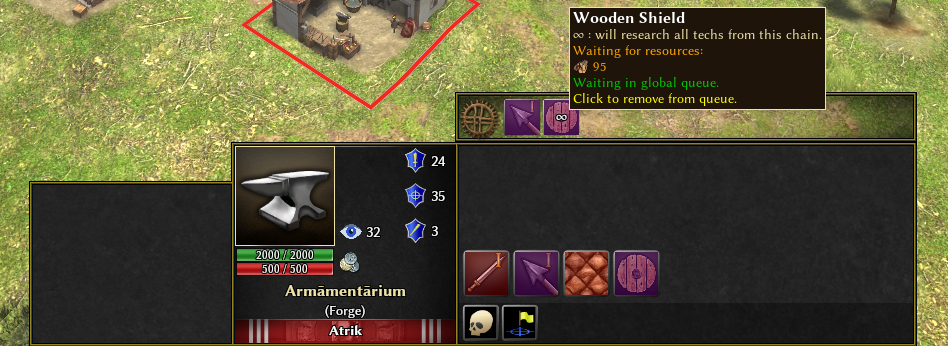
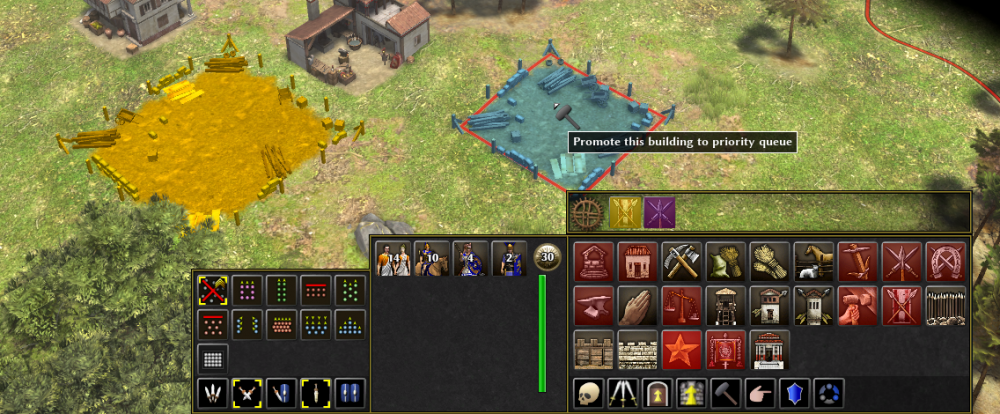
Cute little update : I. Handicap setting Now possible to set a handicap just like petra has, for player. Type : /handicap PlayerName Difficulty Example : /handicap Atrik Easy For SP or MP where others have ModernGUI too (will OOS if not). II. New leaderboard section You can now read kills scored by classes of units in this leaderboard section. Very useful as observer. Reminder the kill counter only initialize when actively in the game. Rejoining game will only display kills from when you joined. III. New queue system It is now supported to queue units globally directly in the selection panel. You can queue the units before having the resources, and the production will begin as soon as it can, across owned production buildings. Works also with techs. You also have a hotkey massproduce (same default as vanilla masstribtue; massbarter etc, being Ctrl), for techs, it will research all techs of the chain. You can also queue constructions. Units have this new construction queue and will start building as soon as you can afford the building. Items in queues can be promoted to priority item (Gold color in queue panel). This will have as effect that other items in global queue will not consume resources that the priority item is awaiting. This global queue system is enabled by activating EcoPanels setting. Otherwise the panel is unchanged. Hoping to get feedback on this proposed new system! I personally enjoyed it a lot this past few days while testing it and I think it's amazing, It gives the feeling of serene control I like most when playing. Have fun!

-
Thanks I was looking for this a while ago.
-
Can't click on any buttons on the welcome screen, can't start the game.
Atrik replied to Jayanne.Sung's topic in Bug reports
Hi @Jayanne.Sung, This is a symptom of https://gitea.wildfiregames.com/0ad/0ad/issues/8611 TLDR : Most likely you have the bug where the cursor is not pointing where it should be. Try to restart the game until the black margin doesn't appear. Maybe someone else know a way to open the game that will increase the chances to not have this bug (without disabling full screen that is) ? For me the bug happens 1 time out of 20 or so, therefore I usually just restart the game.