All Activity
- Past hour
-

Engine.GetSimRate/SetSimRate from JS script
Stan` replied to CulturedCait's topic in Scenario Design/Map making
Maybe it's more strict in non visual although it should not, what if you try to figure out why it's registering it twice ? -
Engine.GetSimRate/SetSimRate from JS script
CulturedCait replied to CulturedCait's topic in Scenario Design/Map making
Yes, I checked other maps. Same result. Always executes "Turn 0 (200).." script etc ignoring the map. Doesn't matter if mods are used or not. If I remove --autostart-nonvisual everything is OK and maps are loaded normally. Maybe my version of the game is the issue? ~/.local/share/0ad/mods/user/simulation$ pyrogenesis -autostart="skirmishes/tarim_basin_2p" -quickstart --autostart-nonvisual TIMER| InitVfs: 160.709 us FILES| Main log written to '/home/przemek/.config/0ad/logs/mainlog.html' FILES| Interesting log written to '/home/przemek/.config/0ad/logs/interestinglog.html' TIMER| CONFIG_Init: 2.53454 ms FILES| Replay written to '/home/przemek/.local/share/0ad/replays/0.27.1/2026-01-06_0007' GAME STARTED, ALL INIT COMPLETE Turn 0 (200)... Turn 1 (200)... Turn 2 (200)... Turn 3 (200)... Turn 4 (200)... Turn 5 (200)... Turn 6 (200)... Turn 7 (200)... Turn 8 (200)... Turn 9 (200)... Turn 10 (200)... ~/.local/share/0ad/mods/user/simulation$ pyrogenesis -autostart="scenarios/polynesia" -quickstart --autostart-nonvisual TIMER| InitVfs: 194.705 us FILES| Main log written to '/home/przemek/.config/0ad/logs/mainlog.html' FILES| Interesting log written to '/home/przemek/.config/0ad/logs/interestinglog.html' TIMER| CONFIG_Init: 3.4274 ms FILES| Replay written to '/home/przemek/.local/share/0ad/replays/0.27.1/2026-01-06_0008' GAME STARTED, ALL INIT COMPLETE Turn 0 (200)... Turn 1 (200)... Turn 2 (200)... Turn 3 (200)... Turn 4 (200)...
-
Thank you for your reply. No need to confirm, as I have written a second reply and it is visible. Best regards.
-
Build instructions for A28
Stan` replied to Seleucids's topic in Game Development & Technical Discussion
Should what work? -
There is an anti spam mechanism that sometimes blocks posts. And we have to validate them for them to show up
-
I wrote it a second time – now you can see it. https://wildfiregames.com/forum/topic/139802-must-have-xxiii23-ken-wood-linux-only/?do=findComment&comment=616597 But why can't you see the first one?
-
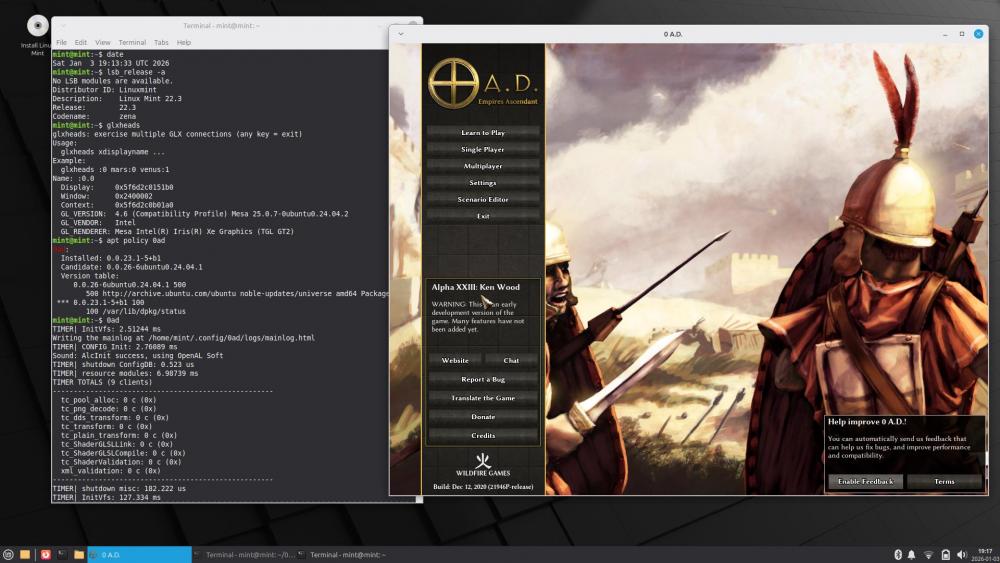
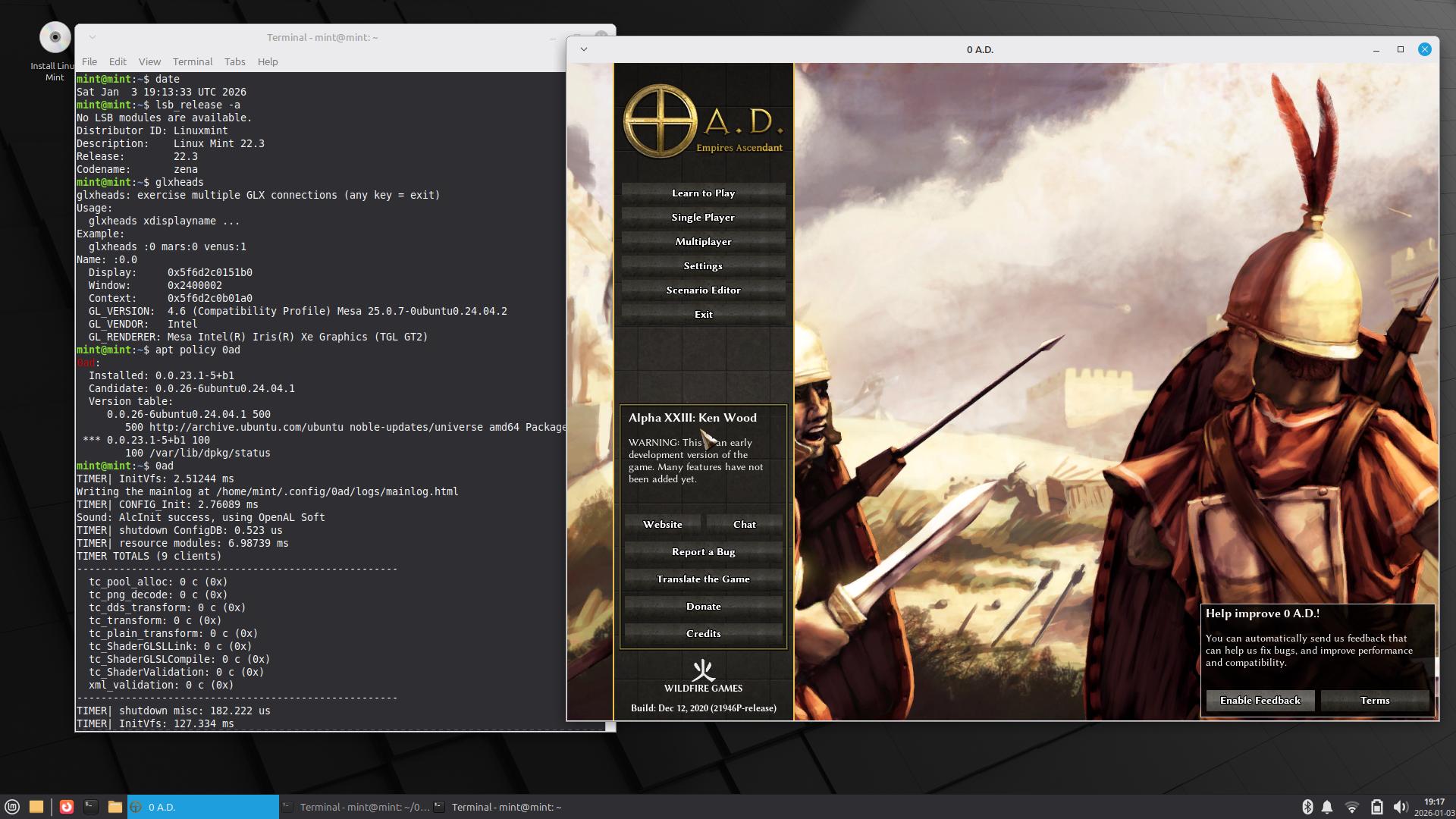
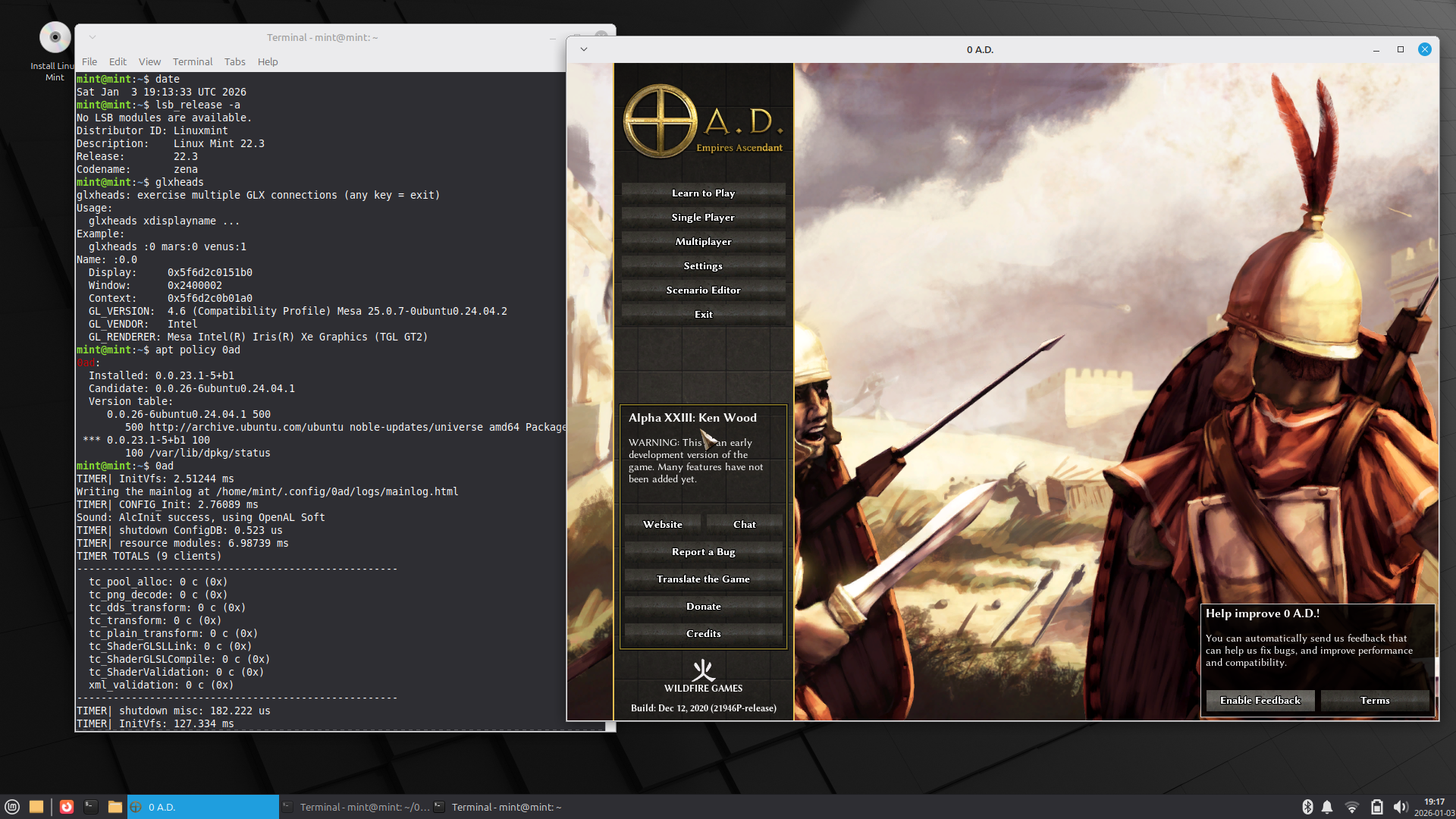
How to install 0ad ver. 0.0.23.1 on Linux Mint 22.3? In my opinion, there are two ways to do this. The description is a bit long, but what wouldn't you do for the success of 0ad? The first way --------------- Create a directory called ‘0ad’ and enter it. 1. First, install the dependencies available in Linux Mint (as root): sudo apt-get install fonts-freefont-ttf fonts-texgyre libboost-filesystem1.74.0 libenet7 libgloox18 libnvtt2 2. Now we will manually install the dependencies from Bullseye, as these versions are no longer available in Mint 22.x. First, we will download them: wget http://security.debian.org/debian-security/pool/updates/main/i/icu/libicu67_67.1-7+deb11u1_amd64.deb wget http://ftp.de.debian.org/debian/pool/main/libj/libjpeg-turbo/libjpeg62-turbo_2.0.6-4_amd64.deb wget http://security.debian.org/debian-security/pool/updates/main/t/tiff/libtiff5_4.2.0-1+deb11u7_amd64.deb wget http://ftp.de.debian.org/debian/pool/main/libw/libwebp/libwebp6_0.6.1-2.1+deb11u2_amd64.deb wget http://cz.archive.ubuntu.com/ubuntu/pool/universe/w/wxwidgets3.0/libwxbase3.0-0v5_3.0.5.1+dfsg-4_amd64.deb wget http://cz.archive.ubuntu.com/ubuntu/pool/universe/w/wxwidgets3.0/libwxgtk3.0-gtk3-0v5_3.0.5.1+dfsg-4_amd64.deb How did I find these links? Go to: https://www.debian.org/distrib/packages In the “Searching package catalogs” section below, enter 0ad and “Search.” When it appears, click on it (Trixie will be the default). Now click on the “bullseye” in the upper right corner (this option will no longer be available starting in September), and you will see: https://packages.debian.org/bullseye/0ad The required dependencies are listed below. You can either click on these dependencies or enter the name of the package in the upper right corner and click “Search.” For example, “libwebp6”+ Search, click “libwebp6” https://packages.debian.org/bullseye/libwebp6 At the bottom, click on “amd64” and a list of available servers will be displayed. I chose the first one on the right (de). https://packages.debian.org/bullseye/amd64/libwebp6/download Sometimes, when there are security fixes, it will display like this (only one server): https://packages.debian.org/bullseye/amd64/libtiff5/download The packages ‘libjpeg62-turbo’ and ‘libtiff5’ are required by the package ‘libwxgtk3.0-gtk3-0v5’, while ‘libwebp6’ is required by the package ‘libtiff5’. Some people call this dependency hell, and you can see how ‘apt-get’ can make installation easier. In Linux Mint 22.3, instead of these six packages, there are newer ones, namely: libicu74 libjpeg-turbo8 libtiff6 libwebp7 libwxbase3.2-1t64 libwxgtk3.2-1t64 We check if the files have been downloaded: ls -al Then install manually (as root): sudo dpkg -i libicu67_67.1-7+deb11u1_amd64.deb libjpeg62-turbo_2.0.6-4_amd64.deb libtiff5_4.2.0-1+deb11u7_amd64. deb libwebp6_0.6.1-2.1+deb11u2_amd64.deb libwxbase3.0-0v5_3.0.5.1+dfsg-4_amd64.deb libwxgtk3.0-gtk3-0v5_3.0.5.1+dfsg-4_amd64.deb We should not see any errors. The ‘dpkg -C’ command should not display anything. These packages have not overwritten or deleted anything – they are simply alongside the others in our system. We can uninstall them at any time and nothing will happen. So this is a weak FrankenMint. 3. Finally, we download the 0ad files from Bullseye: wget http://ftp.de.debian.org/debian/pool/main/0/0ad/0ad_0.0.23.1-5+b1_amd64.deb wget http://ftp.de.debian.org/debian/pool/main/0/0ad-data/0ad-data_0.0.23.1-1.1_all.deb wget http://ftp.de.debian.org/debian/pool/main/0/0ad-data/0ad-data-common_0.0.23.1-1.1_all.deb Then install them manually (as root): sudo dpkg -i 0ad-data_0.0.23.1-1.1_all.deb 0ad-data-common_0.0.23.1-1.1_all.deb 0ad_0.0.23.1-5+b1_amd64.deb We should not see any errors. The ‘dpkg -C’ command should not display anything. The item “0 A.D.” has appeared in “Menu – Games.” The ‘0ad’ directory is now unnecessary – we delete it. Unless we want to keep the downloaded files for future use. 4. We start the game by typing ‘0ad’ in the terminal. It is better to do this in the terminal than from the menu, because we can see the messages that 0ad displays during startup. Second method ----------------- How does ‘0ad_0.0.23.1-5+b1_amd64.deb’ know what dependencies need to be installed? A: It has this information stored “inside” – in the ‘control’ file. Just open the file in Archive Manager (File-roller, xarchive, or whatever you have) and find the ‘control’ file in ‘DEBIAN’. When you view it, you will see a line beginning with the word “Depends” and then, among others, ‘libicu67 (>= 67.1-1~)’, followed by 'libwxbase3.0-0v5 (>= 3.0.5.1+dfsg), libwxgtk3.0-gtk3 -0v5 (>= 3.0.5.1+dfsg)'. You will not see the ‘libjpeg62-turbo’, ‘libtiff5’, ‘libwebp6’ packages, as these packages will be downloaded by ‘libwxgtk3.0-gtk3-0v5’. Now just unpack the file ‘0ad_0.0.23.1-5+b1_amd64.deb’ using the following commands (in Mint, the text editor is “xed”, not ‘mousepad’ or “gedit”): mkdir decompr sudo dpkg-deb -R 0ad_0.0.23.1-5+b1_amd64.deb decompr/ sudo xed decompr/control Now manually replace the phrase: "libwxbase3.0-0v5 (>= 3.0.5.1+dfsg), libwxgtk3.0-gtk3 -0v5 (>= 3.0.5.1+dfsg),“ with the phrase ”libwxbase3.2-1t64, libwxgtk3.2-1t64," In the “Source” and “Version” fields (at the top), replace ‘5’ with “55,” for example, to avoid confusion. Finally, we pack (also enter “55”): sudo dpkg-deb -b decompr/ 0ad_0.0.23.1-55+b1_amd64.deb Done. All dependencies except ‘icu67’ are from Mint. sudo apt-get install fonts-freefont-ttf fonts-texgyre libboost-filesystem1.74.0 libenet7 libgloox18 libnvtt2 sudo apt-get install libwxbase3.2-1t64 libwxgtk3.2-1t64 There is no way around ‘icu67’, we have to download it from Bullseye: wget http://security.debian.org/debian-security/pool/updates/main/i/icu/libicu67_67.1-7+deb11u1_amd64.deb sudo dpkg -i libicu67_67.1-7+deb11u1_amd64.deb Finally, download the two 0ad-data files and install them together with your new (55) 0ad file, as described in the first method. sudo dpkg -i 0ad-data_0.0.23.1-1.1_all.deb 0ad-data-common_0.0.23.1-1.1_all.deb sudo dpkg -i 0ad_0.0.23.1-55+b1_amd64.deb We only have one foreign package in the system – 'libicu67', of course 3 “0ad” Done. Best regards, PS. The Latin sentence you quoted is too harsh. I would end with a Roman proverb: Quote Perfectus Usus Facit
-
 Still not accurate. It will show different stats to every person.
 - Today
-
 the LocalRatings system is based on the games you (the mod user) have played: the rating of a player is only determined by the replays stored on your computer of games played with/against that player; source: https://gitlab.com/mentula0ad/LocalRatings/-/blob/master/ABOUT.md Yes it is documented even better then clearly... Too lazy to lift a cushion, let alone find a remote.
 -
I wrote a post (quite a long one) – but it's not visible. The first line says: Posted 41 minutes ago (edited) · Hidden When I'm logged in, I can see it: https://wildfiregames.com/forum/topic/139802-must-have-xxiii23-ken-wood-linux-only/?do=findComment&comment=616592 What did I do wrong?
-
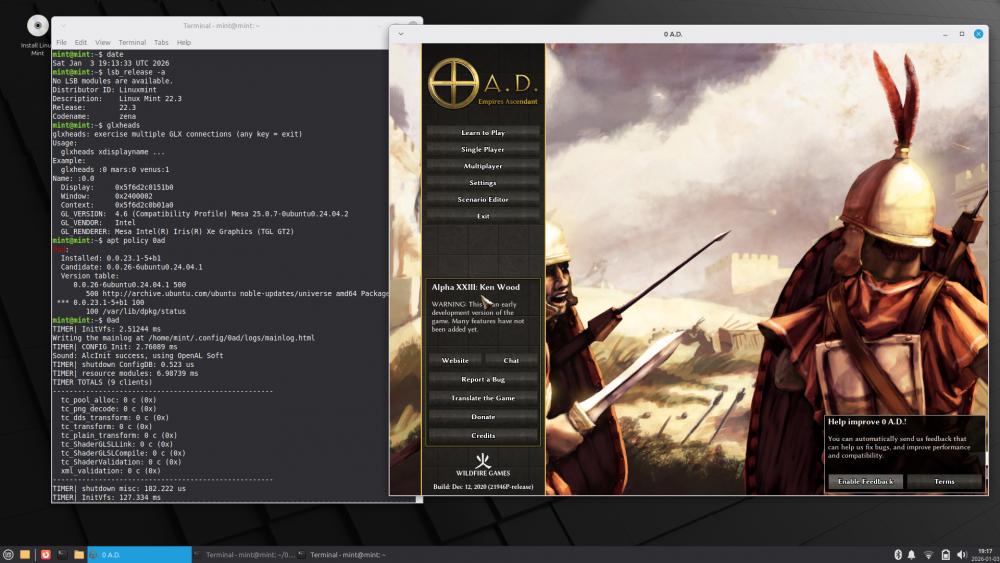
How to install 0ad ver. 0.0.23.1 on Linux Mint 22.3? In my opinion, there are two ways to do this. The description is a bit long, but what wouldn't you do for the success of 0ad? The first way --------------- Create a directory called ‘0ad’ and enter it. 1. First, install the dependencies available in Linux Mint (as root): sudo apt-get install fonts-freefont-ttf fonts-texgyre libboost-filesystem1.74.0 libenet7 libgloox18 libnvtt2 2. Now we will manually install the dependencies from Bullseye, as these versions are no longer available in Mint 22.x. First, we will download them: wget http://security.debian.org/debian-security/pool/updates/main/i/icu/libicu67_67.1-7+deb11u1_amd64.deb wget http://ftp.de.debian.org/debian/pool/main/libj/libjpeg-turbo/libjpeg62-turbo_2.0.6-4_amd64.deb wget http://security.debian.org/debian-security/pool/updates/main/t/tiff/libtiff5_4.2.0-1+deb11u7_amd64.deb wget http://ftp.de.debian.org/debian/pool/main/libw/libwebp/libwebp6_0.6.1-2.1+deb11u2_amd64.deb wget http://cz.archive.ubuntu.com/ubuntu/pool/universe/w/wxwidgets3.0/libwxbase3.0-0v5_3.0.5.1+dfsg-4_amd64.deb wget http://cz.archive.ubuntu.com/ubuntu/pool/universe/w/wxwidgets3.0/libwxgtk3.0-gtk3-0v5_3.0.5.1+dfsg-4_amd64.deb How did I find these links? Go to: https://www.debian.org/distrib/packages In the “Searching package catalogs” section below, enter 0ad and “Search.” When it appears, click on it (Trixie will be the default). Now click on the “bullseye” in the upper right corner (this option will no longer be available starting in September), and you will see: https://packages.debian.org/bullseye/0ad The required dependencies are listed below. You can either click on these dependencies or enter the name of the package in the upper right corner and click “Search.” For example, “libwebp6”+ Search, click “libwebp6” https://packages.debian.org/bullseye/libwebp6 At the bottom, click on “amd64” and a list of available servers will be displayed. I chose the first one on the right (de). https://packages.debian.org/bullseye/amd64/libwebp6/download Sometimes, when there are security fixes, it will display like this (only one server): https://packages.debian.org/bullseye/amd64/libtiff5/download The packages ‘libjpeg62-turbo’ and ‘libtiff5’ are required by the package ‘libwxgtk3.0-gtk3-0v5’, while ‘libwebp6’ is required by the package ‘libtiff5’. Some people call this dependency hell, and you can see how ‘apt-get’ can make installation easier. In Linux Mint 22.3, instead of these six packages, there are newer ones, namely: libicu74 libjpeg-turbo8 libtiff6 libwebp7 libwxbase3.2-1t64 libwxgtk3.2-1t64 We check if the files have been downloaded: ls -al Then install manually (as root): sudo dpkg -i libicu67_67.1-7+deb11u1_amd64.deb libjpeg62-turbo_2.0.6-4_amd64.deb libtiff5_4.2.0-1+deb11u7_amd64. deb libwebp6_0.6.1-2.1+deb11u2_amd64.deb libwxbase3.0-0v5_3.0.5.1+dfsg-4_amd64.deb libwxgtk3.0-gtk3-0v5_3.0.5.1+dfsg-4_amd64.deb We should not see any errors. The ‘dpkg -C’ command should not display anything. These packages have not overwritten or deleted anything – they are simply alongside the others in our system. We can uninstall them at any time and nothing will happen. So this is a weak FrankenMint. 3. Finally, we download the 0ad files from Bullseye: wget http://ftp.de.debian.org/debian/pool/main/0/0ad/0ad_0.0.23.1-5+b1_amd64.deb wget http://ftp.de.debian.org/debian/pool/main/0/0ad-data/0ad-data_0.0.23.1-1.1_all.deb wget http://ftp.de.debian.org/debian/pool/main/0/0ad-data/0ad-data-common_0.0.23.1-1.1_all.deb Then install them manually (as root): sudo dpkg -i 0ad-data_0.0.23.1-1.1_all.deb 0ad-data-common_0.0.23.1-1.1_all.deb 0ad_0.0.23.1-5+b1_amd64.deb We should not see any errors. The ‘dpkg -C’ command should not display anything. The item “0 A.D.” has appeared in “Menu – Games.” The ‘0ad’ directory is now unnecessary – we delete it. Unless we want to keep the downloaded files for future use. 4. We start the game by typing ‘0ad’ in the terminal. It is better to do this in the terminal than from the menu, because we can see the messages that 0ad displays during startup. Second method ----------------- How does ‘0ad_0.0.23.1-5+b1_amd64.deb’ know what dependencies need to be installed? A: It has this information stored “inside” – in the ‘control’ file. Just open the file in Archive Manager (File-roller, xarchive, or whatever you have) and find the ‘control’ file in ‘DEBIAN’. When you view it, you will see a line beginning with the word “Depends” and then, among others, ‘libicu67 (>= 67.1-1~)’, followed by 'libwxbase3.0-0v5 (>= 3.0.5.1+dfsg), libwxgtk3.0-gtk3 -0v5 (>= 3.0.5.1+dfsg)'. You will not see the ‘libjpeg62-turbo’, ‘libtiff5’, ‘libwebp6’ packages, as these packages will be downloaded by ‘libwxgtk3.0-gtk3-0v5’. Now just unpack the file ‘0ad_0.0.23.1-5+b1_amd64.deb’ using the following commands (in Mint, the text editor is “xed”, not ‘mousepad’ or “gedit”): mkdir decompr sudo dpkg-deb -R 0ad_0.0.23.1-5+b1_amd64.deb decompr/ sudo xed decompr/control Now manually replace the phrase: "libwxbase3.0-0v5 (>= 3.0.5.1+dfsg), libwxgtk3.0-gtk3 -0v5 (>= 3.0.5.1+dfsg),“ with the phrase ”libwxbase3.2-1t64, libwxgtk3.2-1t64," In the “Source” and “Version” fields (at the top), replace ‘5’ with “55,” for example, to avoid confusion. Finally, we pack (also enter “55”): sudo dpkg-deb -b decompr/ 0ad_0.0.23.1-55+b1_amd64.deb Done. All dependencies except ‘icu67’ are from Mint. sudo apt-get install fonts-freefont-ttf fonts-texgyre libboost-filesystem1.74.0 libenet7 libgloox18 libnvtt2 sudo apt-get install libwxbase3.2-1t64 libwxgtk3.2-1t64 There is no way around ‘icu67’, we have to download it from Bullseye: wget http://security.debian.org/debian-security/pool/updates/main/i/icu/libicu67_67.1-7+deb11u1_amd64.deb sudo dpkg -i libicu67_67.1-7+deb11u1_amd64.deb Finally, download the two 0ad-data files and install them together with your new (55) 0ad file, as described in the first method. sudo dpkg -i 0ad-data_0.0.23.1-1.1_all.deb 0ad-data-common_0.0.23.1-1.1_all.deb sudo dpkg -i 0ad_0.0.23.1-55+b1_amd64.deb We only have one foreign package in the system – 'libicu67', of course 3 “0ad” Done. Best regards, PS. The Latin sentence you quoted is too harsh. I would end with a Roman proverb:
-
@Dunedan, could the newlines and tabs extracted from xml mess up the translation?
-
In the code they are marked as translatable, and grepping the po files indicates some languages seem to have translations.
-
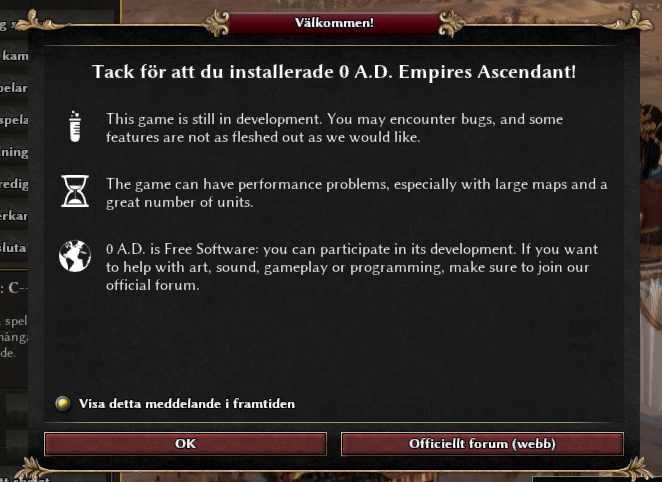
Will it be possible to translate the disclaimer as well?
-

Must have XXIII(23) Ken Wood Linux only
NewWorldHero replied to NewWorldHero's topic in Help & Feedback
Im still fighting with the Debian 11 live install onto another usb thumb drive... I run Linux Mint 22.2 permanently on a great SSD. Yes, please step me thru exactly how you got 0.0.23.1 installed on your Mint 22.3 beta. Cave stultum qui frustra conatur neque silvam propter arbores videre potest -

Narrative Campaign General Discussion?
ShadowOfHassen replied to Lion.Kanzen's topic in Gameplay Discussion
And again I think that's waiting for another PR before Vantha and I can sit down and get that hashed out, format the previous article and organize everything in a way that makes it easy and convent for people to access it. - Yesterday
-

Narrative Campaign General Discussion?
Gönndolsalv replied to Lion.Kanzen's topic in Gameplay Discussion
Wow, thank you for the detailed reply! I see you've been busy. Actually, it was the PR for the speech/dialogue system that reminded me of this thread. I agree that the game needs a new tutorial, followed by a campaign — that's probably the first thing a new user will do/expect. Also, there are none user-created campaign mods out there. While your changes will make things easier and look better, it would also be great to be able to create campaigns in Atlas. Could it be possible for the user to choose where the task list is displayed, e.g. left, right, top, middle or bottom? It would be great to have categories for the tips mentioned in the other thread for R29, too. Spare the index and search for later.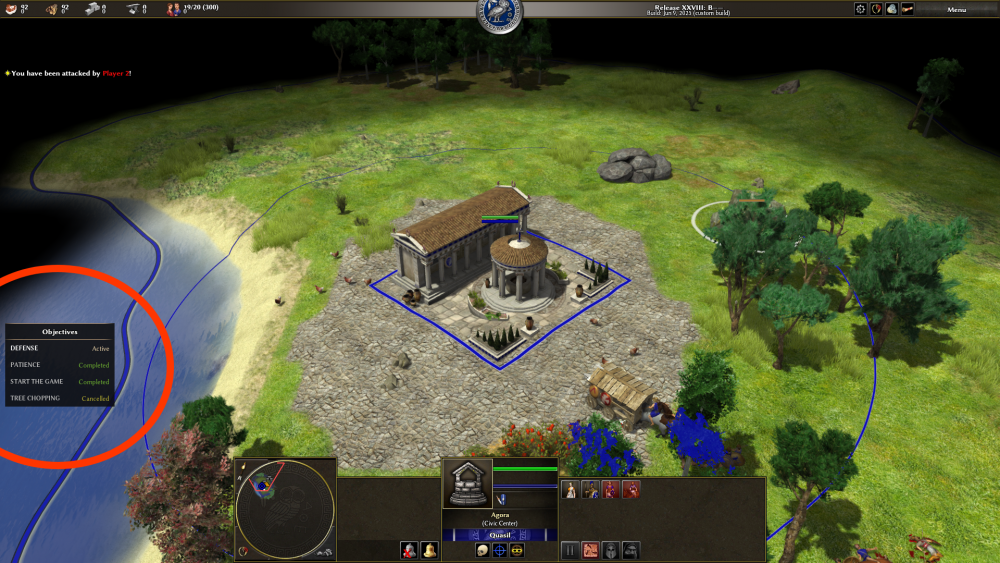
-

Narrative Campaign General Discussion?
wowgetoffyourcellphone replied to Lion.Kanzen's topic in Gameplay Discussion
A tab for "History" that gives historical information and lore would be nice. -
Narrative Campaign General Discussion?
wowgetoffyourcellphone replied to Lion.Kanzen's topic in Gameplay Discussion
Basic Campaign features (dialogue, objectives, etc.) and then also the Encyclopedia are two of my very strong desires. -
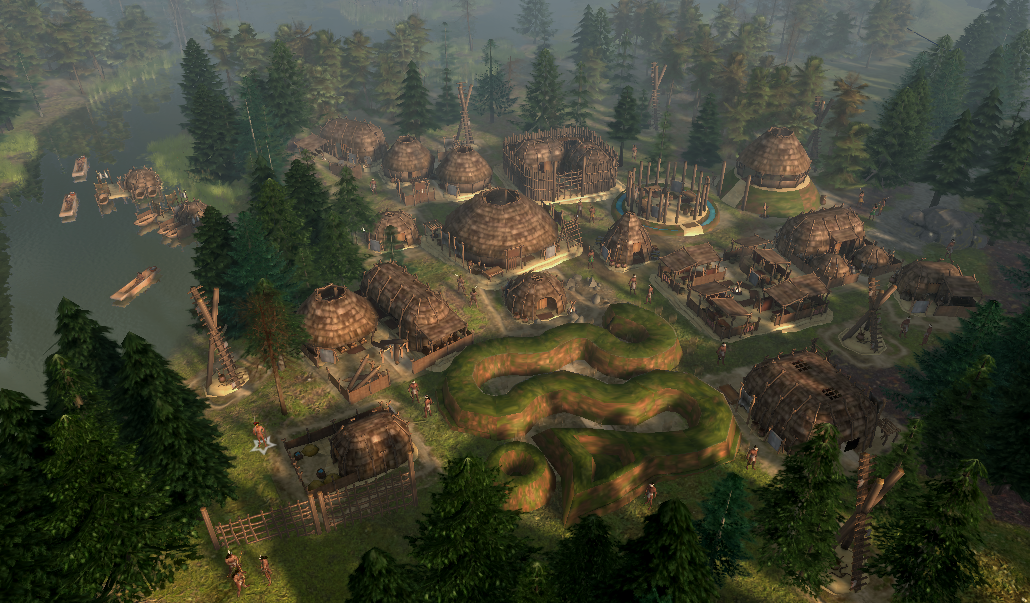
The Mound wonder is a nice touch.
-
@Gönndolsalv Hey, I only just now saw your message. So here's an update from my side: I remain convinced that the game would really benefit from a new tutorial and that the story around Carthago Nova would make for a great campaign. And this project is still a big long-term goal of mine. And, yes, there absolutely is progress, even though it might no be always visible to the outside. As I explained above, when I started making the campaign last year, I essentially came to the conclusion that the game just lacked the capabilities to tell the story and teach the player stuff the way I had imagined it and would personally be content with. So what I decided to do was to lay down the campaign and instead to first implement these features myself, and only then pick up the campaign again to write it using that new functionality. And in the last year I have worked on all points that I mentioned above: https://gitea.wildfiregames.com/0ad/0ad/pulls/7785 https://gitea.wildfiregames.com/0ad/0ad/pulls/8318 https://gitea.wildfiregames.com/0ad/0ad/pulls/8614 No PR yet, but I have started working on this and more (like highlighting GUI objects to explain what they do) locally. I ended up creating a new set of terrain textures for it from scratch: https://gitea.wildfiregames.com/0ad/0ad/pulls/8214 And the first map is basically done. Now, all of these PRs are still open, meaning the features aren't in the game yet. And realistically, it'll be quite some time before all of them do and until there's an actually playable version of this campaign. Especially since lately I've obviously focused more on stuff for the R28 release. However, even though I can't promise anything right now, my personal goal is to get it all ready for R29. I can always use help, but not really with coding, just input and feedback is always helpful to me. Also, I would love to have illustrations in the campaign, so if anyone is, knows, or finds an artist to draw some images to our story (when we eventually get to writing it) that would be incredible.
-
Engine.GetSimRate/SetSimRate from JS script
Vantha replied to CulturedCait's topic in Scenario Design/Map making
It works for me just as expected. Have you tested it with other maps? If it works with other maps, the issue probably lies with your trigger script. -
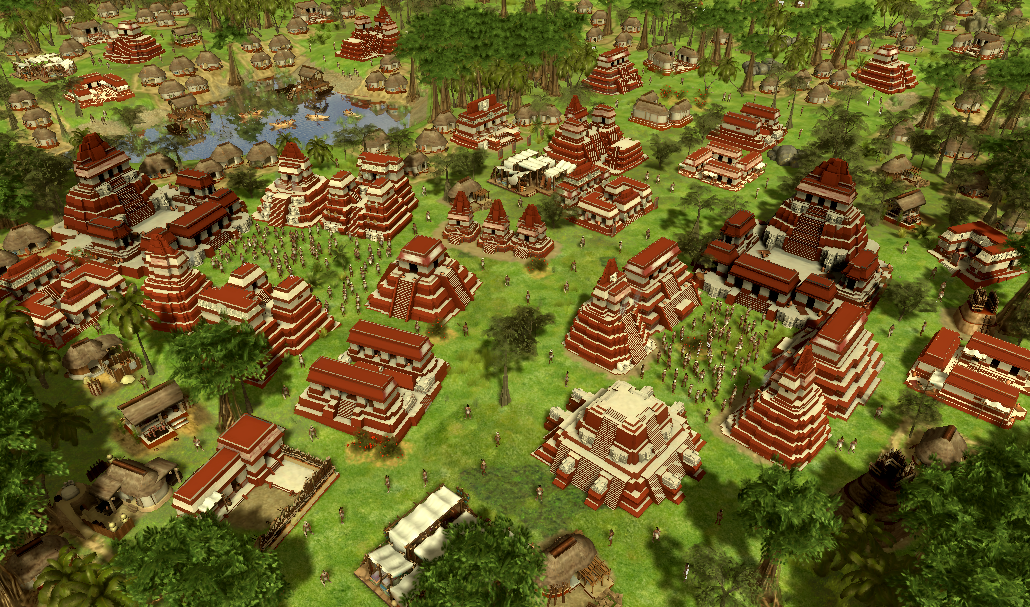
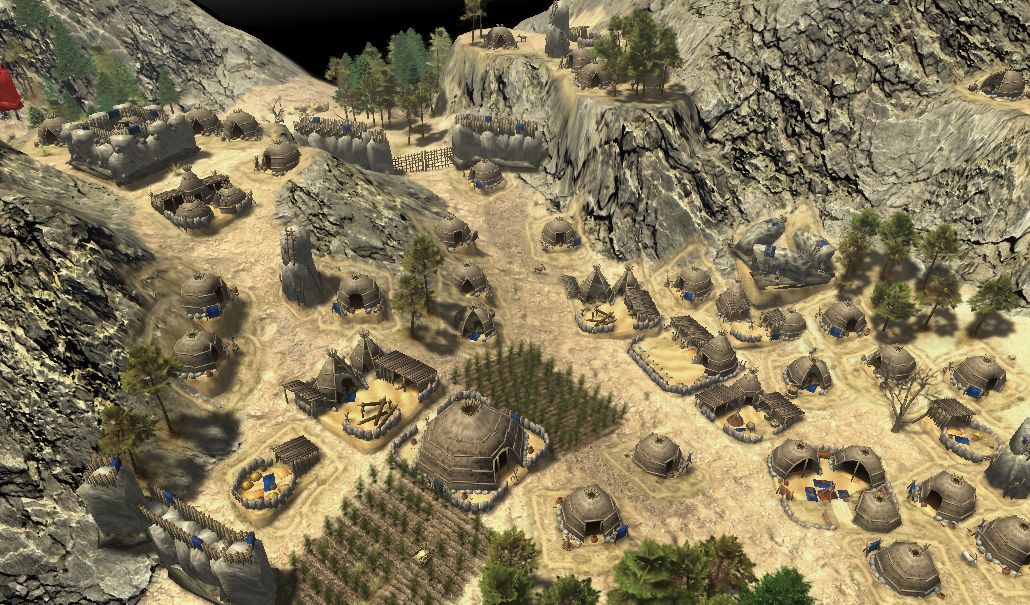
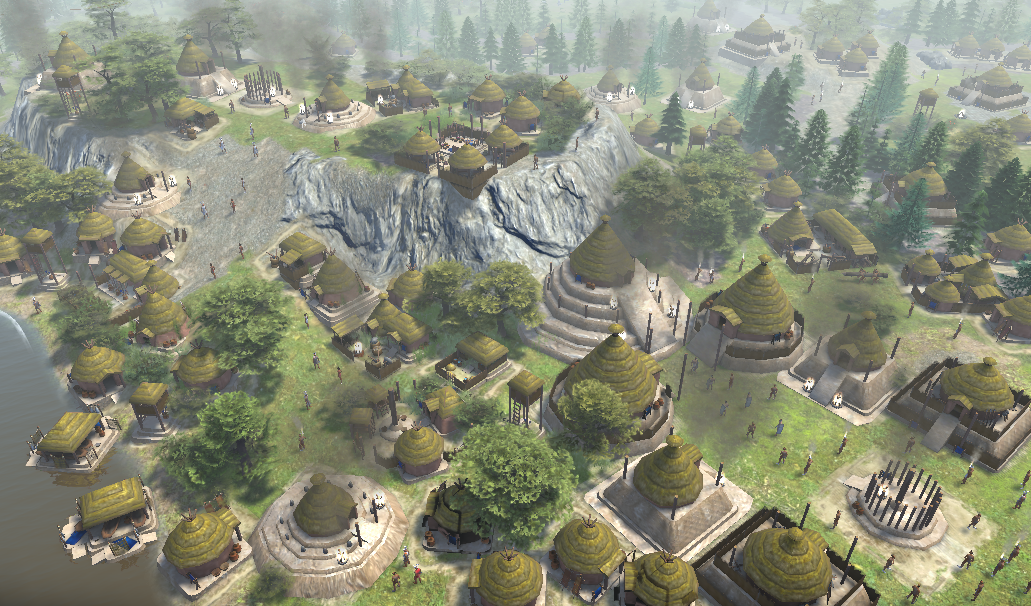
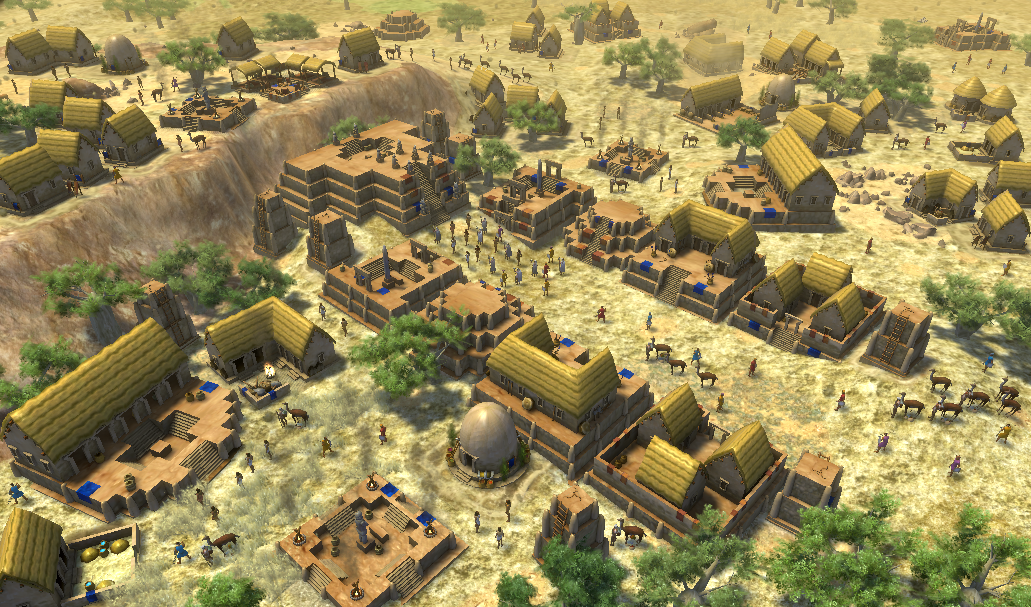
incredible work! These buildings look great!
-
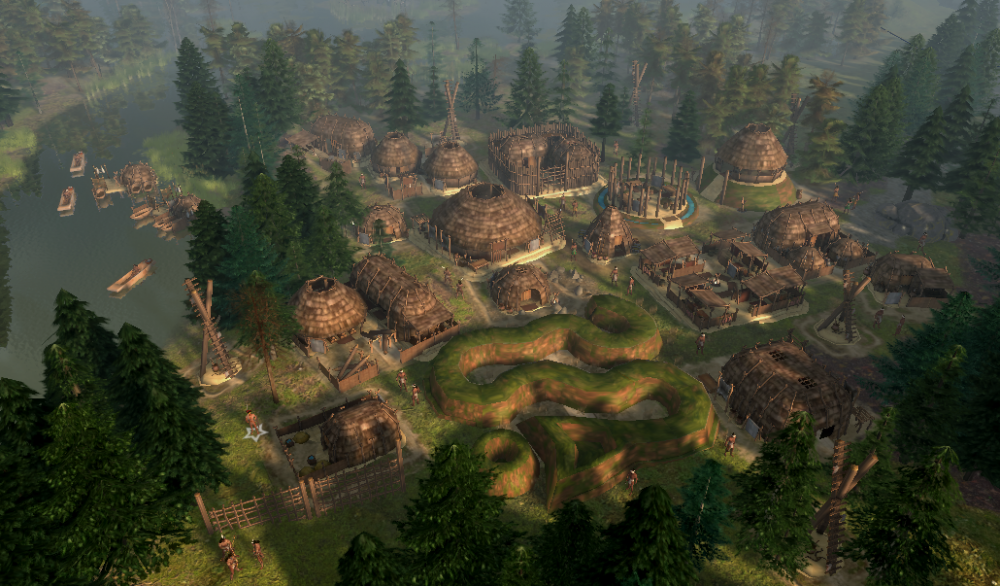
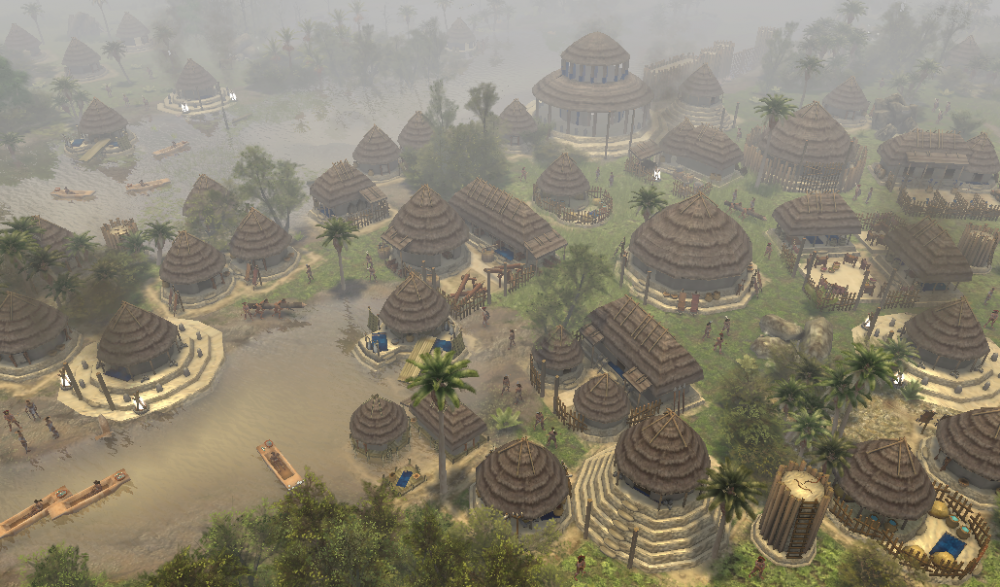
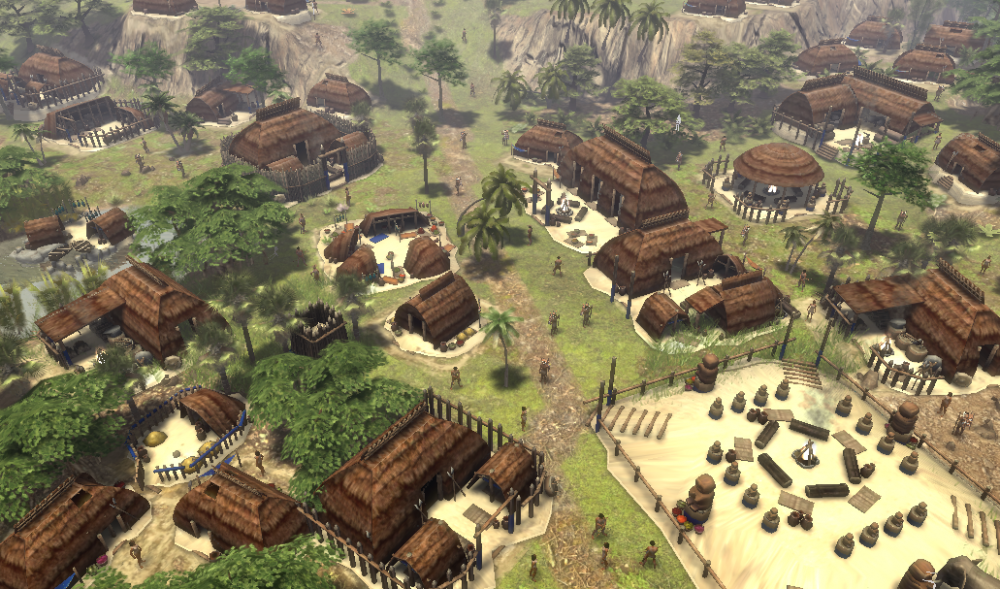
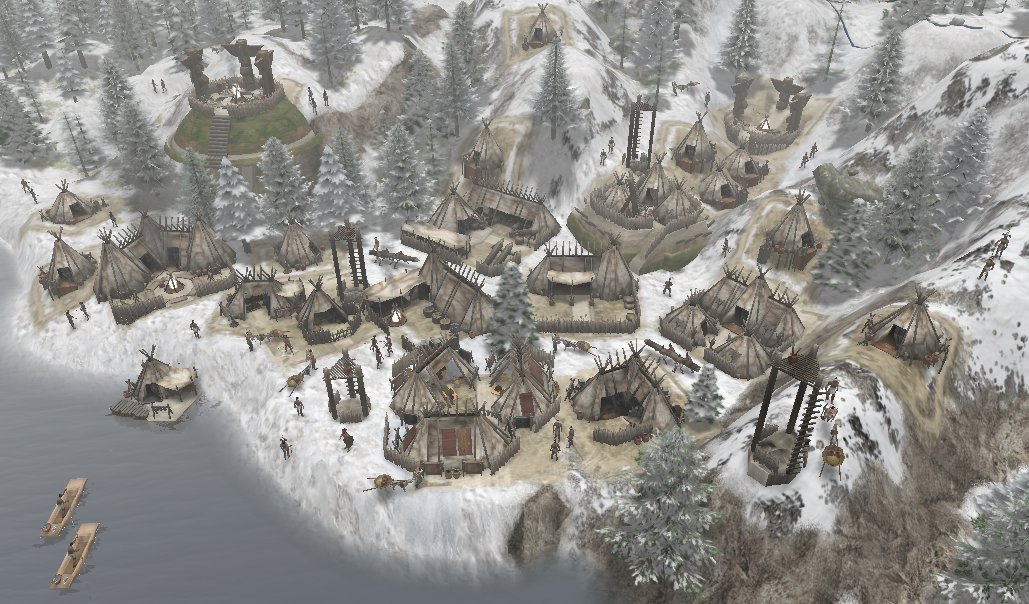
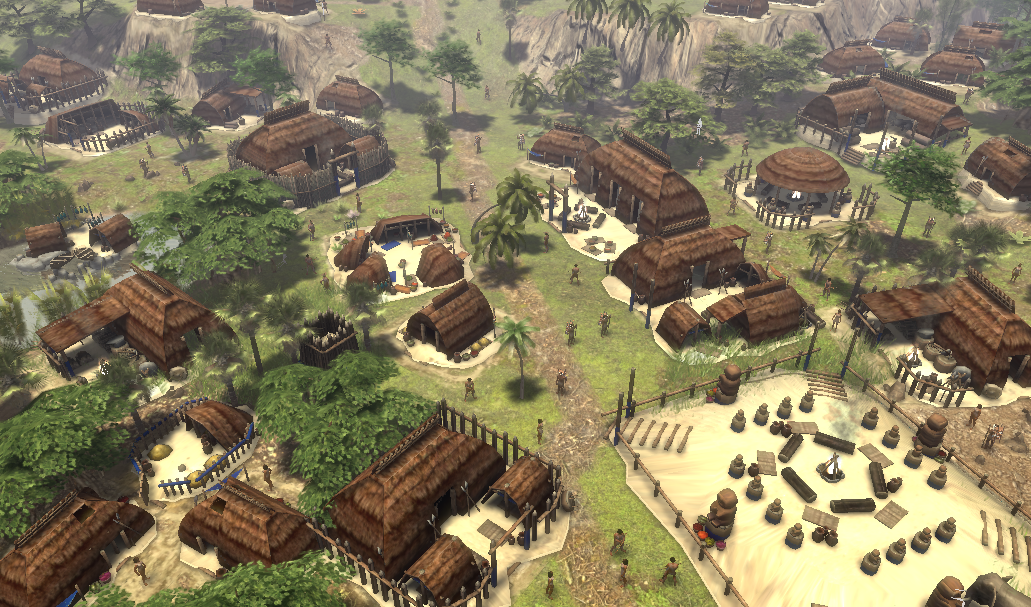
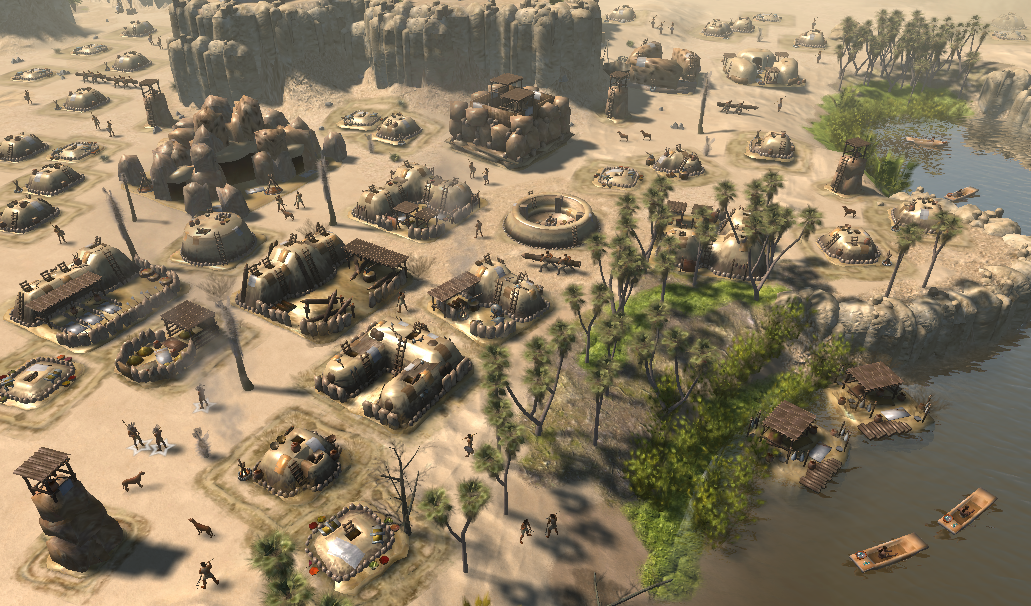
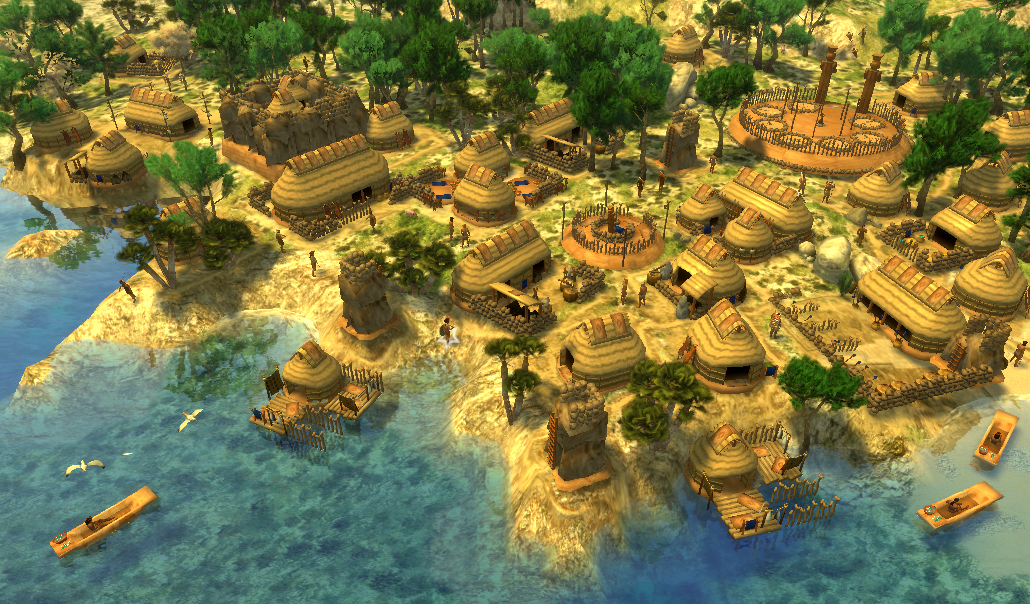
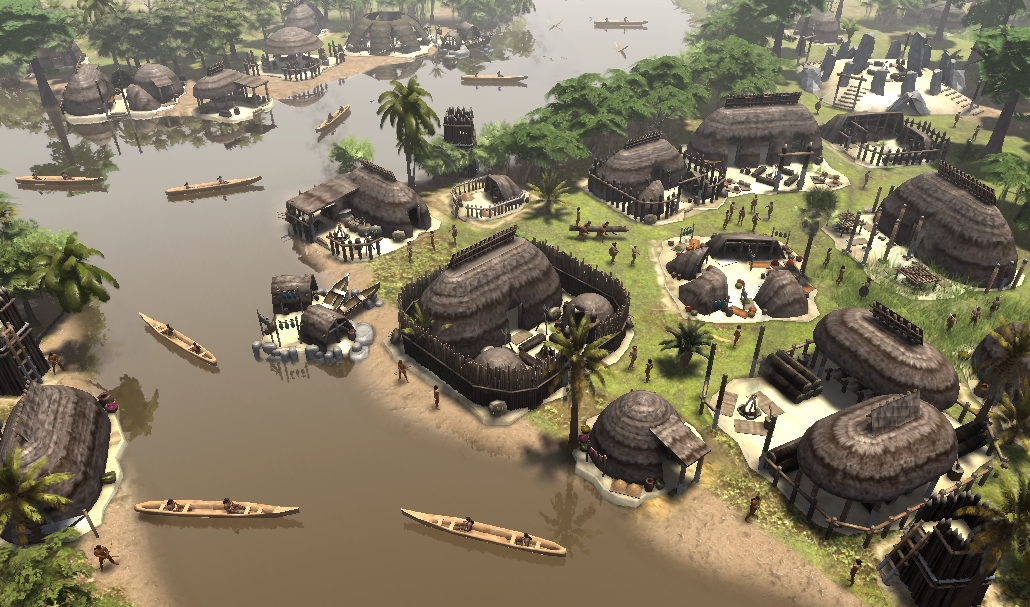
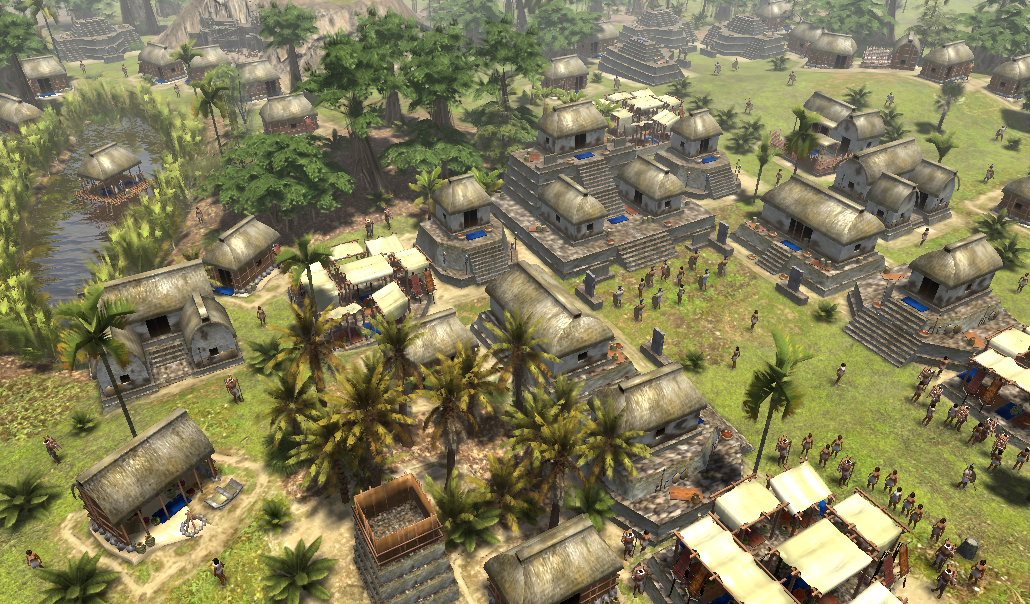
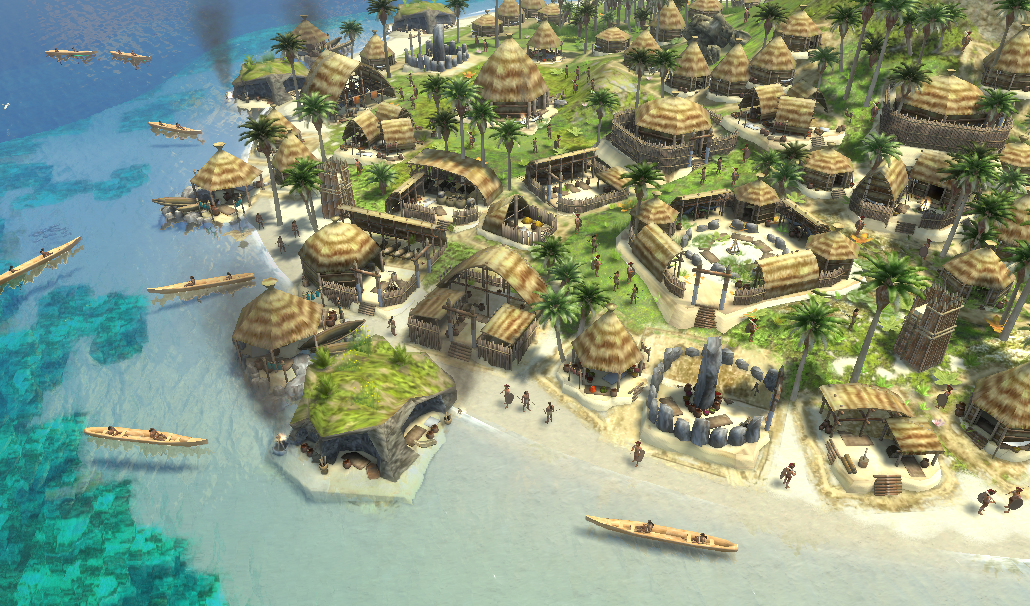
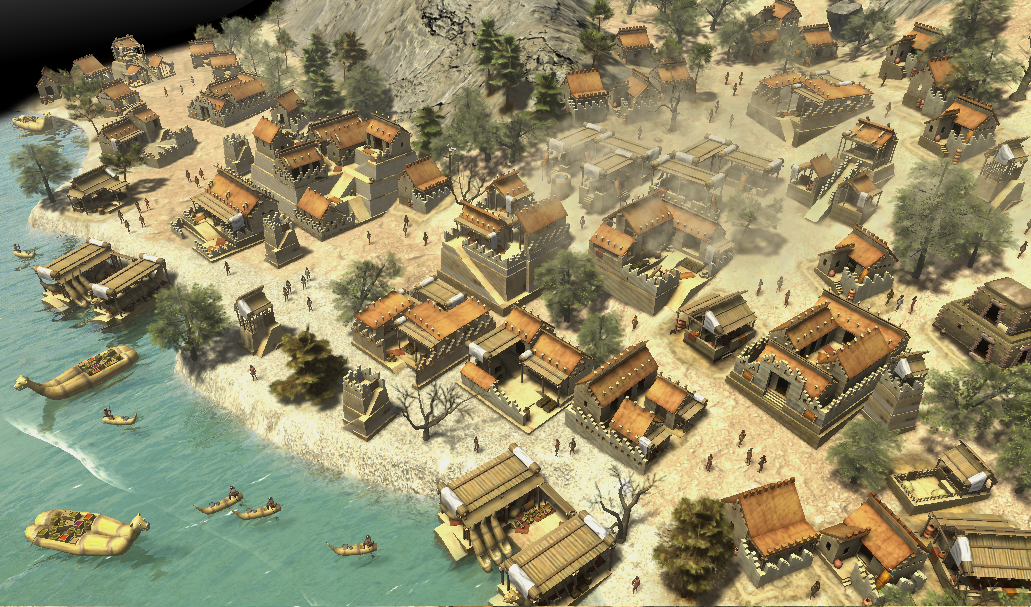
Buenos días o tardes; -Así se ven en el juego las facciones americanas; (Sólo faltan los Zapotecas ya que recibieron una actualización ,en unos días subiré las fotos) (Los Mixtecas y Chorrera serán incluidos en la segunda versión del mod) Adena Anishinaabee (nómadas) Arawakos (nómadas) Chibchas Guaraníes Hisatsinom Mapuches Mayas Mochicas/Moches Paiute (nómadas) Pámpidos (nómadas) Swift Creek Tiahuanaco Tupí Yaruma/Proto-lencas Disculpen las molestias*

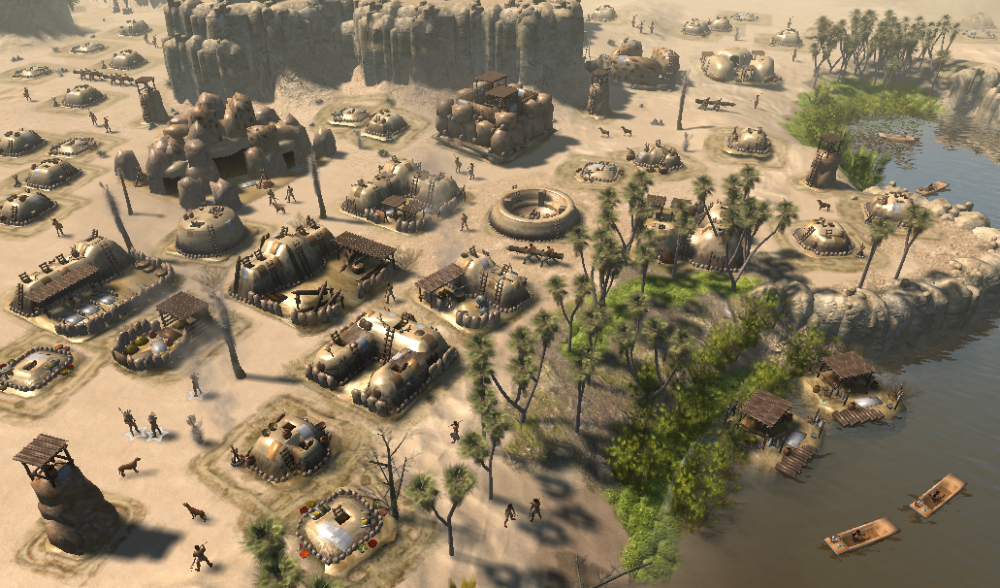
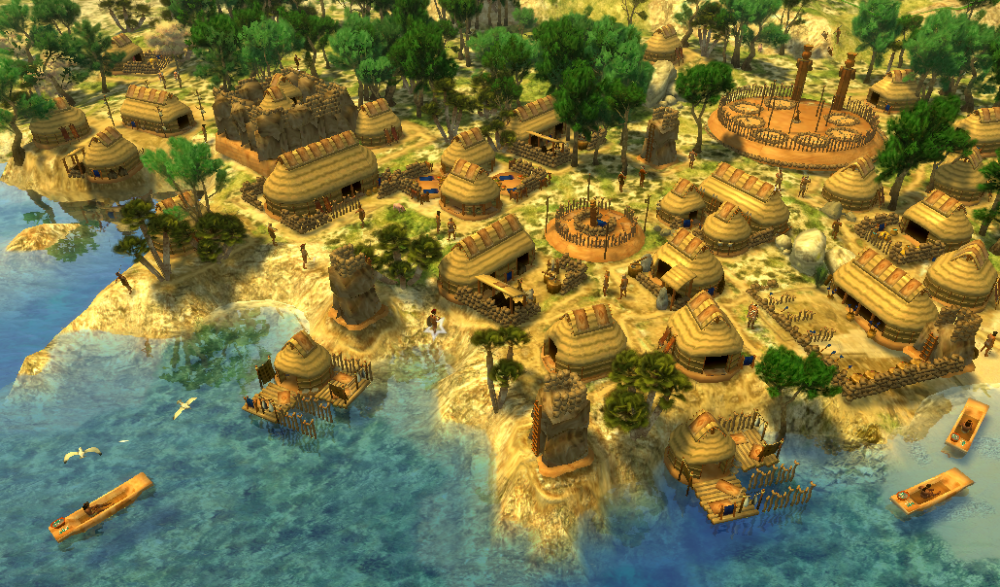
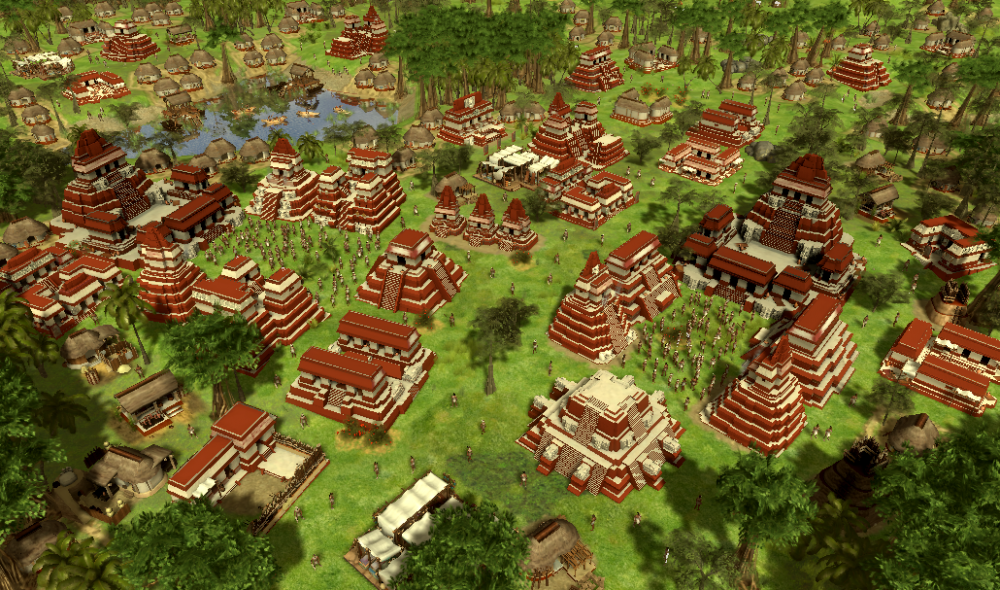
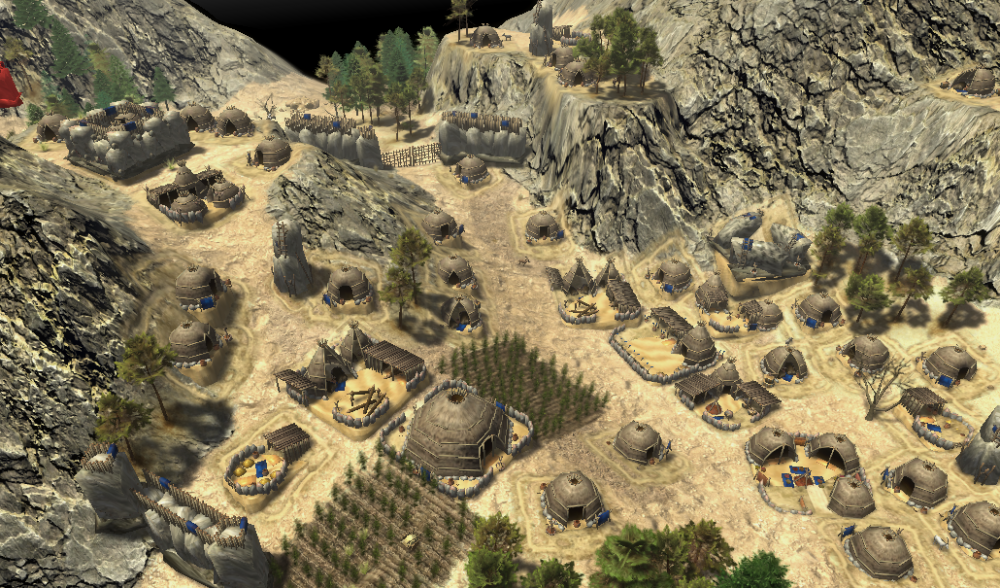
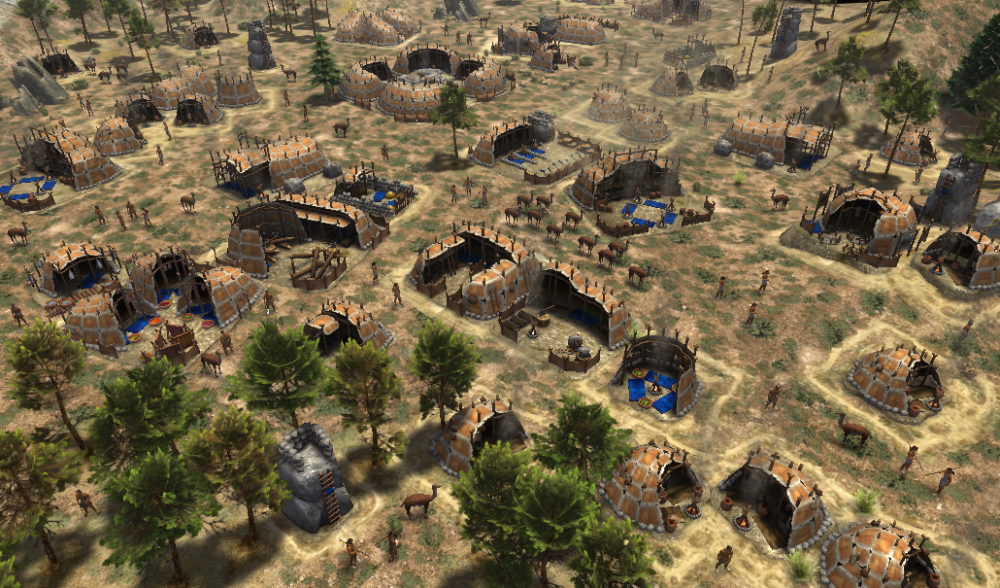
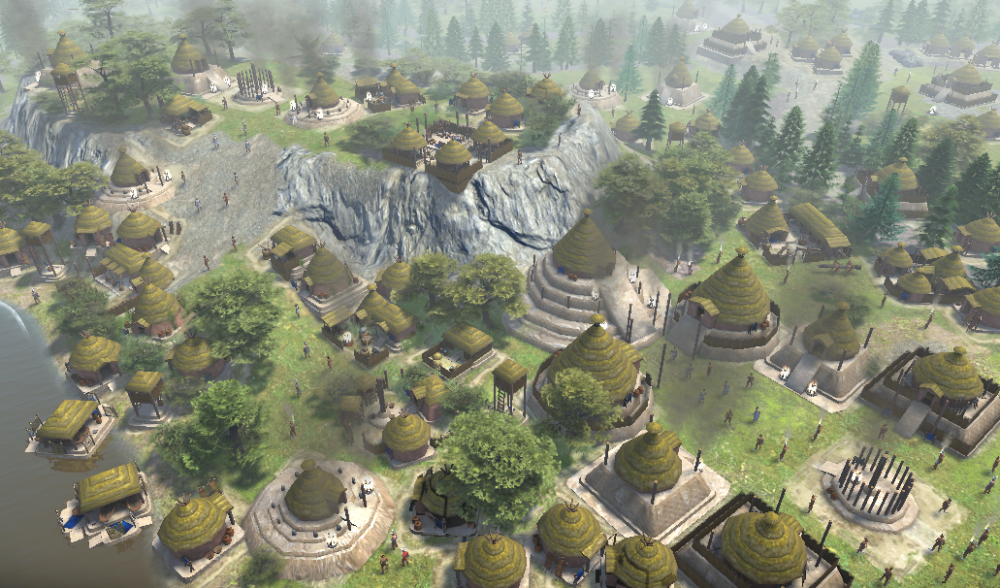
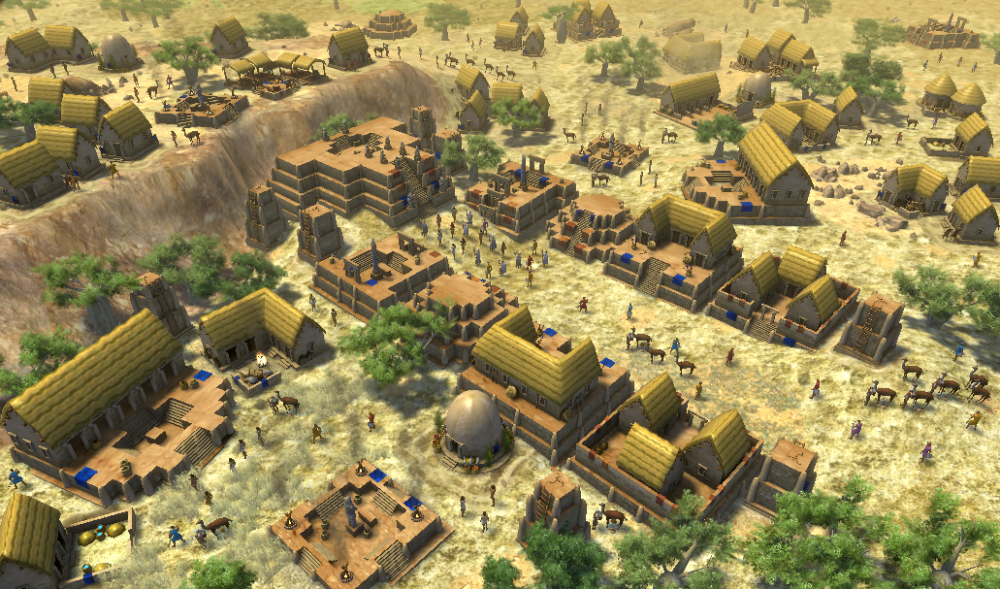
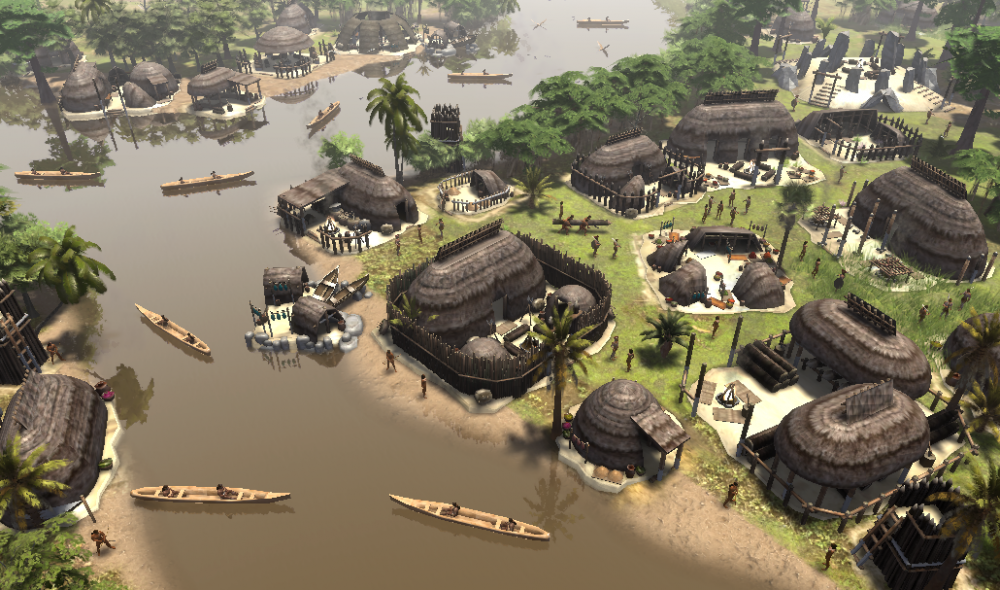
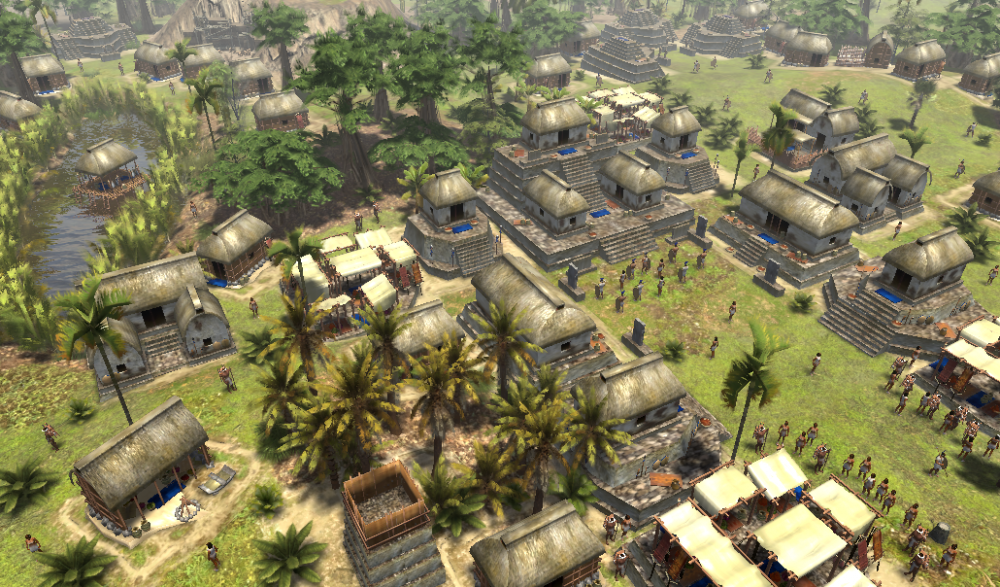
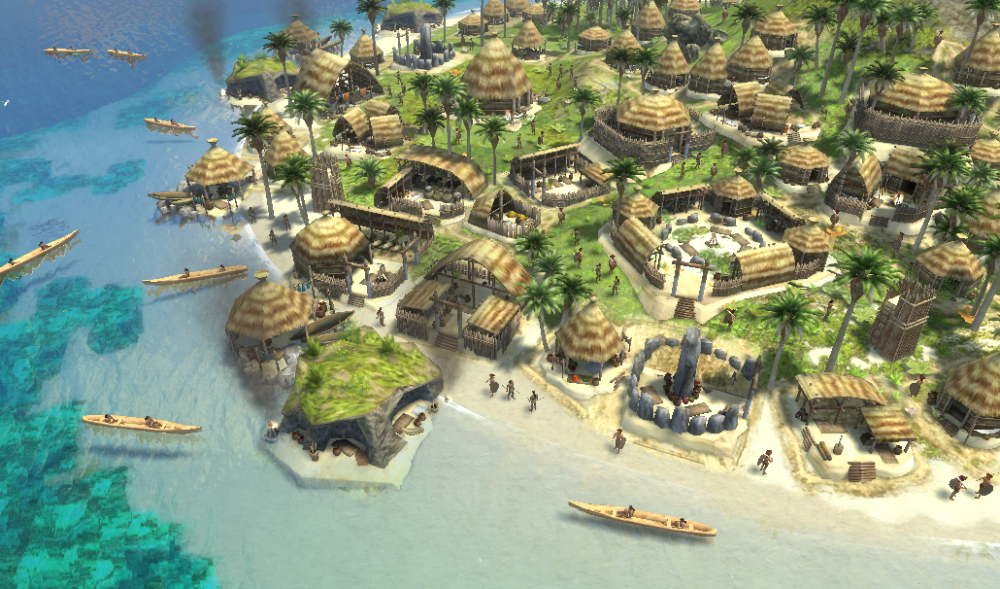
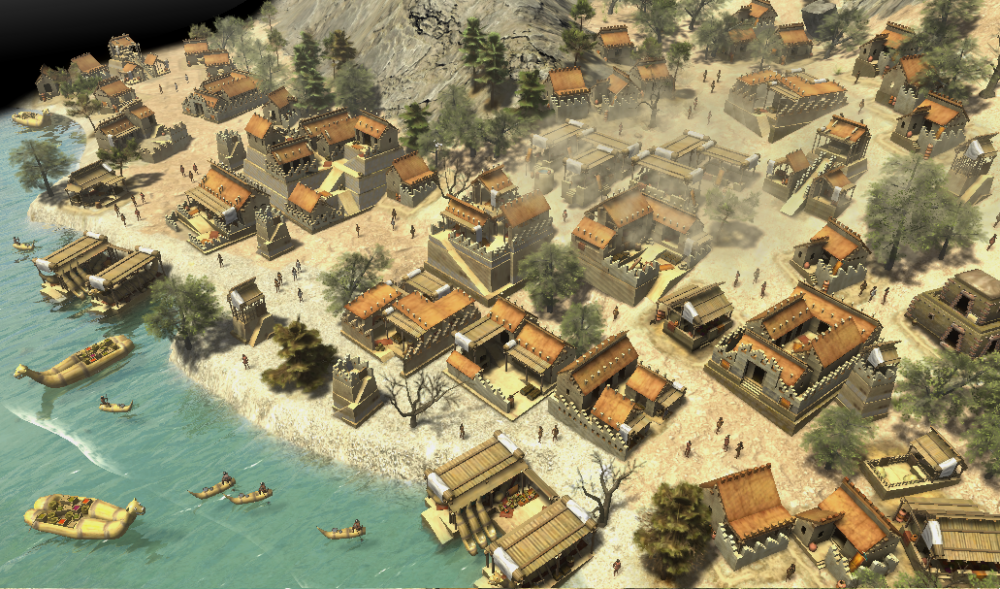
-
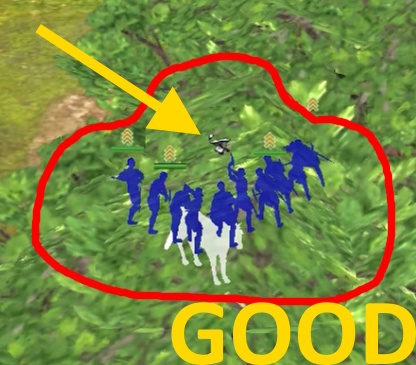
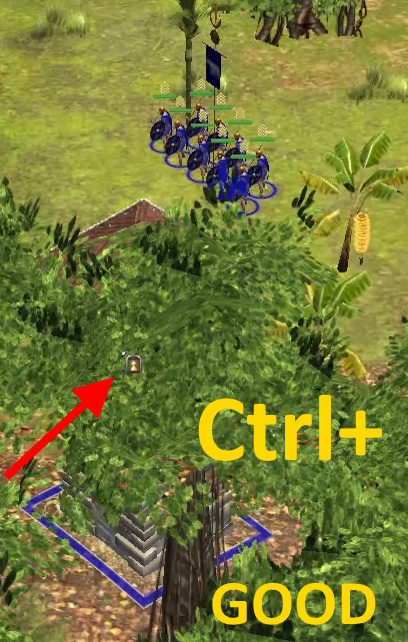
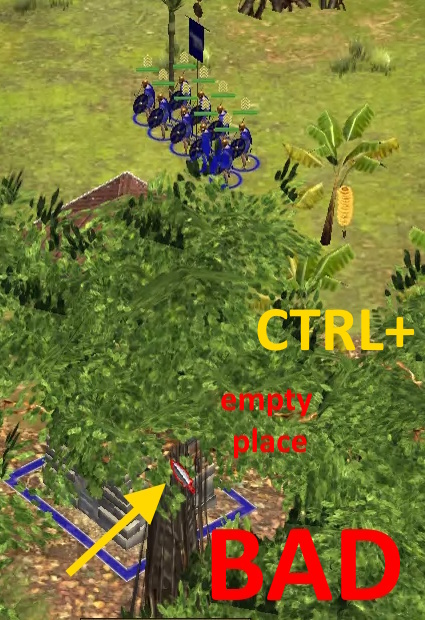
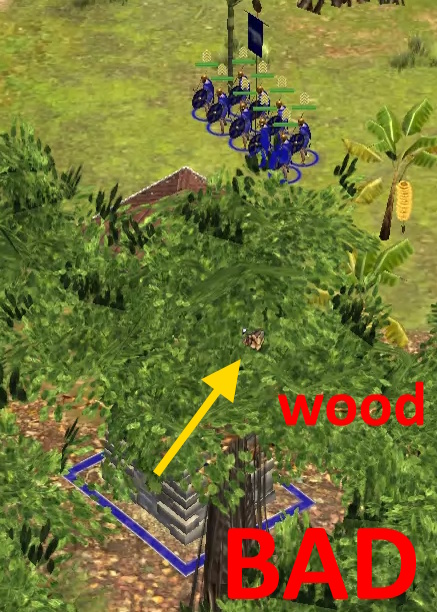
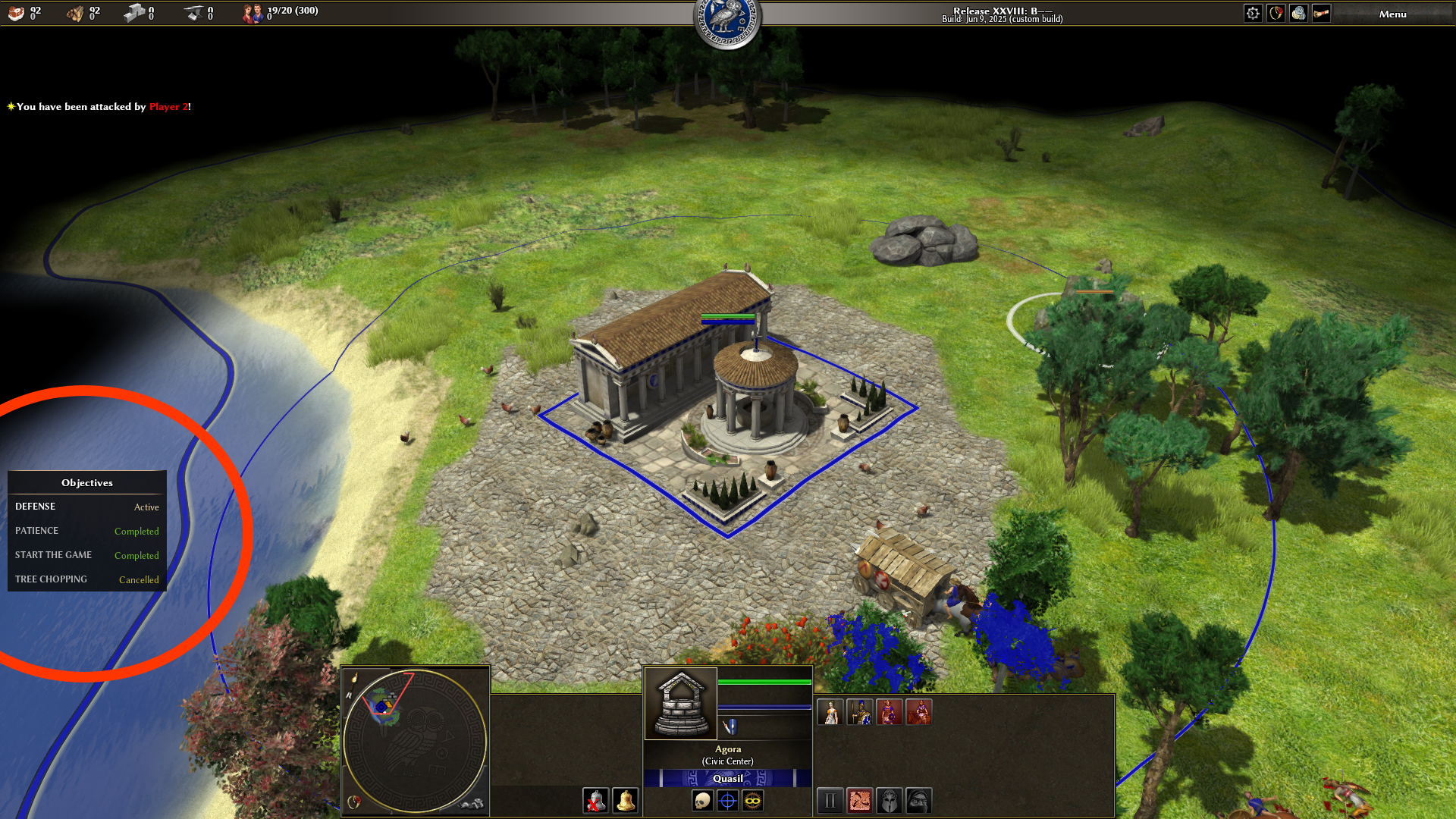
In the beginning, I'll show you what this battle between Metal and Tree looks like. Metal always wins here, across its entire area. And that's right. Trees, due to their widespread use, have less value. compared to rare minerals. A tree should have an advantage only over Land and Water. It's all. In all other cases, the Tree can close the overview, but it does not have the right to close the lower entity (Metal, Stone, Unit, Building, ... ) This is the correct behavior of the tree: But the wrong behavior occurs when it interferes with the action ., Especially at the moment of battle: It's unpleasant to waste seconds in the heat of battle. When, instead of the order to "Occupy the Tower," your brave fighters start tanning wood, running between enemies. This is a hidden advantage of AI, which does not allow itself to make such mistakes. This is how it should be throughout the entire area of the Tower, even if the Tower is hidden behind trees.









-
Latest Topics
-