nani
-
Posts
789 -
Joined
-
Last visited
-
Days Won
9
Everything posted by nani
-
Sunday Pro Games 1v1 Tournament Main Thread
nani replied to HMS-Surprise's topic in Announcements / News
The maps must be designed for competitive games in mind and in this case art is secondary. -
[CLOSED] SIGN UPS - Sunday Pro Games 1v1 Tournament
nani replied to HMS-Surprise's topic in Announcements / News
- 79 replies
-
- 1
-

-
- 1v1
- sunday pro games
- (and 1 more)
-
version 0.12.5 Improved: Max number of corpses visible setting (replaces hide corpses setting) autociv.session.graphics.corpses.max = 100 // 0 to show none, Infinity to show all
- 517 replies
-
- 2
-

-
-
- hotkeys
- autoassign civ
- (and 9 more)
-
version 0.12.3 Added: setting to hide corpses on entity death
- 517 replies
-
- 3
-
-
- hotkeys
- autoassign civ
- (and 9 more)
-
version 0.12.0 Added: Hotkey to clean all production queue of selected buildings Hotkeys for formations hotkey.autociv.session.formation.set.null = "Space+1" hotkey.autociv.session.formation.set.box = "Space+2" hotkey.autociv.session.formation.set.column_closed = "Space+3" hotkey.autociv.session.formation.set.line_closed = "Space+4" hotkey.autociv.session.formation.set.column_open = "Space+5" hotkey.autociv.session.formation.set.line_open = "Space+6" hotkey.autociv.session.formation.set.flank = "Space+7" hotkey.autociv.session.formation.set.skirmish = "Space+8" hotkey.autociv.session.formation.set.wedge = "Space+9" hotkey.autociv.session.formation.set.battle_line = "Space+0" hotkey.autociv.session.formation.set.syntagma = "Space+'" hotkey.autociv.session.formation.set.anti_cavalry = "unused" hotkey.autociv.session.formation.set.phalanx = "unused" hotkey.autociv.session.formation.set.scatter = "unused" hotkey.autociv.session.formation.set.testudo = "unused" hotkey.autociv.session.production.queue.clear = "Alt+R" To see/edit all shortcuts press F4
- 517 replies
-
- 1
-
-
- hotkeys
- autoassign civ
- (and 9 more)
-
version 0.11.3 Added: Units selection hotkeys. Select units or buildings based on their class type. You can combine classes with a boolean expression to specify what exactly you want. Current list: you can add more entries or set as unused the current ones to disable them. hotkey.autociv.session.entity.by.class.select.(Soldier|Siege|Dog)&!Ship = "Alt+S" // Selects all attack units except ships hotkey.autociv.session.entity.by.class.select.Cavalry = "Alt+E" // Selects only cavalry hotkey.autociv.session.entity.by.class.select.Infantry = "unused" hotkey.autociv.session.entity.by.class.select.Ranged = "unused" hotkey.autociv.session.entity.by.class.select.Siege = "unused" hotkey.autociv.session.entity.by.class.select.Support&Worker|(Support&Elephant) = "Alt+A" // Selects womans and elephant workers.
-
-
First video from 0ad bros ValihrAnt destroying the enemy as usual darn you woof
-
version 0.10.0 Upgraded: Hotkeys viewer and editor. To open press F4. ** You will need to restart 0ad after editing the hotkeys. @ValihrAnt
- 517 replies
-
- 1
-
-
- hotkeys
- autoassign civ
- (and 9 more)
-
Interesting details of the gameplay. Every day looks more professional ! Detailed fanatic rush walkthrough though I doubt it would work in matches with rating >1500 :/
-
version 0.9.5 Added: Hotkeys viewer. See the hotkeys you have defined in user.cfg. To open page press F4. Improved: Opening lobby chat during a game should feel faster/lag less.
- 517 replies
-
- 2
-
-
- hotkeys
- autoassign civ
- (and 9 more)
-
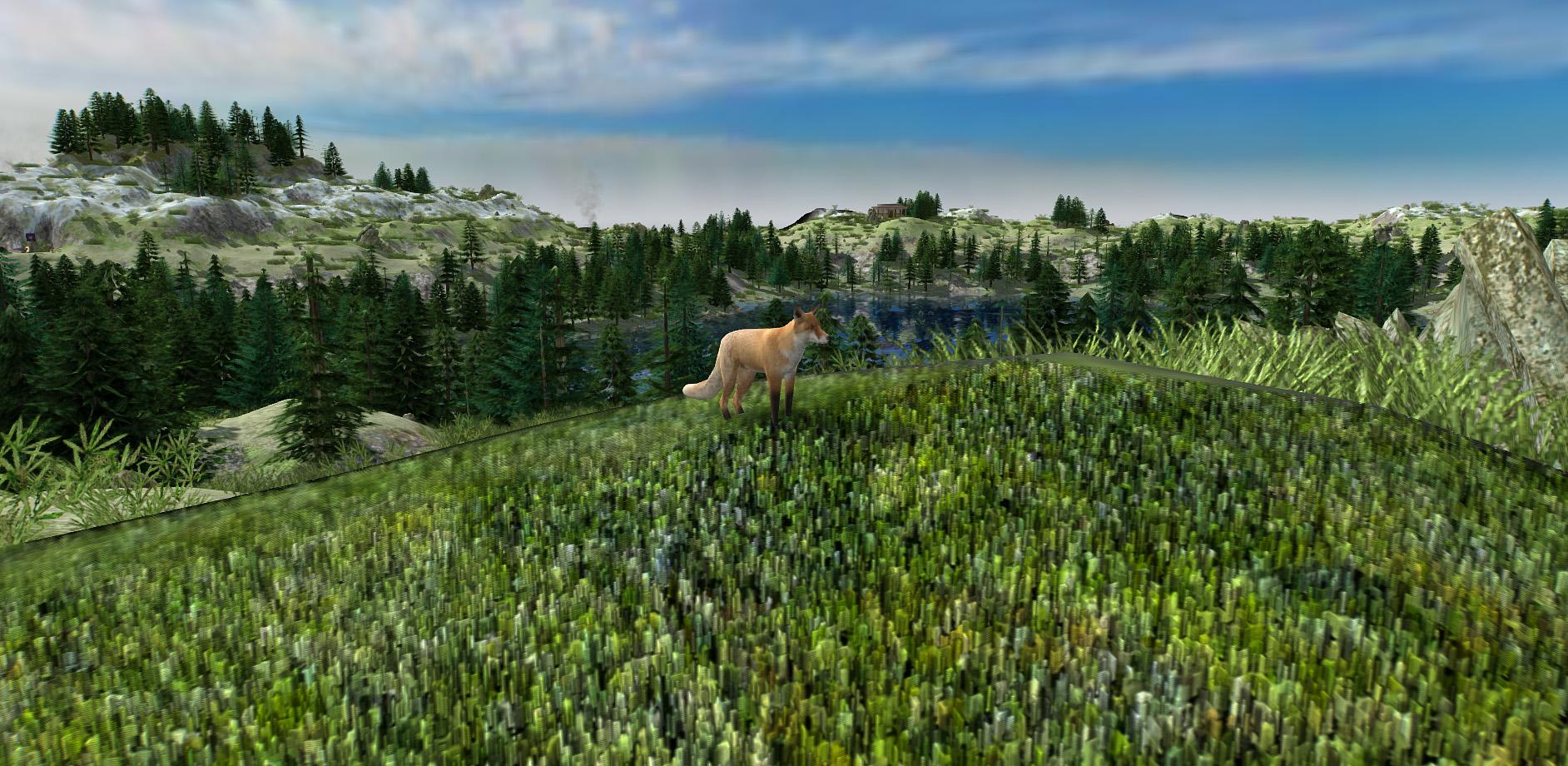
Looks very appealing. One thing to improve could be the blocky grass textures, try painting with right click mouse to get a smoother ("curvy") transition from one to another. Props if this is your first map
-
What video did I do?
-
The error is from fgod :/
-
version 0.9.2 Fix: no random grey bar and no random error during game @faction02
- 517 replies
-
- 1
-
-
- hotkeys
- autoassign civ
- (and 9 more)
-
There are some 0ad youtubers that do weekly tips / strats videos too. IMHO, videos are better for 0ad mechanics / knowhow rather than a text based wikis. @ValihrAnt https://www.youtube.com/channel/UCWgSzCK6CoFgSdbPiKGmJ4A Agora 0ad: https://www.youtube.com/channel/UCPEieyPXxuMxQVI5cfIcnfg Tom 0ad: https://www.youtube.com/channel/UCS-SFei6NFRuGN8CKtAsYrA
-
version 0.9.1 Fixed: Select shortcuts now won't fire twice (only when pressed down). No FXAA shader error for older GLSL versions. Added: Mild chromatic aberration effect. Enable/Disable the same way as FXAA.
-
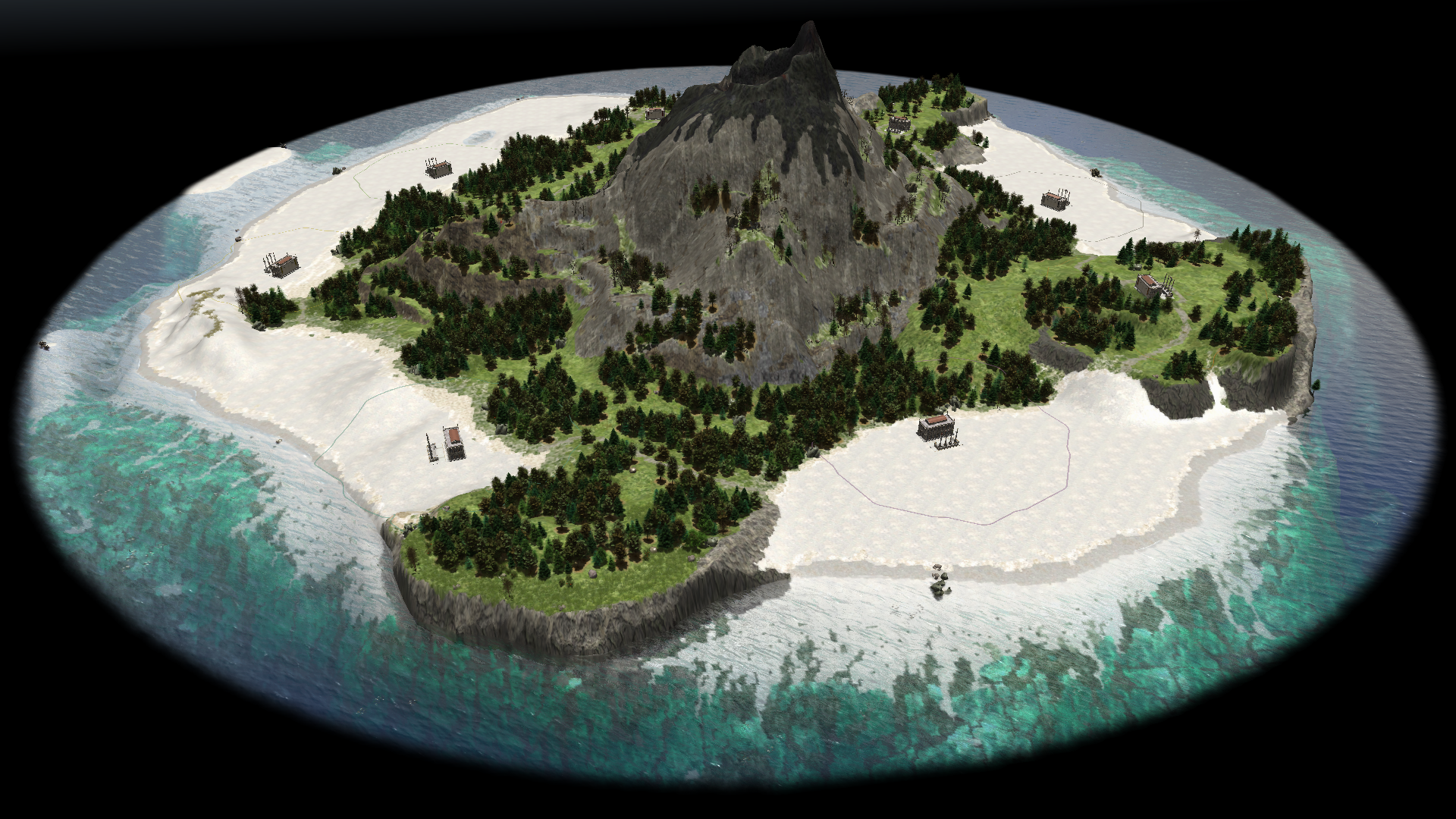
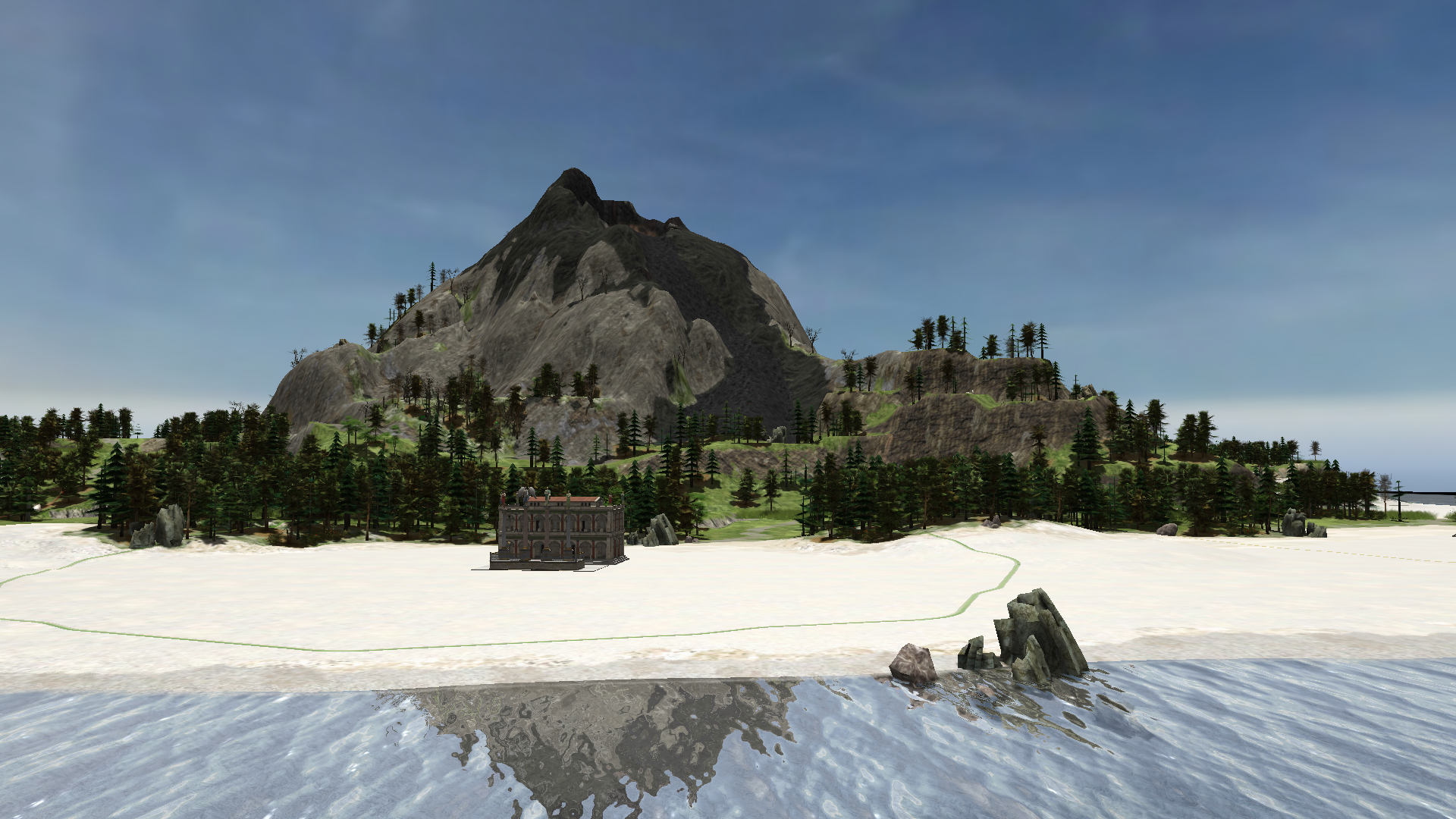
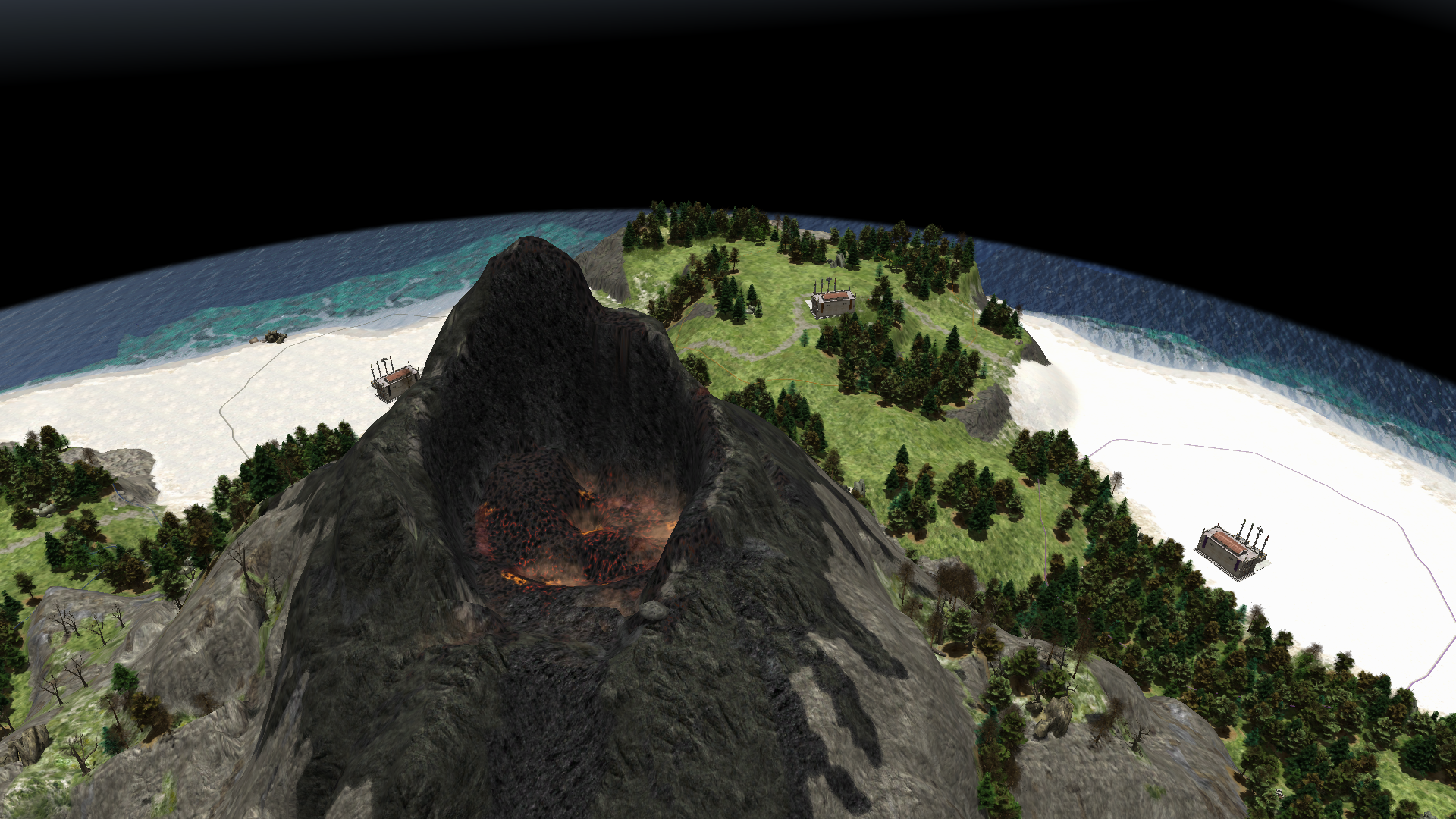
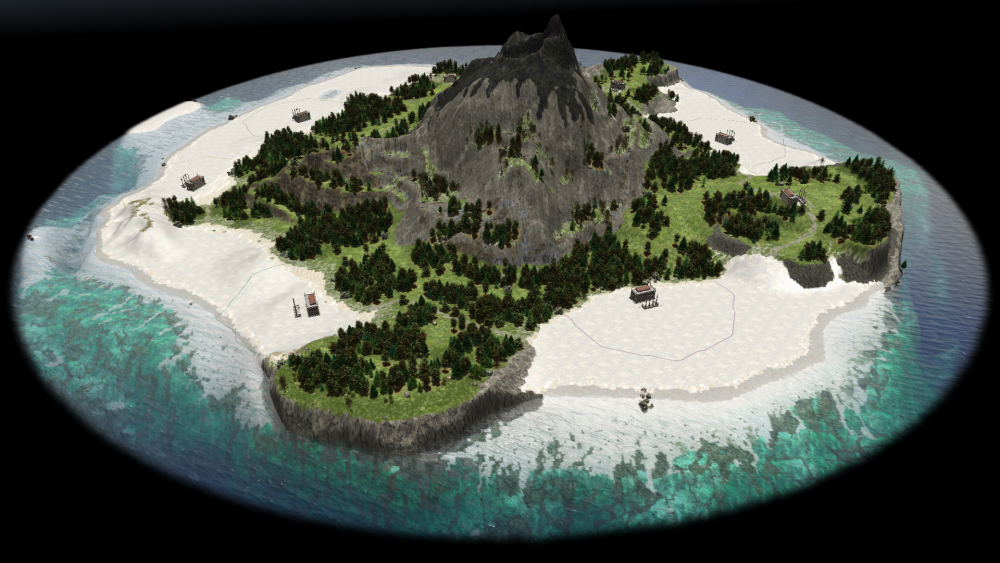
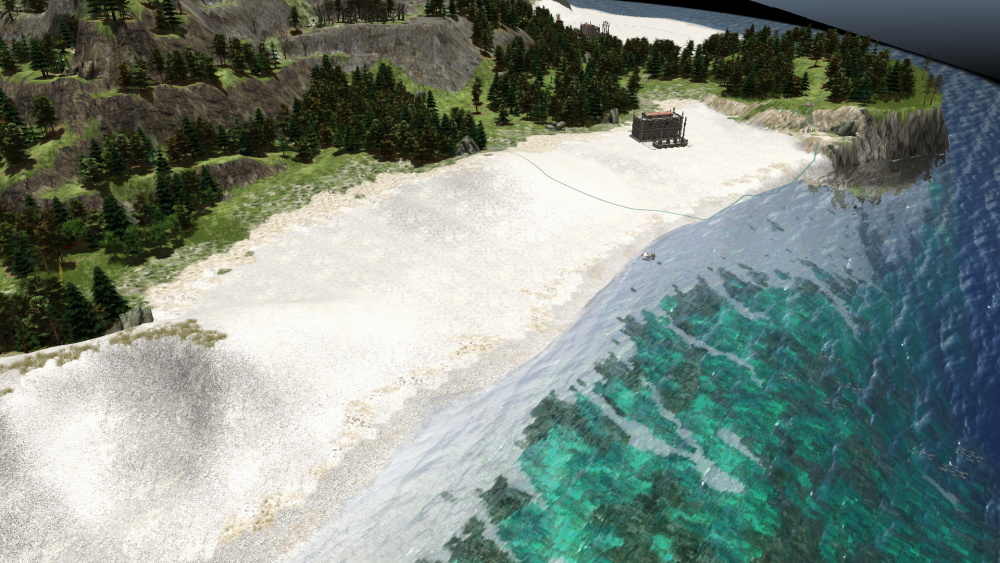
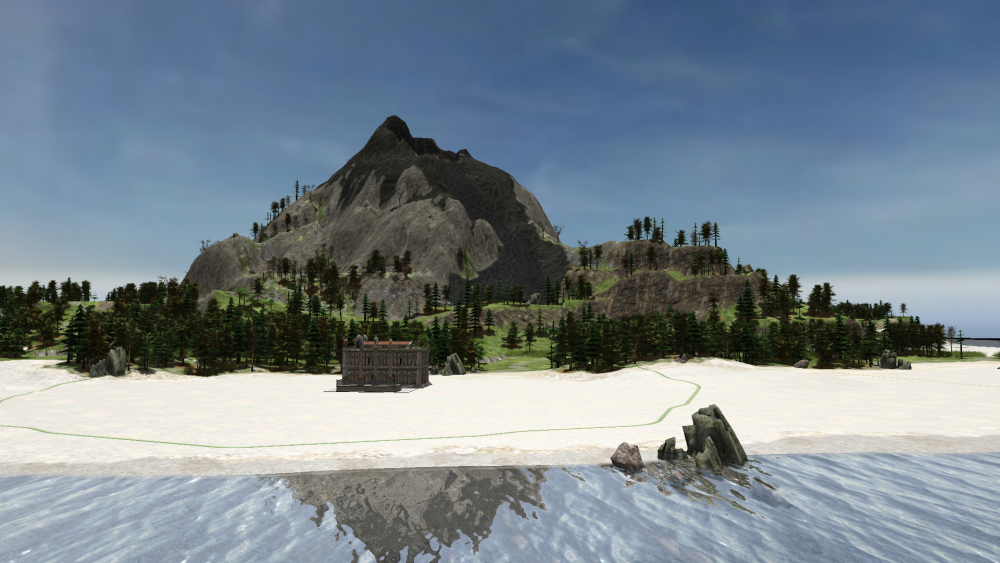
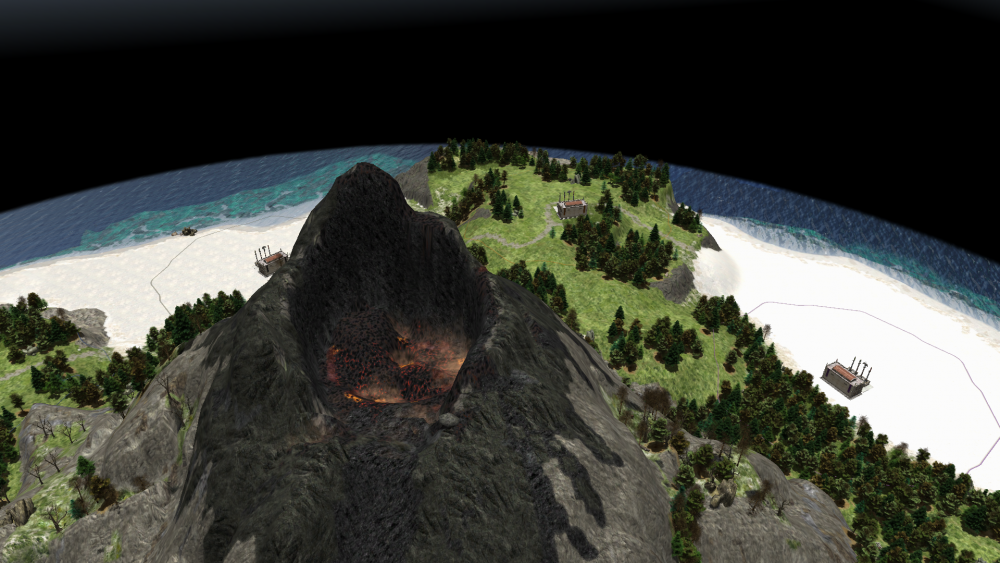
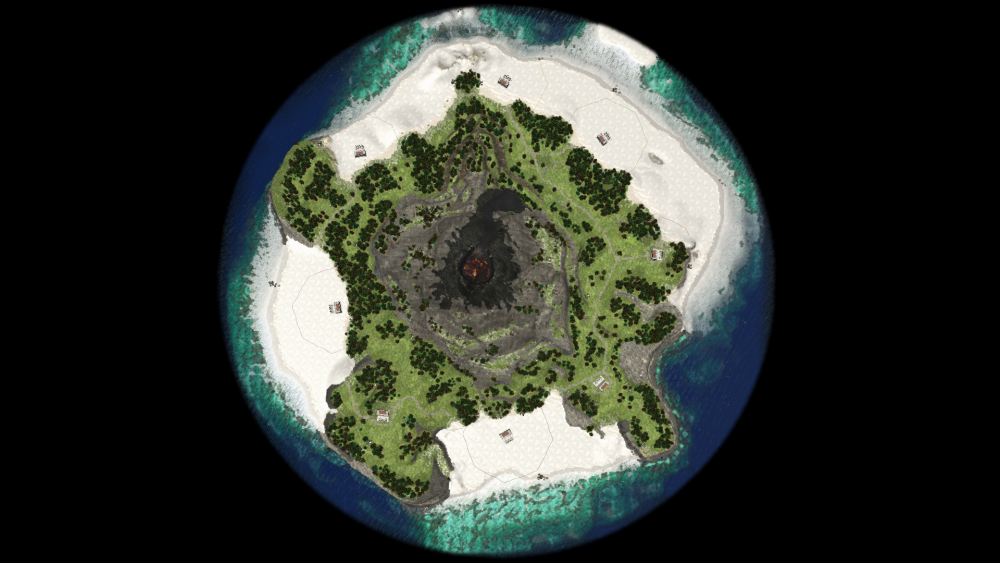
A list of things I didn't really find in the actors/entity list that would be nice to have: Coral: for the sea floor, there a many types and any would suffice Boulders: the type of big rocks you would usually find at the borders of a beach (where the transition between beach and bluffs usually happens). Usually they have dimension from 1 m to 10 m, can look fractured or not. I would say also different sized cliffs but those are already there but wouldn't work very well with the jagged edges of the map cliffs (most probably not worth it). Bushes (no food type) of different sizes the you usually encounter in the transition from beach to fertile land, similar to dry grass actor already present on 0ad but more bulkier (rounder, taller?). Actors for (dead?) seaweed you would normally encounter on the beach just after the wave "shape" the water leaves on the beach floor. Actor wood log (a natural, one not cut) used for fallen trees on the beach and probably in the inner island. I seem to remember some wood logs get white after being on the beach sun for some time. As for the trees, I wasn't sure what type to use so I went with a volcanic island with Mediterranean climate and added them as a pine type. I used the pine (old one) and pine_black to create the forest. For the volcano on itself I wasn't sure how to texture the upper top part. IMHO it ended up looking like some tomato sauce falling down a pyramid of spaghetti. So, what you think? Pd.: Don't fret it, they are just wish/suggestion. No need to do them
-
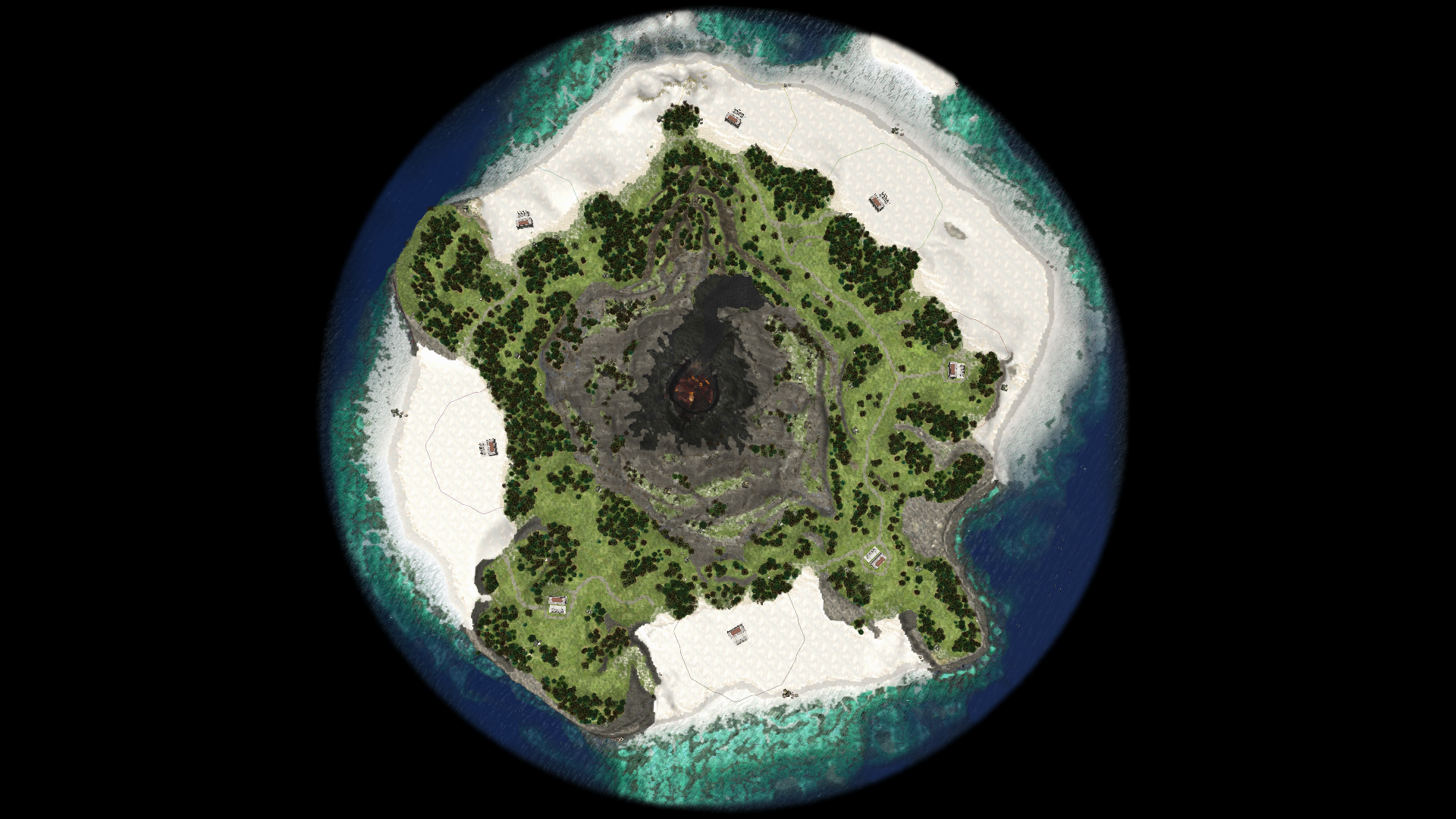
Hallo all, map maker here. After making random generated maps it was time for some skirmish map this time. Here it is. As you can see is the same map as this one but extended to a whole new level! Some players will start at the beach where there is abundance of food and stone, some others at the bluffs where there's abundance of metal and good defense positions. Search the hidden treasures spread throughout the map to gain the upper-hand with those extra resources. The volcano being what it is will be in the middle thus forcing everybody to go by water or the shore to reach the enemy. Be warned, don't touch the lava! Files here (only alpha 24 compatible): Volcano Island (8).pmp Volcano Island (8).xml That's all. Nani. old versions:
- 5 replies
-
- 10
-
-
-
Fixed. Pretty surprising older versions of glsl don't support the switch operator :/
-
Try this https://wildfiregames.com/forum/index.php?/topic/24649-autociv-mod-less-clicks-more-civs/
-
Nice I think I know why it happens. Will look at it sometime.
- 517 replies
-
- 1
-
-
- hotkeys
- autoassign civ
- (and 9 more)
-
version 0.7.0 Add: Building selection shortcuts (units possible too but not tested). There are three modes: 1) hotkey : your selection cycles through the buildings of that type. 2) Shift + hotkey: your selection keeps accumulating one by one. 3) Alt + hotkey: you select all the buildings of that type. Hotkeys list: You can add more to the user.cfg list given the genericName of the buildings/entity. Follows the same schema that the placements hotkeys (except for the barracks). hotkey.autociv.session.entity.select.Barracks = "Ctrl+X" hotkey.autociv.session.entity.select.Blacksmith = "Ctrl+N" hotkey.autociv.session.entity.select.City_Wall = "Ctrl+W" hotkey.autociv.session.entity.select.Civic_Center = "Ctrl+C" hotkey.autociv.session.entity.select.Corral = "Ctrl+K" hotkey.autociv.session.entity.select.Defense_Tower = "Ctrl+D" hotkey.autociv.session.entity.select.Dock = "Ctrl+G" hotkey.autociv.session.entity.select.Farmstead = "Shift+Ctrl+F" hotkey.autociv.session.entity.select.Field = "Ctrl+F" hotkey.autociv.session.entity.select.Fortress = "Ctrl+A" hotkey.autociv.session.entity.select.Greek_Outpost = "Ctrl+O" hotkey.autociv.session.entity.select.House = "Ctrl+H" hotkey.autociv.session.entity.select.Market = "Ctrl+M" hotkey.autociv.session.entity.select.Outpost = "Ctrl+O" hotkey.autociv.session.entity.select.Sentry_Tower = "Ctrl+Y" hotkey.autociv.session.entity.select.Siege_Wall = "Ctrl+J" hotkey.autociv.session.entity.select.Storehouse = "Ctrl+S" hotkey.autociv.session.entity.select.Temple = "Ctrl+T" hotkey.autociv.session.entity.select.Wonder = "Ctrl+V" hotkey.autociv.session.entity.select.Wooden_Wall = "Ctrl+E" @Stan` Credits: original author initial implementation https://trac.wildfiregames.com/ticket/1899
- 517 replies
-
- 3
-
-
-
- hotkeys
- autoassign civ
- (and 9 more)