Leaderboard


Popular Content
Showing content with the highest reputation on 11/26/26 in all areas
-
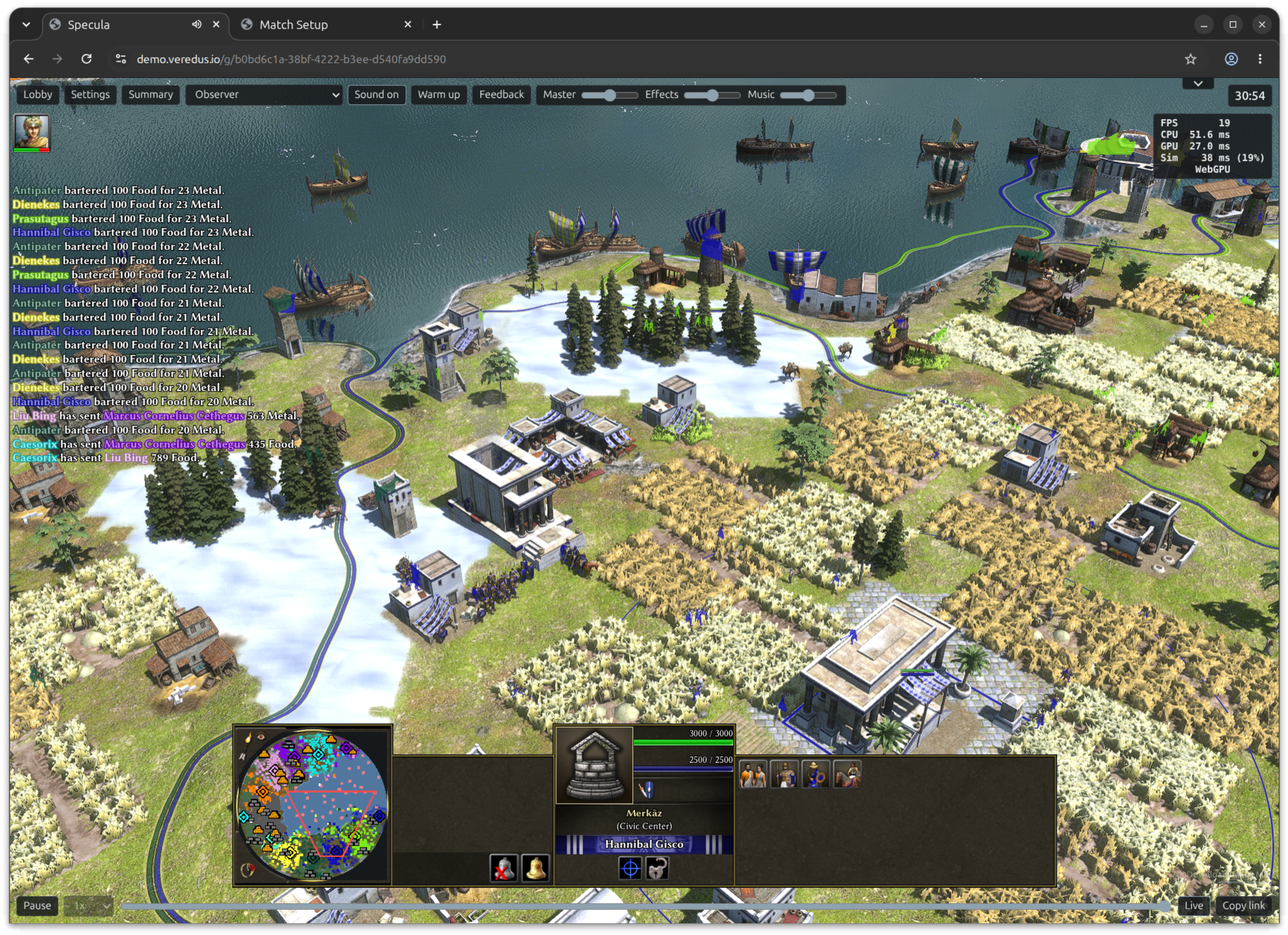
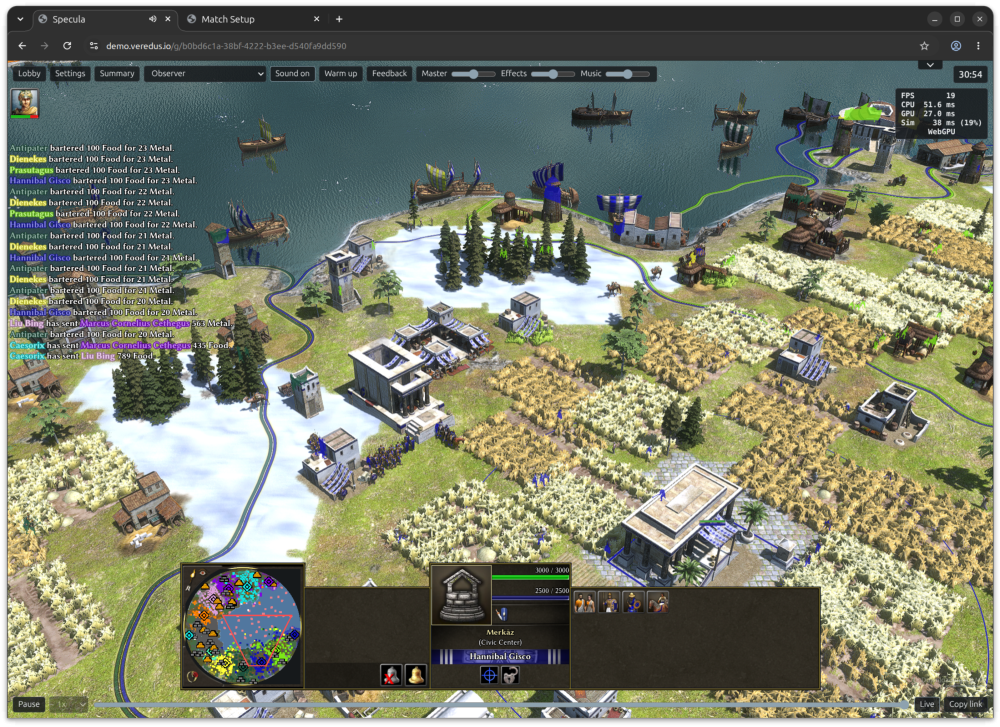
TLDR: https://demo.veredus.io - play and watch here. 6v6 AI match in browser shown by Specula. [link to this exact moment] Hi all, I've been building Specula, a web service that lets you play, watch and replay 0 A.D. matches in a web browser. You don't need to install anything. You can try it by the link above. No registration is required. I already posted about the observer functionality, but now it is a fully self-contained service that also allow playing the game. The best way to try it is multiplayer. Grab a friend (or three), type a nickname, click "New game" and send them the room link. The demo server runs up to 9 player matches at once. If no one is around, there's always an AI-vs-AI match running that you can watch. It runs best in Chrome, but Firefox works too. Press F4 for some debug info if you like tinkering. It all started with this comment in another topic few years ago (https://wildfiregames.com/forum/topic/129222-hot-take-gui-mods-are-not-cheats-and-we-should-not-regulate-their-use-general-discussion-about-cheat-prevention/?do=findComment&comment=596312) and I took it as a personal challenge. Here some features beyon what original 0ad does: - you can play on any device that has a modern browser (keyboard and mouse also needed due to input specifics), be it ipad or chromebook, so now you can procrastinate on a work laptop where security team doesn't let you install 0ad. - you can enjoy multiplayer 0ad even if you or your friend only have IPv6 - you can observe matches from your phone. (touch support is OKAYish for observing, not suitable for playing) - Limit observers so that it's impossible to cheat via observing the match. The host picks the delay, and whether observers see everything, only explored areas, or nothing until the match ends. - Replay matches in the browser: Hosted matches are recorded. Replays have pause, speed control, a timeline you can scrub, and links to a specific moment. - Each match is essentially a vanilla 0ad game under the hood and you can download a replay that is playable in local 0ad. - Fair pause: server manages pause and allow for brief disconnects. If a player disconnects, the game can pause to give them time to come back. Each seat has a pause allowance, and a pause every player agrees to doesn't count against it. - improved setup screen: non-host now can choose their civ themselves - host migration: if original host leave the match, host rights migrate to the next available human player. - up to 15 players (on selected maps that support it) and theoretically unlimited observers - command delay is reduced from 800 to ~200ms and works consistently. - host's IP is never exposed in multiplayer matches - player never receives data from the fog of war How it works Each match runs in a headless copy of Pyrogenesis (no graphics) on the server. Your browser never runs the simulation, which is why a phone can keep up. The server turns the game state into a compact visual model of units, buildings, animations, territory and fog of war. It compresses that and sends it over a WebSocket, and the browser smooths movement between updates. The renderer is written in Rust, compiled to WebAssembly and drawn with wgpu (WebGPU, or WebGL2 where WebGPU isn't available). It uses 0ad;s own models, textures, animations and sounds, converted ahead of time into compact files and served via CDN. When you play, your orders go over the WebSocket to the engine on the server. You only ever connect to the website. Current limitations - no registration, everybody can name themselves however they want. - no moderation, so if you are sensitive to words refrain from reading the chat messages, or at leas disable observers chat in settings - no password protected games: by design, since this is a free demo server I want to be able to take a look at how you play. - no save/restore. - 0 A.D. 0.28 only, no mods. - It's still early. Expect rough edges and some differences from the regular game's interface. Please try a multiplayer game and tell me what breaks, either with the Feedback button or in this thread.
 2 points
-
I expected the question "Where is the turtle?" (https://en.wikipedia.org/wiki/World_Turtle)2 points
-
Some updates to the mod: the air defense system is now operational, the complex includes radar and launcher, which need to be linked for it to function. The suicide drone has been recolored to serve as a test target. Recording 2026-11-26 212752.mp42 points
-
How it started. The game was made using content from the forum. Art, mods, map and ideas.. All nicely brought together to offer a campaign and battle gameplay inspired from games I played and liked, such as Total War series, Civilization, Mount & Blade.. kleos.webm Want to try it out? Download links here : https://kleos.quest/ Good to know - The game comes shipped with a campaign, I recommend playing Alexander or Pericles. Leonidas starting position is a bit weird and chill. - You can use the in-game downloader to get mods just like 0AD, and you'll find there Thalassa. https://mod.io/g/kleos/m/thalassa You'll find in it a nice Boudicca mission that might be part of a full campaign. And a Cleopatra's epic historically accurate assault on Carthage by sea (the naval clips you see are from it), you might want to slow down the game when you play both for performance because it's a big map with tones of stuff and just to be able to micro anyway. This map is a epic demonstration of the capabilities of Kleos, and a gameplay that mix naval and land battle. And Cleopatra's mystical pet is also super epic. Please if you try it send screenshots!! And not just of any bugs you'll manage to find.1 point
-
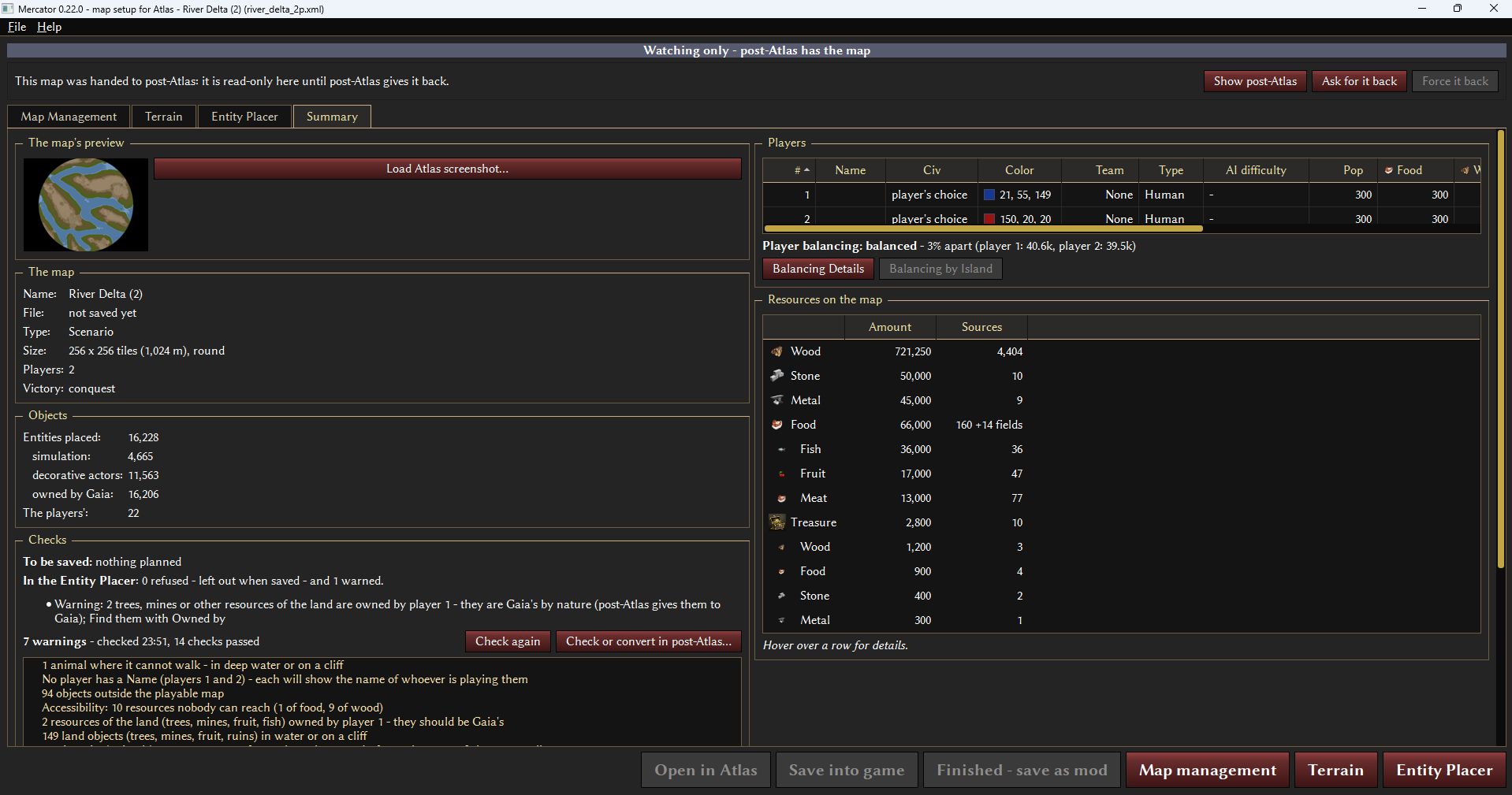
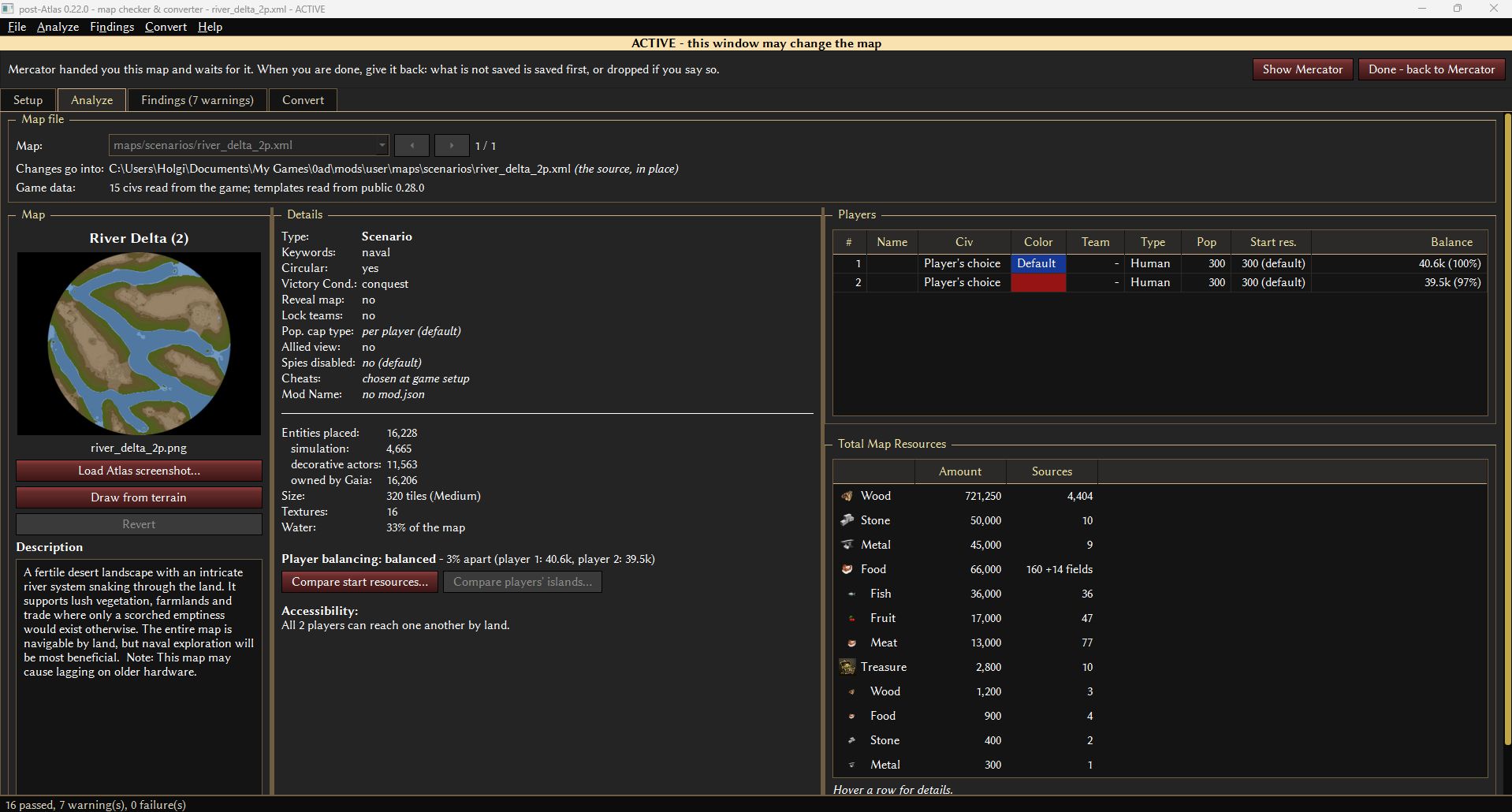
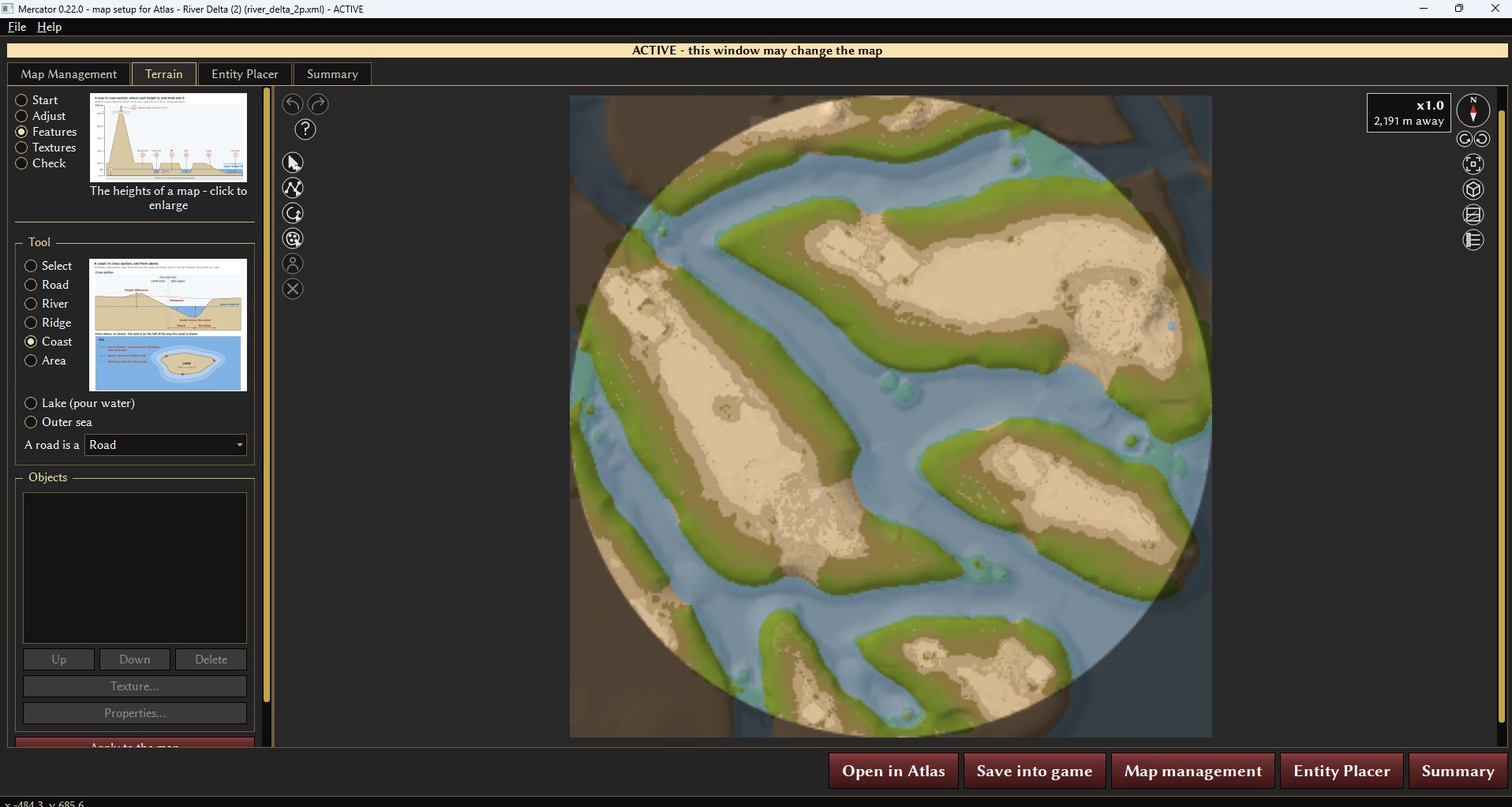
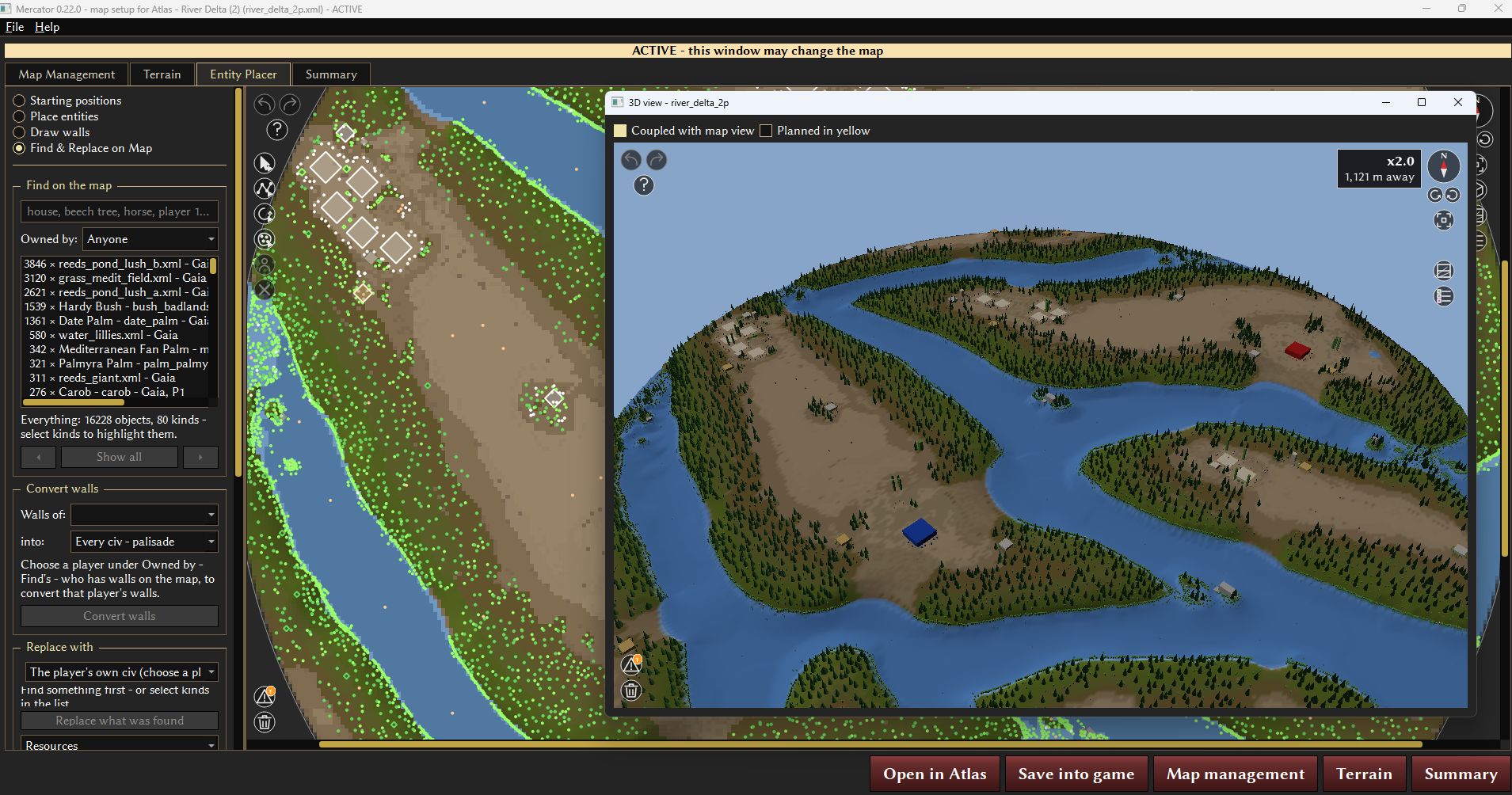
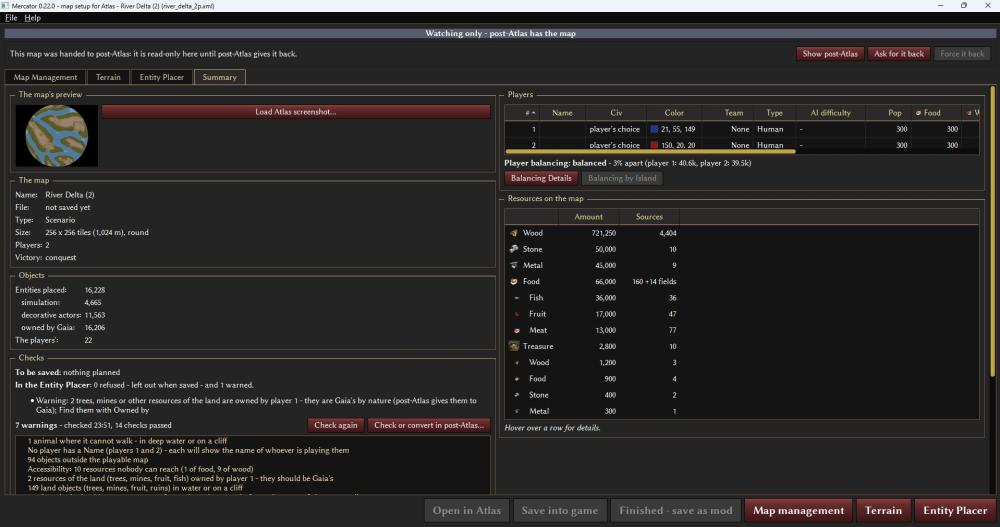
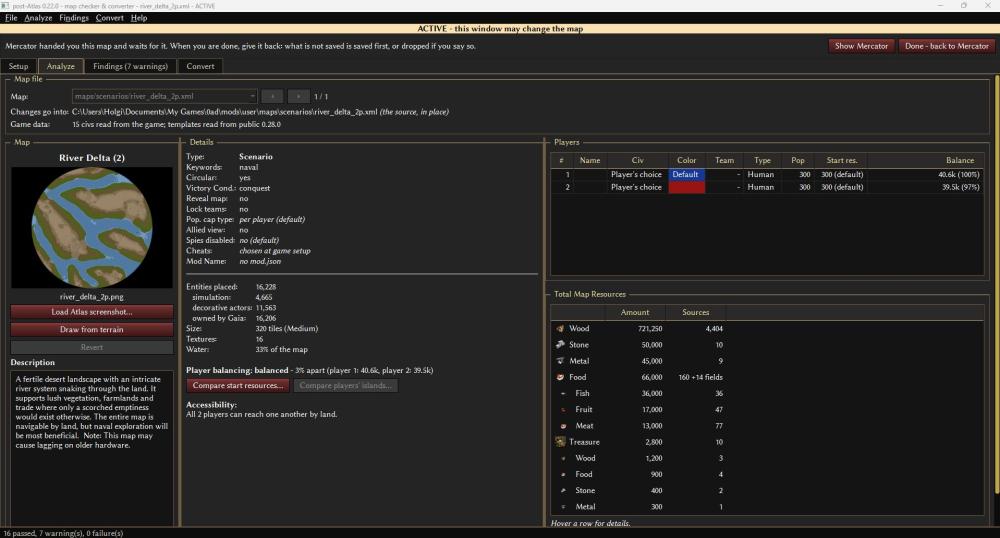
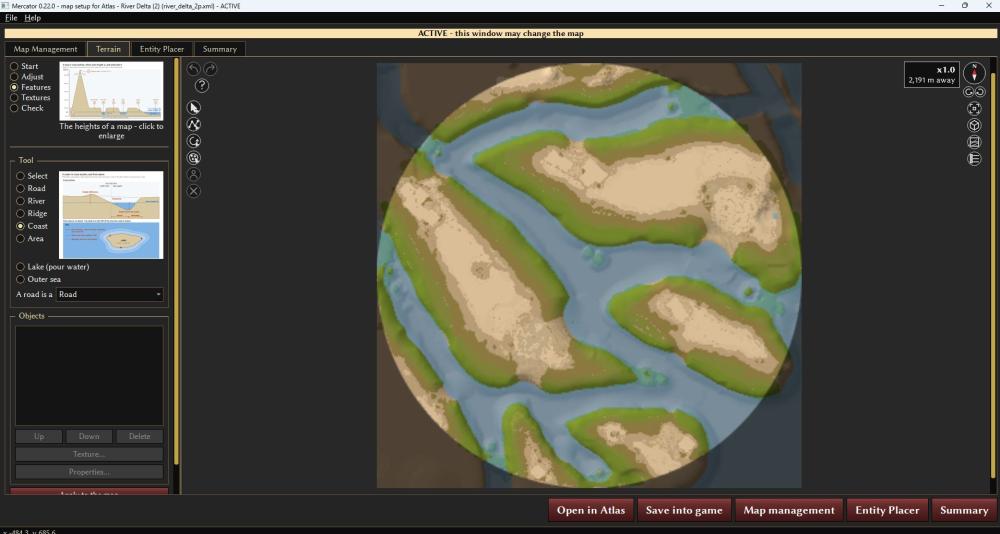
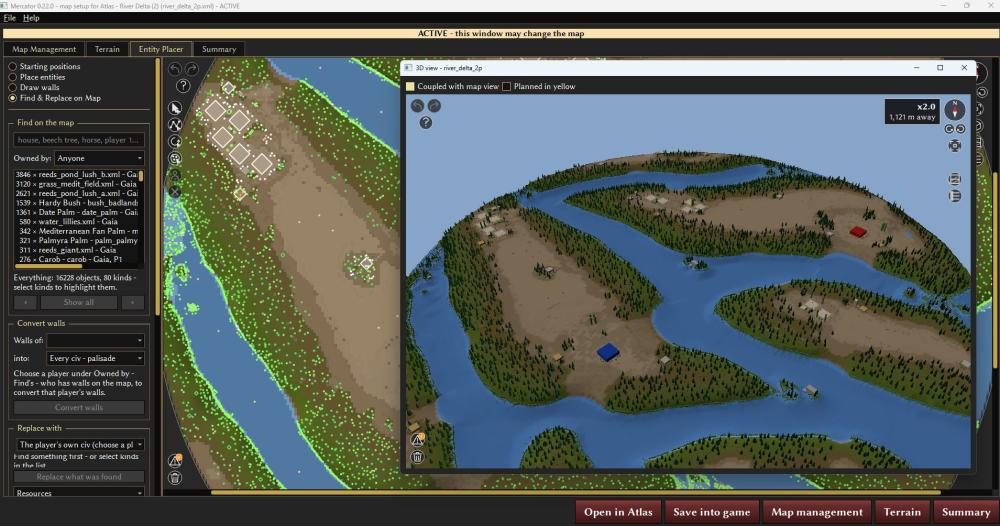
Mercator and post-Atlas are now one package with one version number: Atlas Tools 1.2.0. It holds everything of Mercator and post-Atlas (see changelog.md below). They stay two programs, because the two jobs are different, but what you install is now what was tested together and they share the same codebase. The tools are also closely linked so that you can start editing in mercator and then handover to post-atlas for verification or conversion, and back. Mercator is a tool to create maps either from scratch or from digital elevation models, sculpt the terrain add features and textures. It however does not replace Atlas, the games's map editor. Mercator's sole purpose is to ease some of the pains the powerful but complex atlas tool creates to users like myself. In fact, Mercator allows handing over its data to the actual Atlas tool for refinement and can then take the map back for the final touch creating a mod or an installation. post-Atlas is a map checking and conversion tool that can be used to process maps and map collections in different formats an convert them into R28 and R29 game format. I also verifies map propserties and provides support to correct issues. post-Atlas also works with mercator and Atlas allowing to handover to these tools and take the result back afterwards. Maps can be tested in-game (headless) to verify there is no blocking issue left. The package is delivered as python souce code (see Readme.md for installation instructions) and should run on Windows 11, Linux and MacOS. While I can only test it on Windows currently, @lilypoppy has kindly tested it extensively on Linux and @Asher used it on MacOS. I am keen to receive any feedback, criticism, ideas, suggestions, error reports etc. Please let me know! As per @Asher's suggestion, there are also specfiles included in the the zipfile's root folder that can be used with pyinstaller to create two executables in a /dist folder together with supporting libraries (/_internal). Please keep the contents of the complete folder /dist intact so communication/handover between the tools works. Create them from the target root folder you chose when extracting the zip using @Asher's modified build script (build.sh for bash environments and build.bat for windows commandline, both located in the same root folder of this zip) that also installs all necessary python modules if needed. Prerequisite: You need an installed python environment (> 3.10) an an installed version of the O.A.D. game. Again I am including a precompiled executable Win11 version of both tools for those without python installation. It would by nice if @Asher could again provide a MacOS build and @lilypoppy one for Linux (hope it works this time!) Happy Mapping! Please find below the release note, further details are provided in the the changelog: Atlas Tools 1.2.0 - set a map's light, fog, sky and water in Mercator, and see them as you set them 1.1.0 made Mercator say what happens in a map. 1.2.0 is about how it looks. Mercator can now set what Atlas's Environment panel sets, and its 2D maps and 3D views show most of it while you drag the controls. Linux and macOS users, please note: 1.1.0 did not start on your systems (No module named 'winreg'), neither from source nor built. That was my mistake in a tidying of the code. 1.2.0 fixes it. Sorry. New Light and sky: the sun (colour, brightness, height, direction), the ambient light and the sky, with presets from noon and evening to night. The 2D maps and the 3D views are lit by them, with the rule of the game's own shaders. With the game's default light the 2D map looks as it did. Hills cast shadows under a low sun, on the 2D maps and in 3D, and what stands in them is darker. Fog: how dense, the most of the picture it may hide, and its colour. The 3D views draw it with the game's own formula, so it thickens with distance as you move the camera. (A tip if you edit map files by hand: the game's FogThickness is the part that stays visible, so a higher number is a thinner fog. Mercator asks for the other, "fog at most".) Water: type, deep water colour, tint, murkiness, waviness and wind angle. The 3D views show the colours and the murkiness. On the Terrain tab, Light & Sky and Water, leftmost over the map, open these in small windows beside the 3D view. What stands there (Entity Placer): when you place something or draw a wall, the trees, rocks, mines, animals and units in the way can be pushed aside or removed, in one step to Undo. It is Leave it there until you choose otherwise. Looks: right-click for a new look for an object or a whole selection, or give the selected objects the look of one of them. It sets the map's actor seed. By the way: Atlas's Variation drop-downs are not saved in a map - only the seed is. Changed A fish on land is refused by the Entity Placer. On Map Management, Light and sky and Water stand under Map type and Game options, and Victory conditions moved under the players. The Terrain tab no longer shows three grey buttons that belonged to the Entity Placer. Both programs: a fish on dry land in a map is now a finding of its own, N fish on dry land. (It used to hide among the "units where they cannot go".) Installing: unzip, pip install Pillow numpy scipy PyQt6 (and pyqtgraph PyOpenGL for the 3D view), python Mercator.py or python Post-Atlas.py. The standalone Windows build is made from build.bat as before; Linux and macOS from build.sh. If something is wrong, please let me know, including what you did and what happened, with the version (Help > About) and the map if you can share it. What to try On Linux (Debian, Ubuntu, Mint - for Python 3.12; the script names the right package for yours): sudo apt install python3-venv binutils libpython3.12 libxcb-cursor0 bash build.sh The script checks for these before it downloads anything and says what is missing. It builds in its own environment, .build-venv; nothing goes into your system's Python. Take build.sh and both .spec files from this release together - the new script beside the old specs stops and says so. The programs are dist/Mercator/Mercator and dist/Post-Atlas/Post-Atlas. On macOS: bash build.sh as before; it now builds in its own environment too, so the first run downloads the libraries again. On Windows: build.bat, as before. CHANGELOG.md README.md atlas-tools-1.2.0-linux-x86_64.tar.gz atlas-tools-1.2.0.zip Atlas-tools-Win11.zip
 1 point
-
Ok so tested the thalassa mod a tiny bit, a few issues. 1) for the cleopatra campaign, the mission seems a bit too difficult for the amount of units you have. 2) the boudicca campaign doesn't have any settlements on the british isles, can't do anything when i finish the first mission.1 point
-
Here is the macos version: google drive. I have only tested it on my mac, so if some other mac users could test it also, that would be great1 point
-
1 point
-
These young people don't understand the feeling.1 point
-
"Mere Pyare Desh Wasiyon" would love this1 point
-
I've just noticed an input bug have slept for boats multi-selection... I will have to say my precious naval mission might not get much good reactions if tested. It will get better I promise. Meanwhile expect to only be able to play if you select a boat at a time. Which is what I was doing in my game to micro and how the bug slept from my last tests...0 points