Tapothei
-
Posts
107 -
Joined
-
Days Won
1
Everything posted by Tapothei
-
Lol if you mean mine, just remove bracket and set it to "commands.txt" in a saparate folder. For me now, I know how to correctly do it following @Deicide4uof putting it in zip folder, then again will it be seen by your system? I'm sharing a zip file of a recent MP match I played, let me know if you can see it. Nah I'd Win.zip
-
In case you don't see it, don't forget about turning off Filter Compatible Files and setting Single-Player to Any.
-

What Should New Players Know When Starting This Game?
Tapothei replied to onghyr's topic in General Discussion
@onghyr If you've done the tutorial and economy playthrough from Singleplayer you can continue to Skirmish maps and do Scenarios. Its basically like half baked campaign, during that time you can increase AI difficulty once your comfortable and being able to beat easy ones. Just disable Treasure and if you want to improve your gameplay setting 200 pop can help to understand your limit. Single Player > Matches > Scenario > Default/Naval Maps > Arcadia(The first map). Once you complete then go to the next. After completing that, experiment and choose a Civ you want to play. Afterwords you can transition to Map Type > Skirmish. At this point can watch general replay how people boom by being efficient and using batch training. Watch on Youtube, Replay Pallas, Multiplayer then compare it to your replay against AI. If you get bored then Go to Map Type > Random. Once comfortable you can try play with others in Team Game, you'll probably lose. But before that install Feldmap mod to prevent missing dependency and if you want install Community Maps mod, for more... maps. Got'em! Being able to reach 100 pop in around 7 minutes is a good indicator your a good player assuming you don't get attacked also depends on map. My limit for citizen on fields is 40(200Pop)-60(300Pop), economy is important to be able to do any playstyle. Hotkeys, especially Control Key, Call To Arms. Order One Unit, Select Idle Unit, Select Military/Non Military, Patrol, Select Wounded Units, Garrison, Capture, Attack Units Only, and such is useful so place them, where your hand can reach. Thats all I can think of... I like editing my comments so ideas are on the go here. -
As far as I'm aware, there doesn't seem to be a way to cancel producing mass amount of units in a building, so my only choice is to manually click cancel and its annoying in multiplayer where input lag is present as well as mistaking a batch number or wrong unit, so solving it by a click of a button would be nice. I've made an issue already on github.
-
Just add an outline to indicate how full it is, from red to green. [Can change colour in setting for the colourblind]. Hmm... then again this needs further ways to identify easily. Edit; Whoops I thought they mean't how to identify how full fields are, since I sometimes miss some numbers.
-
Thx @Atrik, should've split advantage from updating the GUI, one for the looks and one for QOL type of thing for those that prefer playing it like that. The game does need some ease of readability when it comes to multiplayer.
-
1) Even when it looks like a gap I still get it wrong, I tried many times already its just quite unreliable. 2) I'll ask, does it contain any advantage mechanics or is it just gui being improved and if so, can I turn it off? I only need to see ally resource properly so I don't have to look it up majority of the time. 3) If this game ever increased its popularity then I'll need this feature since there will be some bad apples I'll don't ever want to ruin my mood. Atleast I won't be negatively effected nor would I disturb them.
-
- Sometimes when I want to place a building I want to see the highlight to have gaps, you know how you select a building there is the blue outline? Ye include that, before I want to place it since I intend to leave some gaps for my workers to move in between. Many times do I get blocked by it and I had to destroy the building and redo it even if its free... - Today I realised in multiplayer I can check resource by hovering to the left topside, here's a problem I never knew about it, you should mention that in tutorial or something... while at it, it needs to be improved, I want to see teammate's resource in one go just like modernGUI by using arrow key of some kind to open/minimise the look. Not that I'm going to to use such mods since I'm more of a vanilla guy. - If buddy feature exist, there should be enemy. In a sense that player is muted to you, they can still join for fairness sake and they do see their status by you to be aware. Is there even a way to identify easily whose buddy or not in one list just like friend list? Atleast colour them differently... I do forgot how it works though since lobby is a bit mysterious to me, like there is no mention on various commands I can do there... example typing /away.
-
Even with the change of making it harder to capture stuffs, I'm too lazy to build siege against AI xd.
-
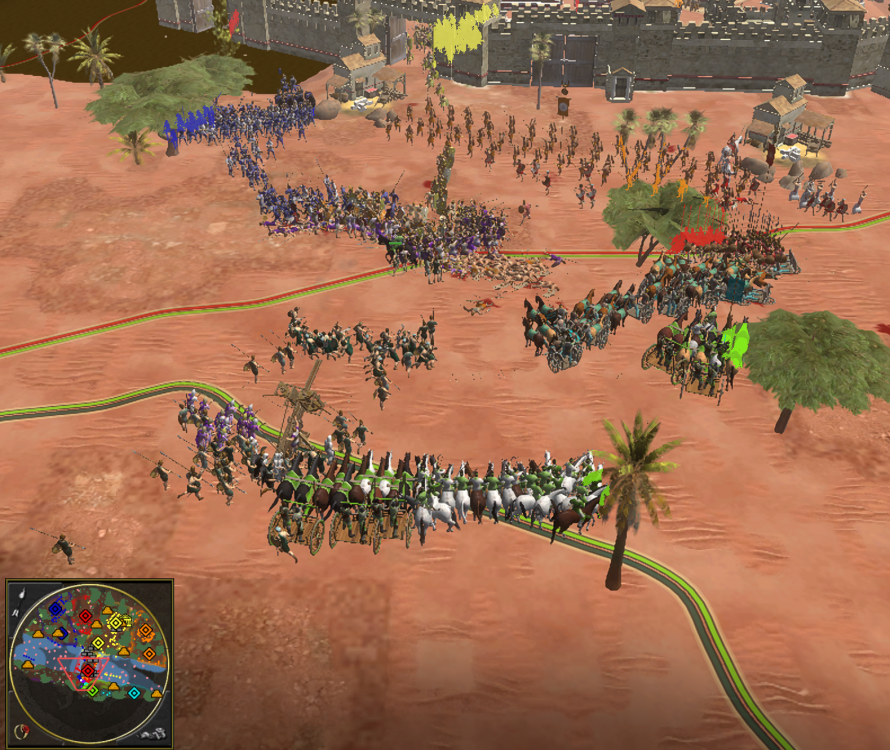
Some fun game, unfortunate we crash upon unpausing.
-
Ye I notice how the VH AI is keeping up with unit production, usually once they send their army, their economy is crippled. Now they have some leftover to rebuild their economy. I'm not sure if I can ever beat 4VH as Han now. - First replay(1), I'm always double the AI in terms of score so notice how it scored 1.5k higher the usual, this was probably my 4th gameplay. - So I've learn a lot from multiplayer so my gameplay has improved in 2nd replay(2) and maybe its my game setting(200 max pop) or something but I'm surprised the AI had only 1 Civil Centre... usually it would be 3 or 4 by now.. Actually thats an old replay, I think I deleted the 200 pop replay, oh well, its just the usual setting. - Third game... Its actually keeping up with me lol. commands(2).txt commands(1).txt commands(Just look at the score).txt
-
So far getting the VSCodium has sped up my coding journey. 1) Create a git account in their own site, then create a fork of the main 0AD. 2) When cloning the repositery, you need the whole file(15GB)(Must wait for it to clone without disturbing VScodium), otherwise it will have 10,000 changes which gtiignore will not function properly, it will be around 15GB so uh.. be patient and let it download... once complete go to next step. Oh, make sure to make another branch locally in your main branch(Left bottom name of your repositery, click create new branch, give it name suited to what your trying to achieve for me it was box-fix). 3) Go to your main branch, click branch, left side of the wifi looking thing(RSS feed) click new branch, give it a name(in my case its box-fix, and yes they are same to prevent confusion). 4) In Vscodium make sure to first input name and email of your account in terminal(include the "" too) git config --global user.name "Your Name" git config --global user.email "your.email@example.com" 5) Now this is where you set git remote so that the file your changing can sync with your main on git, go to your fork and click on [<> Code] and copy the link of either HTTPS or SSH and input it to here. git remote set-url origin [HERE] You can check if its correct or not with git remote -v 6) Now make the key by going to your account setting, either application(for HTTPS)/SSH(This one is complicated I forgot how) then input it to your terminal(I forgot how), you are succesful if you can see last used by. 7) This is where I got stuck, so basically specify git push --set-upstream origin/'repositery name' make sure repositery name is your second branch(Local main branch don't touch, thats where you sync change from git and if your afraid to mess up, make another copy) 8) Now I guess you are good to go to change a line then commit and git push --force origin (Your repositery name) And I guess thats that, I'll be away for awhile since I'm tired mentally. Extras: If it does not work... uh... just ask the programmers here for help. In case you ever make a mod of such change, Do not name the file by giving space. It prevents Scenario Editor to not open(in my case in Debian) Here is the updated code of my preference. Here is an illustration to indicate each Height from left(1) to right(10). - My preference will always be Height 1.0 because I have no issue selecting CC. - When it does I recommend either Height 4.0/5.0. Former is nice but latter being somewhat sweet spot. - Setting higher then that is someone I'll beat with my Asian slipper, no seriously, it legit feels inconvenient. bet-civ-cen-bou.zip

-
-
Its in .var/app/com.play0ad.zeroad/.local/state/0ad/log, removing it then entering 0ad will create new log.
-
@FrankI've played and checked, working for me, I think you click: Learn To Play > Tutorial Happened to me too. instead of; Single Player > New Campaign > Tutorial > Start Campaign > Introductory Campaign. Upon completing just do Single-player > Continue Campaign/Load Campaign. Since you've complete the tutorial, you can redo it but 2x speed in case you haven't known that feature top right.
-
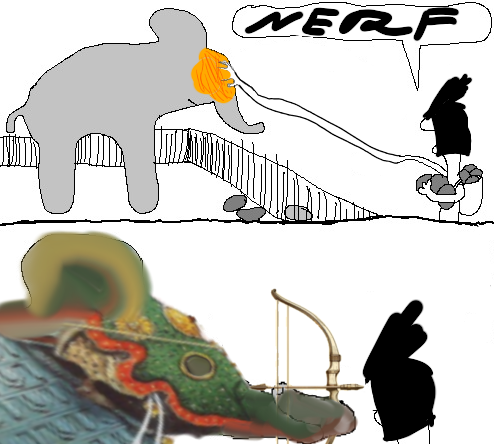
Since I've learn the power of coding I'll go pull request to nerf your elephants, their hp is set to 1 but their evasion stat is 99.9% with 10 damage with area of effect of megameters also they spawn smaller elphants that moves like a car and punches like a bee but only to allies.
-
Thx for the push, also I don't use either of them, I just have my default text editor. This took me awhile to understand(somewhat a partial comprehend)... and now after that it request for checks... man I'm so exhausted...
-
My playstyle, I go plow some veggies you go milking cows its not my problem. Plus when I do want to corral its usually late game type of thing slowly transitioning as my food is 10k and my citizen goes missing over time...
-
Funny Relevant Videos and Memery
Tapothei replied to wowgetoffyourcellphone's topic in Introductions & Off-Topic Discussion
0 A.D. - The Feminists Guide to beating Very Hard AI I don't know if this was shared before, but this video was the one that made me win against VH AI when I first started playing. The idea I understood was defend against the scouting army then build amass of units first before attacking. The humour is what made reach the end of the video. So if you can apply funny stuffs in future campaign, its quite a personality. -
I'm on Version 28 at the moment. Tried to change its compatibility check as well as disecting another mod to be inputed just to get recognised by my system in game... but ye I'm going to leave it till you update it. Error in image. I'll still go fulfill your request, by getting Version A27.0 if I can somehow get it as well as running it, later... Which I did but the appimage is enough, which in case anyone wondering how to insert the mod in linux, go to home/(username)/.local/share/0ad/mods. Okay there is 2 types of oasis map, do you mean the map type of 'Skirmish' or 'Random'? Your bot will always lose when it comes to skirmish, which I first played twice, first was a bit surprise as my wood ran out + its borders touched mine, resulting in their army coming to me and my idle units would attack = Your AI's momentum is gone, perhaps thats why your bot won when it comes to wood as it had trade + tower and fortress to wittle enemy resource. In terms of random, I'm too tired to play but I did check it vs AI, so from my observation there is no difference. I did understand why even in Random Deathmatch large map (Check commands(3)) your AI cannot even push leading to a draw/losing the match beyond min 23. - Build fields early on then leave it alone for 12 min = Build something that you can make use of early on. - Max soldier/horseman unit batch train is 2, if you look at Petra AI its max is 5 = Fix batch train so it can at max 5. - You didn't set max limit of woman, so the CC is churning out excess when whats it supposed to do was make more soldiers so they can defend the woman... = Set max woman to 86, 12 on wood/stone/metal, 50 on field. - Siege units are noted to be idle unless nearby enemy siege units would come which they'll try to destroy, when it does destroy enemy siege and that enemy buildings are not in range, it will return idle = Fix the interaction somehow, so it doesn't idle, basically once its provoked, it will move to attack until its destroyed. I'll reiterate the most important past problem as well as good suggestion too in case you are lost: - Healers are idle(which you did fix in economy master, hopefully in Turtle too) - Heroes are not trained. - Start trading at T3 not T2. + Make towers all over the place. + Make fortress in between Civil Centre. That is all. Edit: Honestly its best you start scratch with vanilla 28's Petra AI, then integrate your code into it. 'Expert Petra' has a different goal in playstyle in mind, currently the vanilla is doing better then it. I've fought it before, its weaker then yours. If the 'Expert Petra' author sees this, I don't mean to lower your morale, I'm honest here so in case you need my feedback I'll help you, although I'm mentally tired today haha. commands(1).txt commands(2).txt commands(3).txt

-
@DesertRoseFound it. You need to sudo to enter your file manager just to access this file, in my case in debian. In terminal type nautilus admin:/ then in files go to var/lib/flatpak/app/com/play.0ad.zeroad/current/active/files/bin. There pyrogenesis is there, in my case I'm not sure how to open it.
-
Might as well introduce an option to spawn females/males civilians only, mix is the default in the "preference" setting. The idea is being able to satisfy old player base as well as future players. In my case I'm calling them Civilians nonetheless as they are the tags given in this version 28 and they are mixed now. Others call them "woman" despite the change and its fine, its a term for nostalgic players to indicate past terms for this new change moving forward as a tidbit in loading screen for new players.
-
In case some peeps are blind that includes me, when selecting in area filled with soldier and civilians, there is a button to select civilians only and then there is soldiers only, may it help you a bit.
-
Cough* I tried to but its not available for me, since its my first contribution, and I don't know github works other then sending report issues. I'm not a coder.... compiling is too difficult for my brain... commit guideline, I'll be sure to understand it later. Understandable, thank you for giving me a reality check, I must weep near the ocean. Oh sea swept me away~!

-
So A28 has been updated for my linux, then I'll be updating German's CC Boundary Box. For the future me or any linux modders(Debian), to obtain the zip file for 0AD(flatpak-3.5gb) which you can disect later. Go to terminal type nautilus admin:/ then in files go to var/lib/flatpak/app/com/play.0ad.zeroad/current/active/files/share/games/0ad/mods/public. Then copy public.zip to anywhere you want, in my case its download and there you have it. Hmm when I go to editor, it crashes, I've checked CC changes and Rome is the only effected. Fixed it, now its working properly as well as included German's CC. I mean the code can be clean but I'll leave it to the programmers grey beard's wisdom of placing it properly. Please integrate this to A29, so I can play it in multiplayer. To be honest, the CC is big so the height being 1.0 is pretty much enough, all you need is clicking the ground. Edit: Followed Stan's suggestion and made one. bet-civ-cen-bou.zip