-
Who's Online 3 Members, 0 Anonymous, 709 Guests (See full list)
-
Topics
-
-
Posts
-
.thumb.jpeg.67ef5b5dc6d918163efa04cd5336830d.jpeg)
By Nicolaus_von_Kues · Posted
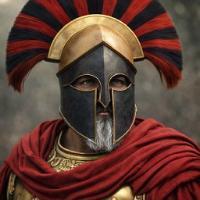
https://arabthought.org/en/arab-fashion-heritage/15/roman-palmyra-a-gateway-to-understanding-eastern-fashions-in-the-roman-era Other ideas for desert combat. Unfortunately, the clothing on Loss Reliefs was like Instagram, so you could see your luxury clothes and not your military service clothes. This is from a fantasy project inspired by Roman times. The idea of a helmet plus a turban and something to cover your face from the dust. -
By Nicolaus_von_Kues · Posted
These concepts with conical and Spenhelm-type helmets. https://en.wikipedia.org/wiki/Camp_of_Diocletian After the Palmyra rebellion, things changed in the empire. Before the Palmyrene crisis, Rome relied overwhelmingly on traditional heavy infantry, treating specialized heavy cavalry largely as auxiliary units. Introduction of Blunt Force Weaponry: At the Battle of Emesa, the Romans encountered heavily armored Palmyrene armor that traditional swords and spears could not easily pierce. Aurelian deployed specialized Palestinian clubmen equipped with clubs and staves. The blunt force of the clubs bypassed the iron and brass coats of mail by fracturing bones and causing internal trauma through the armor. This exact counter-tactic against cataphracts was so effective that later emperors, including Constantine, integrated club-wielding units into subsequent Roman civil wars and campaigns against Persia., Ridge Helmets (The "Late Roman" Style): The classic Imperial Gallic helmets were phased out. Instead, Rome adopted "ridge helmets," constructed by joining two halves of iron with a central ridge. This design was much easier to mass-produce in state factories (fabricae) and provided excellent structural resistance against heavy overhead mace or sword blows. Aventails and Coifs: Helmets were heavily upgraded with attached mail curtains (aventails) or scale cheek-pieces that completely guarded the neck, throat, and jaw from lateral cuts. All these details give me an idea of how Palmyra and the armed Persians were. The Notitia Dignitatum (Late 4th/Early 5th Century AD): This Roman military register proves the lasting legacy of these troops. After defeating Palmyra, Rome absorbed them entirely, creating elite specialized units like the Equites Sagittarii Indigenae Petronenses (Native Palmyrene Horse Archers) to defend the empire's borders. • No Cheek-Pieces or Facial Plates: Unlike the heavy Roman ridge helmets or the intimidating, full-face metal masks of the Palmyrene cavalry, foot archers’ helmets entirely omitted facial plating and wide cheek-pieces. This open-faced layout was a crucial requirement so they could pull a bowstring back completely against their cheek or jawline to anchor their aim. • Fabric and Leather Coifs: To prevent the metal helmet from overheating in the scorching Syrian desert and to provide basic neck defense, they wore thick fabric, felt, or linen coifs beneath the helmet -
By Nicolaus_von_Kues · Posted
Two different segments want very different things. -
By Nicolaus_von_Kues · Posted
It has bugs and is still in alpha. -
By Nicolaus_von_Kues · Posted
New news today I updated my version of Artcraft for Linux. I discovered that they updated it; there are even new programs for making 3D and 2D art. A Figma clone. Build tileable PBR materials from noises, patterns and filters in a node graph, watch them update live in 2D and on a 3D model, and export the maps for any engine. Open source, offline, and yours. Paint PBR materials straight onto your models in layers with masks, bake mesh maps, drive smart materials from them and export textures for any engine. Open source, offline, and yours. This other one is a clone of Substance Painter.
-