
All Activity
- Past hour
-
In order to build A28 on a Linux system, after installing the dependencies, it's necessary to use cargo to install the cbindgen module. This wasn't specified on the build instructions page of gitea but you would encounter mach build errors if you don't install cbindgen. You must execute this command before building the libraries. cargo install cbindgen Please can someone update the build wiki on gitea thanks.
- Today
-

Engine.GetSimRate/SetSimRate from JS script
CulturedCait replied to CulturedCait's topic in Scenario Design/Map making
Well, I wanted to avoid creating a mod. Actually I just wanted to make scripted map in plain "vanilla" 0 A.D. SetSimRate, as helpful as it would be for automating few things, is not that critical in the end. I can always invoke the command from the console. Thank you. Ok. This is very long story, but to the details what I'm working on... I'll try to explain. I've always wanted to know which types of units and formations are best in a given case. Also, how my formation should look like considering shape and direction vector of the enemy during tactical clash (in second stage of the project my idea would be also to find precise polynomials that should represent formation lines that should be used). On the one hand these are pointless questions (what we're dealing with are differential equations... that's why some say that strategy is rather an art than something you can calculate). But for a long time it's been bugging me and I had some ideas how to crack this problem with genetic algorithms. Or at least to try finding approximate or partial answers in some cases. Since I found some time during the Christmas I developed very tiny genetic algorithm framework in JS that operates only on 0 AD triggers in asynchronous way. Since the objective function in my problem is the result of single combat, and GA requires to perform many of such clashes for single generation, this is "the lengthy calculation" I was talking about. GA has to wait for each of such "entities" (i.e. clash of two armies) results to pick parameter candidates for next generation. That's why I was interested in SetSimRate to speed up the process a little. As you can see there are many asynchronous calculations (actually thousands...) that need to be processed sequentially. Speeding up simulation helps much. I know what you say. You could always grab units statistics, calculations etc from the code and write a program in faster environment to achieve similar results. But I wanted to utilize exact 0 A.D. engine as it is. There would be many mistakes in this process if I did otherwise. Maybe it would be easier, and you wouldn't have to resort to some quirks, but since scripting support in 0 A.D. is very comprehensive it is possible to achieve all I described above. GA's are very slow by definition so technology doesn't matter that much. The algorithm itself is the bottleneck. This is of course very lengthy project. Absolutely nothing to brag about, more like a hobby actually Hope this now sheds little light where my question came from. Now, to simulate how SetSimRate helps, just try to invoke something simple that spawns itself each 100ms in a sequence using DoAfterDelay. You can assume this "100ms" is aforementioned sequenced lengthy atomic operation that you don't know the result yet. You'll be notified of the result later when it finishes, and you'll utilize the result later to spawn next iteration "somehow". testTrigger.DoAfterDelay(100, .....) You'll see the difference if you speed up simulation to x20. This "100" would become ~5 in real life time. Maybe not really 5, but much faster. -
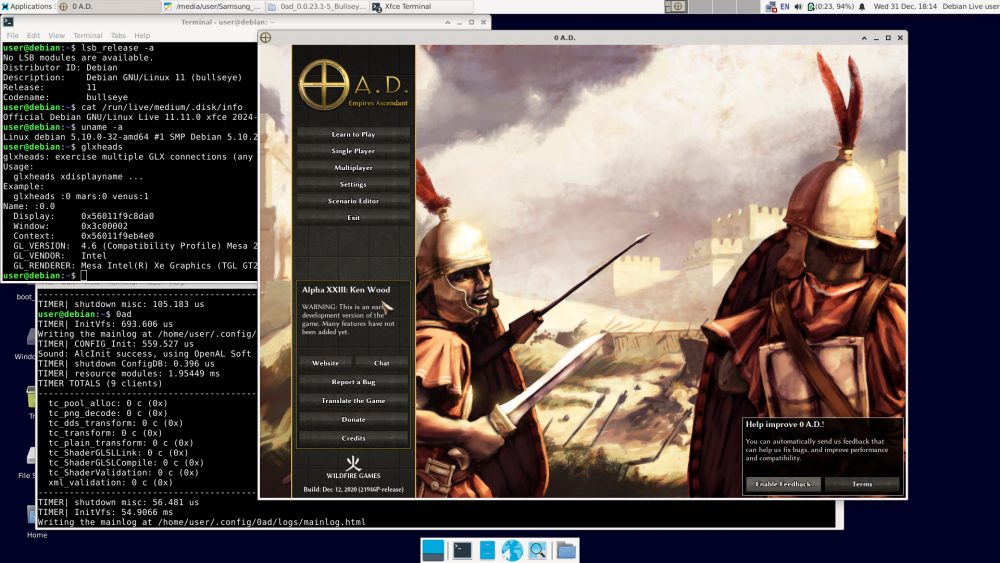
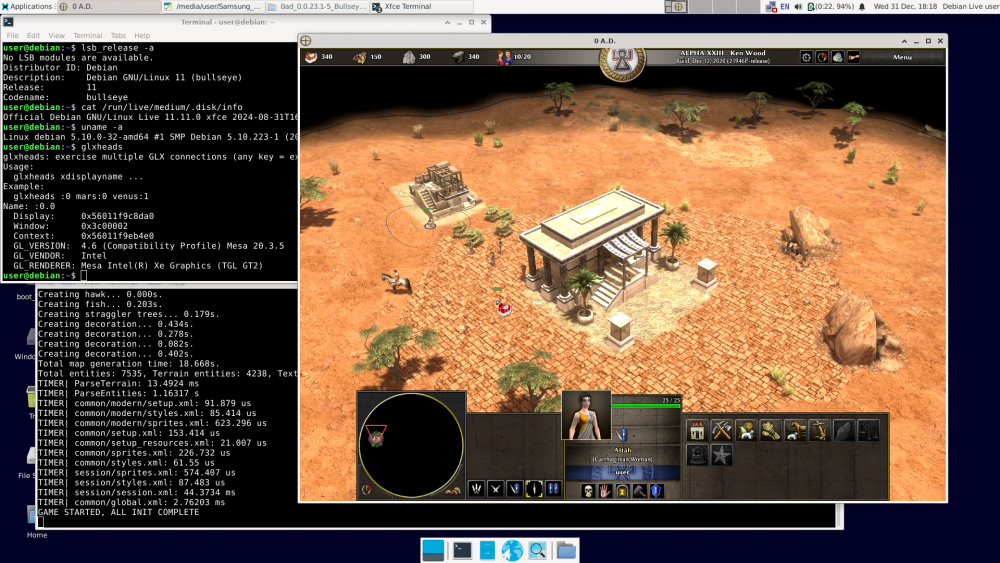
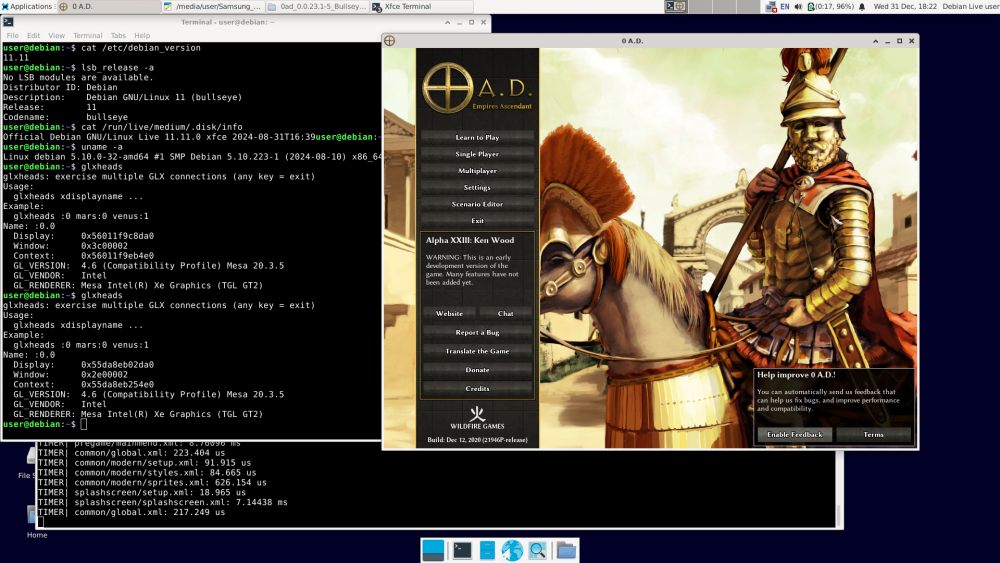
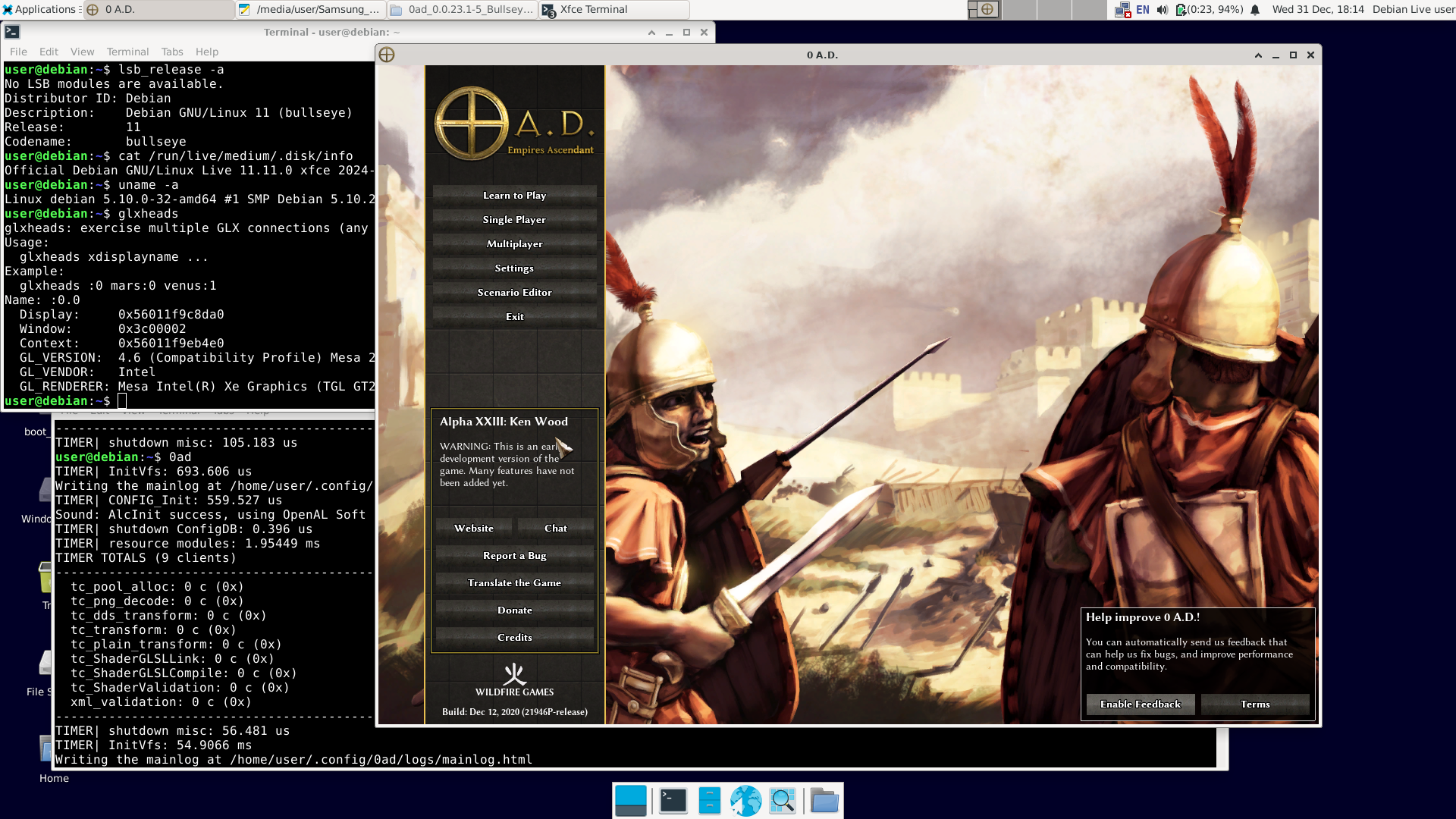
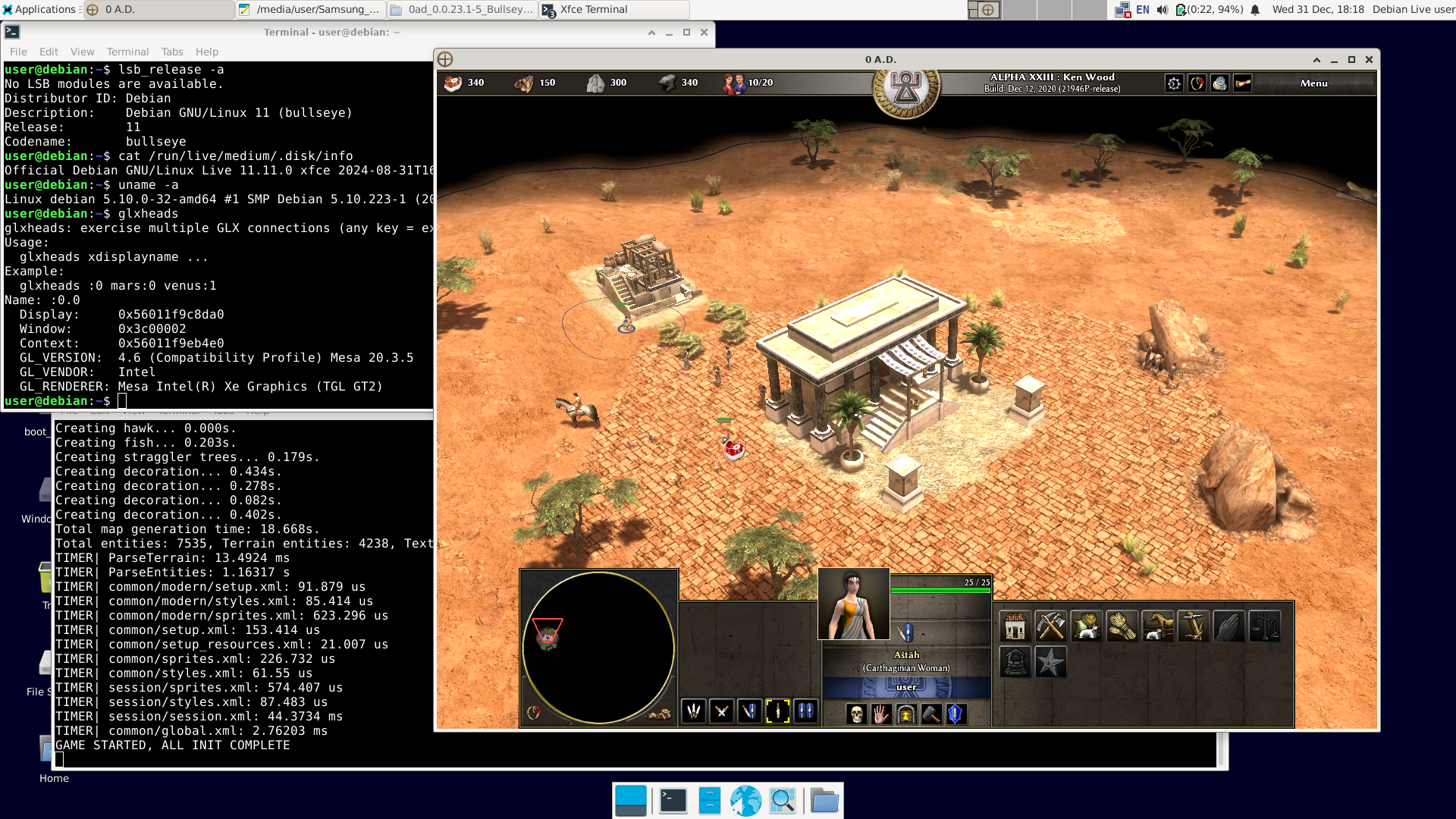
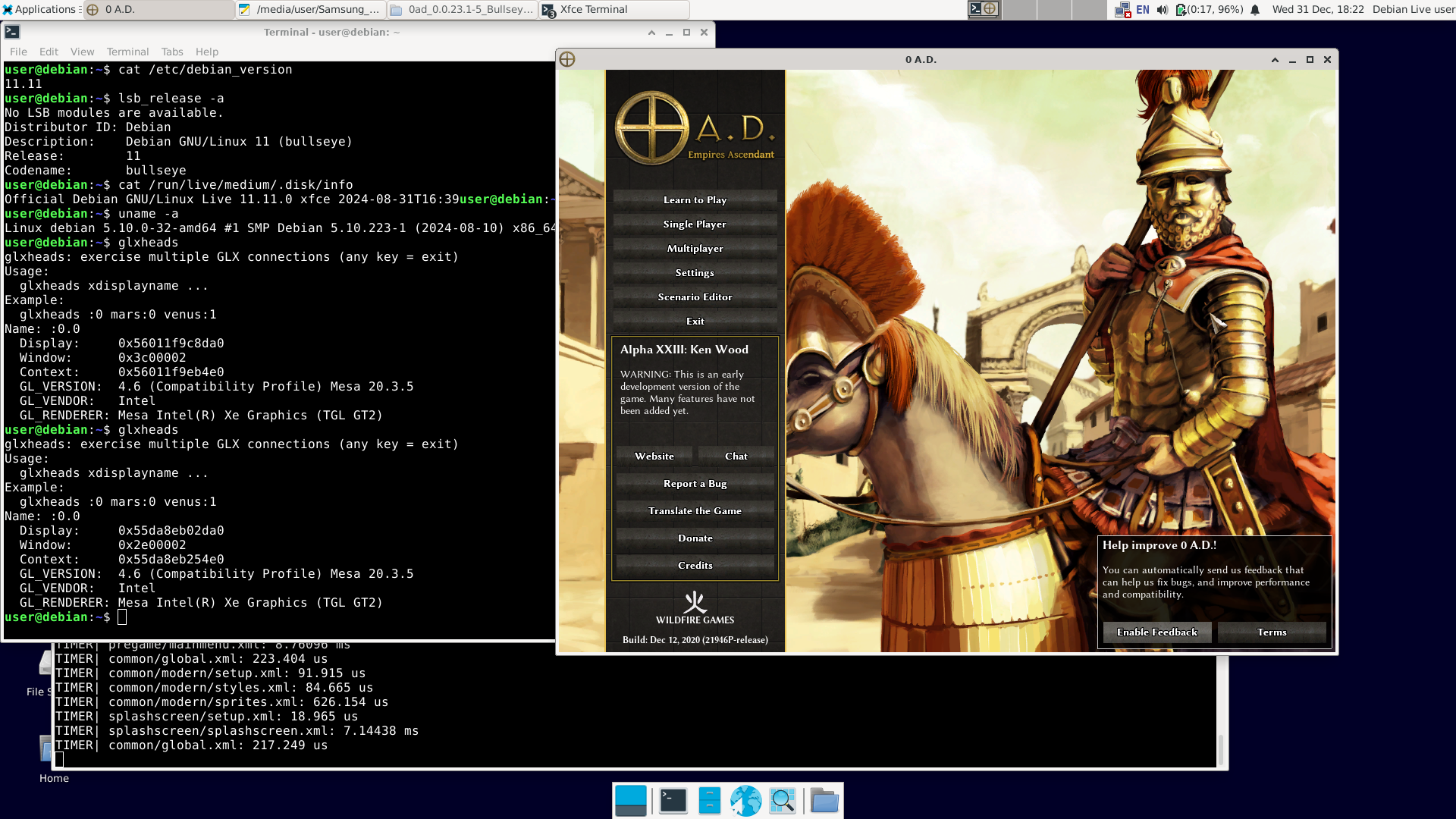
There have already been 12 posts, and "NewWorldHero" only wanted one answer: how to run the older version of 0ad – ver. 0.0.23 (Ken Wood). I figured out a way to do it: https://wildfiregames.com/forum/topic/139802-must-have-xxiii23-ken-wood-linux-only/?do=findComment&comment=616373 But I only figured it out, not tested it. It was bothering me. So I did this: 1. I downloaded Live Bullseye version 11.11 (+non-free) https://cdimage.debian.org/cdimage/unofficial/non-free/cd-including-firmware/archive/11.11.0-live+nonfree/amd64/iso-hybrid/debian-live-11.11.0-amd64-xfce+nonfree.iso 2. I copied it to a USB drive with Ventoy installed and booted it.. The laptop was even relatively new – Intel TigerLake (11th gen.) + Intel Xe. Debian booted, and Wi-Fi was available (Wi-Fi on Intel too). Good news: the Bullseye repositories are still available. You can use 'apt install'; you don't need to install anything manually. 3. After connecting to the network, I issued the command: apt-get update apt-get install 0ad I had to wait a while because one of the packages ('0ad-data_0.0.23.1-1.1_all.deb') is about 670 MiB. 4. After installation, in the terminal as a regular user, type '0ad' + Enter or click Menu – Games – 0ad. Done. I'm attaching the images. A short summary: user@debian:~$ cat /etc/debian_version 11.11 user@debian:~$ lsb_release -a No LSB modules are available. Distributor ID: Debian Description: Debian GNU/Linux 11 (bullseye) Release: 11 Codename: bullseye user@debian:~$ cat /run/live/medium/.disk/info Official Debian GNU/Linux Live 11.11.0 xfce 2024-08-31T16:39user@debian:~$ user@debian:~$ uname -a Linux debian 5.10.0-32-amd64 #1 SMP Debian 5.10.223-1 (2024-08-10) x86_64 GNU/Linux user@debian:~$ glxheads glxheads: exercise multiple GLX connections (any key = exit) Usage: glxheads xdisplayname ... Example: glxheads :0 mars:0 venus:1 Name: :0.0 Display: 0x56011f9c8da0 Window: 0x3c00002 Context: 0x56011f9eb4e0 GL_VERSION: 4.6 (Compatibility Profile) Mesa 20.3.5 GL_VENDOR: Intel GL_RENDERER: Mesa Intel(R) Xe Graphics (TGL GT2) user@debian:~$ dpkg -l | grep 0ad ii 0ad 0.0.23.1-5+b1 amd64 Real-time strategy game of ancient warfare ii 0ad-data 0.0.23.1-1.1 all Real-time strategy game of ancient warfare (data files) ii 0ad-data-common 0.0.23.1-1.1 all Real-time strategy game of ancient warfare (common data files) user@debian:~$ 0ad TIMER| InitVfs: 860.322 us Writing the mainlog at /home/user/.config/0ad/logs/mainlog.html TIMER| CONFIG_Init: 559.181 us Sound: AlcInit success, using OpenAL Soft TIMER| shutdown ConfigDB: 0.239 us TIMER| resource modules: 2.12809 ms TIMER TOTALS (9 clients) ... etc. Best regards. Happy New Year.
-
Ok, got it, thanx!
-
By any chance do you have a STL file of units ? so you can share with me ?
-
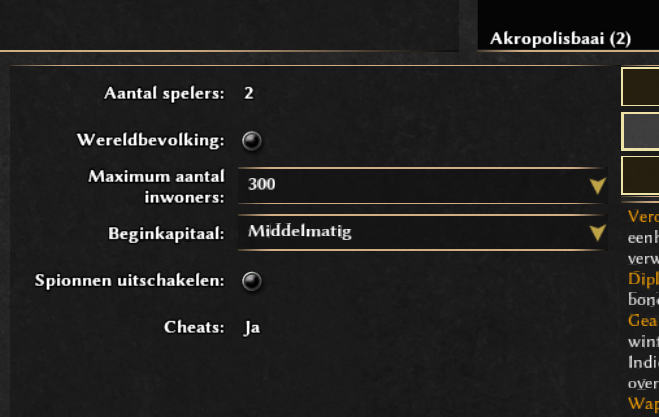
you can only select the number of players with random maps
-
Try another map. If you choose a map for two players ["(2)"] you can't change that.
-
The problem is, i have no dropdown menu to select more players...
-
I imagine you will need to pose the body mesh the way you want to with the armature and then import the props and combine them with the body mesh to make one mesh to print it. But, mind you, I'm no 3D printing expert.
-
It would be useful if in Ui we could see which bonuses were applied to some price/time
-
Engine.GetSimRate/SetSimRate from JS script
Vantha replied to CulturedCait's topic in Scenario Design/Map making
Yes, notifications are the best way to communicate stuff like this from the simulation to the GUI (and it works just as @phosit said). What kind of calculations? A "tick" in the GUI happens for each rendered frame, so the tick rate won't go up if you increase the sim rate (in fact, it'll probably go down a bit, since the game is busier with the simulation and has less time for rendering). -

Engine.GetSimRate/SetSimRate from JS script
phosit replied to CulturedCait's topic in Scenario Design/Map making
Yes, I think that is correct. But @Vantha has more knowledge. -

Sharing My Original Music and Sound Effects - Over 2000 Tracks
Eric Matyas replied to Eric Matyas's topic in Art Development
Hi Everyone, What a year...ugh. In these troubling times, I thought I'd finish out the year with a music track that maybe offers a little bit of hope: "THE MEADOW WE CALL HOME" (looping) You can listen to it here: https://soundimage.org/wp-content/uploads/2025/12/The-Meadow-We-Call-Home.ogg And download it here: https://soundimage.org/fantasy-13/ Have a safe New Years Eve. -
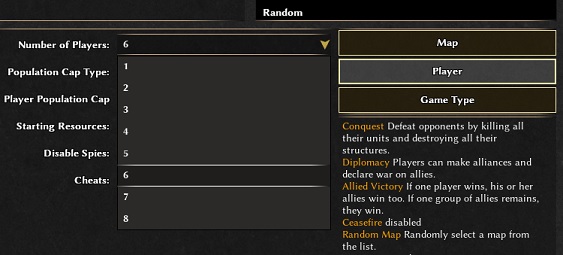
Hi @RemonK, welcome to the forums. In the match setup hit "Player" then you can make your selection.
-
 RemonK joined the community
 -
How do i add more players in singleplayer mode??
-
make sense, didn't check seleucids bonus
-
 JefferyStest joined the community
 -
I didn't really forget that. I've just assumed that those library versions were backwards-compatible (as they should be) and that he would need fewer libraries anyway since it's an older alpha release. The hardest to compile is Spidermonkey 38 mainly because it relies on python 2. Spidermonkey has very few minor versions that are ABI (backward compatible) sometimes they even break it in minor like 76.3 and .5
-

Must have XXIII(23) Ken Wood Linux only
Deicide4u replied to NewWorldHero's topic in Help & Feedback
I didn't really forget that. I've just assumed that those library versions were backwards-compatible (as they should be) and that he would need fewer libraries anyway since it's an older alpha release. But yes, that is one issue you inevitably hit while learning to compile. And this knowledge ia quite valuable in today's world. -
@Dunedan Good. If compiling older versions of 0ad is as you describe, there's another way. Probably easier than compiling. In Debian, version 23.1 of 0ad was available in Bullseye (11.x). 1. Install Debian 11 Bullseye on a USB stick just like you would on a hard drive. https://cdimage.debian.org/cdimage/unofficial/non-free/cd-including-firmware/archive/11.11.0+nonfree/amd64/iso-dvd/ Includes firmware. 2. Run the installed Bullseye from the USB stick on your computer. Of course, unless it's a recent computer that the Bullseye kernel (5.10.x) can't handle. 3. Since the Bullseye repository is already down (I think), 0ad and its dependencies (there aren't many) must be installed manually. https://packages.debian.org/bullseye/0ad The standard command: apt install 0ad will not work. 4. Download the following: http://ftp.de.debian.org/debian/pool/main/0/0ad/0ad_0.0.23.1-5+b1_amd64.deb http://ftp.de.debian.org/debian/pool/main/0/0ad-data/0ad-data_0.0.23.1-1.1_all.deb http://ftp.de.debian.org/debian/pool/main/0/0ad-data/0ad-data-common_0.0.23.1-1.1_all.deb 5. Try to install it: dpkg -i 0ad-data_0.0.23.1-1.1_all.deb dpkg -i 0ad-data-common_0.0.23.1-1.1_all.deb dpkg -i 0ad_0.0.23.1-5+b1_amd64.deb We're taking a look at what dpkg outputted. The first two packages should install correctly, unless some fonts are missing, in which case they need to be installed. https://packages.debian.org/bullseye/0ad-data-common The last command will be the hardest, as dpkg will output something like: "error – package xxx is missing". You'll need to download this package manually, install it, and try again: dpkg -i 0ad_0.0.23.1-5+b1_amd64.deb And so on until you succeed. After a few rounds of this, we have 0ad ver. 23.1 installed for good. Now you can run 0ad and finally put the Bullseye + 0ad USB stick away. Best regards. Happy New Year
-
Wonder if we could split it in multiple buildings with different purposes. Else that will be a scenario only actor.
-
You can look at the latest Release Candidates, else you need to clone the repo and pull the translations yourself.
-
If app image is a no go for you then you'll have to run the migration scripts on the maps. Stuff that handle renamed actors, modified xml and removed terrain types.
-
Thank you Stan. All good. Got the Reviewer status now and can change older strings but I can't tag them as Reviewed. Transifex is way better than Crowdin or Weblate. Is there a way to test the translation or do I need to wait for the next release?
-
What all of you seem to forget is that the instructions to compile a23 are quite different from the instructions to compile recent versions of 0ad and that the versions of some libraries a23 depends on aren't available on modern Linux distributions. In my opinion that makes compiling a23 on a modern Linux distribution quite complicated.
-
@NewWorldBohate You're exaggerating when you say compilation is difficult. The description on the website: https://gitea.wildfiregames.com/0ad/0ad/wiki/BuildInstructions#linux may be confusing, but that's because it describes compilation cases for various distributions. If you write down the commands, for example, on a piece of paper, it's not so bad. I can help you with that—you just have to want it and show some good will. Yes, compilation requires a lot of dependencies, which are normally unnecessary. But compilation can be performed on a Live system running from a DVD or USB drive (it must be the same version as the one you have installed on your PC). After completing the necessary steps, back up the necessary directories and shut down the computer. All the "mess" (as you wrote) is gone – you only have what you need. Transfer it to your PC and you're done. A small note about 0ad. You build the Live installation in a directory on an external drive, as this directory takes up a lot of space. The drive must have Linux partitions (ext4). If you connect a USB drive with a FAT32 or exFAT file system, for example, the build will fail because Windows file systems do not support symlinks. Best regards.











-
Latest Topics
-
