Belisarius17 Posted June 20, 2021 Share Posted June 20, 2021 Hi everyone..... I would like to know, How to introduce a pick of the scenario that I'm building on the previews picture section of the Atlas editor??? Here is a pick of how is looking so far. Please guys...Help me please...and thanks. 3 Link to comment Share on other sites More sharing options...
Freagarach Posted June 21, 2021 Share Posted June 21, 2021 https://trac.wildfiregames.com/wiki/Atlas_Manual 1 Link to comment Share on other sites More sharing options...
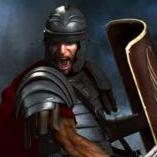
Belisarius17 Posted June 21, 2021 Author Share Posted June 21, 2021 (edited) Thanks for sharing the link Fregarach. The manual you shared say that The resulting image should be placed in art/textures/ui/session/icons/mappreview, either inside the local user data (see GameDataPaths) or inside a mod (see Modding Guide) To set the preview for a map, the corresponding field ('Preview') on the Atlas 'Map' tab can be used. But I been looking for the art/ texture, session/ icon/ map preview, and can't find the file inside the Local, 0ad data file nor 0.a.d so do I have to create the file??? ...By the way here is another promo pick I made, of the mod, so you can get an Idea of how it is looking so far and let your friends know.... As soon as the scenario is ready, I will post a link so everyone that want to play or modified it to their own taste can do so...and thanks for sharing. Edited June 21, 2021 by Belisarius17 Link to comment Share on other sites More sharing options...
Belisarius17 Posted June 22, 2021 Author Share Posted June 22, 2021 (edited) Hey..Just came back to tell you thanks a lot for the manual link...It does really help a lot, In 20 minutes, I have learned a lot...by the way..I allready have the Preview pick ready with the right dimensions, according to the manual you share with me on the link..., But can't find the art/textures/ui/session/icons/mappreview. I did a seach on my window 10 but the file is nowhere in my PC...so do I have to make the field??? and if I do...where do I berry it??? And thanks for your reply and the manual link. Edited June 22, 2021 by Belisarius17 Link to comment Share on other sites More sharing options...
Freagarach Posted June 22, 2021 Share Posted June 22, 2021 You'll have to create that folder in your mod folder, then place your previews in it. (Be aware that on M$ (W10) systems the path is `<yourmodfolder>\art\textures\ui\session\icons\mappreview`.) Link to comment Share on other sites More sharing options...
Belisarius17 Posted June 22, 2021 Author Share Posted June 22, 2021 (edited) Hey Fregara, thanks for the reply,....Do I have to create a file with the name Empires at War as <yourmodfolder> and put it inside the mod folder before I make the other files??/ And then make the The \art\textures\ui\session\icons\mappreview`.), each as a folder??? or one folder for each inside another till the last file,???? And thanks once again man, Thanks a lot! Edited June 22, 2021 by Belisarius17 Link to comment Share on other sites More sharing options...
Freagarach Posted June 22, 2021 Share Posted June 22, 2021 https://trac.wildfiregames.com/wiki/Modding_Guide E.g. your mod folder: "EmpiresAtWar" in that, a folder: "art" in that, a folder: "textures" Et cetera. 1 1 Link to comment Share on other sites More sharing options...
Belisarius17 Posted June 23, 2021 Author Share Posted June 23, 2021 Thanks man. Link to comment Share on other sites More sharing options...

Recommended Posts
Create an account or sign in to comment
You need to be a member in order to leave a comment
Create an account
Sign up for a new account in our community. It's easy!
Register a new accountSign in
Already have an account? Sign in here.
Sign In Now