
manowar
-
Posts
60 -
Joined
-
Last visited
-
Days Won
5
2 Followers


manowar's Achievements

Discens (2/14)
58
Reputation
-
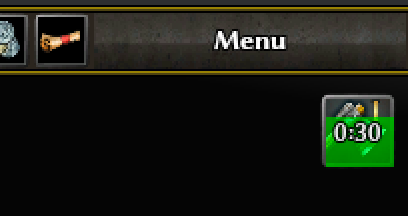
You don't have these tech research progress indicators ?
-
The time in the top right is the dev overlay that most people do not switch on - that is what this is aimed at replacing. It cannot be at the absolute right as tech research icons appear there. The panel can be made wider but you cannot take account of the length of usernames I could check that but there could be a performance hit. I was considering a scrolling text box for the content. The point about this version is the whole panel can be toggled with a keystroke or clicking the icon. So if it gets in the way you can switch it off. The background is transparent (80% IIRC). Without it the text is very difficult to read especially when the background is grass or trees - or snow for that matter. ah bummer - I liked it. In any case these are just ideas aimed at addressing a single issue. It would be up to the devs to implement. At the moment I have them in a mod.
-
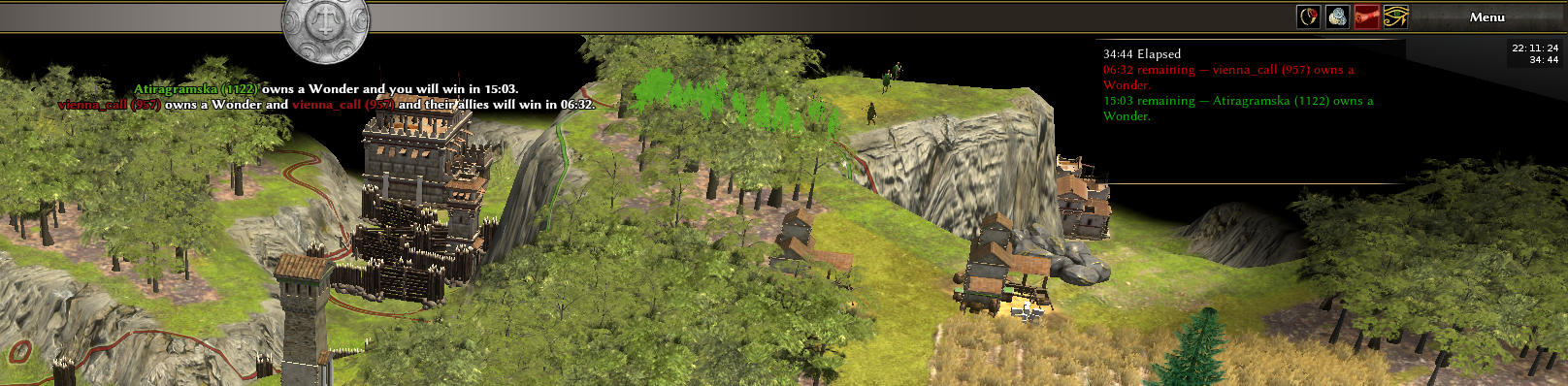
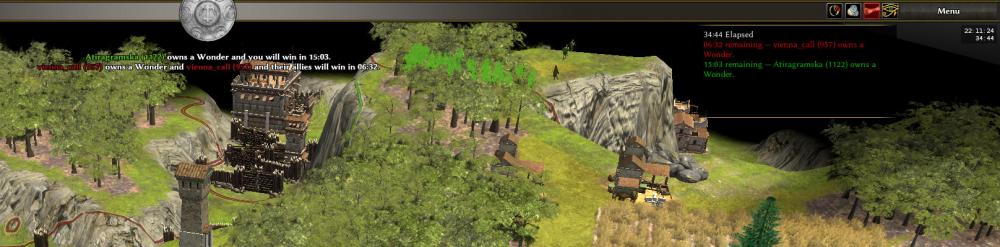
Screenshot from nomad wonder game tonight:
-
Just saw this and sad to see as @uff was 100% trying to make things better. I want to see @uff come back and work towards making the game better. I have also tried to vibe a few things to solve the problems I notice but the aim should be to make code public & strive towards pushing improvements to the core game. I hope @uff can return with an emphasis on pushing features to core.
-
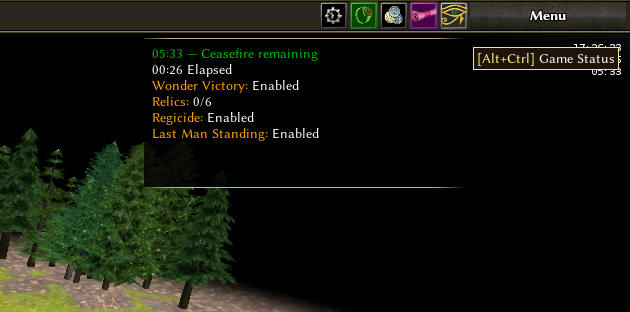
I have made some changes for ideation - specifically: Eye of Horus icon button: This toggles a gameStatus panel on/off gameStatus Panel: Displays the time elapsed and ceasefire remaining (as the current dev overlay does) Displays any win conditions that may be enabled i.e. relics, wonders, last man standing, regicide Displays the coundown timers for wonder win and relic win Key combination Ctrl-Alt toggles the panel No icons to the left of each line as yet Also ignore my coloring of the other two icons as that is from another part of my mod that wouldn't apply to this.
-
Super this is great. I will close my PR.
-
@Atrik I believe this problem is worthy of a dedicated issue with the attention of people more experienced than me. Do you think we could get the current PR approved for the next release to allow us to play games without the problem ? At the moment I have it hard-coded to 200m but the distance could be configurable. Then when the larger issue is resolved we could remove that configuration option. Thoughts ?
-
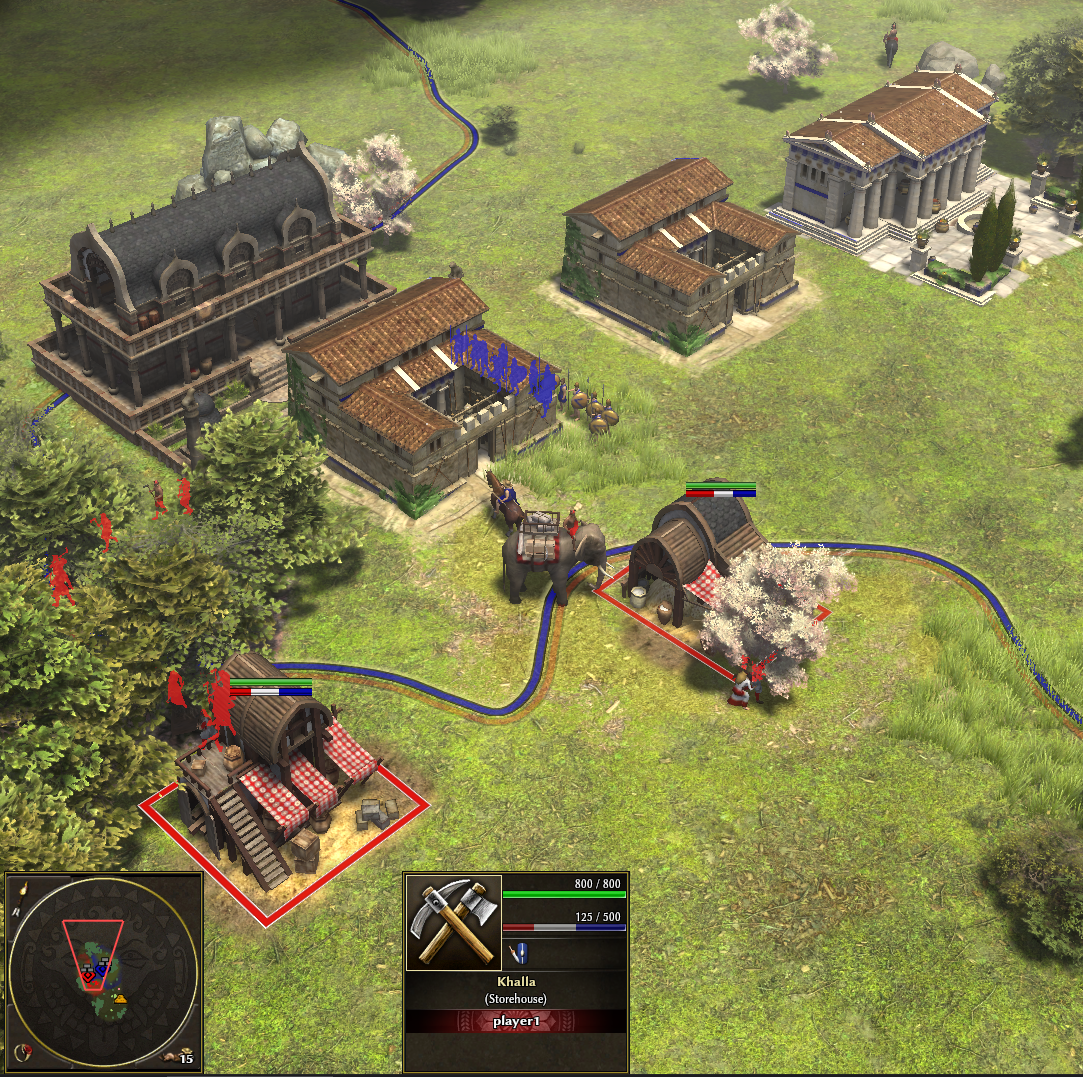
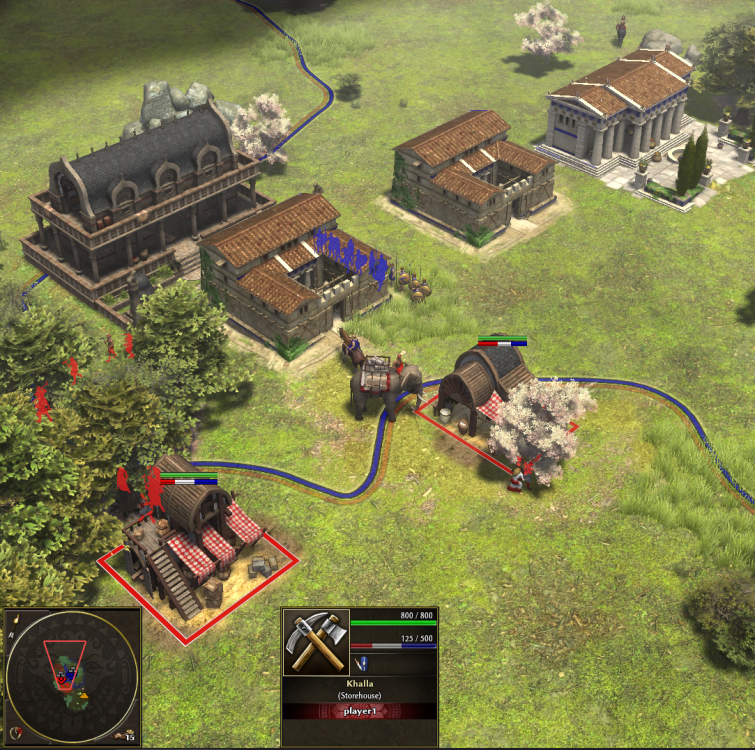
Screenshot below shows another test but with the health bars so you can see the decay clearly
-
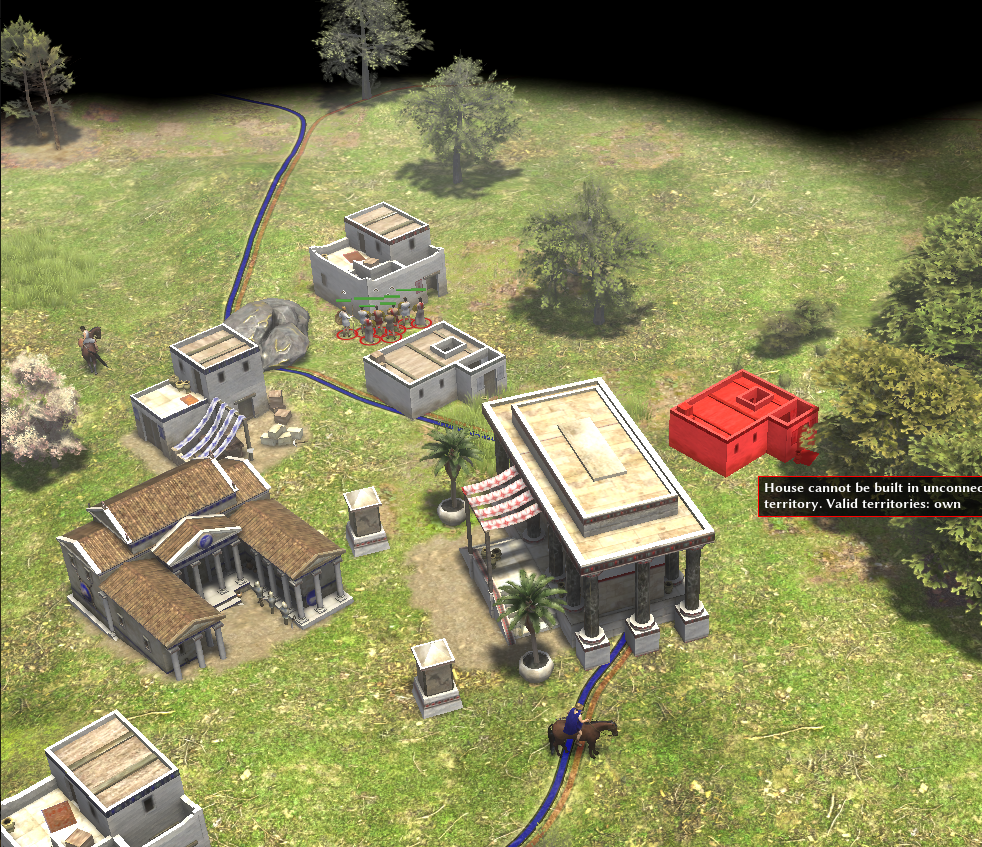
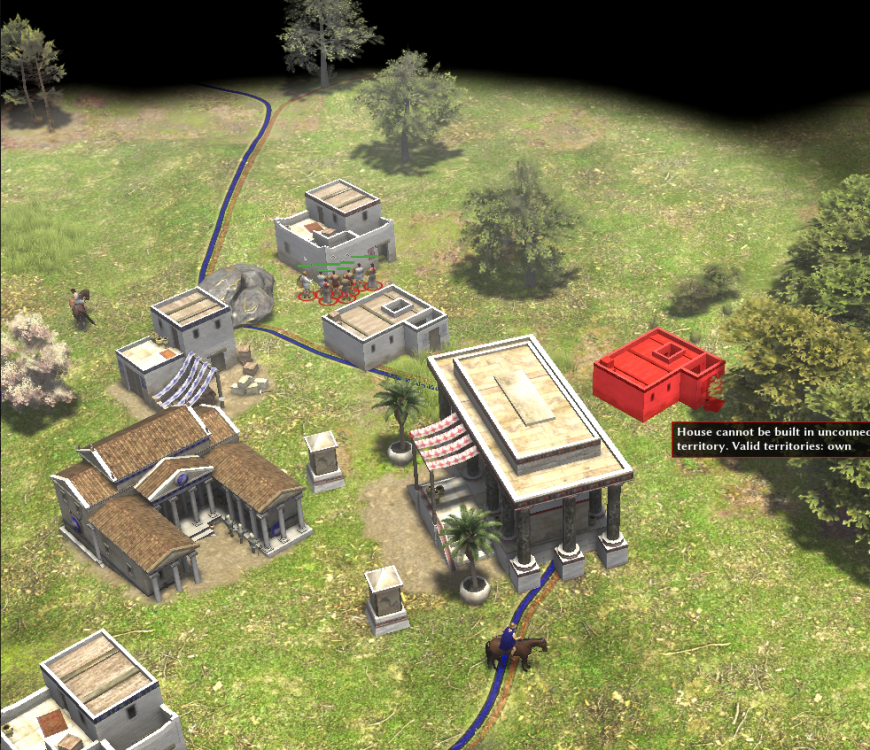
@Atrik adding detail here about why your approach (and what I tried first myself) still has problems. (reference PR comment) I added your code, built and ran the game twice as player1 (blue) and player2 (red). In the attached first screenshot player1 has built a barracks close to player2 CC. The new code stops the CC from decaying BUT notice that buildings created by player2 have auto reverted to being owned by player1 AND while they are in the process of decaying the territory line of player2 starts flashing and it is not possible for player2 to add any other building within his own territory (see building highlighted red). It is for this reason that I approached the problem from another angle i.e. allowing the host to impose a CC distance in the Game Setup. The alternative of messing with the weights of buildings, owning tiles, decay rates felt like a more dangerous change.
-
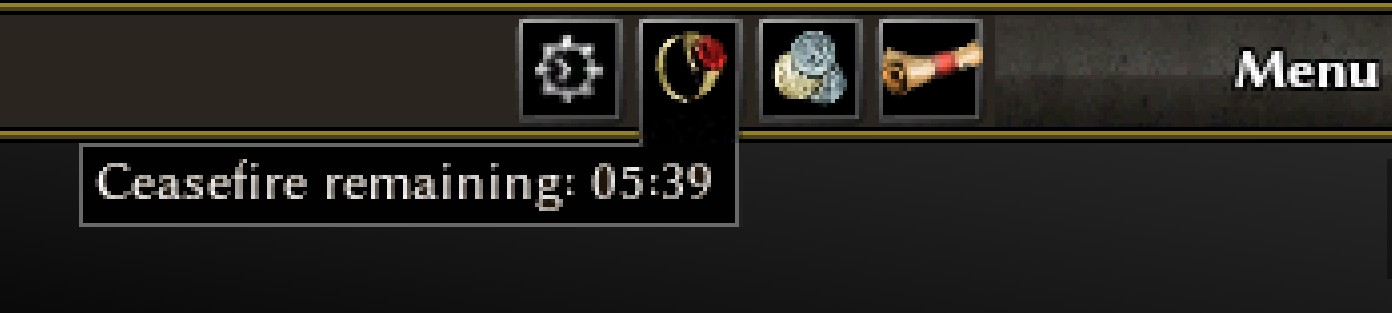
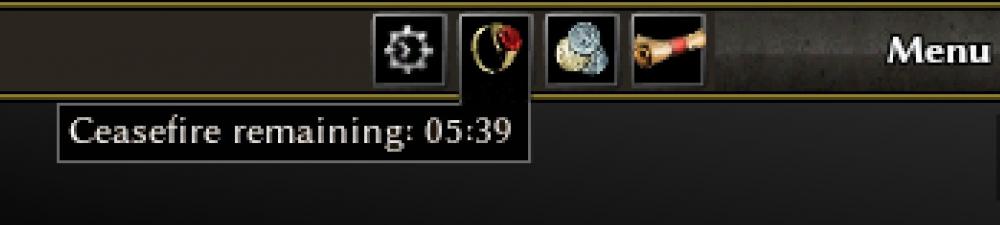
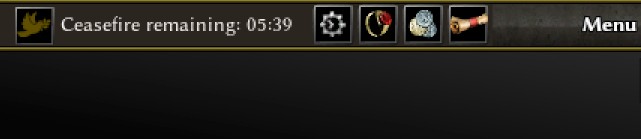
This is an interesting take. In my version I was aiming to show diplomacy related items (ceasefire) under the diplomacy icon and match related items (wonder/regicide) under the match settings icon. I'm not sure if you mean for it to be permanently visible or visible on hover? But if permanently visible it could replace the wonder notifications that normally show in the top-center text notifications area. I like @Obelixidea of putting (a more concise) version string to the left of the main shield AND @wowgetoffyourcellphone we can have the version string added to the screenshot name as described already. I think I should try to implement these ideas in my mod for testing.
-
But I think the issue with that one is space on the panel. So keeping the version info doesn't give space for it.
-
PR here to restrict placing a CC within 200 m of an already placed CC: https://gitea.wildfiregames.com/0ad/0ad/pulls/9176
-
I have been toying around with potential fixes for this issue. I had tried to counter TerritoryDecay to trigger only when the relevant territory was owned by an actual enemy, preventing neutral or one-sided allied barrack influence from draining capture points during a ceasefire. That had mixed success so I then attempted to block CC placement within 200 meters of another placed CC and I think I might prefer that method as it would also reduce arguments in-game when people place too closely together. I'd appreciate feedback / thoughts from players.
-
Screenshot ideas below for what I had been thinking for re-using the top ribbon space, or a kinda dropdown from the diplomacy icon
-
ok clearly I am on a different page. I'll close the PR but I don't think the desires of the developers outweigh the players. I can't think of any other software that needs the version info up front for user screenshots.